Introducing PrismCast: Browser-based Live TV Capture for Channels DVR and Plex

SageTV is dying because we don't have a pre-configured avenue for streaming sources, and I'm directing folks back to Channels DVR. I use Channels DVR as a pool for nearly all my tuners now, and SageTV can access those tuners, opening up many streaming service options.

Thanks for elaborating. So…you’re using PrismCast as a direct source to something that isn’t necessarily Channels DVR or Plex, am I correct? (sorry I don’t use most of these exotic devices).

I believe he's saying that he's using Channels as a backend "tuner aggregated source" that then various platforms can access such as the Sage Boxes.

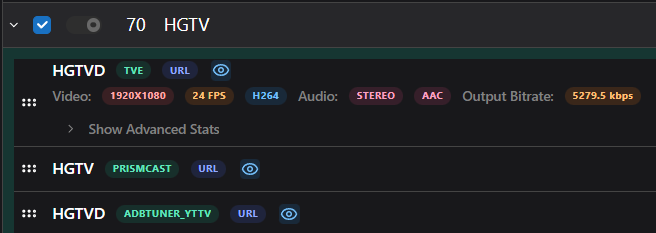
I use your Prismcast to source Dispatcharr (my source aggregator) and then port that out to CDVR, EMBY, TiviMate, Plex. I also source some of CDVR for TVE accessible channels.
image
I like to tinker. :wink:

Jator pretty much explained it. Of course I recognize not everyone can have the exotic stuff.

Ok, initially I was trying to add the FanDuel Sports Network West channel using Directv as the source. I added the channel using the channel name and number which I got from the Directv site and the Autodetect profile, but the video wouldn't start. So I tried all of the other profiles with no luck. I then went to a couple of your predefined channels (Comedy Central and IFC) using Directv as the source and got the same result.

On all of my attempts, I received the error message below;

[ifcp-hz7vb6] Stream setup failed for https://stream.directv.com: Channel selection failed: DirecTV guide grid did not load (no channel logos found).

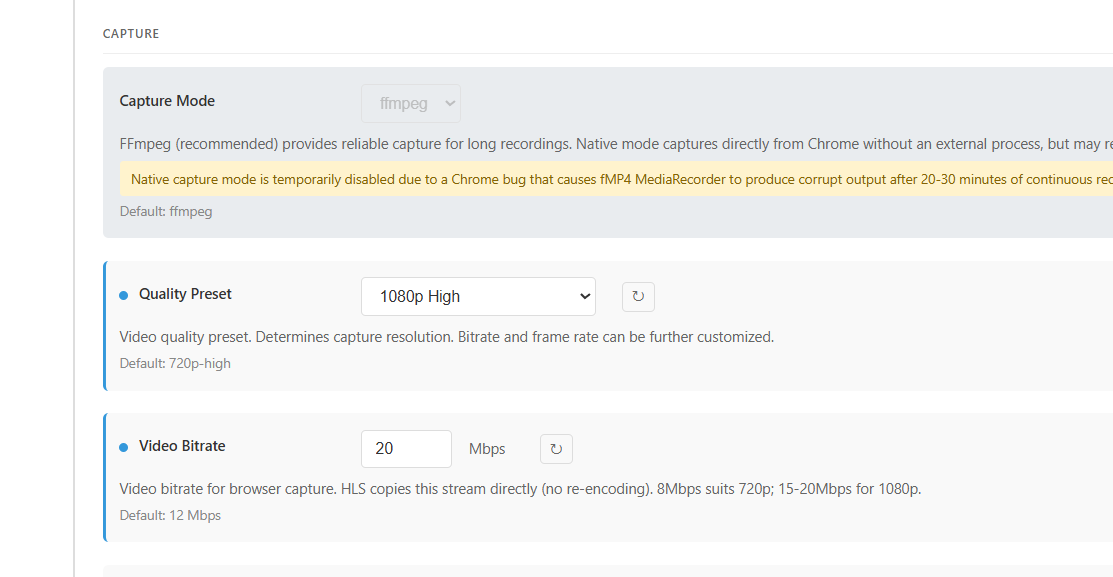
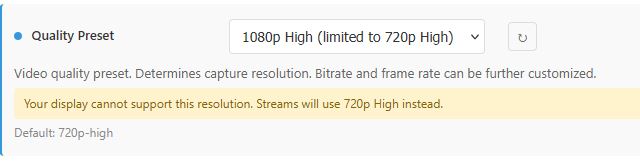
Ive seen this mentioned before BUT i now have my Chanels/Prismcast PC plugged into my 4k TCL TV and I never get more than the 720p option Just wondering as to why?? Would a dedicated GPU help as compared to the onboard Intel HD630 or is it something else?? Not the biggest deal more wondering why.
Also this 1.7update has bumped channel loading times down a bit....Nice.... Had the Yes-network load in like 8sec

Also for any PC peeps any settings i can make in PC or in Prismcast to bump performance as im running a dedicated PC and running Prismcast natively

All in all this is working very nicely and I'm definitely preferring native mode in Windows seems much better vs Docker for me....and the updates are a simple click and go

Do you have Prismcast set to 720 or 1080 in the settings?


If Prismcast is capturing at 720, then doesn't matter what hardware you have going on. If you don't get that option (1080), it means your PC that you have Prismcast (headless?) is only configured for 1080 (you have to go to next size up to be able to capture a resolution).

Portainer Stack Config:

 environment:
      - PORT=${PORT:-5589}
      - VNC_PORT=${VNC_PORT:-5900}
      - NOVNC_PORT=${NOVNC_PORT:-6080}
      - HDHR_PORT=${HDHR_PORT:-5004}
      - DISPLAY_NUM=${DISPLAY_NUM:-99}
      - SCREEN_WIDTH=${SCREEN_WIDTH:-3840}
      - SCREEN_HEIGHT=${SCREEN_HEIGHT:-2160}
      - SCREEN_DEPTH=${SCREEN_DEPTH:-24}

Plugged into a 4K TV via hdmi running natively in Node.exe
Capture2
All the dropdown options say (limited to 720p)

Make sure that Windows recognizes your TV with a 4k resolution (3840 x 2160). Then make sure that the scale is set to 100% (not greater), and restart the machine. Then recheck PrismCast to see if 1080p is available.

I will say that with Youtube TV there are a lot of channels whose max resolution is 720p, so I've pretty much left it at that. It also helps minimize processor usage to encode to lower resolutions.

That did the trick Thank-you !!! Ill need to remember to switch back to 100% after mucking around BUT luckily I dont use that PC for anything more than Chanels etc

NM, I see solution was found.

I believe he's saying that he's using Channels as a backend "tuner aggregated source" that then various platforms can access such as the Sage Boxes.

I use your Prismcast to source Dispatcharr (my source aggregator) and then port that out to CDVR, EMBY, TiviMate, Plex. I also source some of CDVR for TVE accessible channels.

Thanks for elaborating. Alright...convinced. There'll be some optionality built into the next release related to HEVC.

I have an admittedly unrelated couple of questions because I'm curious: why on earth do people want to do all this stuff? Is it just to tinker, or is there some really value that I, in my pretty simple/straightforward use cases, cannot quite see?

Bonus question: what is it with these static weather pages that people want to turn into channels? Why? I don't get it...there's hundreds of easier (and arguably better) ways to get the weather. Including just asking whatever device you're viewing!

The more I understand how the community uses PrismCast and has it engage with the ecosystem around it, the better I can contribute, or explicitly opt out of a certain path if I don't want to support something. Don't assume that I know what most of these other toolsets are - I do not. :smile: (e.g. I had never heard of Dispatcharr before...and still don't get it's utility for a normie like me, but recognize others do).

As an FYI: proxying PrismCast to a source aggregator, particularly with Channels (it's primary use case) is not something I would advise. PrismCast increasingly ties into Channels DVR's API for some of it's more nuanced features and it relies on the fact that Channels is directly connecting to it. Proxying that connection in some way...you're on your own and I won't be supporting those setups (may work over the long term, may not).

Can't speak for others. For me, I use TiviMate for multi-view (Androind person, let's not go down that rabbit hole, well debated) during football season. Channels offers most of what I want, but occasionally I like to play with Emby as an alternative as I prefer the color scheme (also widely debated). Plex (and Jellyfin) are just for tinkering purposes.

Nostalgia I believe. I actually tried to set mine up, but kept hitting roadblocks and wasn't that invested to work through to completion.

DIspatcharr is similar to Xsteve/Threadfin/Playlist Manager which allows a lot of flexibility (custom channels, logos, aggregator and expoers M3u/xml for applications to digest). Also makes it a lot easier to manage multiple sources and swap out sources and/or change source priority without having to reconfigure within channels.

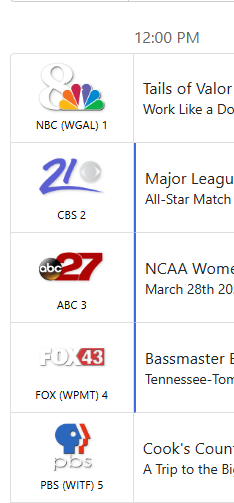
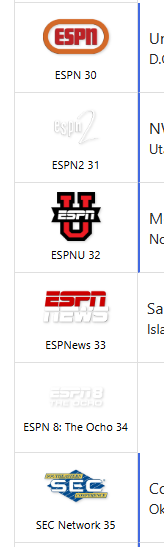
Example, here's my Guide for channels after I've done my manipulations (I like to use retro logos):


image

3 Likes

I do the same really. I have the occasional retro logos for the PBS stations and some of the locals.

I use SLM/PLM to map out the channel numbers to match up with DirecTVs. For Prismcast, I set those numbers very high as I want my hdmi encoder (and TVE) to be the first option and then if they're occupied or non-existent, then I let Prismcast sources go to work

  1. Having complete control over my media. There is no big corporation monitoring how many times I watched Forest Gump this year, and then using/selling that personal data for their own advantage.
  2. Comskip.
  3. Having all my media in one place, and shows don't just appear/disappear as time passes.
  4. Remote access to my media when I travel.
  5. Been running SageTV for over 2 decades now, so tinkering is definitely in there somewhere. Kardatzke is a genius in my opinion.
  6. These types of communities draw some of the greatest minds on the planet, and most of them are just here to have fun, so there is some really unique stuff happening all the time.
1 Like

My counterpoint would be...you don't need 20 tools to do most/all of that. Channels OR Plex OR Jellyfin OR X can do that today. It's the AND combinations I find fascinating...there's an awful lot of folks out there that seem to have the same answer to this as to why many people climb mountains: because they can. :smile: I can't argue with desire/hobbies/joy...I get it (writing code gives me joy). But Rube Goldberg-esque over engineered answers are anathema to me.

That's why all my software is written the way it is, and opinionated throughout: I value elegance, cohesion, doing things "right" (as I define it, let's be honest here), and not overburdening users with lots of switches and options that don't materially add to the experience.

...and thank you providing me a little insight into everyone's worldview and thinking. Helps me as I think through the future for PrismCast.

2 Likes

You have 100% of my respect for that, and gratitude. If I had your abilities, I'd probably be running my own custom DVR software by now. You wouldn't believe some of the workarounds I was using to get cablecard channels into SageTV.

1 Like

At one time I had Sage pulling data from my own weather station, so it showed up on all the extenders and clients. Now we're getting it from weather underground. Some of the first Sage extenders showed up before smartphones (or right about the time they emerged). Even the cable companies didn't have a universally available DVR through the entire house. I guess we've had to piece things together so long we just got used to it. I suppose I shouldn't muck up this thread with a bunch of old guy nostalgia.

Ok, initially I was trying to add the FanDuel Sports Network West channel using Directv as the source. I added the channel using the channel name and number which I got from the Directv site and the Autodetect profile, but the video wouldn't start. So I tried all of the other profiles with no luck. I then went to a couple of your predefined channels (Comedy Central and IFC) using Directv as the source and got the same result.

On all of my attempts, I received the error message below;

[ifcp-hz7vb6] Stream setup failed for https://stream.directv.com: Channel selection failed: DirecTV guide grid did not load (no channel logos found).

I'm repeating the same advise I gave previously: stop trying to add things manually for builtin providers. Only use the browse provider channels wizard and add channels that way. Delete any user-defined channels that you've created on your own.

As I said, the problem occurs with with the builtin providers too.

@hjd, does this solution "span" the inbetween times NBC (or other NBC based channels) are not being watched? I did some testing and thought it was doing a better job than before but then after retruning to the channel a day later, it was back to requiring me to logout and log back in. Sorry if I misunderstood the intent of this enhancement.