
Does this have guide data or will that need to be added separately?
Yes
Just an FYI, my Chrome version that Prismcast (which is using the patched file) is using has updated to version 151 without any issues.
Where do I find the guide data?
I cant figure out how to get the non drm streams to not try to record the window. Does this support token baton exchange where the token keeps the stream going?
In Channels DVR
Gracenote station ID for each channel in PrismCast

gets sent to the playlist as tvc-guide-stationid
Refer to the GitHub Readme https://github.com/hjdhjd/prismcast#channels-and-streaming
- Native HLS streaming - For TV Everywhere sites that deliver non-DRMed streams, PrismCast automatically bypasses screen capture and consumes the stream directly — delivering full service quality with significantly lower CPU usage. This is especially valuable for Hulu + Live TV subscribers who can use their TVE credentials to stream channels like A&E, Food Network, HGTV, History, Discovery, and many more at native quality through those networks' own sites. Also works with Fox One, Fox Sports, BET, C-SPAN, VH1, and others. DRM-protected services automatically fall back to screen capture.
2 Likes
Wow gracenote for each one huh
It did not automatically get the hls it still captures it. Is there something I'm missing here?
You need to use the Network websites instead of a Provider website for the channels.
Like this (using Fox One for Fox channel instead of YTTV)
[2026/08/02 02:48:46.453 PM] [fox-1n5ae3] Streaming Fox (KTXL): Fox One, keyboardMultiVideo, native HLS, H264 6.7Mbps 720p. Tuned in 8.4s.
And if a channel has DRM it will capture it instead (like NBC, PBS...)
1 Like
I tried wsfa live stream . Can you try it ? Mine didn't capture it
Where does the hls link go? Does it extract it if it does a token approach where they are renewed like channels does?
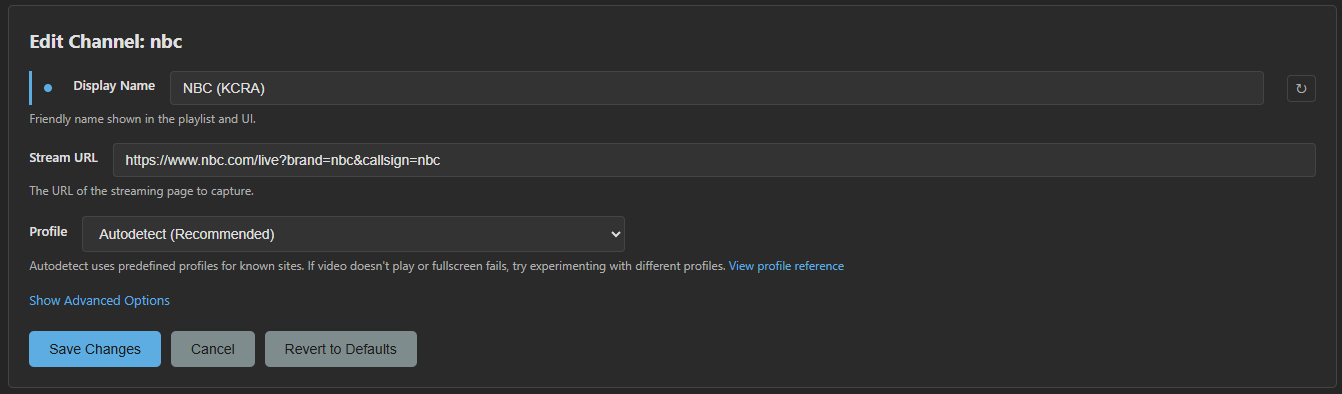
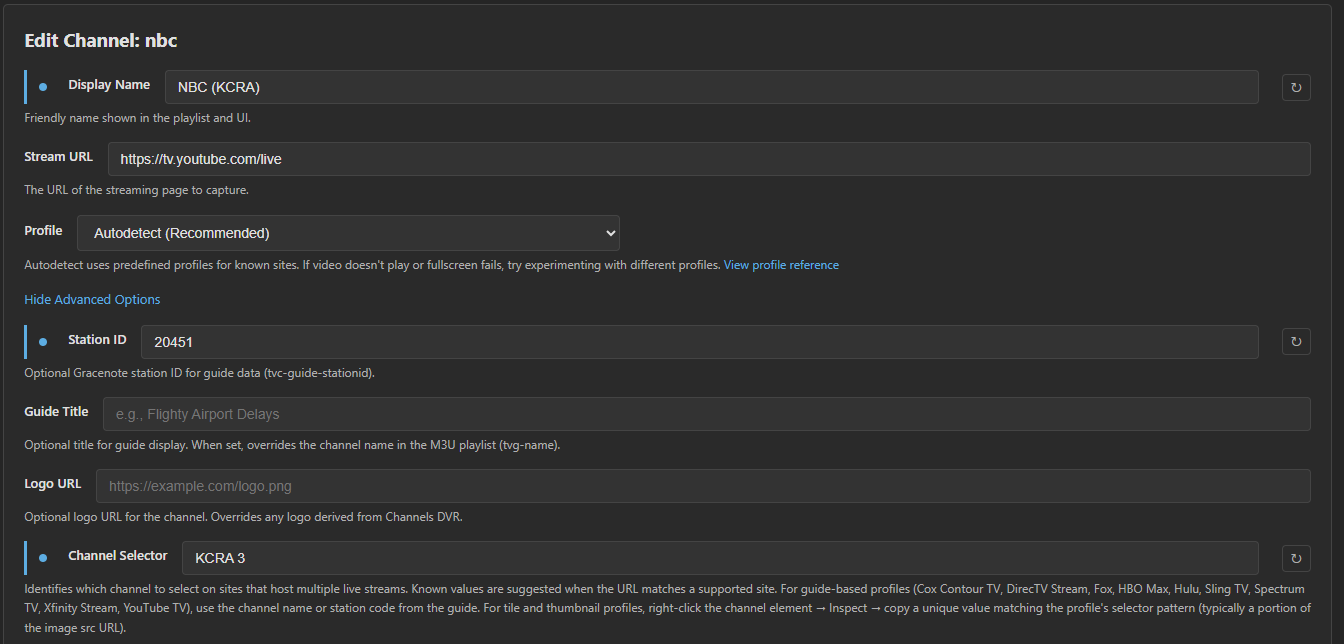
No this is local news I want to pull from the website
It's just the news not the nbc content. I made a script to rip it in python but something broke in my code process
If you change the settings in prismcast will it grab the correct data in channels or should I manually do it in channels?
Do y'all know how to remove.channels that are dead without having to make a new playlist
Also, if I make a channels collection it includes both channels from prism cast and channelsdvr channels is there no way to manually remove them?
WSFA seems to be using quick play to create small ts segments
I’ve got to give a shout out to @babsonnexus for these amazing tips!! Who knew that he would have a fix for my issue before I knew I had an issue.
Search is your friend!!
3 Likes
babsonnexus is the one of the OG's of these forums. grateful for all his contributions to this hobby of ours!
3 Likes
Just a question regarding behavior on the ESPN channels. I logged in utilizing the TV Provider option. Provider is Directv Stream which also gives me an ESPN Unlimited (I have a My Disney Acct for that).
Watched (2) LL Softball games today on ESPN2. At the end of each game, the spinning circle appears and it does not proceed to the next broadcast. I checked my ah4c setup and the channel was still playing (commercials then next program). I didn’t check my firestick app but will do that tomorrow.
I was expecting it to continually play thru several programs. At least it didn’t stop until the game was over. Nothing in any of the logs on the dashboard. Using the espn.com to log in on PrismCast.
Anything else I can try other than logging in with MyDisney acct.
Update #1:
Using the MyDisney acct log in from my DirectvStream ESPN Unlimited wouldn’t authenticate so I stayed with TV Provider log in.
While authenticating, I opened the setting icon and found the auto play not enabled. Had to enable on 3 of the services then it stuck.
The results are encouraging. It's on the 3rd show now and it gives you a little hiccup for 10-12 seconds. First thing you see is a screen that says “no video available to play” then it disappears and the next program starts.
Here’s the PrismCast Log:
[2026/08/05 04:36:53.471 PM] [espn-rtbn7u] Streaming ESPN: ESPN.com, keyboardMultiVideo, FFmpeg [⚡ HEVC]. Tuned in 4.1s (direct).

[2026/08/05 04:37:18.062 PM] User channel 'espnews' updated.

[2026/08/05 04:37:26.710 PM] Login mode started for https://www.espn.com/watch/player?network=espnews.

[2026/08/05 04:37:34.806 PM] Login tab was closed. Ending login mode.

[2026/08/05 04:37:35.487 PM] Login mode ended.

[2026/08/05 04:37:50.138 PM] User channel 'espnu' updated.

[2026/08/05 04:37:55.978 PM] Login mode started for https://www.espn.com/watch/player?network=espnu.

[2026/08/05 04:38:11.277 PM] Login tab was closed. Ending login mode.

[2026/08/05 04:38:11.955 PM] Login mode ended.

[2026/08/05 04:38:38.044 PM] User channel 'espnsec' updated.

[2026/08/05 04:38:45.834 PM] Login mode started for https://www.espn.com/watch/player?network=sec.

[2026/08/05 04:38:59.968 PM] Login tab was closed. Ending login mode.

[2026/08/05 04:39:00.647 PM] Login mode ended.

[2026/08/05 05:00:28.111 PM] [WARN] [espn-rtbn7u] [SportsCenter] Video element not found (attempt 1/3). Context: main page, frames: 13, videoCount: 0.

[2026/08/05 05:00:30.114 PM] [WARN] [espn-rtbn7u] [SportsCenter] Video element not found (attempt 2/3). Context: main page, frames: 13, videoCount: 0.

[2026/08/05 05:00:30.114 PM] [WARN] [espn-rtbn7u] [SportsCenter] Re-search did not find video in any frame.

[2026/08/05 05:00:32.115 PM] [WARN] [espn-rtbn7u] [SportsCenter] Video element not found (attempt 3/3). Context: main page, frames: 13, videoCount: 0.

[2026/08/05 05:00:32.115 PM] [WARN] [espn-rtbn7u] [SportsCenter] Video element not found - recovering via page navigation.

[2026/08/05 05:00:36.975 PM] [espn-rtbn7u] [SportsCenter] Recovered in 4.9s via page navigation.

[2026/08/05 05:02:36.194 PM] [WARN] [espn-rtbn7u] [SportsCenter] Video element not found (attempt 1/3). Context: main page, frames: 13, videoCount: 0.

[2026/08/05 05:02:38.195 PM] [WARN] [espn-rtbn7u] [SportsCenter] Video element not found (attempt 2/3). Context: main page, frames: 13, videoCount: 0.

[2026/08/05 05:02:38.196 PM] [WARN] [espn-rtbn7u] [SportsCenter] Re-search did not find video in any frame.

[2026/08/05 05:02:40.196 PM] [WARN] [espn-rtbn7u] [SportsCenter] Video element not found (attempt 3/3). Context: main page, frames: 13, videoCount: 0.

[2026/08/05 05:02:40.196 PM] [WARN] [espn-rtbn7u] [SportsCenter] Video element not found - recovering via page navigation.

[2026/08/05 05:02:44.347 PM] [espn-rtbn7u] [SportsCenter] Recovered in 4.2s via page navigation.

[2026/08/05 06:00:34.636 PM] [WARN] [espn-rtbn7u] [SportsCenter] Video element not found (attempt 1/3). Context: main page, frames: 13, videoCount: 0.

[2026/08/05 06:00:36.637 PM] [WARN] [espn-rtbn7u] [SportsCenter] Video element not found (attempt 2/3). Context: main page, frames: 13, videoCount: 0.

[2026/08/05 06:00:36.638 PM] [WARN] [espn-rtbn7u] [SportsCenter] Re-search did not find video in any frame.

[2026/08/05 06:00:38.637 PM] [WARN] [espn-rtbn7u] [SportsCenter] Video element not found (attempt 3/3). Context: main page, frames: 13, videoCount: 0.

[2026/08/05 06:00:38.637 PM] [WARN] [espn-rtbn7u] [SportsCenter] Video element not found - recovering via page navigation.

[2026/08/05 06:00:44.928 PM] [espn-rtbn7u] [SportsCenter] Recovered in 6.3s via page navigation.

[2026/08/05 06:03:44.778 PM] [WARN] [espn-rtbn7u] [SportsCenter] Video element not found (attempt 1/3). Context: main page, frames: 13, videoCount: 0.

[2026/08/05 06:03:46.780 PM] [WARN] [espn-rtbn7u] [SportsCenter] Video element not found (attempt 2/3). Context: main page, frames: 13, videoCount: 0.

[2026/08/05 06:03:46.781 PM] [WARN] [espn-rtbn7u] [SportsCenter] Re-search did not find video in any frame.

[2026/08/05 06:03:48.783 PM] [WARN] [espn-rtbn7u] [SportsCenter] Video element not found (attempt 3/3). Context: main page, frames: 13, videoCount: 0.

[2026/08/05 06:03:48.783 PM] [WARN] [espn-rtbn7u] [SportsCenter] Video element not found - recovering via page navigation.

[2026/08/05 06:03:52.967 PM] [espn-rtbn7u] [SportsCenter] Recovered in 4.2s via page navigation.
I think you need to use the espn4cc4c or whatever it's called I have to get mine setup too . That way you get ESPN3 content and sec+/accx also ESPN+ stuff if you pay
So, I got tired of waiting for PrismCast to work how I want it to, so decided to start vibe coding on it.
I have created PrismCast+ it works on port 5590.
Posting to github now.
There are a few things on the agenda.
Stanford puffer support m3u - [Complete]
Record in 1080p [Complete]
Auto login - login from provider using chromecapture. [Incomplete]
Integration of espncc4c project [Incomplete]
The next build will have:
Peacock live sports support - Has to be ported from cc4c
Port over ability to click on screen to allow nbc to play after 4 hours
Then auto login as thats a huge issue with prismcast
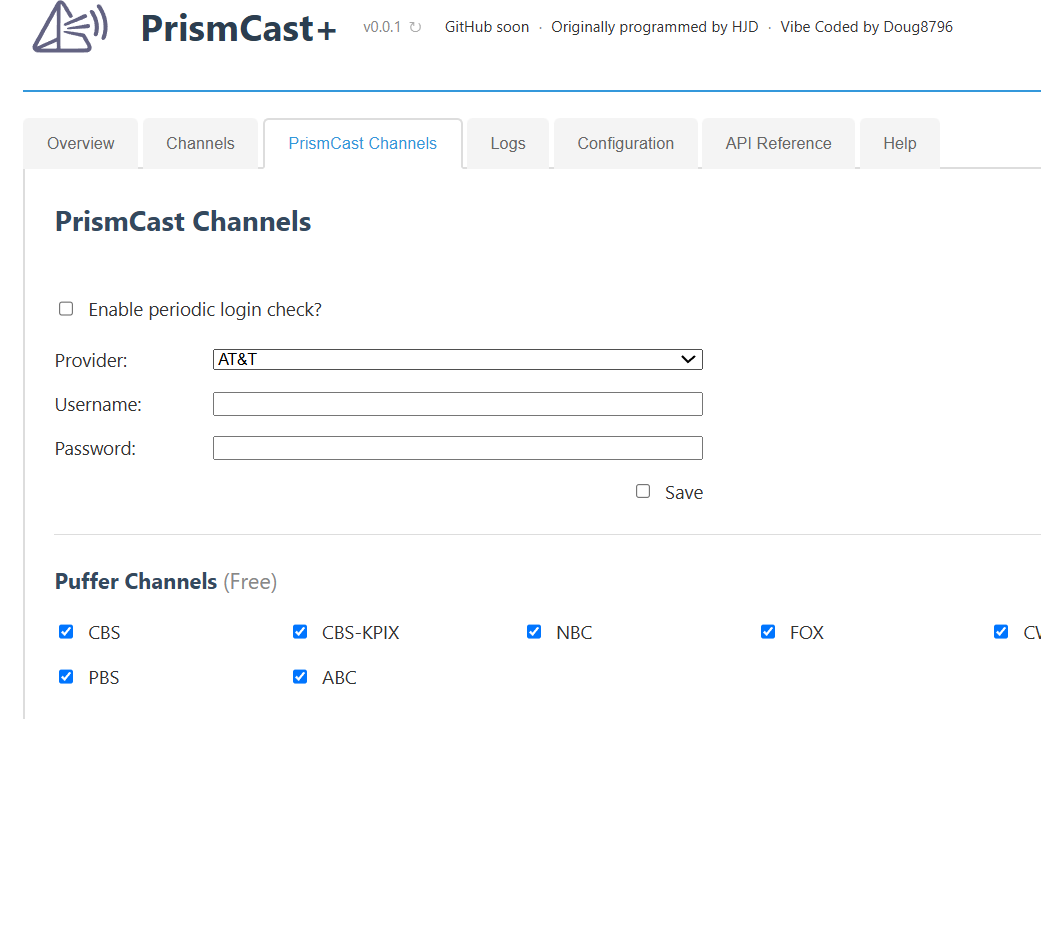
Test out the free puffer channels.
They are all local from california/la area. Only so many people can watch at one time but its a cool test before I get more progress again.
Glad to see someone working on this. For me, the main priority would be the autologin, since I don't watch any sports. I just want the channels that are supposed to work to actually work, which currently seems hit-or-miss.
Ok. So I am wasting my time here
I am working on it. What's your provider so I can test it?
I think maybe logging out every few days and auto login at 4am will be best so it doesn't randomly go out during the day. I need to settle on how many days so it's not spamming behavior
Before auto login I will release a fix to create proper ESPN linear channels that don't die after event ends ..sit it and forget it
I use Xfinity, thanks!
For the auto login setting, I'd suggest allowing users to set the time-of-day for it, and you can start it off at whatever default makes sense to you. I rarely set up any recordings for during the day (I sleep during the day) and often am watching at 4am. So I would be more likely to set auto-login to something like noon.
In general, is this a fork/replacement for original Prismcast, or something people might pick one or the other, depending on their needs, or even run both, since they'll be on different ports. Also, will this still be npm-based? I avoid docker as much as possible, and I recall that the current Prismcast doesn't play well in docker.