
Not sure why, but my server is showing that I am suppose to forward to Channelss-iMac.local:8089. I know the local IP address, but this is the first for Channels to show it like this.
FYI...I have an iMac set up as a Channels server and I just named the account Channels. I have the iMac connect to my router via Ethernet.

Think that's an mDNS name (and Channels is mispelled).
Just use the iMac local IP address:8089 in the router port forward setting.
Does it show the same name under Bonjour?
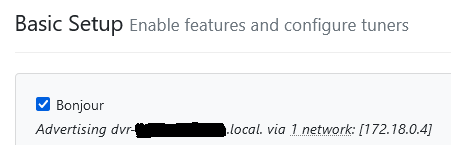
Yes, I can do that but just wondering why I am seeing it in a different format now. AND, now I cannot access the server locally without IP forwarding. Weird.
What do you mean? Can't access it from a browser on your lan by using its IP address?
Correct, I can't even access it from my AppleTV.
Is the IP address of your iMac on the same subnet as the rest of your lan?
I just turned on the Wifi on my iMac (before, I was connected to my router via Ethernet) and forwarded the port, now I see this and it is working:

I wonder what I may have changed on my IMac so that I can not longer use just Ethernet?
Yes.
So the iMac WiFi is 192.168.1.43
What is the IP address of the ethernet adapter on it?
I assume you have your router assigning it a reserved DHCP IP address.
Yes to all the above.
What is the IP address of the ethernet adapter on the iMac?
192.168.1.41
Looks good. Can you attach the iMac to ethernet and try to ping it from another device on your lan to see if it responds?
ping 192.168.1.41
Yep, did that as well. One other thing that might help. I cannot for some reason Share Screen on that iMac server unless Wifi is on. I can share files, but I cannot share screen. Once i turn Wifi on, the IP address (rather than the name of the computer) is showing in Channels and I can Share Screens from another Mac.
OK, can't help any more as it sounds Mac specific and I never used one.
But if you're able to ping the iMac on the lan, then it's something in the OS or app settings on it.
Wait! Would having DNS servers different between Wifi network and Ethernet create this issue?
Possible. Don't you have your router set to serve DHCP IP addresses and act as the DNS server for your lan, forwarding requests to an Internet DNS server like your ISP or Quad 1, 8, 9, etc.
Not sure why, but I had my Ethernet DNS server set to 1.1.1.1. Let me filddle around with this and see if this helps. thanks!
Changing DNS as both same did not help. I actually lost screen sharing and will have to go upstairs to turn Wifi back on.
Very odd. On my iMac where Channels is, the router is now assigning it to 192.168.1.40. That's okay, but the device does not show up in the list of devices in the router! Weird!