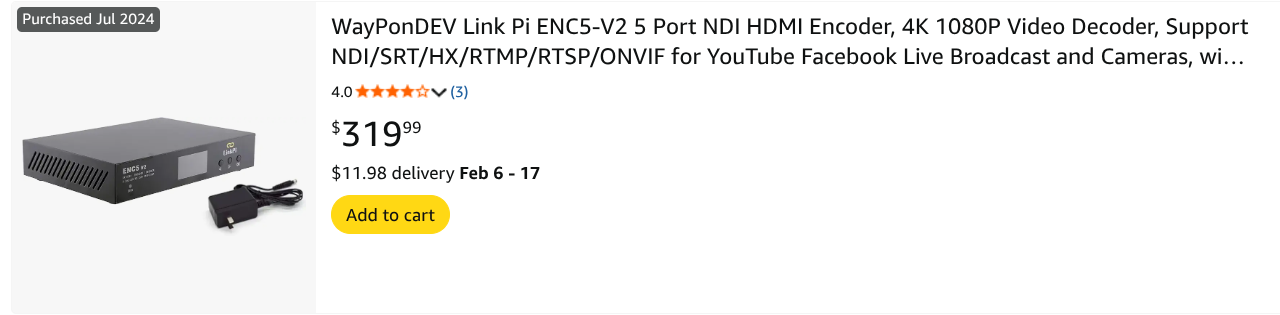
Hi everyone! As I am not currently on my home network, I am not able to use the local network ip address to access my LinkPi GUI. Is there a way to access the LinkPi remotely?
You can use a VPN.
The easiest thing to do is set up Tailscale. You can install it on whatever server you're using for Channels DVR. Designate that server as a subnet router, then install Tailscale on your phone/laptop and you can access your LAN.
I was wondering about that. I have been using Tailscale for most of my devices for years. I never was sure about how to use it for devices which don't accept a client software installation. I'll try setting up a subnet on my Tailscale server, which happens to be the Synology NAS which hosts my DVR.
Up to now, the only way I have been able to get to the LinkPi when I am a way from home is to remote into my desktop PC and connect to the LinkPi from there. Tailscale will be a more direct way to connect.
Thanks for the tip!
So you want route for a 255.255.255.0 network actually 192.168.X.0/23 so it doesn't route through tailscale when on your LAN. Using /23 as the netmask prevents it from routing through your tailnet on your lan, it's weird CIDR notation stuff that really is at the bleeding edge of my knowledge of subnetting lmao but it does work and solved some weird routing issues for me at one point.
Well, it was a good idea. However, I now remember why I hadn't set up a subnet before. I simply don't have the savvy to pull it off. I don't think that I ever set up a Tailscale server as it seemed too complicated for me.
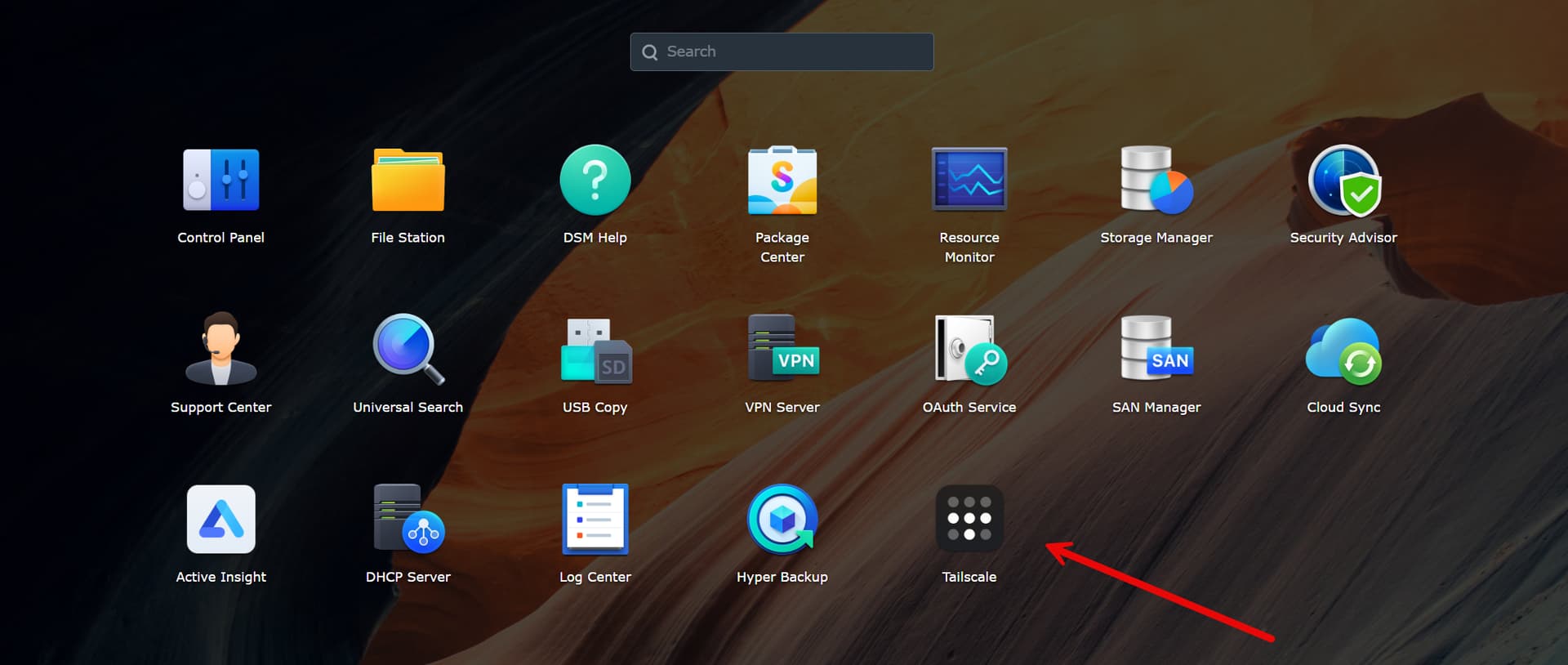
Go here from your Tailscale IP not LAN IP.
Then:
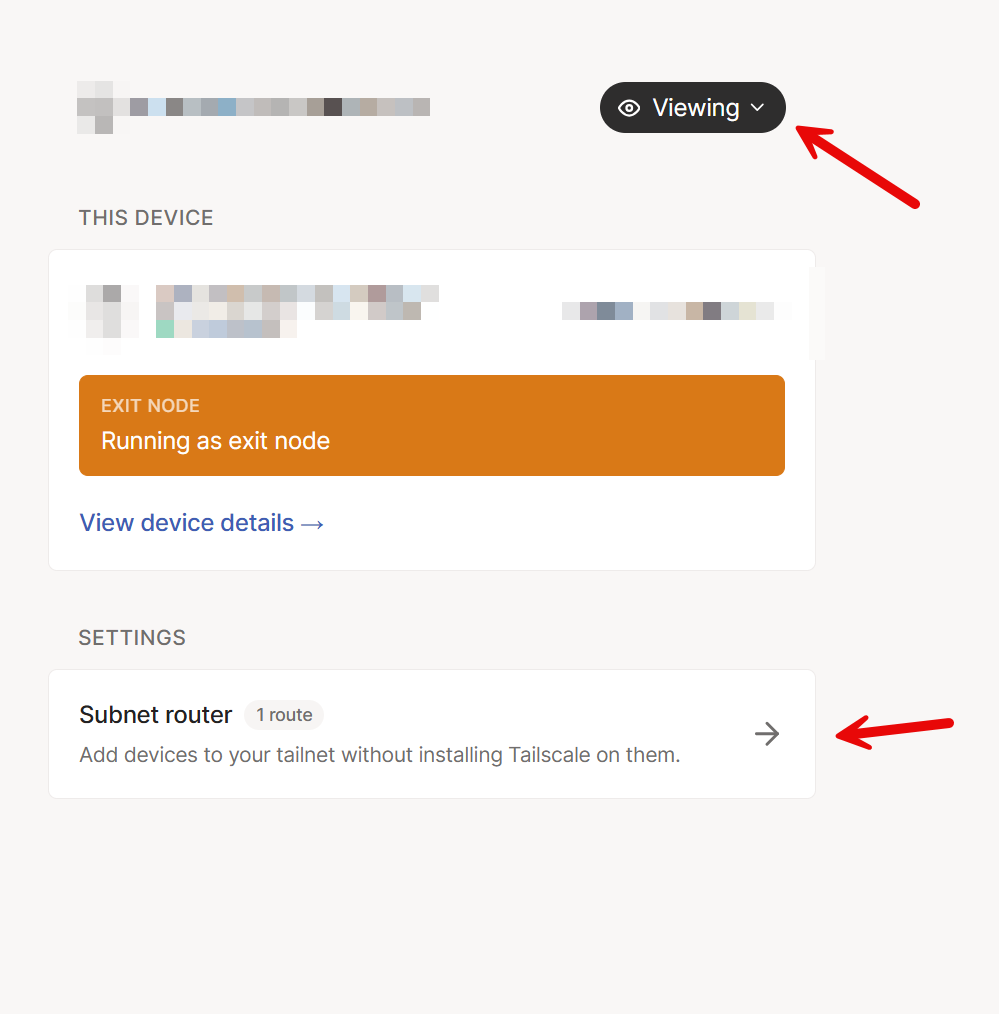
Switch viewing to editing if needed. Click on subnet router to advertise the route.
What you'll want to enter is the subnet of your network. So if your router is 192.168.1.1 you are going to advertise 192.168.1.0/23 and then approve it in the tailscale admin console and you're done!
@jsfullam I have access to a synology, so I gave you actual screenshots ignore that video. It's much easier than that.
Thanks. I'll give this a try a little later this afternoon. Right now, I have to head outside to clean out a rodent nest the chipmunks have been building behind the BBQ. Darned little critters need to relocate. 

If you need help feel free to send me screenshots and I'll be happy to help. More than welcome to DM me.
1 Like
Dont understand your logic here at all. When using an exit node you should route your actual network subnet. Doing a /23 as opposed to a /24 doesnt solve anything. Lets say you have 192.168.0.0/24, if you made that a /23 all that does is route 192.168.0.1-192.168.1.254 through tailscale. Since your LAN is 192.168.0.0/24, the second half of the /23 is never used. While techincially not hurting anything, it is unnecessary. To avoid going through the tailnet on your local lan just disconnect tailscale.
I access resources via magicdns so I want to remain on my tailnet.
When you're on your LAN your machine has a direct route for that /24 network via your local interface. If you advertise that same /24 through Tailscale, you'd have two competing routes.
By advertising a /23 instead 192.168.0.0/23 you're advertising a less specific route. Off your LAN /23 wins and the traffic routes. On your LAN /24 wins, traffic routes locally. It works, I've had this in prod for a while now across multiple tailnets.
You are also confusing exit nodes and subnet routers.
1 Like
The linkpi website mentions the power supply for ENC5 as 5A. Is that an accurate description?
The website doesnt mention the voltage but i am guessing it is 12V5A i.e. 60W. What kind of PoE device can provide 60W?
That is likely a typo. The typical power for an ENC1 is 12V, 1A or 2A. You can also run 5V (typical USB charger) at 2A.
EDIT: Apologies, I misread you wrote ENC5. You are correct. The original ENC5 calls for 12V5A. If you are considering a new encoder to purchase, select the ENC5 v2, which is much better and is 12V2A.
I wish I knew how many tuners I was gonna end up with and just bought one of these. I slowly expanded so I have 3 ENC1 v3 boxes and just a couple of capture cards.
Yeah. In spite of my hesitance to throw money at equipment, I did jump right into an ENC5. My LinkPi setup includes three onn 4k boxes and three Roku 4k sticks. I will say that, so far, I mostly rely on TVE and several docker containers for the bulk of my viewing and recording. I rarely have more than 1 or 2 tuners running at a time. I consider my LinkPi setup as "futureproofing" because I see access by my preferred methods eroding away. Already, there are a few channels which can only be accessed directly though my provider's apps.
1 Like
You know, I have had such luck with the encoders and ADB tuner, I don't even use TVE.
I'm probably headed that direction, too. TVE authentication with DTV is temperamental. When I had YTTV, TVE was extremely reliable. In contrast, DTV TVE channels fail on me every so often.
What place has the best price for ENC5 (US customer)?
Check ebay
1 Like
Amazon usually is cheaper for LinkPi stuff. All the eBay shipments from China lately have relatively high shipping cost. Import costs maybe?
1 Like