"Logout" menu option doesn't log out

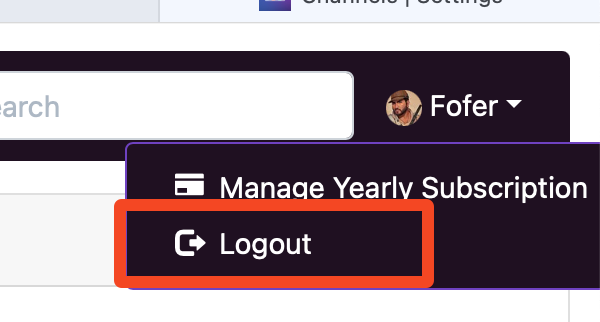
I manage two CDVR subscriptions and sometime in the past year or so I lost the ability to logout via the CDVR web admin page. I have to do it via community.getchannels.com instead? Because this menu option is inoperable for me:

SCR-20240401-mwud

I've tried multiple devices and browsers, so I don't think this is caused by an adblocker or misconfiguration on my end.
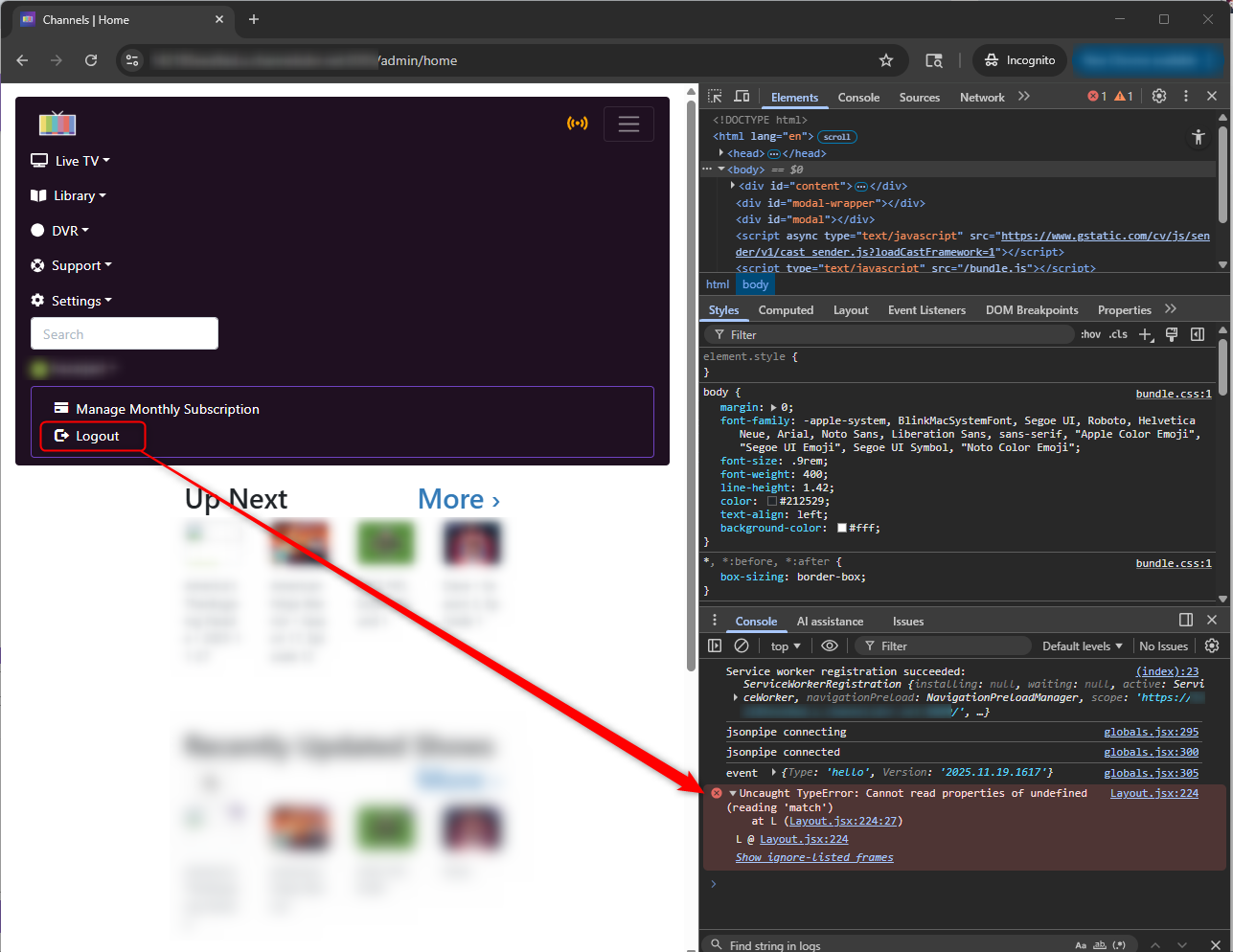
Have you tried this?

I never saw a logout option on the DVR web UI.
Maybe it got borked when they redesigned the web UI awhile back.

Yes that only logs out the local connection. The issue returns when I log in remotely.

You should see it if you log in via the URL: http://my.channelsdvr.net

I believe that's the case, feels like that same timeframe at least.

Now I'm helping to manage a 3rd Channels subscription, for a family member, and I still can't log out remotely, on http://my.channelsdvr.net.

Is anyone else experiencing this?

I guess no one here ever has to log out or toggle between CDVR subscriptions because this menu command hasn't worked for over a year now:

SCR-20250705-qsoy

Have you tried emailing their support?
Acknowledgement of bug reports - General - Channels Community

1 Like

Yes, back in November 2024

Not a solution but you could open an incognito tab for each one...

Also not a solution, but for now I switch to community.getchannels.com and log out from there instead. It’s just annoying to have to remember this, and if the actual logout button on the CDVR web admin does nothing then why is it even there?

It must only appear if you have multiple subscriptions.
I have never seen that, since I only have 1 subscription.
All I see in the dropdown is "Manage Yearly Subscription"
Which sends me here to login https://getchannels.com/account/

Again, please see my post from April 2024:

This issue has nothing to do with "how many" subscriptions the customer manages. I don't see the logout option either when I log in on the LAN (i.e. http://x.x.x.x:8089) but I do see it when I log in to any of the servers remotely (http://my.channelsdvr.net.) Your deduction about the details here is incorrect. It's a bug. It's an inoperable link.

Besides, each subscription I'm helping to manage is for a different people in different households using different payment methods. These are family members living elsewhere with their own setups. Why should it matter? Besides, wouldn't customers who help manage multiple servers be the ones who need that functionality the most? And hypothetically speaking, if the software somehow did know that a customer helps manage multiple subscriptions, and therefore presented them and only them with the helpful "logout" button, the reasonable expectation should still be, that it works.

OK. I believe you.
I can't test it myself since I only have one account and don't use Channels DVR remote access.
My guess is it's a cookie in your browser.
Try opening a new incognito/private browser windows with only one tab open and try to login, then logout.
After logging out, either clear all cookies or close/re-open the browser window and see if that works.

I have to assume if you login as you, it takes you to your DVR with remote access enabled, and if you login as someone else, it takes you to their DVR with remote access enabled.

Again, this has nothing to do with whether the customer has one subscription, or five. The same thing happens if I log into my own server or the server of a family member that I help manage. Connecting remotely -- not via the internal LAN, but via my.channelsdvr.net, whether they are home or not -- will prove this to anyone who tries logging in and out of any server, via the same functionality.

This takes <10 seconds to confirm.

It is not a cookie or cache issue. This happens on a brand new device that has never logged in to anything before.

And regardless, if the logout button isn’t supposed to work for whatever reason, then the logout button shouldn’t be appearing in the first place.