Mac Mini DVR Server is down

Did this. Restarted. Still have the same issue.

2021/12/10 07:51:31.498766 [ERR] Failed to fetch station 19586: Get "http://data.tmsapi.com/v1.1/stations/19586?api_key=x26sg2rpk8qyuyn9ddzwmsuu&lineupId=": dial tcp 50.19.245.151:80: i/o timeout
2021/12/10 07:51:48.599674 [ERR] Failed to fetch station 14771: Get "http://data.tmsapi.com/v1.1/stations/14771?api_key=x26sg2rpk8qyuyn9ddzwmsuu&lineupId=": dial tcp 50.19.245.151:80: i/o timeout
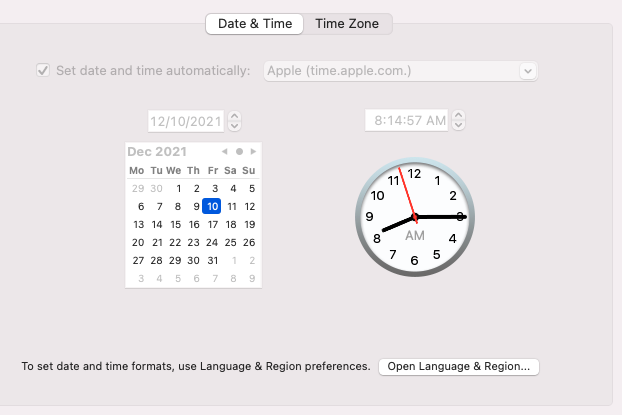
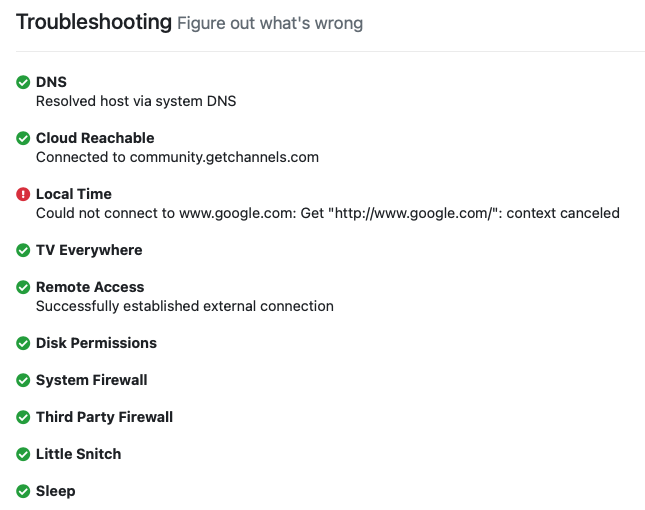
Do you have your time server hard coded? I see that is not working and if it can’t get time then things go nuts.

No. Don’t know where I would set that. Is that a setting in DVR?

As you can see my server does not try to go to google to get time.

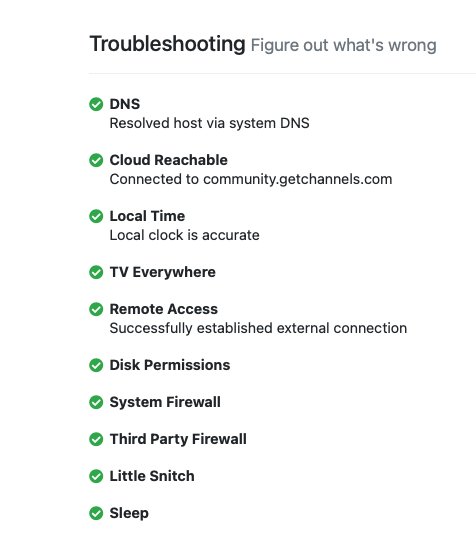
2021/12/10 08:08:02.168666 [TRS] DNS: OK: Resolved host via system DNS
2021/12/10 08:08:02.399913 [TRS] Cloud Reachable: OK: Connected to community.getchannels.com
2021/12/10 08:08:02.510189 [TRS] Local Time: OK: Local clock is accurate
2021/12/10 08:08:02.510305 [TRS] TV Everywhere: OK
2021/12/10 08:08:02.794031 [TRS] Remote Access: OK: Successfully established external connection
2021/12/10 08:08:02.796499 [TRS] Disk Permissions: OK
2021/12/10 08:08:02.796773 [TRS] System Firewall: OK
2021/12/10 08:08:02.932439 [TRS] Third Party Firewall: OK
2021/12/10 08:08:03.056640 [TRS] Little Snitch: OK
2021/12/10 08:08:03.056771 [TRS] Sleep: OK

What is in your time server settings on your iMac

Screen Shot 2021-12-10 at 8.14.57 AM

Something is messed up that Channels is trying to go to Google.com to get the time. The time server for google is time.Google.com

Do you have that in your router? Router can be set to intercept time requests and could be misconfigured.

If you can’t find anything then I would go ahead and delete Channels and then reinstall doing a recovery setup. It’s easy. I have done it a few times as I change my server gear out.

Do you have steps involved? I have a lot of configures sources, clients around the house and other settings that I don’t want to lose.

First download the installer again and run it. Uninstall the program. Then run it again and follow these instructions starting from "Run the Restore Wizard"

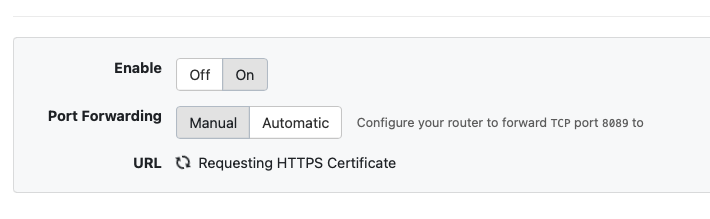
Ok did the reinstall and now I get this error that my certificate to access remotely is not trusted. and it is stuck on the generating certificate.

And still not interfaces detected

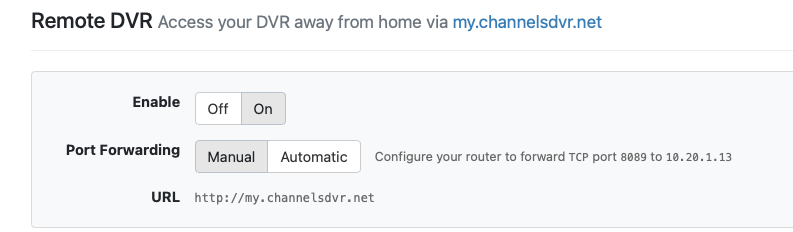
you have something very wrong with your router. firewall issue or something. Make sure that port 8089 is open to your server. Do it manually, do not trust auto config. you still have a misconfiguration on your time server, looks like the router is pointing to a bad address, again www.google.com is not a time server.


Was that just installed or updated when the problem started?

@tmm1 would have to answer that one. I don't think the troubleshooting uses www.google.com to check if your local clock is accurate, but accessing that site may be one step in the process. Not sure what it does to check the local time accuracy.

No. I have been using the Eero network for years and predates dvr installation.

lets start with the simple steps. plug dvr only into ethernet/ wifi is a bad way to run a server any way. turn off the wifi interface in the mini. then see if it works. I know this will kill some apple features, but this is only for now.

The certificate issues fixed itself, just took awhile.

I am able to reach my server from the web externally without issue. The IP address is my public route IP, but it is working.

Does mini have a dhcp reservation in the router. Servers must always have a static IP or at some point it will change and take your server offline.

ok, that's a clue. the IP should not be your public IP. it should be your local one. You have a router config issue.

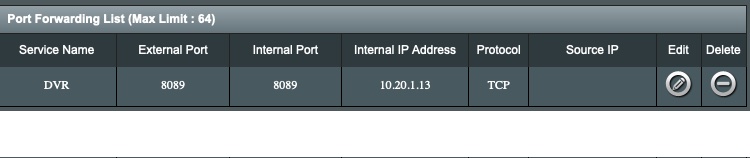
Yes I have configured the router to port forward 8089 to the correct internal IP that is reserved so it will never change.