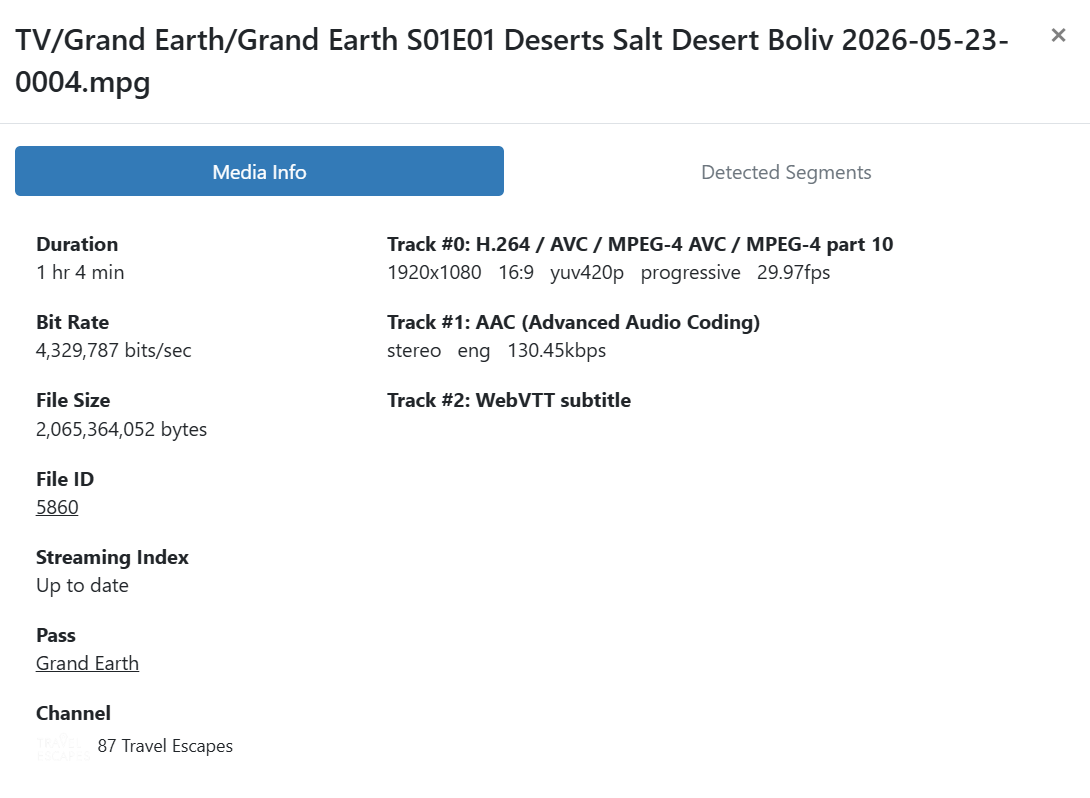
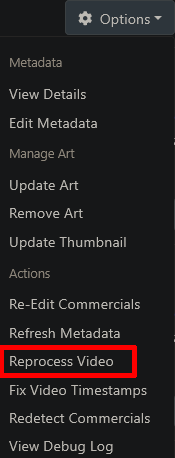
Tried but getting errors:
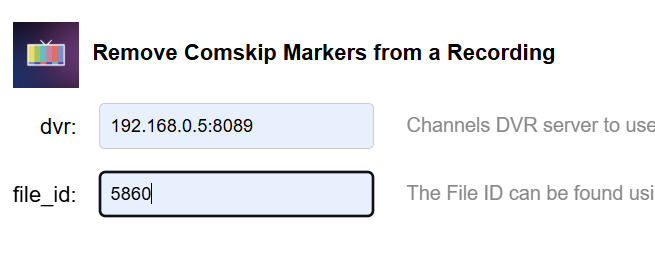
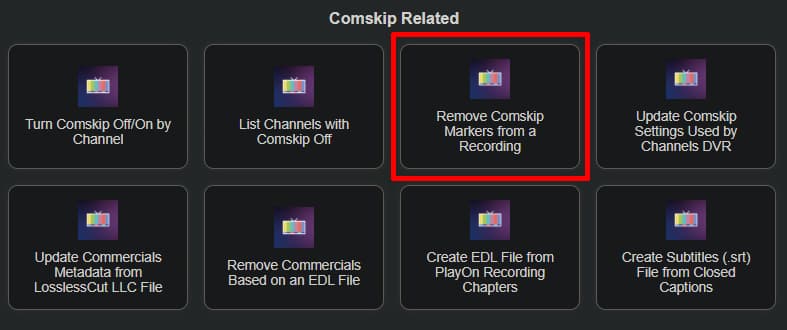
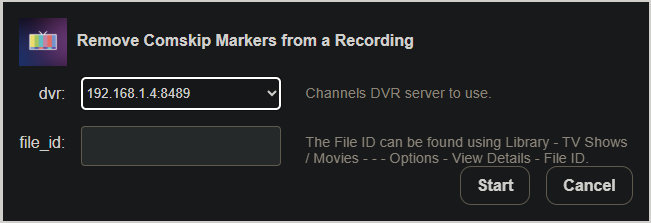
Removing commercial markers from recording with File ID: 5860 on DVR: 192.168.0.5:8089
{"ID":"5860","JobID":"1779509061-194","RuleID":"194","GroupID":"Grand Earth","Path":"TV/Grand Earth/Grand Earth S01E01 Deserts Salt Desert Boliv 2026-05-23-0004.mpg","Checksum":"wqiDm5ipnnbPouG-KjXW9ZUsy1JH4SWBPUWYYQOvQV8","CreatedAt":1779509061,"FileSize":502777393,"Duration":2637.846967,"Completed":true,"Processed":true,"Airing":{"Source":"xmltv:FastChannels","Channel":"87","Time":1779509121,"Duration":3568,"Title":"Grand Earth","EpisodeTitle":"Deserts: Salt Desert, Bolivia; Socotra, Yemen","Summary":"When most people think of deserts, we think of punishing heat, camels and rattlesnakes. But dig a little deeper, and unbelievable stories emerge, like a bleeding tree, and a desert filled with salt.","Image":"https://partner-upload-assets.wurl.com/videoelephant_limited/grand_earth_s01_1920x1080_en.jpg","Genres":["Nature","Plex","FastG"],"Tags":["HD","Stereo","CC"],"SeriesID":"Grand Earth","ProgramID":"Grand Earth/S1E1","SeasonNumber":1,"EpisodeNumber":1,"ContentRating":"PG","Raw":{"xmltv":"\u003ctv generator-info-name=\"FastChannels\" generator-info-url=\"http://192.168.0.5:5523\" date=\"20260523030959 +0000\"\u003e\n\u003cchannel id=\"plex.5e20b730f2f8d5003d739db7-64e437ba7ef2bf9f66b42615\"\u003e\u003cdisplay-name\u003eTravel Escapes\u003c/display-name\u003e\u003cicon src=\"http://192.168.0.5:5523/logos/a33fffd823022df4892982800a59bca9.png\" /\u003e\t\u003clcn\u003e87\u003c/lcn\u003e\n\u003c/channel\u003e\n\n\u003cprogramme start=\"20260523040521 +0000\" stop=\"20260523050449 +0000\" channel=\"plex.5e20b730f2f8d5003d739db7-64e437ba7ef2bf9f66b42615\"\u003e\u003ctitle lang=\"en\"\u003eGrand Earth\u003c/title\u003e\u003cdesc lang=\"en\"\u003eWhen most people think of deserts, we think of punishing heat, camels and rattlesnakes. But dig a little deeper, and unbelievable stories emerge, like a bleeding tree, and a desert filled with salt.\u003c/desc\u003e\u003ccategory lang=\"en\"\u003eNature\u003c/category\u003e\u003ccategory lang=\"en\"\u003ePlex\u003c/category\u003e\u003ccategory lang=\"en\"\u003eFastG\u003c/category\u003e\u003cicon src=\"https://partner-upload-assets.wurl.com/videoelephant_limited/grand_earth_s01_1920x1080_en.jpg\" /\u003e\u003crating system=\"MPAA\"\u003e\u003cvalue\u003ePG\u003c/value\u003e\u003c/rating\u003e\u003csub-title lang=\"en\"\u003eDeserts: Salt Desert, Bolivia; Socotra, Yemen\u003c/sub-title\u003e\u003cepisode-num system=\"xmltv_ns\"\u003e0.0.\u003c/episode-num\u003e\u003cepisode-num system=\"onscreen\"\u003eS01E01\u003c/episode-num\u003e\u003c/programme\u003e\u003c/tv\u003e"}},"ChannelNumber":"87","DeviceID":"M3U-FastNG","UpdatedAt":1779532230497,"Version":23,"JobTime":1779509061,"JobDuration":3748,"HighestPTS":343468674,"BufferStats":{"BufferPct":{"Initial":0,"Last":0,"Min":0,"Max":0,"Sum":0,"GoodCount":1883,"BadCount":0},"BufferDrop":{"Initial":0,"Last":0,"Min":0,"Max":0,"Sum":0,"GoodCount":1883,"BadCount":0}},"CommercialsEdited":true,"CommercialDetectSource":"local","MediaRegions":[{"Start":0,"End":2637.846967,"Type":"content","Sources":null}]}

Refreshing Metadata
{"ID":"5860","JobID":"1779509061-194","RuleID":"194","GroupID":"Grand Earth","Path":"TV/Grand Earth/Grand Earth S01E01 Deserts Salt Desert Boliv 2026-05-23-0004.mpg","Checksum":"wqiDm5ipnnbPouG-KjXW9ZUsy1JH4SWBPUWYYQOvQV8","CreatedAt":1779509061,"FileSize":502777393,"Duration":2637.846967,"Completed":true,"Processed":true,"Airing":{"Source":"xmltv:FastChannels","Channel":"87","Time":1779509121,"Duration":3568,"Title":"Grand Earth","EpisodeTitle":"Deserts: Salt Desert, Bolivia; Socotra, Yemen","Summary":"When most people think of deserts, we think of punishing heat, camels and rattlesnakes. But dig a little deeper, and unbelievable stories emerge, like a bleeding tree, and a desert filled with salt.","Image":"https://partner-upload-assets.wurl.com/videoelephant_limited/grand_earth_s01_1920x1080_en.jpg","Genres":["Nature","Plex","FastG"],"Tags":["HD","Stereo","CC"],"SeriesID":"Grand Earth","ProgramID":"Grand Earth/S1E1","SeasonNumber":1,"EpisodeNumber":1,"ContentRating":"PG","Raw":{"xmltv":"\u003ctv generator-info-name=\"FastChannels\" generator-info-url=\"http://192.168.0.5:5523\" date=\"20260523030959 +0000\"\u003e\n\u003cchannel id=\"plex.5e20b730f2f8d5003d739db7-64e437ba7ef2bf9f66b42615\"\u003e\u003cdisplay-name\u003eTravel Escapes\u003c/display-name\u003e\u003cicon src=\"http://192.168.0.5:5523/logos/a33fffd823022df4892982800a59bca9.png\" /\u003e\t\u003clcn\u003e87\u003c/lcn\u003e\n\u003c/channel\u003e\n\n\u003cprogramme start=\"20260523040521 +0000\" stop=\"20260523050449 +0000\" channel=\"plex.5e20b730f2f8d5003d739db7-64e437ba7ef2bf9f66b42615\"\u003e\u003ctitle lang=\"en\"\u003eGrand Earth\u003c/title\u003e\u003cdesc lang=\"en\"\u003eWhen most people think of deserts, we think of punishing heat, camels and rattlesnakes. But dig a little deeper, and unbelievable stories emerge, like a bleeding tree, and a desert filled with salt.\u003c/desc\u003e\u003ccategory lang=\"en\"\u003eNature\u003c/category\u003e\u003ccategory lang=\"en\"\u003ePlex\u003c/category\u003e\u003ccategory lang=\"en\"\u003eFastG\u003c/category\u003e\u003cicon src=\"https://partner-upload-assets.wurl.com/videoelephant_limited/grand_earth_s01_1920x1080_en.jpg\" /\u003e\u003crating system=\"MPAA\"\u003e\u003cvalue\u003ePG\u003c/value\u003e\u003c/rating\u003e\u003csub-title lang=\"en\"\u003eDeserts: Salt Desert, Bolivia; Socotra, Yemen\u003c/sub-title\u003e\u003cepisode-num system=\"xmltv_ns\"\u003e0.0.\u003c/episode-num\u003e\u003cepisode-num system=\"onscreen\"\u003eS01E01\u003c/episode-num\u003e\u003c/programme\u003e\u003c/tv\u003e"}},"ChannelNumber":"87","DeviceID":"M3U-FastNG","UpdatedAt":1779532231276,"Version":23,"JobTime":1779509061,"JobDuration":3748,"HighestPTS":343468674,"BufferStats":{"BufferPct":{"Initial":0,"Last":0,"Min":0,"Max":0,"Sum":0,"GoodCount":1883,"BadCount":0},"BufferDrop":{"Initial":0,"Last":0,"Min":0,"Max":0,"Sum":0,"GoodCount":1883,"BadCount":0}},"CommercialsEdited":true,"CommercialDetectSource":"local","MediaRegions":[{"Start":0,"End":2637.846967,"Type":"content","Sources":null}]}

Regenerating Video Index
404 Not Found
It is showing the "adjusted time" in the library now, but also says it still has commercial markers though when I click on re-edit commercials, nothing happens.
And the EDL shows it was updated to a blank file, so perhaps this is the expected result even with the error code above?