This is the antenna I got
I put it in the attic as I haven't been able to mount it outside as of yet.
I got straight from the antenna into the HD Home Run Connect and there are no splitters or amps in the loop.

This is the antenna I got
I put it in the attic as I haven't been able to mount it outside as of yet.
I got straight from the antenna into the HD Home Run Connect and there are no splitters or amps in the loop.
what is your zip code so I can look up the stations in your area.
oh yeah sorry
30004
Well yea, if you didn’t tell the switch you connected the nas to that the ports are aggregate, it’s not going to work.
Thanks that's good to know...I will look up some information on that and see how to program the switch also
I take it you are pointing toward Atlanta? South, just a little toward the west. Just trying to figure out which ones you are trying to get as most are off to the south one to south west and another north west haha. Glad the 3 in my area are within 6 miles of each other.
the biggest priority is ABC as I can't get that with TVE.
Call sign for them WSB-HD?
yes
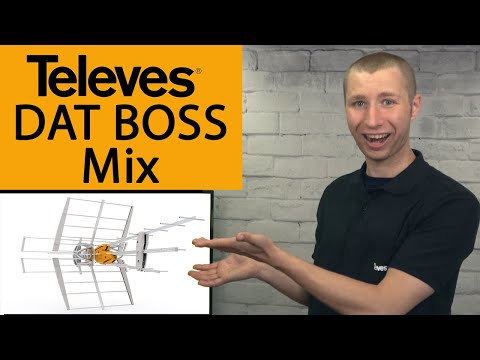
Well it could be that you don't have it pointed in exactly the right direction and being outside should help. It is fairly small and might be to small. You might need a little bigger one. The second video is exactly what I have and it is night and day different over my rca yagi and clearstream 4v antenna. Televes also makes an even larger one. But I don't think you would need that. I am sure others have some options too. I just happen to really like this one.
Here is a review on the one you have. The guy can get a little annoying but does know his stuff.
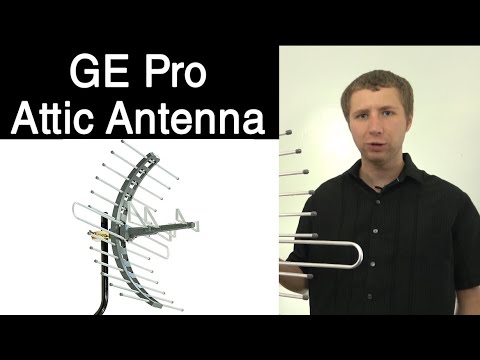
This is the one that I have and has worked better than all the others I used.
Televes DAT BOSS Mix. It also has a passthrough so you don't have to have the pre-amp on. Also has built in LTE filter. But again isn't as cheap as the one you have. Also if you do get it. Make sure it has both UHF/VHS hence the name Mix. As they do make just specific cheaper ones for only UHF.
you might just want to check the proximity of your coax and data cables. I have a small powered antenna and was having crappy signal signal. I was doing the flooring in that room and bundled everything together into a wire mess. apparently this impacted the reception. during my troubleshooting the issue, I moved the wires away from each other and improved my reception from 60% to mid to high 90% fixing all my issues. EMI can deff cause you some issues. see what you have going on.
ok I will check it out...
thanks i'm gonna check the videos out.
sigh I wish that we could get Locast back lol
They didn't have that in my area so wouldn't know.
oh ok...it was an awesome service
Jumping in here to mention that my Channels was broken for months, similar issues to @mikchek. Recordings jumped and said they were interrupted, live TV lost a connection 30 seconds in consistently but the confounding thing was that the HDHR app on my apple TV worked (the guide is horrific) so nothing led me to think there was something fundamentally wrong. There was nothing I could figure out to fix it, tried everything. Yesterday I turned off LACP and it's back to working perfectly. I think DSM 7 may have changed something because to my knowledge, I had LACP (not sure with type) turned on in DSM 6 but everything worked. The version of LACP I just disabled/deleted was adaptive/standby. Since no one could help figure out my issues, wanted to mention it here.
What’s is LACP?
Link aggregation as someone pointed out in the thread earlier. When you create a bond between the two LAN ports. I didn’t do it for any reason except that it was there to tinker with.
Remember that when you set aggregation on the device, you need to also set those ports on your switch to use the same method of aggregation. Failure to ensure both sides are set the same will lead to random network issues that can be a pain to track down.
