
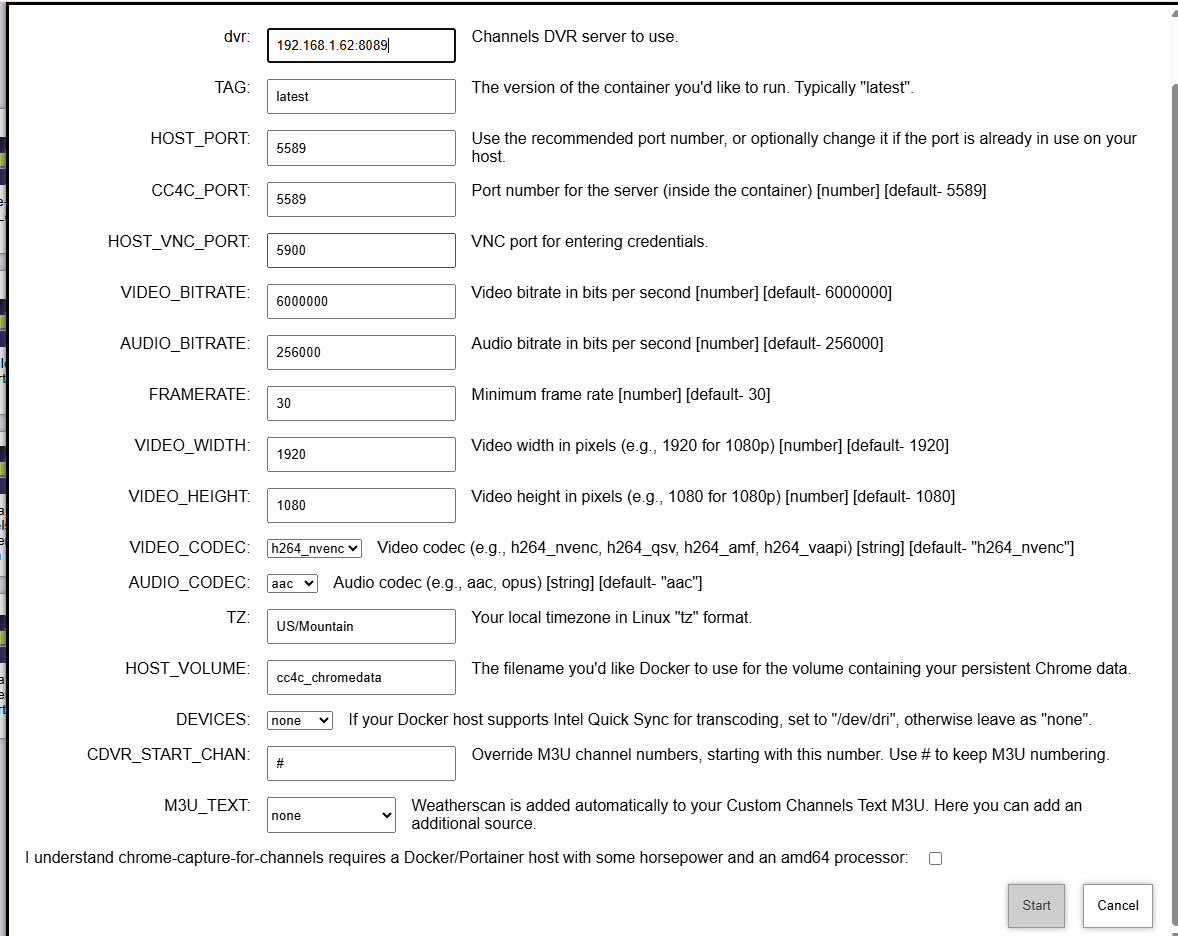
My issue is how it points to chrome on the PC @192.168.1.62. WeatherStar 4K brought it up as expected. Of course I was running my local CC4C not the portainer version.
1 Like
Looks like I neglected to update one or more build files with the latest cc4c. This will take me a bit to sort out. I'll let you know when I push a new version.
Thanks. Just moving things over to portainer. I am in no hurry.
I believe we should be good now. Re-pull and redeploy olivetin, when you have a moment, and give cc4c another try.
No joy. Still don't see an option to point it to Chrome in the Windows PC from the NAS. It did deploy and I can see the stack.
Did a new CDVR Custom Channels Source called cc4c get created, and is a channel called Weatherscan in the guide for that source? Does it play?
No. Neither.
Can you post Standard Output and Standard Error again please...
Just ran out. Will be a bit.
Just got back to this. Still failing. FYI, I am running Chrome V 135.0.7049.96
1-Deleted old CC4C source on Win 11 PC which was working.
2-Deleted installed CC4C Portainer install
3-Stopped and restarted OliveTin.
4-Reinstalled CC4C Portainer ---it is running and looks like all installed on Portainer. But nothing on PC. OliveTin never provided Standard Output and Standard Error. Below is logs from CC4C on Portainer--
The VNC desktop is: d83773c3ddb9:0
The VNC port is:
./start.sh: line 30: 20 Illegal instruction bun main.js -v $VIDEO_BITRATE -a $AUDIO_BITRATE -f $FRAMERATE -p $CC4C_PORT -w $VIDEO_WIDTH -h $VIDEO_HEIGHT
Cleaning up...
Google Chrome 140.0.7339.127
The VNC desktop is: d83773c3ddb9:0
The VNC port is:
./start.sh: line 30: 20 Illegal instruction bun main.js -v $VIDEO_BITRATE -a $AUDIO_BITRATE -f $FRAMERATE -p $CC4C_PORT -w $VIDEO_WIDTH -h $VIDEO_HEIGHT
Cleaning up...
Google Chrome 140.0.7339.127
The VNC desktop is: d83773c3ddb9:0
The VNC port is:
./start.sh: line 30: 20 Illegal instruction bun main.js -v $VIDEO_BITRATE -a $AUDIO_BITRATE -f $FRAMERATE -p $CC4C_PORT -w $VIDEO_WIDTH -h $VIDEO_HEIGHT
Cleaning up...
Google Chrome 140.0.7339.127
The VNC desktop is: d83773c3ddb9:0
The VNC port is:
./start.sh: line 30: 20 Illegal instruction bun main.js -v $VIDEO_BITRATE -a $AUDIO_BITRATE -f $FRAMERATE -p $CC4C_PORT -w $VIDEO_WIDTH -h $VIDEO_HEIGHT
Cleaning up...
Google Chrome 140.0.7339.127
The VNC desktop is: d83773c3ddb9:0
The VNC port is:
./start.sh: line 30: 20 Illegal instruction bun main.js -v $VIDEO_BITRATE -a $AUDIO_BITRATE -f $FRAMERATE -p $CC4C_PORT -w $VIDEO_WIDTH -h $VIDEO_HEIGHT
Cleaning up...
Google Chrome 140.0.7339.127
The VNC desktop is: d83773c3ddb9:0
The VNC port is:
./start.sh: line 30: 20 Illegal instruction bun main.js -v $VIDEO_BITRATE -a $AUDIO_BITRATE -f $FRAMERATE -p $CC4C_PORT -w $VIDEO_WIDTH -h $VIDEO_HEIGHT
Cleaning up...
Google Chrome 140.0.7339.127
The VNC desktop is: d83773c3ddb9:0
The VNC port is:
./start.sh: line 30: 21 Illegal instruction bun main.js -v $VIDEO_BITRATE -a $AUDIO_BITRATE -f $FRAMERATE -p $CC4C_PORT -w $VIDEO_WIDTH -h $VIDEO_HEIGHT
Cleaning up...
this means the version of bun is using a CPU instruction that your old chip doesn't offer. there is a compatibility version of bun available that we probably need to switch to
CPU Intel® Celeron® J1900 4-core/4-thread processor, burst up to 2.42 GHz
CPU Architecture 64-bit x86
You should stop the cc4c stack; it's in a restart loop due to what @tmm1 is talking about. What are the specs on your QNAP NAS?
Just pulled this.
CPU Intel® Celeron® J1900 4-core/4-thread processor, burst up to 2.42 GHz
CPU Architecture 64-bit x86
CC4C is stopped
Checking Qnap info---this is the latest version of Container Station. There is no way, I can see, to update anything further.
Container Station
Version 3.1.1.1451 (2025/05/27)
This processor has pretty much zero chance of running cc4c successfully, and it'll probably make the server very unresponsive to even try. I'm sure it's fine for a NAS, and as a Docker host for most of the containers in the Channels-sphere -- but not this one. That's why there's a warning tick-box at the bottom of the One-Click Action. 
I can stay with my present configuration. Thanks for the effort. My CPU on the NAS is only running about 10 percent. I was hoping....
Best,
Jim
Good morning.
I am continuing moving everything over to Docker. 2 issues—
-
OliveTin often doesn’t return Standard Output screen… requiring a refresh of the browser. Not a huge problem since everything installed correctly. This is on my QNAP NAS.
-
Installed Docker Desktop to my CDVR PC and CC4C. It runs without taxing the Win 11 PC but only runs at 35 FPS. The node version ran at startup was smooth.
Thanks in advance for your feedback.
That's likely due to not refreshing the browser after any of the Actions that create background tasks. Anytime you run something that's intended to change the icon color from purple to green, or updates the default field values a browser refresh is required.
If you're looking for the very best experience with cc4c, install it directly. The container version has its limitations, mostly due to the Linux version of Chrome running in the container not having all of the capabilities of the Windows or MacOS versions of Chrome.