Neon Blue Theme for Android

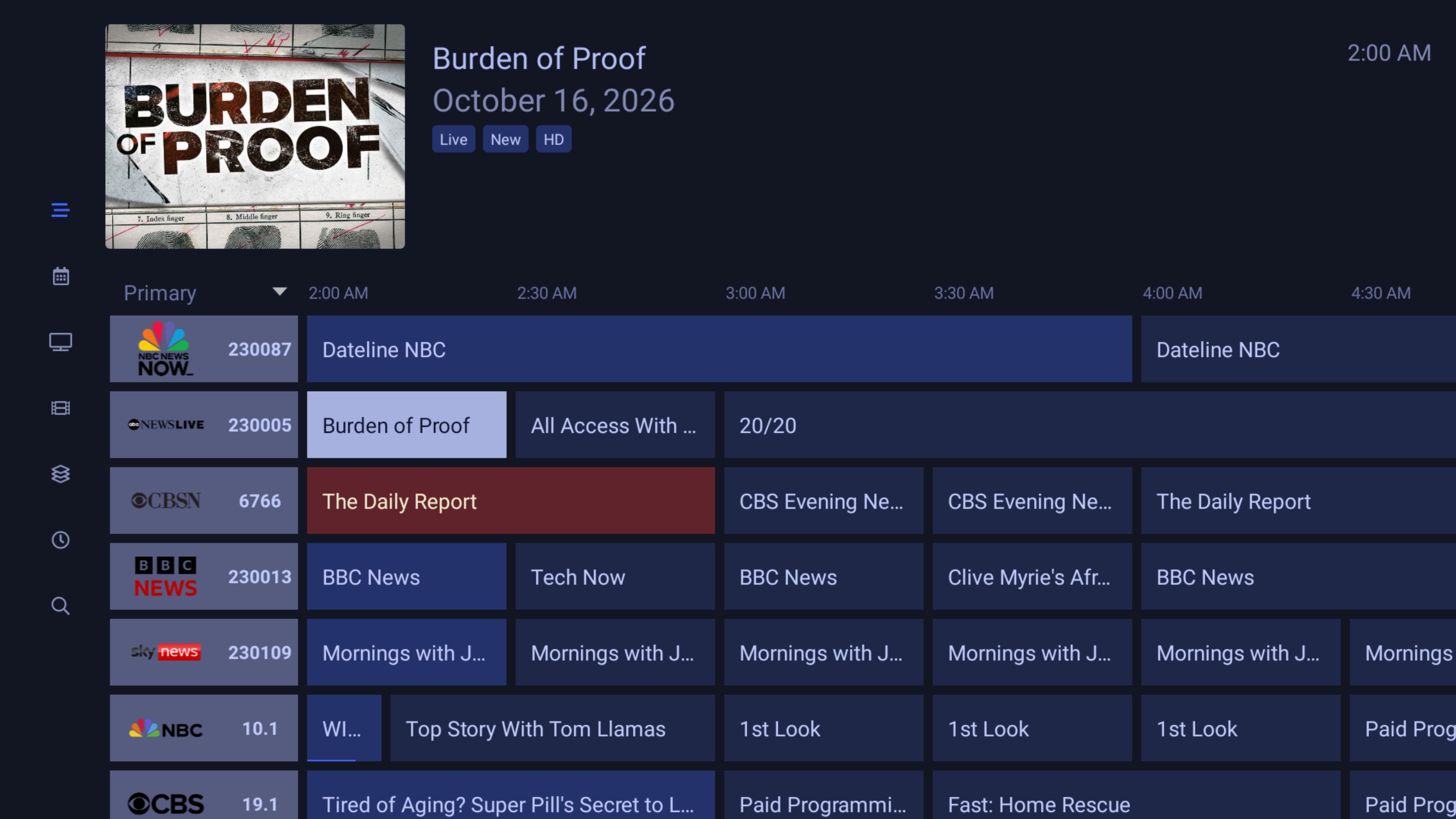
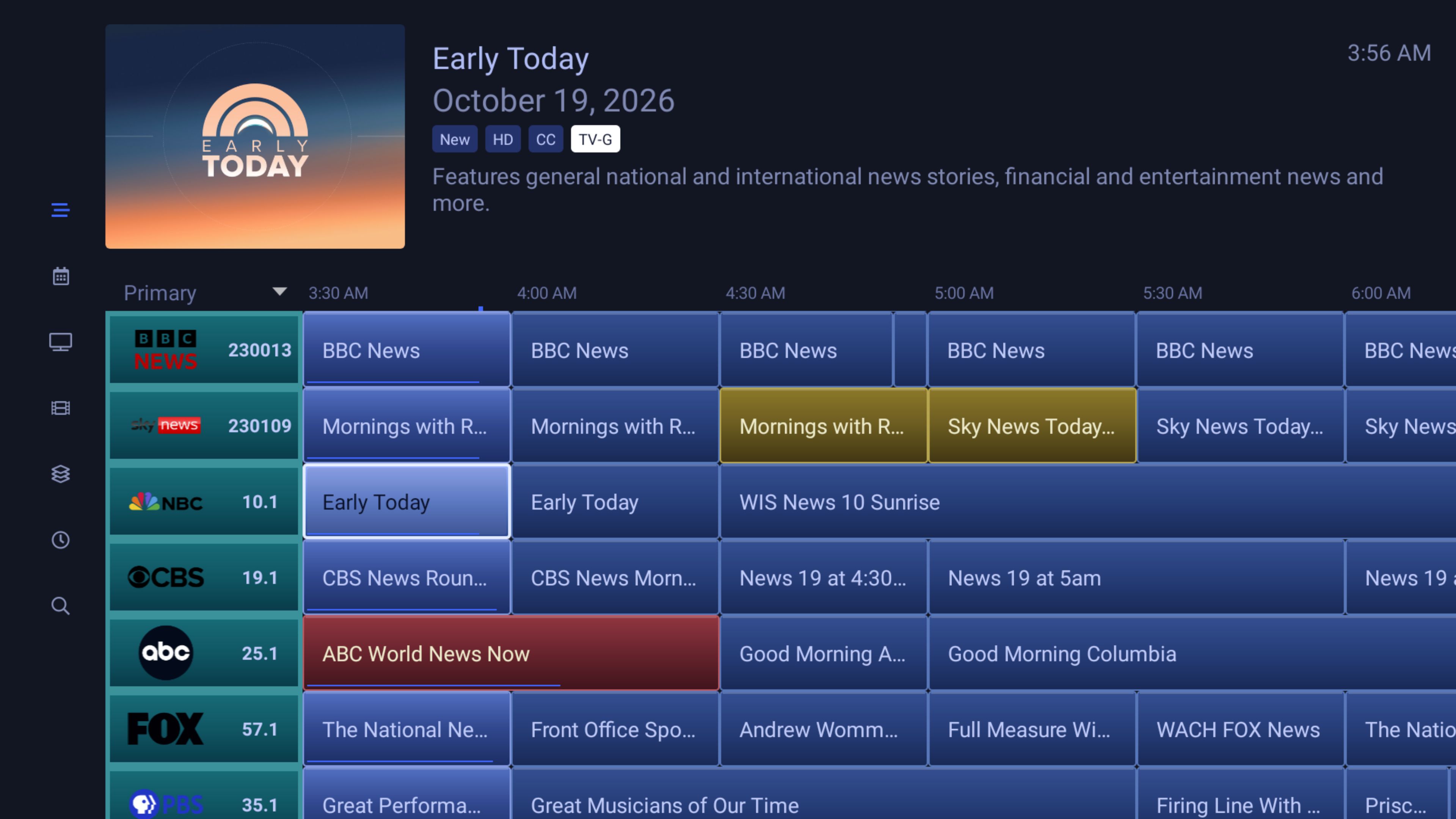
I've created a couple of themes in the latest beta using ChatGPT (free version). Thanks to AtoZ0to9 in the Channels Carbon Theme thread for his instructions on decompiling APK's and info on the Channels DVR folder to edit ("res" folder). The first theme I call Flat Blue and simply replaces all shades of purple with corresponding shades of blue. The second theme, Neon Blue, is a variation that gives the channel grid a more polished (I hope) 3D-ish look. Except for the channel grid, all other sections in both themes are the same. Screenshots and links below.

To install you'll probably need to first uninstall your current Channels DVR app and turn off Play Protect. If you turn Play Protect back on after installation I can't say whether or not Android will block the app at some point, that's above my paygrade. For what it's worth, on my nVidia Shield I enabled Play Protect and rebooted, assuming if it was going to block an app it would probably be after a reboot. The app opened and worked fine. Your mileage may vary.

If the download links don't work lemme know, they're from my free Dropbox account.

I may do other versions and colors in the future.
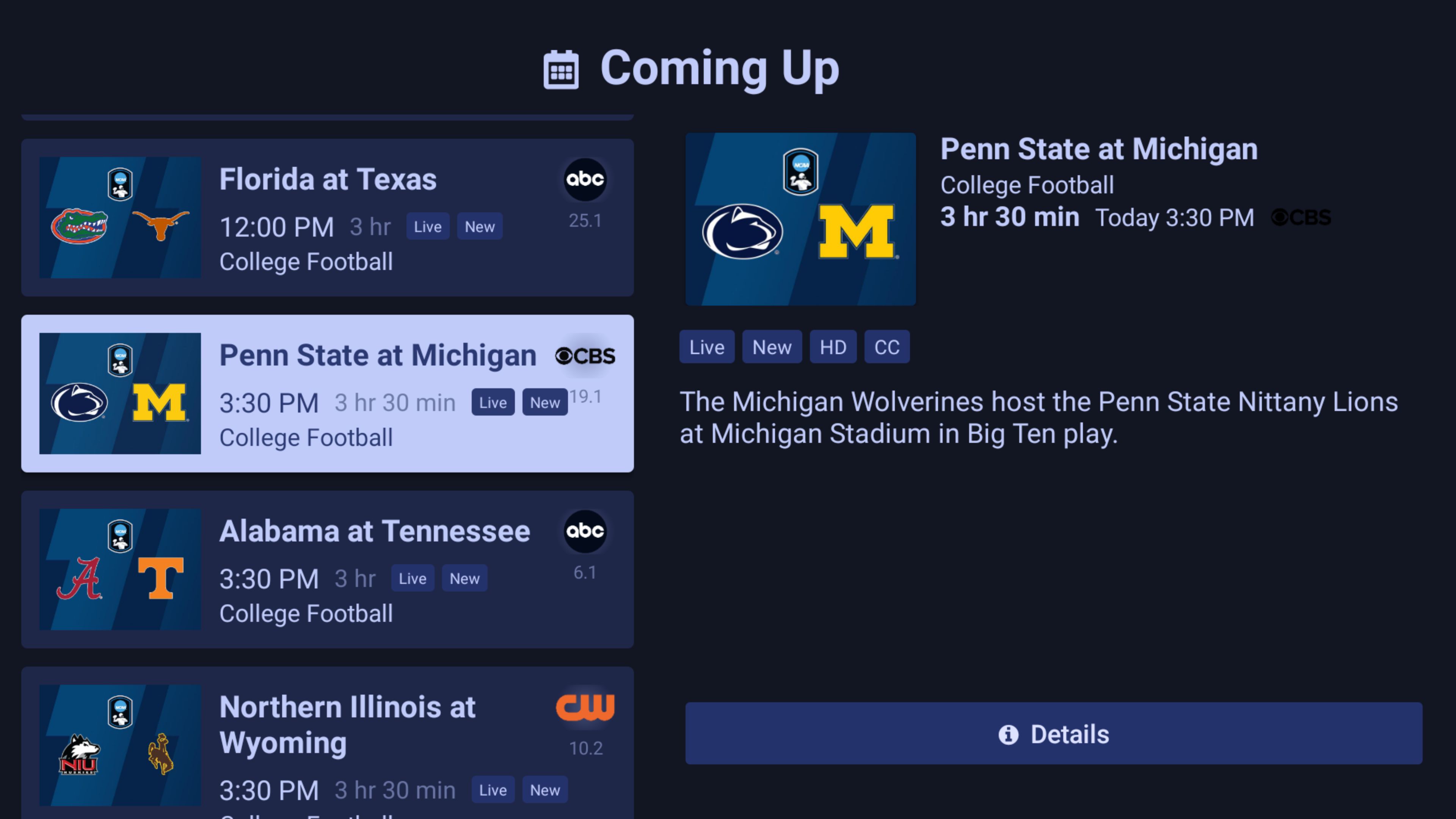
Flat Blue:

https://www.dropbox.com/scl/fi/jsguel6za2fuwg80hd4bi/_channels-dvr-710090549-blue.apk?rlkey=4clizfbagyd1tv8fnpjy3vo5b&st=saqtbkw1&dl=0

Neon Blue:

https://www.dropbox.com/scl/fi/xqmaudkxvcfjky7v9wljq/_channels-dvr-710090549-neon-blue-v3.apk?rlkey=647utpb3ohl4ohpv6s4qi6u5g&st=nqqvul6d&dl=0

3 Likes

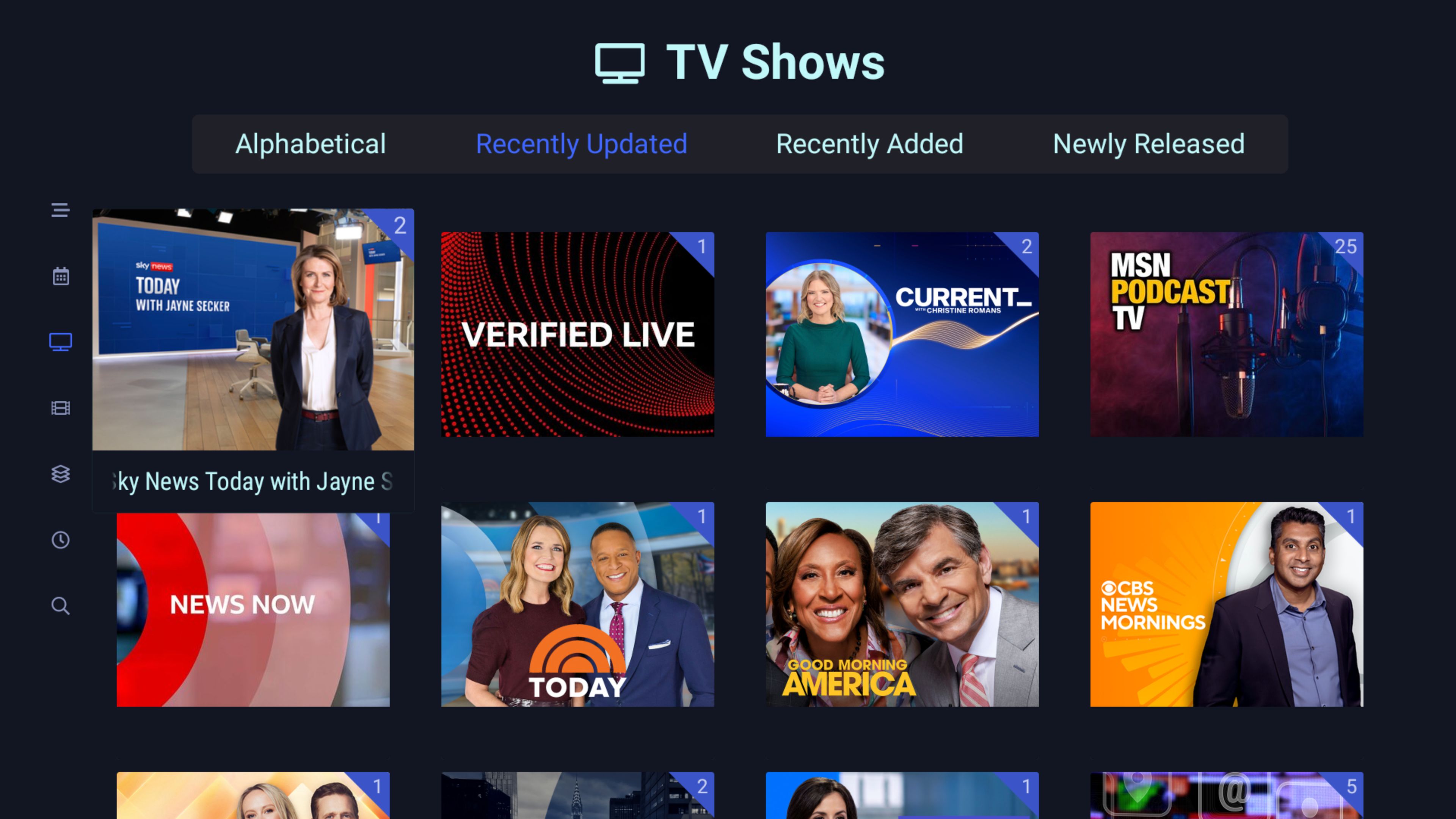
This looks great! Can you post a screenshot of the TV Shows screen?

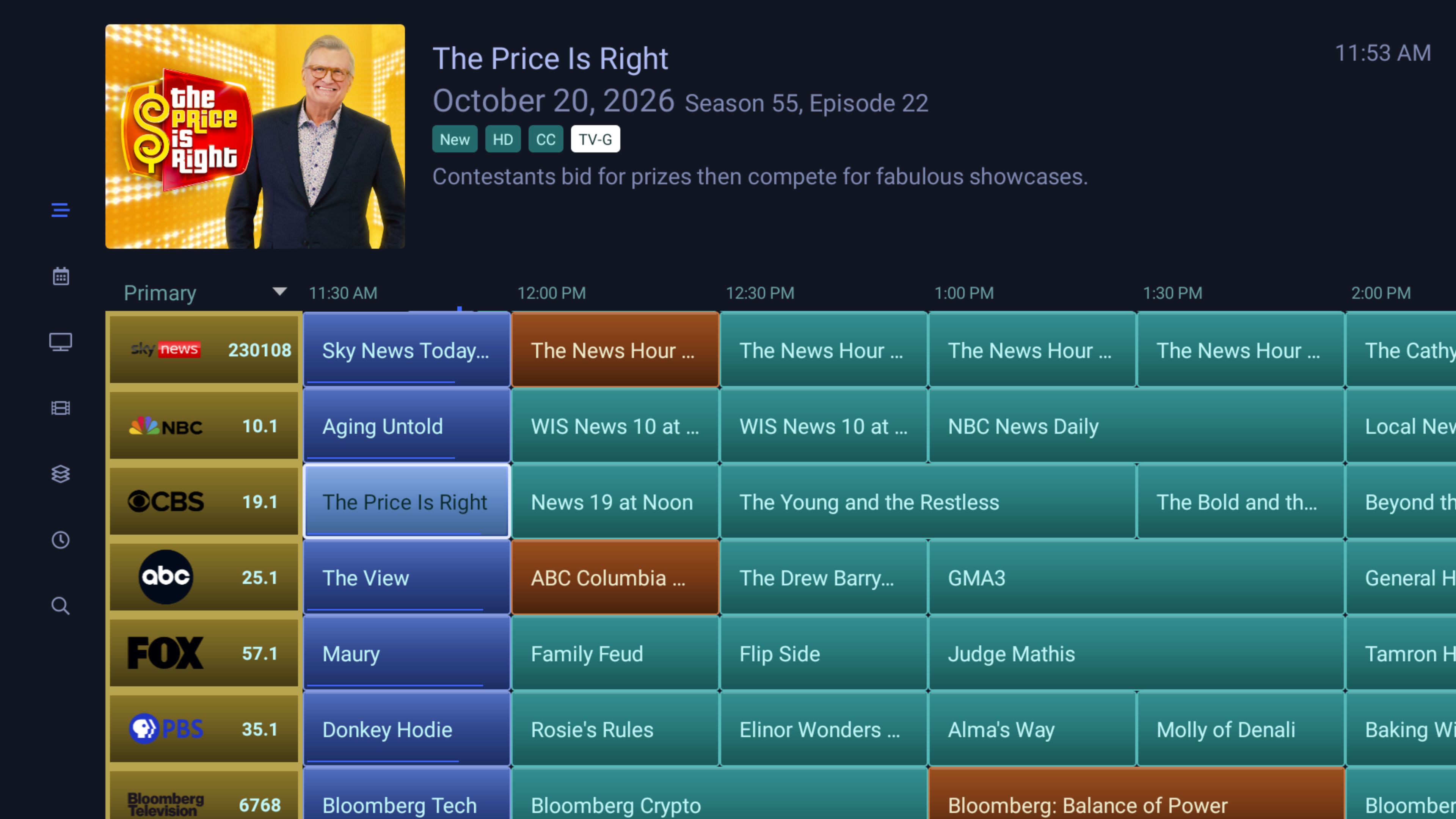
Here ya go. The Neon Blue TV Shows screen. Also a pic of the channel guide of the new theme I'm working on.

1 Like

Slick! Any way to make the selected show on the TV Shows screen more obvious than just the slight zoom? I've always wished there was a white outline or something there.

Yeah, I’m pretty sure it could do something like that. Also, when you go into the folder with the individual episodes, I’ve always thought the focused show wasn’t distinct enough with that slight zoom. I’m pretty sure a border could be added. However, my time on my PC is limited plus the free version of ChatGPT only lets you do so much work at a time. I’m also working on some other stuff, but I’ll try to get to it in the next couple of weeks.

Here's something I'm considering that I asked ChatGPT about and it says is probably possible, which is to create an Android app that's a kind of a CHDVR Theme Changer. You'd have the various themed apk's in a folder on your android device. You open the Theme Changer app, select from a list of themes - Carbon, Neon Blue, etc - click Run, the app uninstalls the current CHDVR version and installs the new one. It probably wouldn't be completely automated, you'd probably have to click the usual android installation confirmations. Also, after installation you'd have to go into the CHDVR settings and change the various defaults to your preferred choices.

It's not perfect but it would simplfy the process somewhat. Anyway, I may explore that in the future. I plan on making several different themes down the road, it would be nice to have a somewhat more streamlined way of installing them.