
Just pulled and deployed the main branch. That did the trick! It's working fine.
Hi all,
Noticed today that all Pluto stations no longer load - standard message on all channels "this device is no longer supported". Configured using the M3U url: https://nocords.xyz/pluto/playlist.m3u.
So does this mean only the docker solution will work going forward?
I would guess YES if this is true
If nocords.xyz doesn't work, it's unlikely the docker version will work as they both generate the same mp3u and playlist files.
The maddox docker container doesn't work, but this one forked from jgomez apparently does
Hi all,
So was reviewing the Bobby_Vaughn update and I'm not familiar with Portainer as I'm running channels on a Synology NAS which has container manager. Is this similar? I'm not a developer but am a quick learner....thanks!
Portainer is just a management layer. it still uses docker/containers underneath. I am going to wait for something official as I'm not really down for a code review at the moment. But I can start a docker instance if necessary, it's just that Hank's solution is so much easier.
Sorry, I meant Pluto Docker. I have been working on the Roku and have it stuck in my head.
If anyone want to try my Windows installer for Pluto, I have one updated to use the username and password. Let me know if it works for you. I only was able to do quick tests.
@Bobby_Vaughn trying your container out and I’m getting this error when using local. Is this expected behavior on the m3u page?
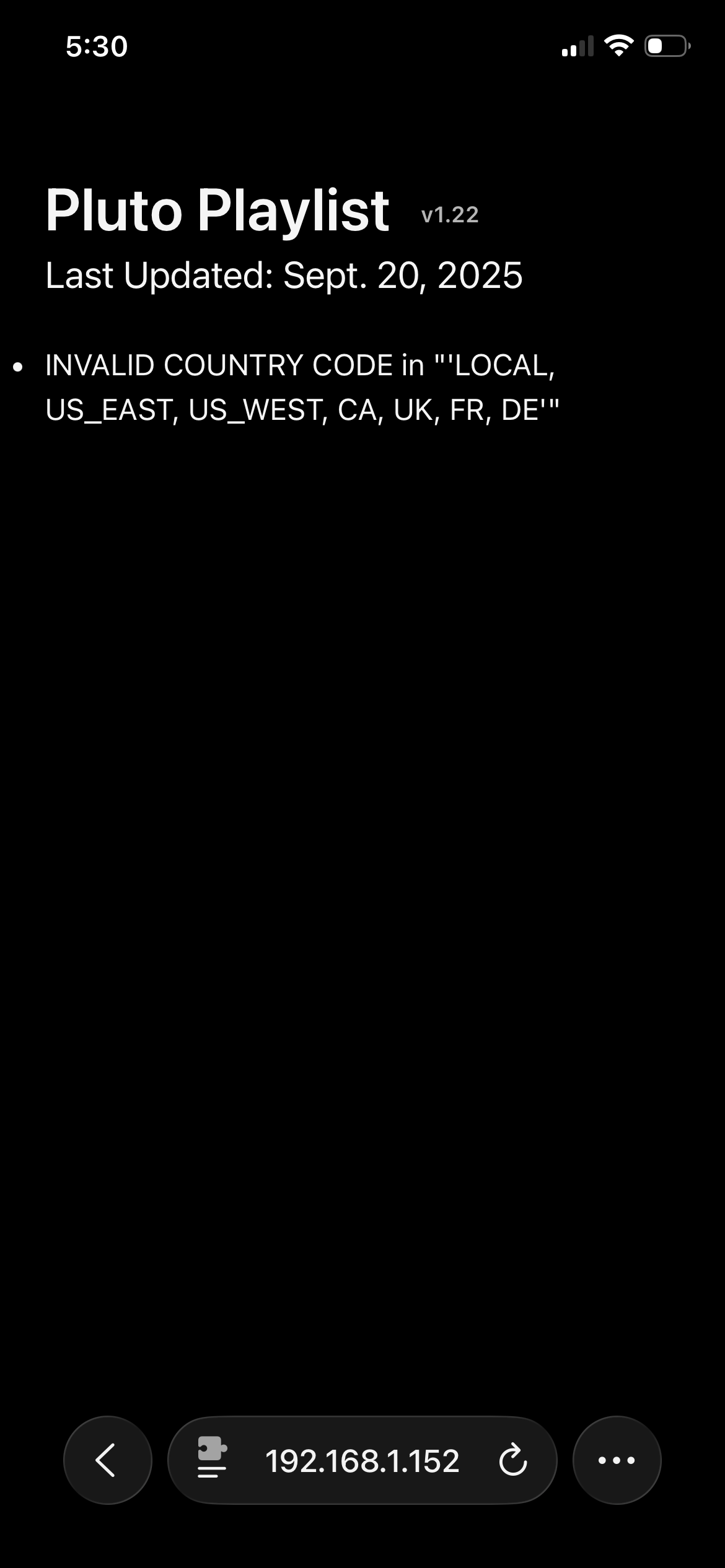
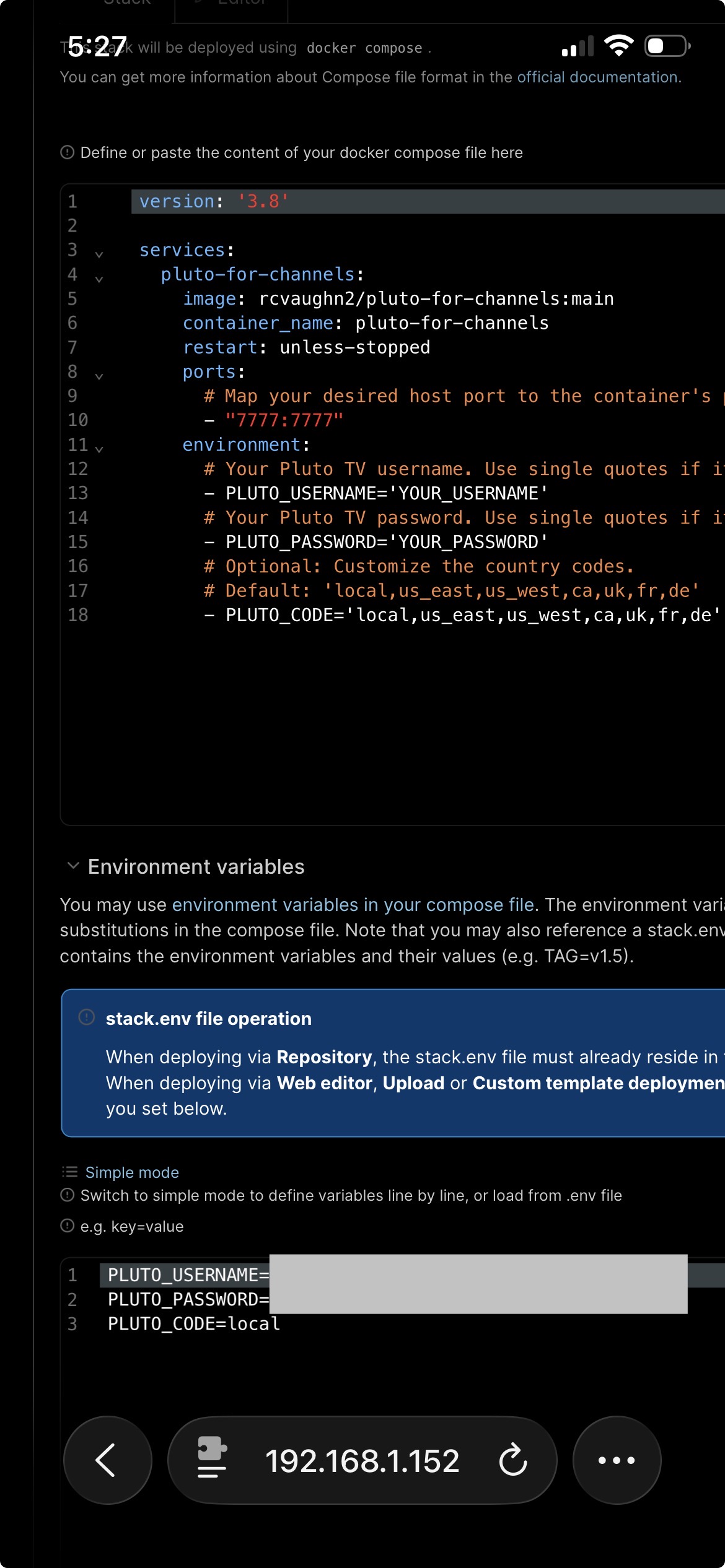
Give me a minute, I have to do help y neighbor and will return in a few. I use the I usually just do the docker run
docker run -d --restart unless-stopped --network=host -e PLUTO_PORT=[your_port_number_here] -e PLUTO_USERNAME='your_username' -e PLUTO_PASSWORD='your_password' --name pluto-for-channels rcvaughn2/pluto-for-channels:main
1 Like
I'll look into doing the same, in case anyone is using maddox/pluto-for-channels...or I'll just deprecate it and refer to your repo.
2 Likes
The most recent @Bobby_Vaughn image appears to be working fine via Project One-Click -- with no modifications required. I just spun it up and tested several channels:
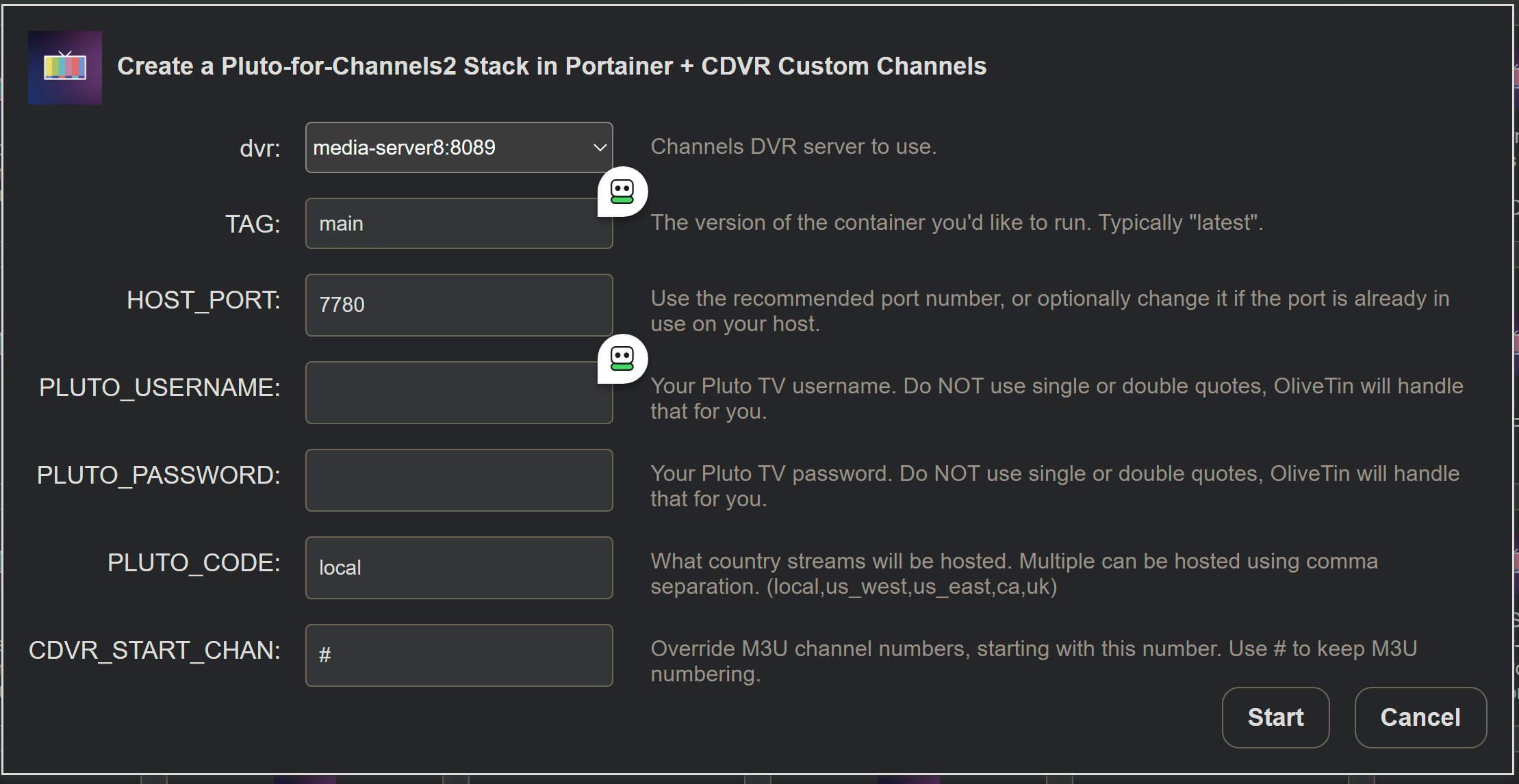
Note that the Action is named: Pluto-for-Channels2 in Project One-Click.
Thanks all for the quick responses...this forum is awesome!!
So Grok helped me get this setup in container manager /synology. It's running now successfully. Sorry if this us already posted, so how do I configure channels to now point to this container for Pluto? using port 7777:7777
2 Likes
lol, it's very weird that it's just...the same exact name as another project.
@maddox I forked @joagomez Pluto one about a year ago with the Username and Password when they first talked about requiring it.
1 Like
Try using the double quotes
environment:
      PLUTO_USERNAME: "YOUR_USERNAME"
      PLUTO_PASSWORD: "YOUR_PASSWORD"
      PLUTO_CODE: "local,us_east,us_west,ca,uk,fr,de"
Are you going to update your container?
If anyone uses the Windows version, let me know if it works. I just ran a quick test, but I didn't have a chance to really test it out. I will look at both projects tomorrow when I'm not so busy. Thanks.
2 Likes
