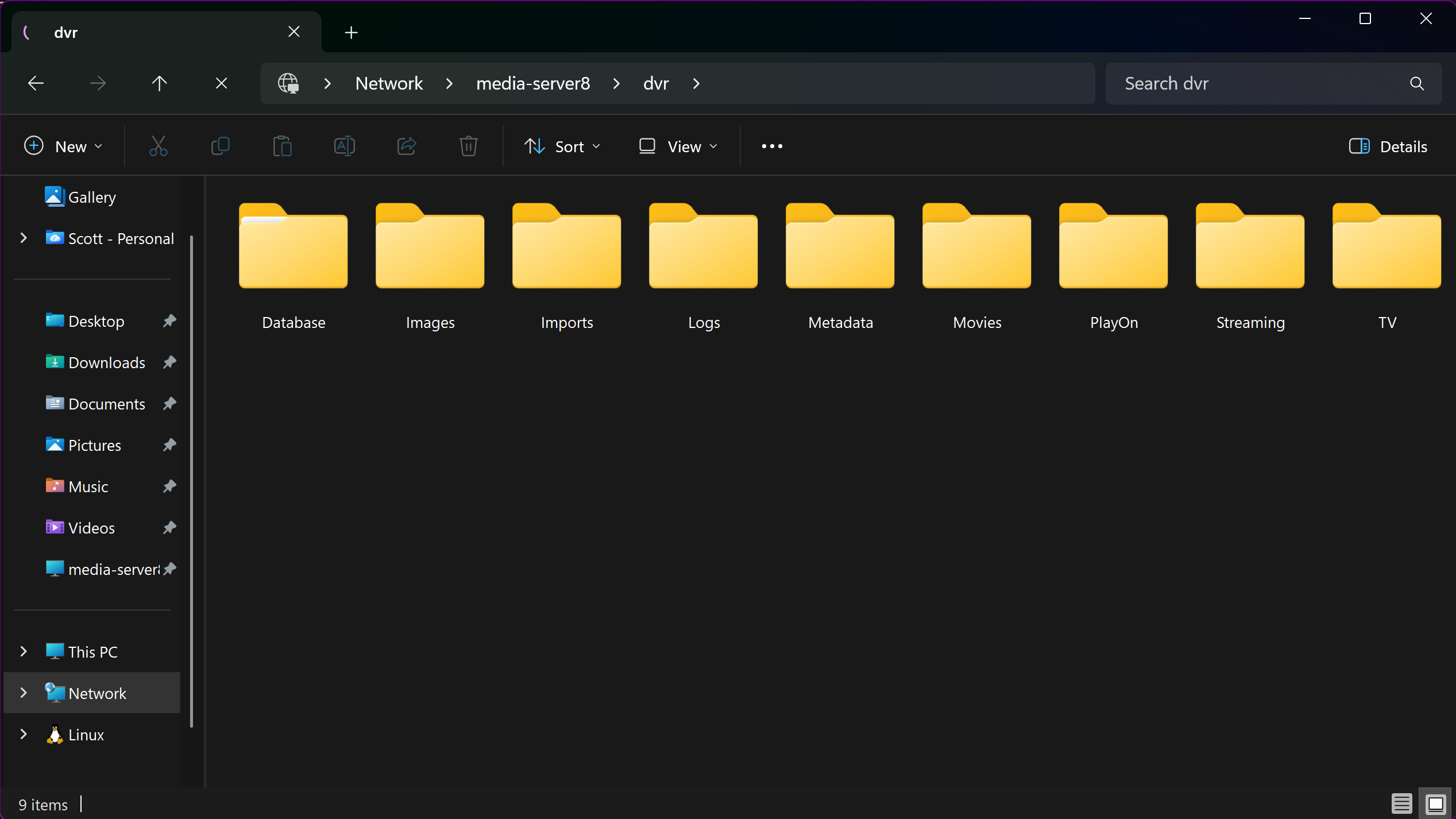
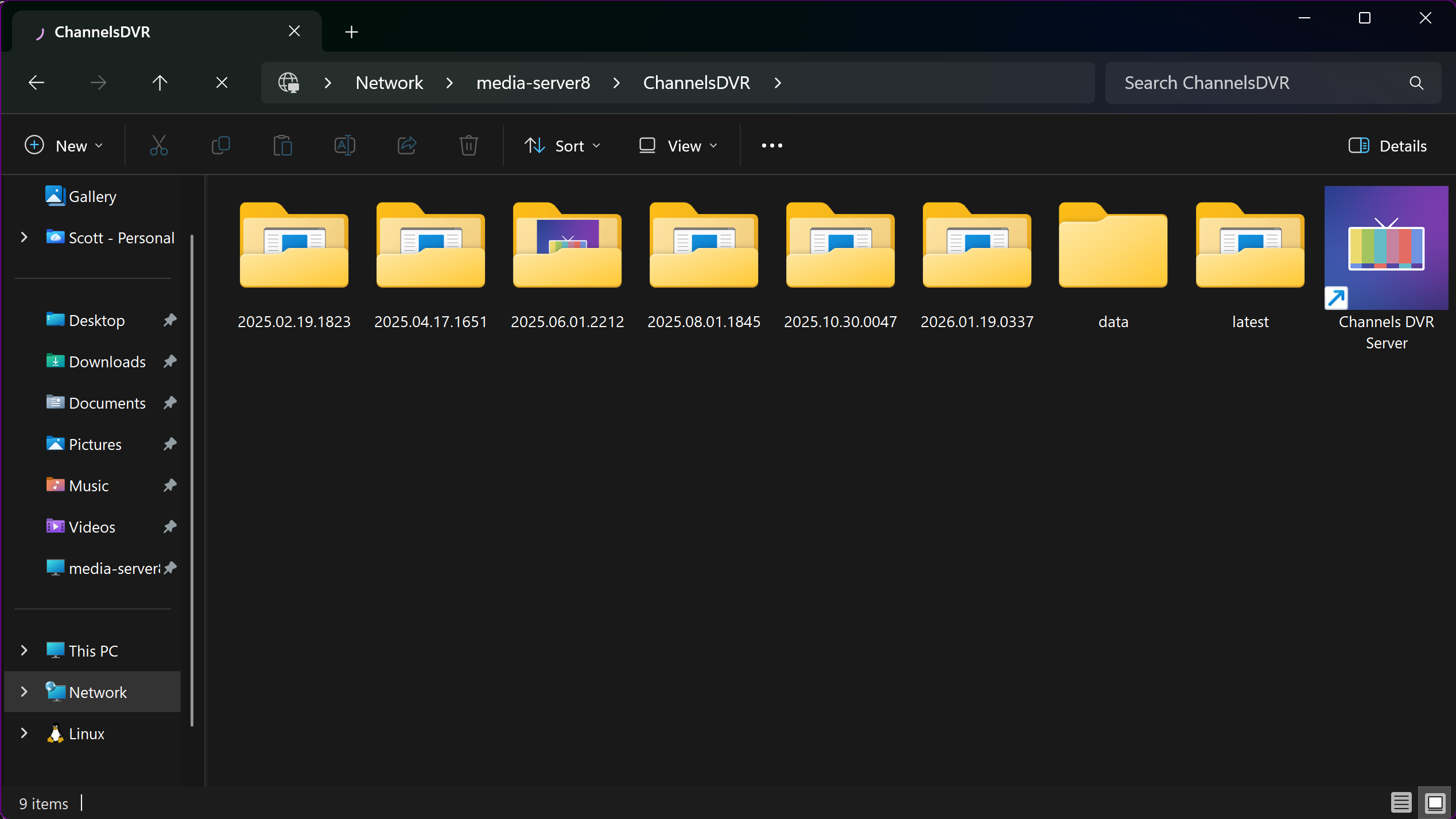
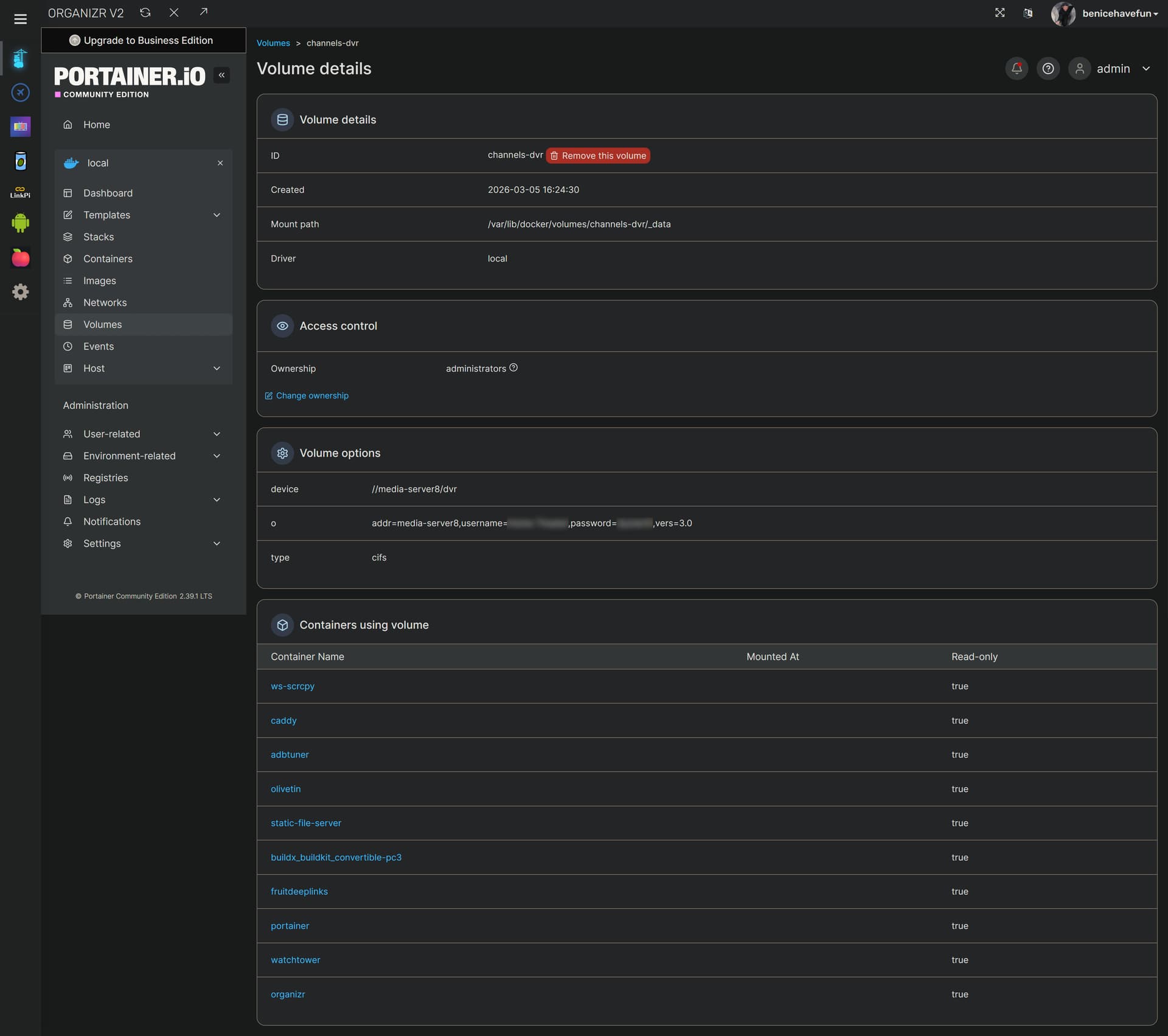
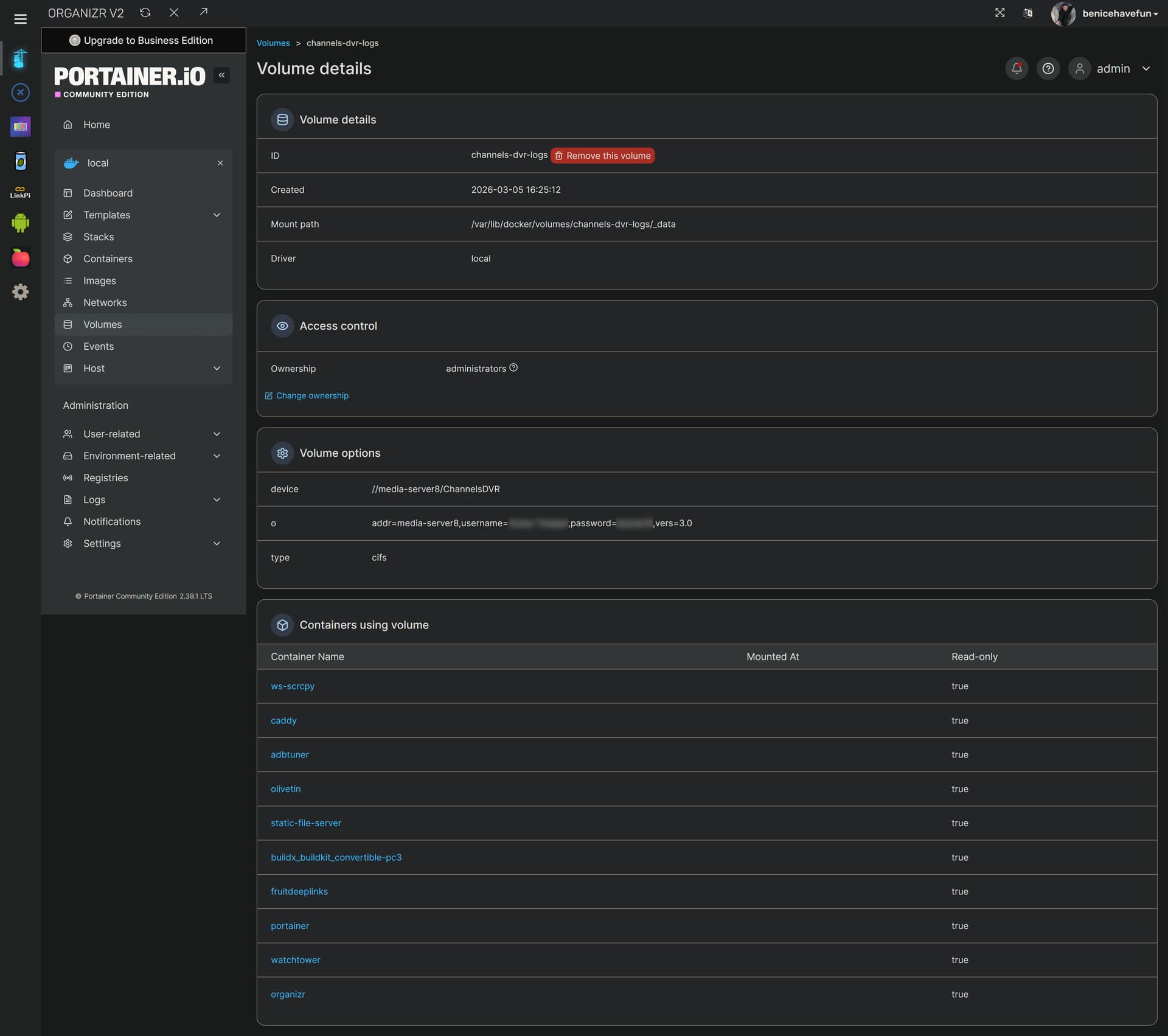
Looks good. A couple of 200 responses and the desired folders are visible. No response from Portainer on 9443 is not a show-stopper, given it's responding on 9000 via http. I'd say you're good-to-go. 
I seems that members are getting this program to work. I currently have OliveTin running in Portainer and I can pull up the the admin panel but when I try to complete a One Click, like the the Tubi For Channels install I get:
JSON response from http://192.168.1.20:9000/api/stacks/create/standalone/string?endpointId=: {"message":"A valid authorization token is missing","details":"Unauthorized"}
false
This also happens with other One Clicks. I have a Synology NAS with Portainer under Docker installed, Olive Tin for Channels is present. My CDVR is not in the Portainer but installed as the a Synology package. I can post a health check if needed or the Env status, if needed. Any help with this is appreciated.
Project One-Click requires a valid Portainer Token to work. Since you're posting in the EZ-Start thread, I'm assuming you used that process to install the full version of OliveTin.
Go ahead and post the output from the OliveTin Post-Install Healthcheck, and we'll see where you are in the process.
(extended_check=false)
OliveTin Container Version 2026.01.08
OliveTin Docker Compose Version 2025.08.25-ezstart
----------------------------------------
Checking that your selected Channels DVR server (192.168.1.20:8089) is reachable by URL:
HTTP Status: 200 indicates success...
% Total % Received % Xferd Average Speed Time Time Time Current
Dload Upload Total Spent Left Speed
0 0 0 0 0 0 0 0 --:--:-- --:--:-- --:--:-- 0
100 1276 100 1276 0 0 623k 0 --:--:-- --:--:-- --:--:-- 1246k
HTTP Status: 200
Effective URL: http://192.168.1.20:8089/
----------------------------------------
Checking that your selected Channels DVR server's data files (/mnt/192.168.1.20-8089) are accessible:
Folders with the names Database, Images, Imports, Logs, Movies, Streaming and TV should be visible...
Docker reports your current DVR_SHARE setting as...
If the listed folders are NOT visible, AND you have your Channels DVR and Docker on the same system:
Channels reports this path as...
/volume1/ChannelsDVR
----------------------------------------
Checking that your selected Channels DVR server's log files (/mnt/192.168.1.20-8089_logs) are accessible:
Folders with the names data and latest should be visible...
Docker reports your current LOGS_SHARE setting as...
If the listed folders are NOT visible, AND you have your Channels DVR and Docker on the same system:
Channels reports this path as...
/var/packages/ChannelsDVR/target/channels-dvr
----------------------------------------
Checking if your Portainer token is working on ports 9000 and/or 9443:
Portainer http response on port 9000 reports version 2.21.3
Portainer Environment ID for local is
Portainer https response on port 9443 reports version
Portainer Environment ID for local is
----------------------------------------
Here's a list of your current OliveTin-related settings:
HOSTNAME=olivetin-ezstart
CHANNELS_DVR=192.168.1.20:8089
CHANNELS_DVR_ALTERNATES=
CHANNELS_CLIENTS=
ALERT_SMTP_SERVER=
ALERT_EMAIL_FROM=[Redacted]@
ALERT_EMAIL_PASS=[Redacted]
ALERT_EMAIL_TO=[Redacted]@
UPDATE_YAMLS=true
UPDATE_SCRIPTS=true
PORTAINER_HOST=192.168.1.20
PORTAINER_PORT=9443
PORTAINER_ENV=2
----------------------------------------
Here's the contents of /etc/resolv.conf from inside the container:
nameserver 127.0.0.11
options ndots:0
----------------------------------------
Here's the contents of /etc/hosts from inside the container:
127.0.0.1 localhost
::1 localhost ip6-localhost ip6-loopback
fe00::0 ip6-localnet
ff00::0 ip6-mcastprefix
ff02::1 ip6-allnodes
ff02::2 ip6-allrouters
172.28.0.3 olivetin-ezstart
Standard Errorls: cannot access '/mnt/192.168.1.20-8089': No such file or directory
Error response from daemon: client version 1.52 is too new. Maximum supported API version is 1.41
ls: cannot access '/mnt/192.168.1.20-8089_logs': No such file or directory
jq: error (at <stdin>:0): Cannot index string with string "Name"
This tells us this healthcheck is from the EZ-Start container, not the full version of OliveTin which is found on port 1337 -- as described here (EZ-Start is on port 1338, and is only used to install the full version of OliveTin, Portainer, or both):
This is done. OliveTIn Channels Web Admin is up and running under 1337.
Could you post a healthcheck from the full version running on port 1337 -- so I can see where you are in the installation? It looked like you might be missing several other values...
OK I see a problem- The Healthcheck (on Actions page) is defaulting to EZStart). I do not see a Health check on the OliveTin WebPanel (One Click).
If needed, I can remove the containers and start over.
That would not be the case if your installation had proceeded in normal order. Could you post the current set of env vars being used by your olivetin stack (not olivetin-ezstart)? You can redact your e-mail related data, Tailnet domain and Portainer token (if one exists) but leave the rest.
Here's mine (captured from Portainer-Stacks - Environment variables - Advanced mode), for comparison:
TAG=latest
DOMAIN=localdomain tailxxxxx.ts.net
HOST_PORT=1337
CHANNELS_DVR_HOST=media-server8
CHANNELS_DVR_PORT=8089
CHANNELS_DVR2_HOST=utheater-pc
CHANNELS_DVR2_PORT=8089
CHANNELS_CLIENTS=appletv4k firestick-master
ALERT_SMTP_SERVER=smtp.gmail.com:587
ALERT_EMAIL_FROM=[Redacted]
ALERT_EMAIL_PASS=[Redacted]
ALERT_EMAIL_TO=[Redacted]
UPDATE_YAMLS=false
UPDATE_SCRIPTS=false
TZ=US/Mountain
HOST_DIR=/data
DVR_SHARE=/mnt/dvr
LOGS_SHARE=/mnt/channelsdvr
TUBEARCHIVIST_SHARE=/mnt/dvr
DVR2_SHARE=
LOGS2_SHARE=
TUBEARCHIVIST2_SHARE=
DVR3_SHARE=
LOGS3_SHARE=
TUBEARCHIVIST3_SHARE=
HOST_SFS_PORT=8081
FOLDER=/web
PORTAINER_TOKEN=[Redacted]
PORTAINER_HOST=htpc6
PORTAINER_PORT=9443
PORTAINER_ENV=2
PERSISTENT_LOGS=false
Let's see if we can fix things as they sit, before resorting to reinstalling.
TAG=latest
DOMAIN=
HOST_PORT=1337
CHANNELS_DVR_HOST=192.168.1.20
CHANNELS_DVR_PORT=8089
CHANNELS_CLIENTS=
ALERT_SMTP_SERVER=
ALERT_EMAIL_FROM=
ALERT_EMAIL_PASS=
ALERT_EMAIL_TO=
UPDATE_YAMLS=true
UPDATE_SCRIPTS=true
TZ=
HOST_DIR=/data
DVR_SHARE=/volume1/ChannelsDVR
LOGS_SHARE=/var/packages/ChannelsDVR/target/channels-dvr
TUBEARCHIVIST_SHARE=/volume1/ChannelsDVR
DVR2_SHARE=
LOGS2_SHARE=
TUBEARCHIVIST2_SHARE=
DVR3_SHARE=
LOGS3_SHARE=
TUBEARCHIVIST3_SHARE=
HOST_SFS_PORT=8080
FOLDER=/web
PORTAINER_TOKEN=
PORTAINER_HOST=192.168.1.20
PORTAINER_PORT=9443
PORTAINER_ENV=2
PERSISTENT_LOGS=false
This is the primary problem. In Portainer, go to the username dropdown in the upper right corner and create a Portainer Token named olivetin. Save it in a safe place. Then stop your olivetin stack, and add that value to your env vars. Add your time zone (in standard Linux time zone format) after TZ= while you're at it.
Click the Update the stack button, and you should be good.
This is a problem too -- on Synology. On that specific NAS, Docker can't create directories -- they need to already exist. I believe /volume1/docker/olivetin is a good option. Make sure (using File Station) those directories exist first. Create them if needed. This is required for all containers, and is a Synology-Docker issue.
EDIT: Also, create /volume1/docker/olivetin/data for static-file-server...
Understood. This update did the trick.
I tried the Tubi project. This installed. The MLB one click did not. The Roku Bridge Container is generated but I'll have to address this in the Custom channels in CDVR I think.
Glad to hear it.
Error messages?
The docker composes used for anything in Project One-Click are shown here, or can be displayed in One-Click:
This will help you figure out what directory to create before trying to spin-up a container. Only certain directories are writable on Synology. Using /volume1/docker as a parent (as opposed to /data) is a reasonably safe bet.
The Roku Bridge requires configuration before you can create your CDVR source. One-Click always does this if possible, but some projects need configuration before proceeding.
FOR MLB error:
JSON response from http://192.168.1.20:9000/api/stacks/create/standalone/string?endpointId=2:
{"message":"failed to deploy a stack: time=\"2026-01-19T20:30:09Z\" level=warning msg=\"/data/compose/24/docker-compose.yml: the attribute `version` is obsolete, it will be ignored, please remove it to avoid potential confusion\"\n Network mlbserver_default Creating\n Network mlbserver_default Created\n Container mlbserver Creating\n Container mlbserver Created\n Container mlbserver Starting\nError response from daemon: Bind mount failed: '/data/mlbserver' does not exists\n","details":"Failed to deploy a stack: time=\"2026-01-19T20:30:09Z\" level=warning msg=\"/data/compose/24/docker-compose.yml: the attribute `version` is obsolete, it will be ignored, please remove it to avoid potential confusion\"\n Network mlbserver_default Creating\n Network mlbserver_default Created\n Container mlbserver Creating\n Container mlbserver Created\n Container mlbserver Starting\nError response from daemon: Bind mount failed: '/data/mlbserver' does not exists\n"}
false
As discussed, you can't use /data as a parent on Synology. You should specify /volume1/docker as a parent, but be sure to create /volume1/docker/mlbserver using File Station first.
Ok, I got MLB to work. Samsung is working. The Weather4000 is up next but is asking for a cc4c Host. I don't know what this is but I'll have to research. Thanks so much for your help.
There are some projects that probably won't run well, if at all, on a low powered Synology NAS.
Those are meant for beefier machines.
I would recommend looking at the threads for the projects before you try installing them.