OK, that's helpful. Though there are multiple ways to do this, here's my typical approach:
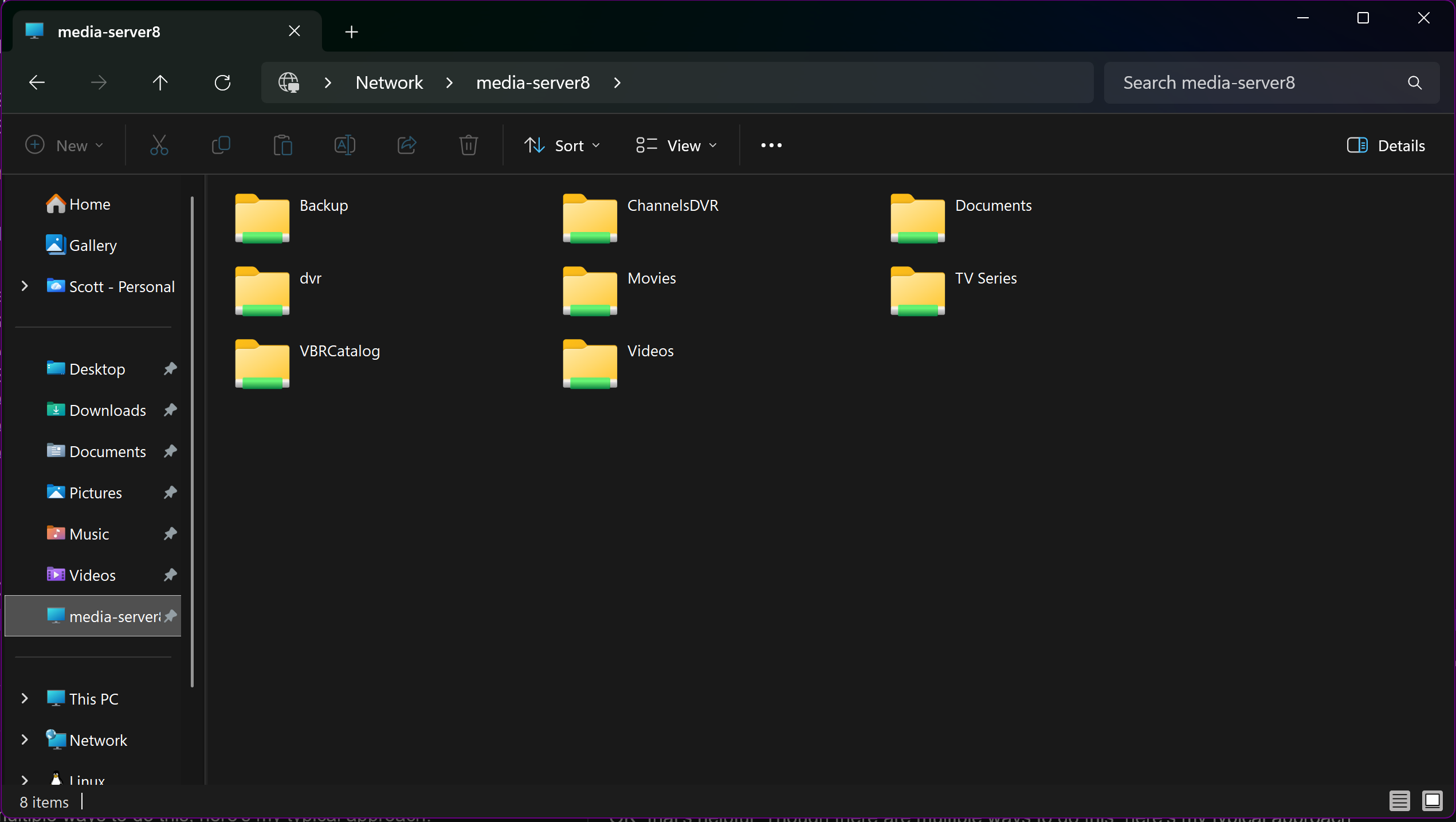
On your Windows system running CDVR, have the folder where you store DVR recordings and "Personal Media" set up as a Samba shares. Also, have the location where CDVR program files also set up as a Samba share.
Here's mine, where dvr is my CDVR recordings folder. TV Series and Movies are personal media folders, and ChannelsDVR is a Samba share of my CDVR programs (aka executables):
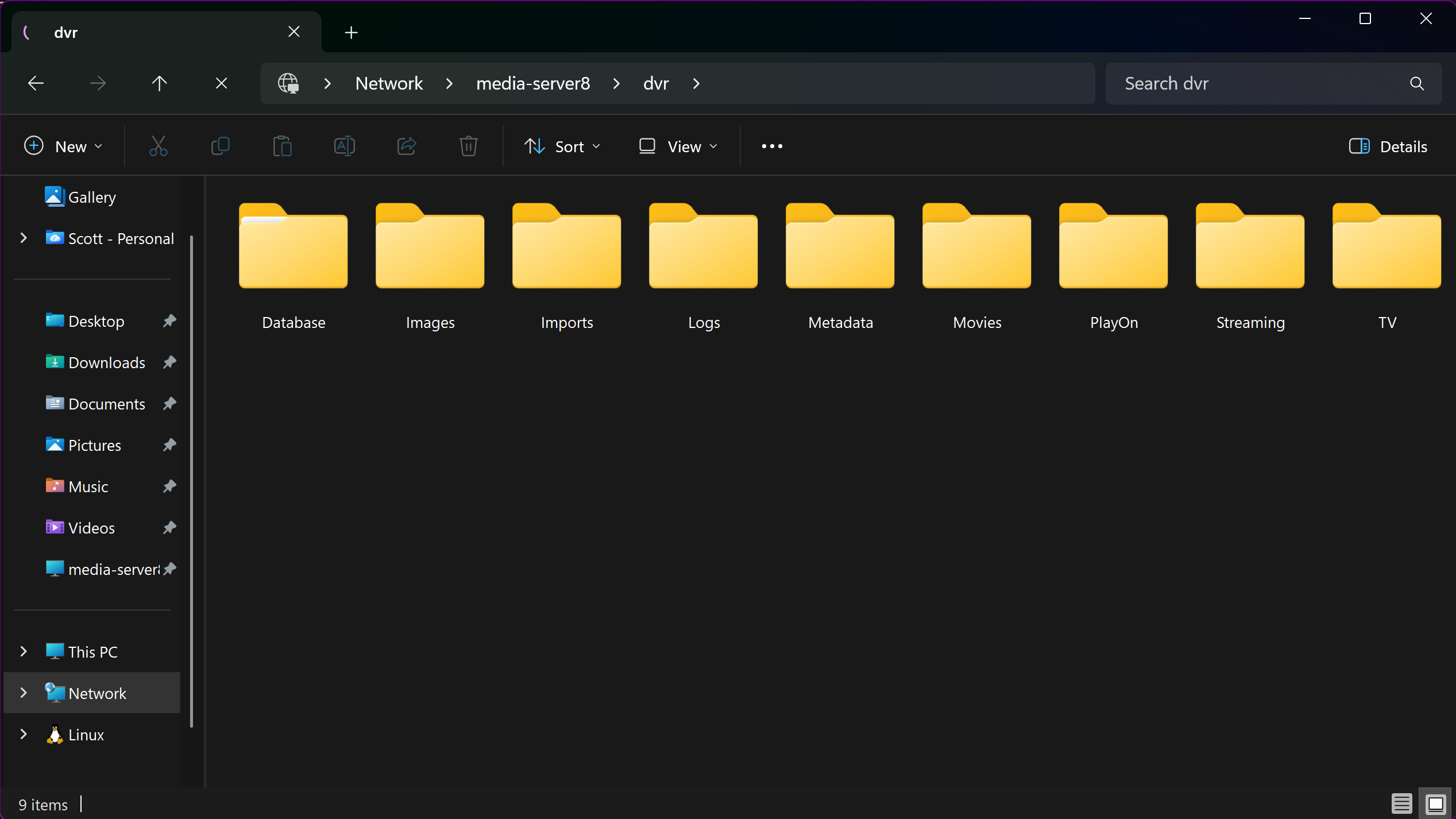
The dvr share contains these files:
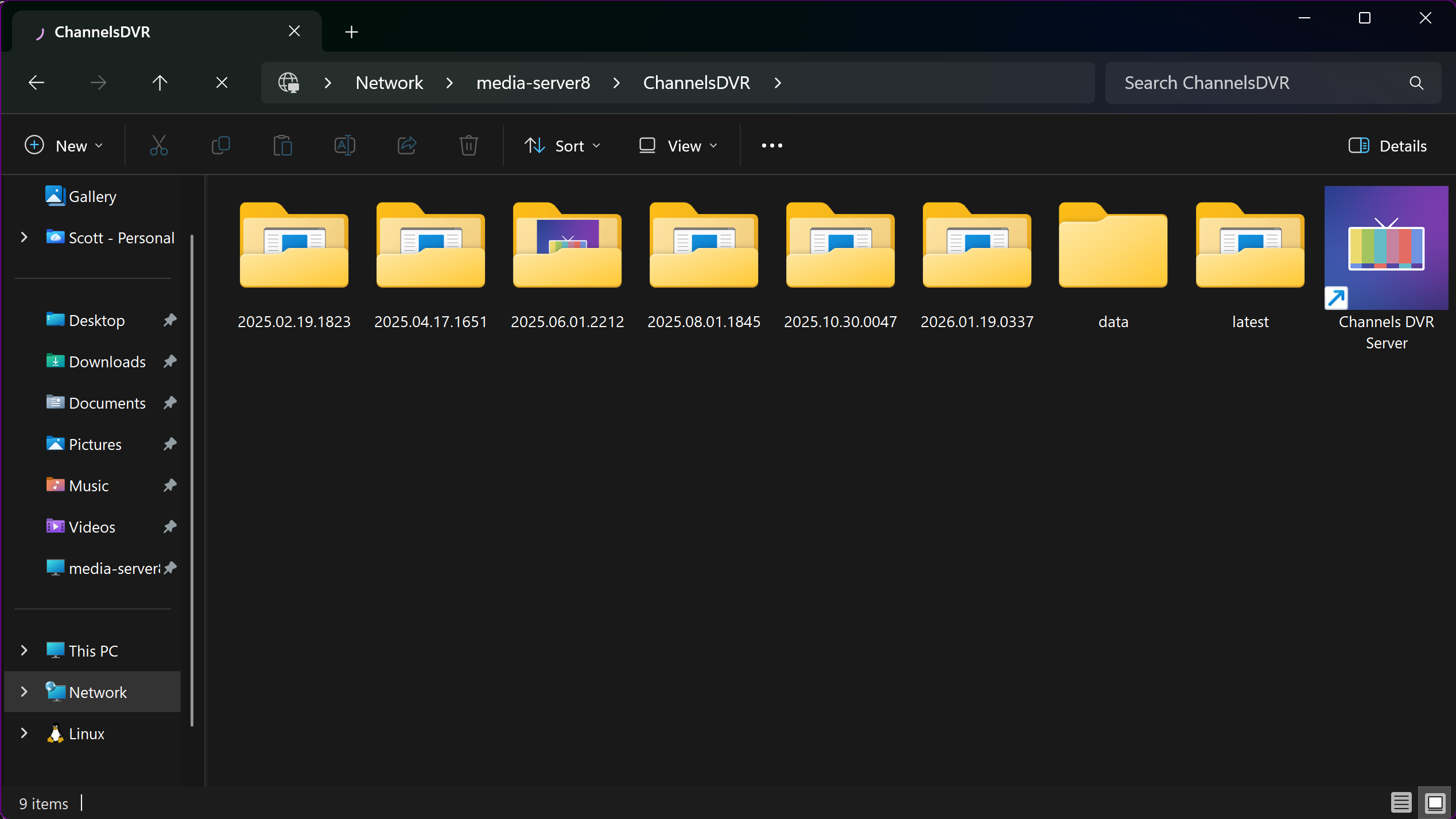
And, the ChannelsDVR share contains:
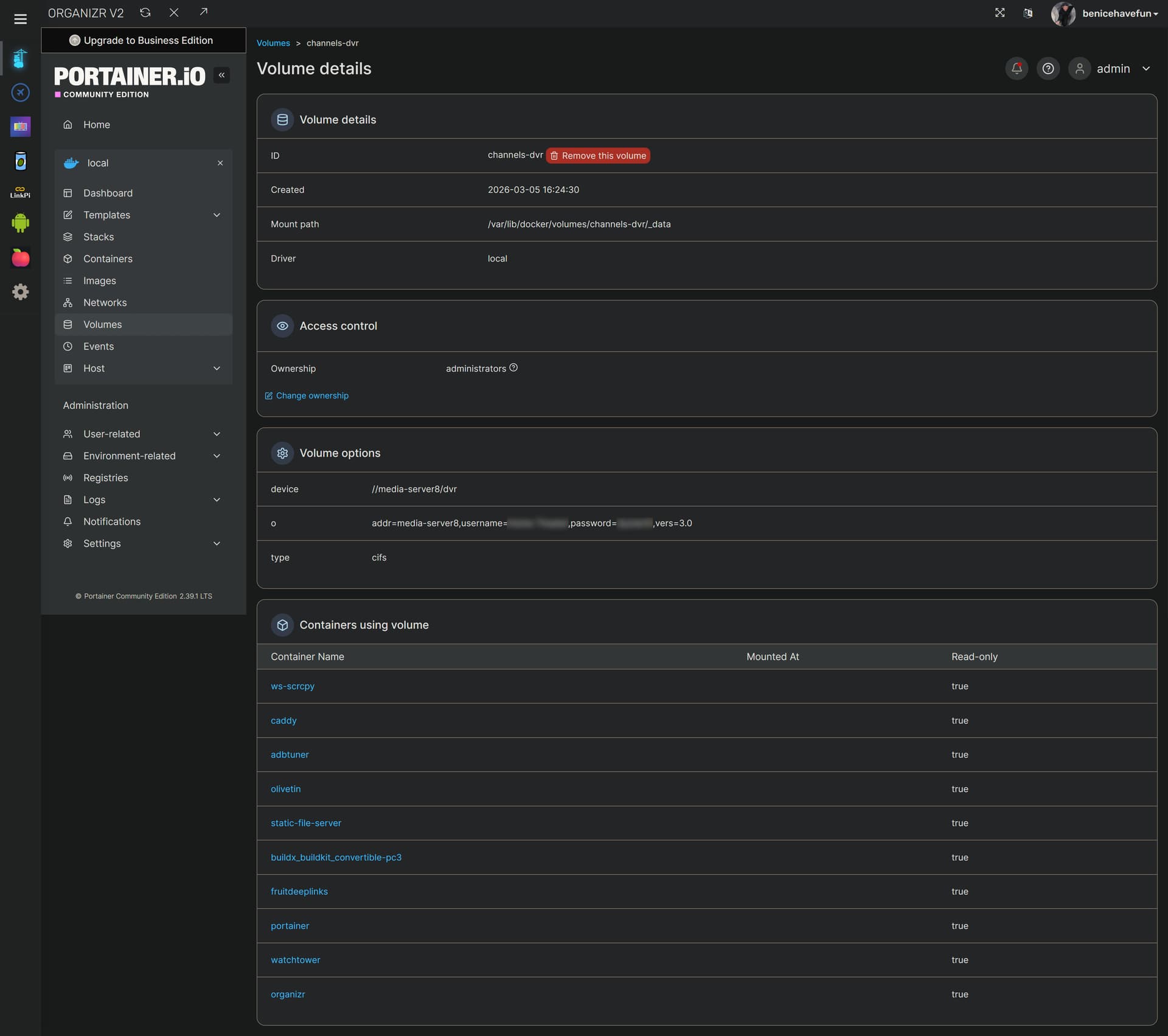
Then, in Portainer, you need to create Docker Volumes to access those shares:
A volume called channels-dvr:
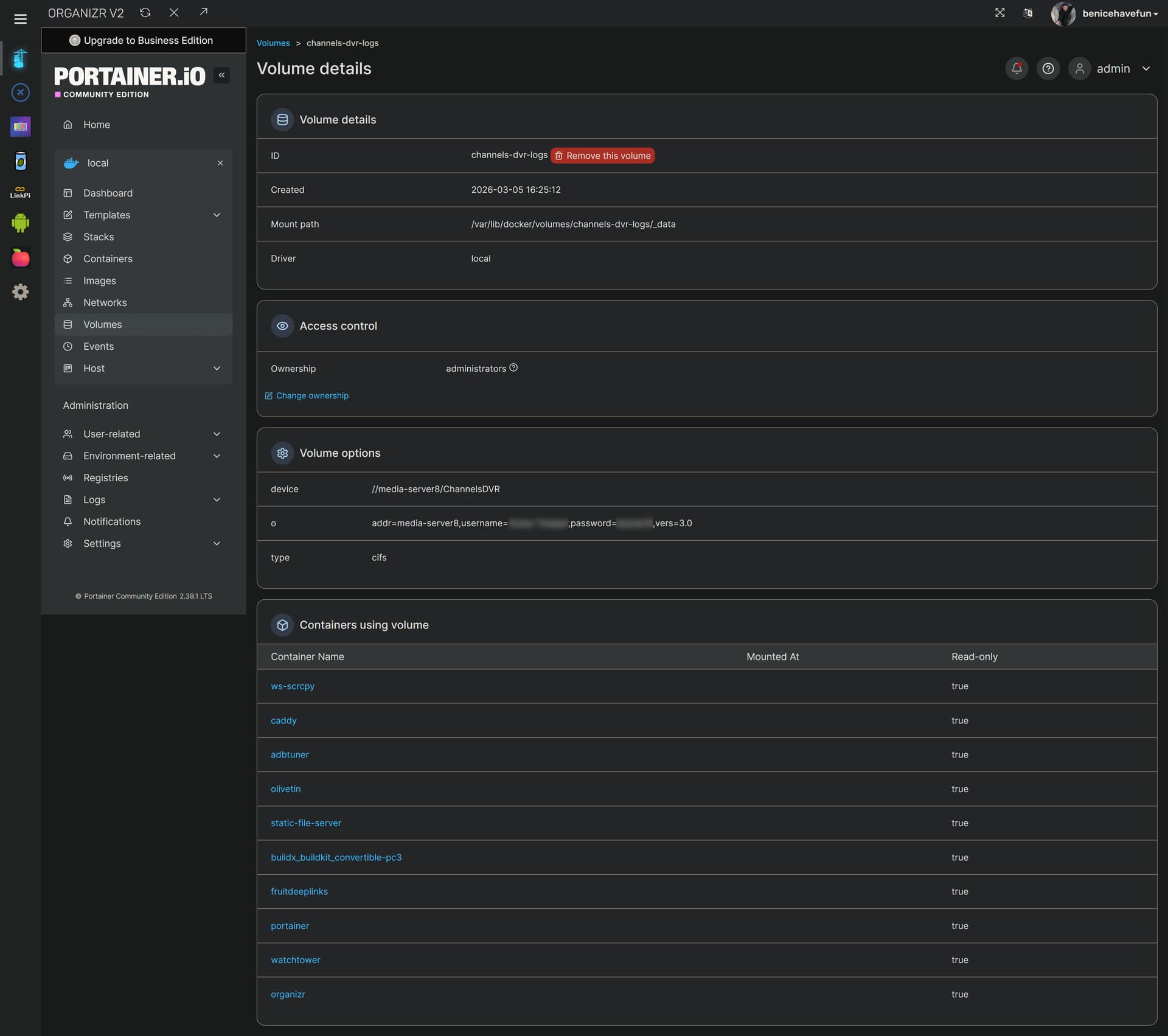
And a volume called channels-dvr-logs:
The above, I would consider the "easy way" to attach Samba shares to a Docker container. It's also possible to mount Samba shares to your file system, and then use those mount points, but that's a bit more complicated.
In your OliveTin stack, you'd then uncomment the lines that include #0#, #1#, and #2#, like this:
volumes: # Remove the #x# to enable. Use this section if you've setup a docker volume named channels-dvr, with CIFS or NFS, to bind to /mnt/dvr inside the container. Set ${DVR_SHARE} to channels-dvr (DVR_SHARE=channels_dvr) in that example.
  channels-dvr:
    external: true
  channels-dvr-logs:
    external: true
  #3#tubearchivist:
    #3#external: true
  #4#channels-dvr2:
    #4#external: true
  #5#channels-dvr2-logs:
    #5#external: true
  #6#tubearchivist2:
    #6#external: true
  #7#channels-dvr3:
    #7#external: true
  #8#channels-dvr3-logs:
    #8#external: true
  #9#tubearchivist3:
    #9#external: true
Finally, you'd modify these two env vars to use these new volume names rather than paths, like so:
DVR_SHARE=channels-dvr
LOGS_SHARE=channels-dvr-logs