
My one Apple TV and iPhone can discover my server without issues; but my bedroom Apple TV is having the hardest time discovering my server. The only thing I’ve changed is that I added an additional unifi access point that is now closer to the Apple TVs. Both Apple TVs are running off the same WiFi access point. I’m using a unifi cloud gateway.
I reset the Apple TV to factory settings and that seemed to fix the issue…
1 Like
Possibly, your Bedroom Apple TV change APs when you reset it. Verify that all VLANs are trunked to the new AP.
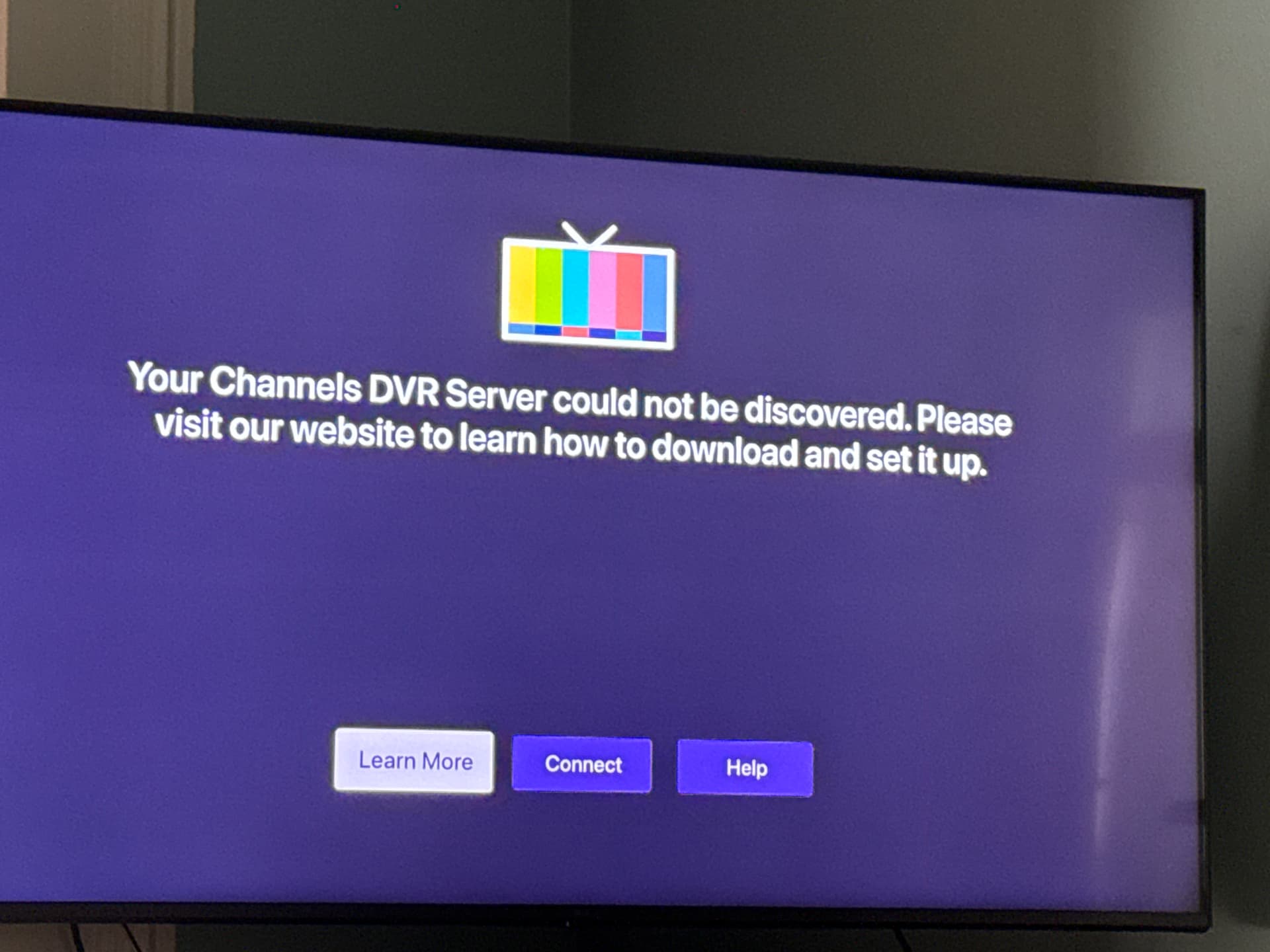
Having the issue again on the same Apple TV. Channels is working on my other Apple TV and on my iPhone. Any tips on how to fix this?
When you say having the issue again, dose that indicate that it was working for a while after your last post?
I reset the Apple TV to factory settings and it worked again for a while. Neither Apple TV is working, so it’s not isolated to just the one TV :-/
But it does work on my iPhone app.
Look on your Unify console. What ap is your iPhone connected to and what ap for each Apple TV
They are both connected to the same ap
Is your phone connected to the same AP as the Apple TVs when your phone works and your Apple TVs don't?
They are all on the same access point and the other access point is on the other side of the house.
Make sure your Channels DVR Server and your Channels client devices are getting their same DHCP reserved IP address from your Router.
Sorry - could you be a bit more specific about what you mean? I’m not super techy and have no idea what you mean by that 
My magic 8 ball tells me it’s a mesh network with mDNS issues.
I assigned a fixed ip address to the Apple TVs that are very close (.29,.28 and .27) to the server. This seems to have fixed the issue. At least for now 🫣
Not to be negative here but 1 IP close to another IP doesnt make a bit of difference. There also is a "problem" with AppleTV and server discovery if the ATV's networking isnt fully functional when starting up. I have 1 ATV that every time i power it on it tells me that the server cannot be discovered (if i try to open Channels very quickly after powering on). If i wait about 10 seconds the screen goes away and Channels loads properly. My other ATV's are set to not sleep so they dont have the issue.
Best to assign your dedicated Server and Client devices a DHCP Reserved IP address from your router (different than a Fixed Static IP address), so their IP addresses don't change and can be relied on to stay the same.
Only the server requires a fixed IP. IP allocation is an art and as far as network communications go, it doesn't matter if the IP is assigned on the server or assigned by a an IP reservation on the DHCP server. This is a matter of record keeping.
Gone are the days of assigning IP addresses in your OS hosts file.
IP allocation is not an art.
Are you regurgitating your AI's response?
And there is a difference between Statically assigned IP and DHCP Reserved IP
Try using RI instead of AI
When your DCHP server comes up after your server and the server uses a DHCP reservation, it gets on IP. This is very bad. This is why servers are best manually configured with there IP as it always works. One can place a reservation in the DHCP server if you like to use your DHCP server for record keeping. On a terrible DHCP server and there are plenty of them, sutch reservation also prevents allocation and a conflict.
I'm using years of experience, not AI! What you stated makes me want to regurgitate!
Tell me how you set a Static IP address (not Reserved DHCP IP address) for all your SD HDHR tuners, unless they're a TECH version.
How do you set a Static IP address (not Reserved DHCP IP address) for all your CDVR Servers.
How do you set a Static IP address (not Reserved DHCP IP address) for all of your CDVR Client devices.
How do you keep track of the Static IP addresses for all of these to ensure no IP conflicts on your LAN.
I just have one SD HDHR tuner, seven CDVR Servers and two CDVR clients. I use DHCP Reserved IP addresses (from my router) for all of them. And I don't have to regurgitate.