One OTA channel, missing audio, on some devices

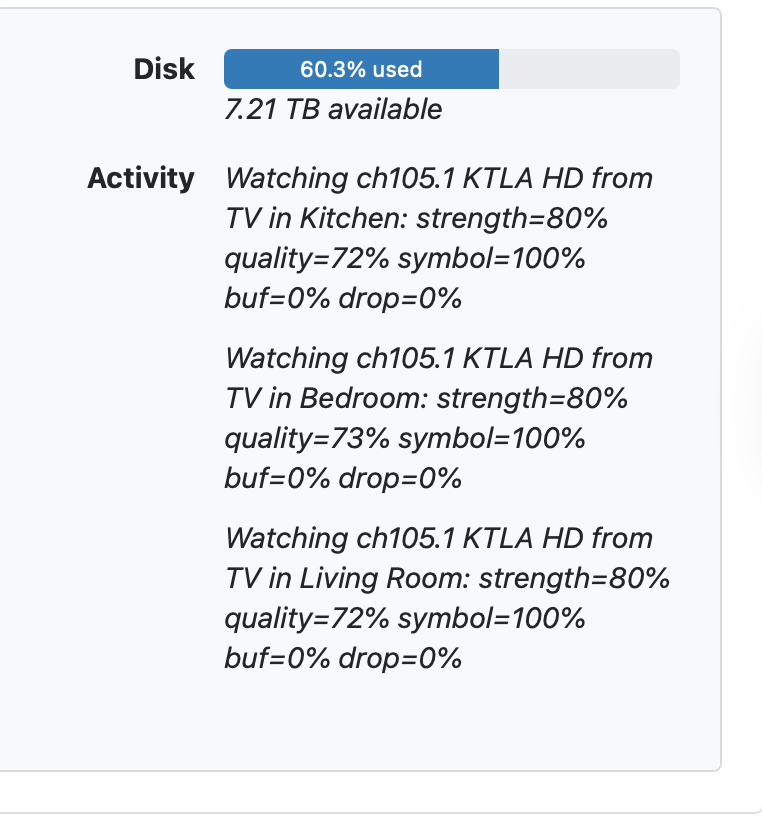
It's a local ATSC 3.0 channel, a major one in Los Angeles (KTLA 105.1.) Excellent signal and PQ all around, the #1 channel in this household.

Audio plays fine on AppleTV, iPhone and iPad, but not on the CDVR web admin, or the Mac using the iPad app. I've tested multiple devices on macOS Tahoe and Sequoia,

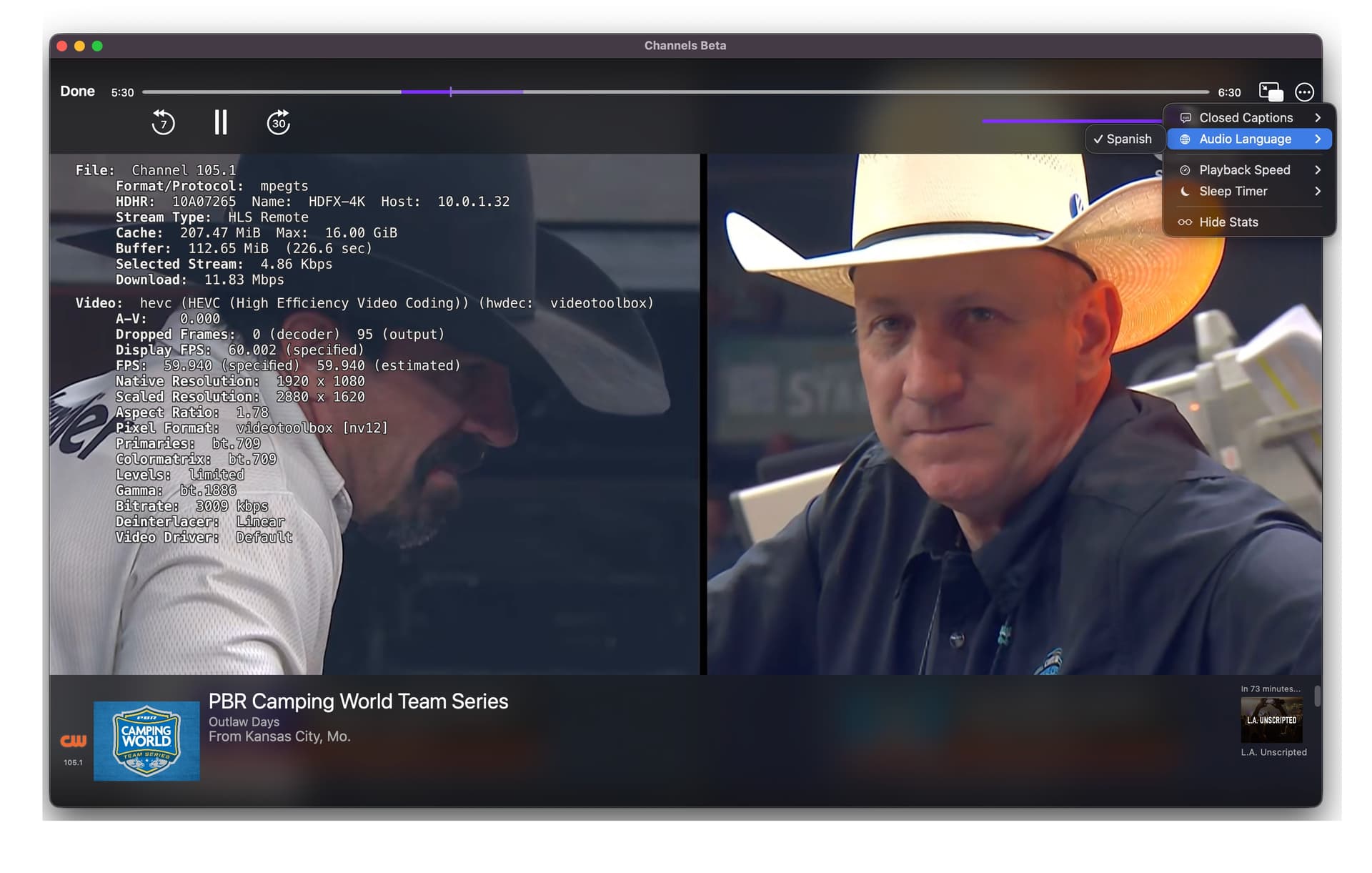
Mac app (the iPad version, doesn't show audio in the stats.). There are no "Audio Language" choices to choose from either:
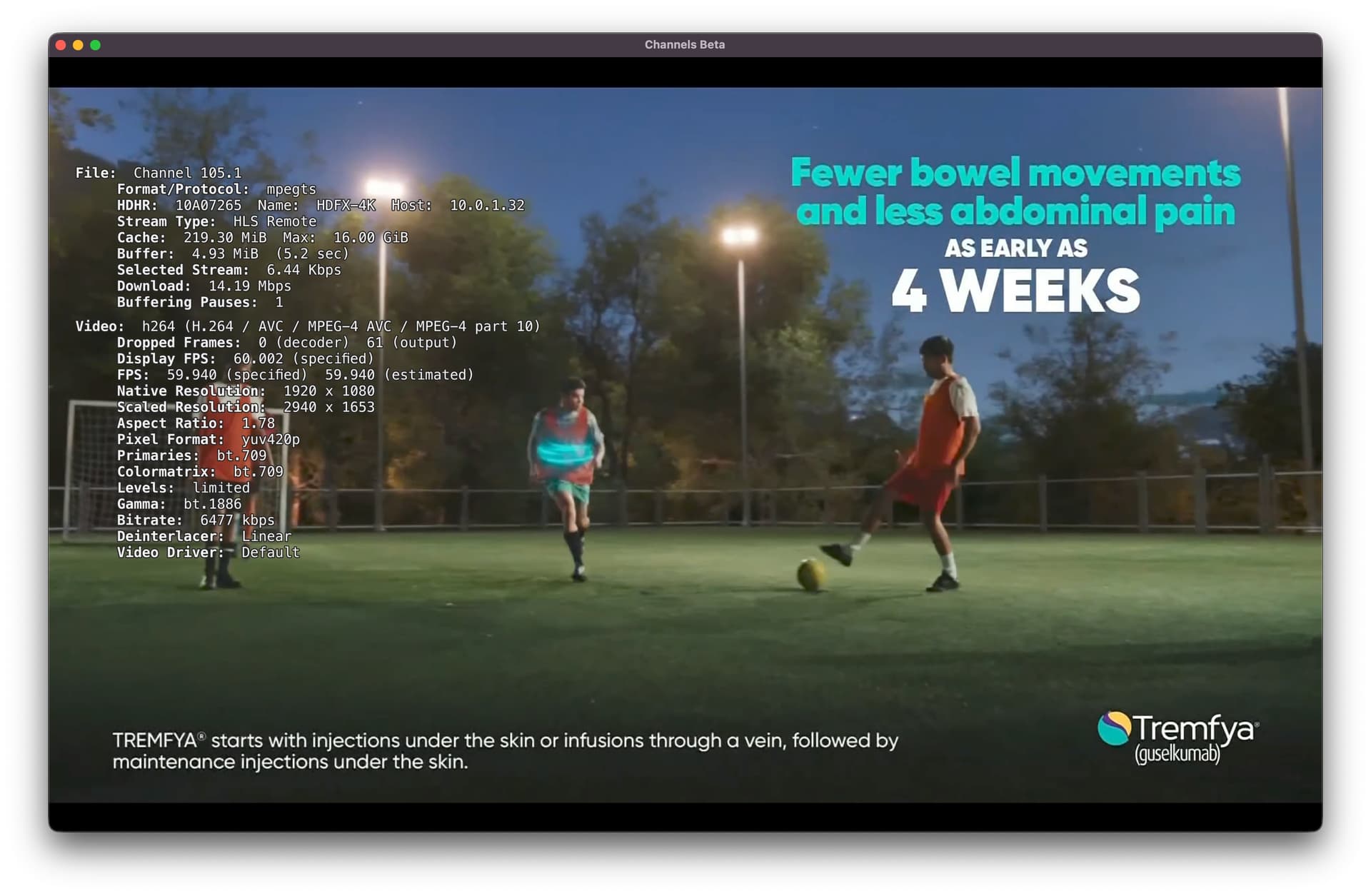
CDVR web admin, no audio:
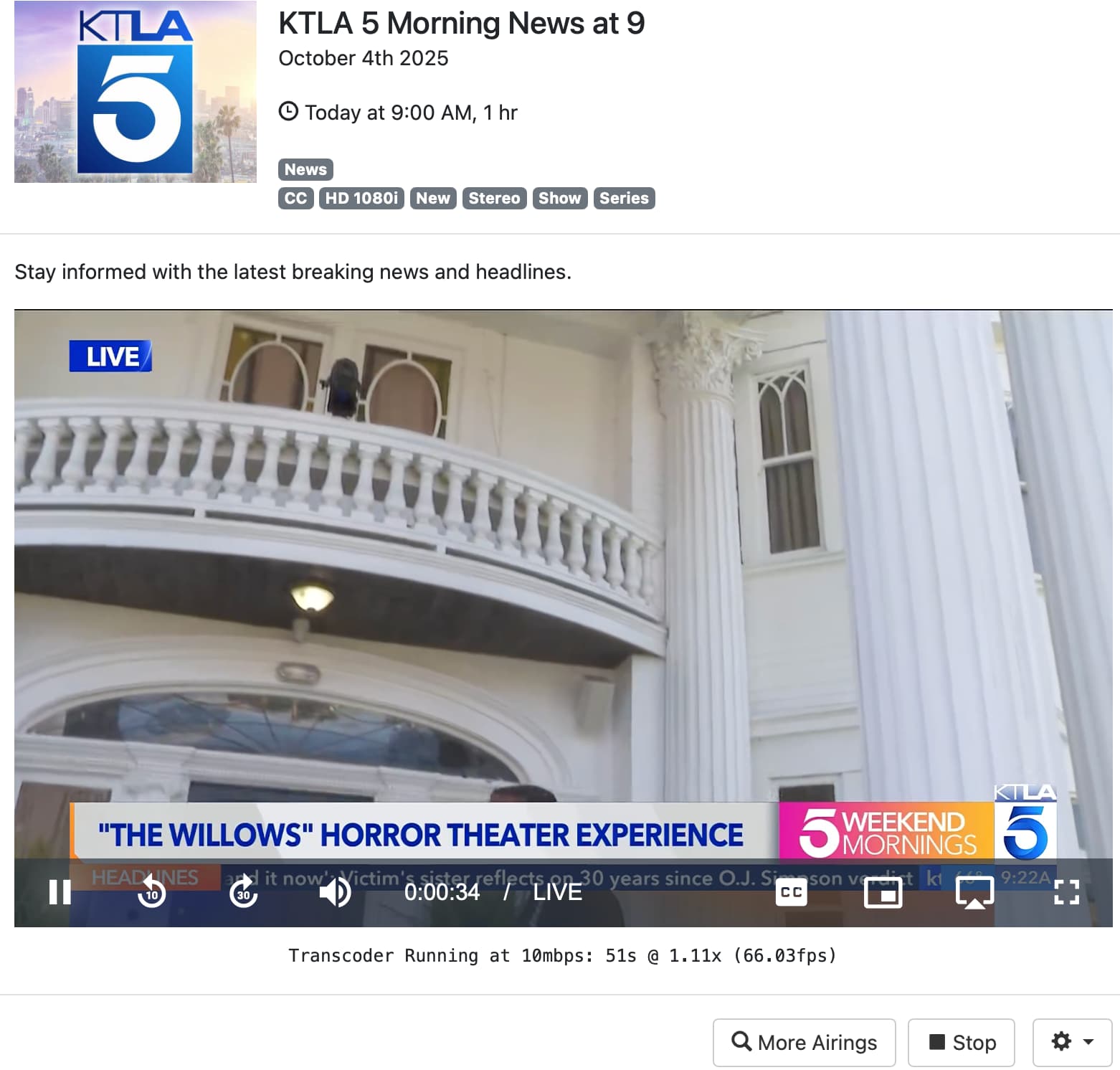
On latest TestFlight of Channels on AppleTV, it plays fine:
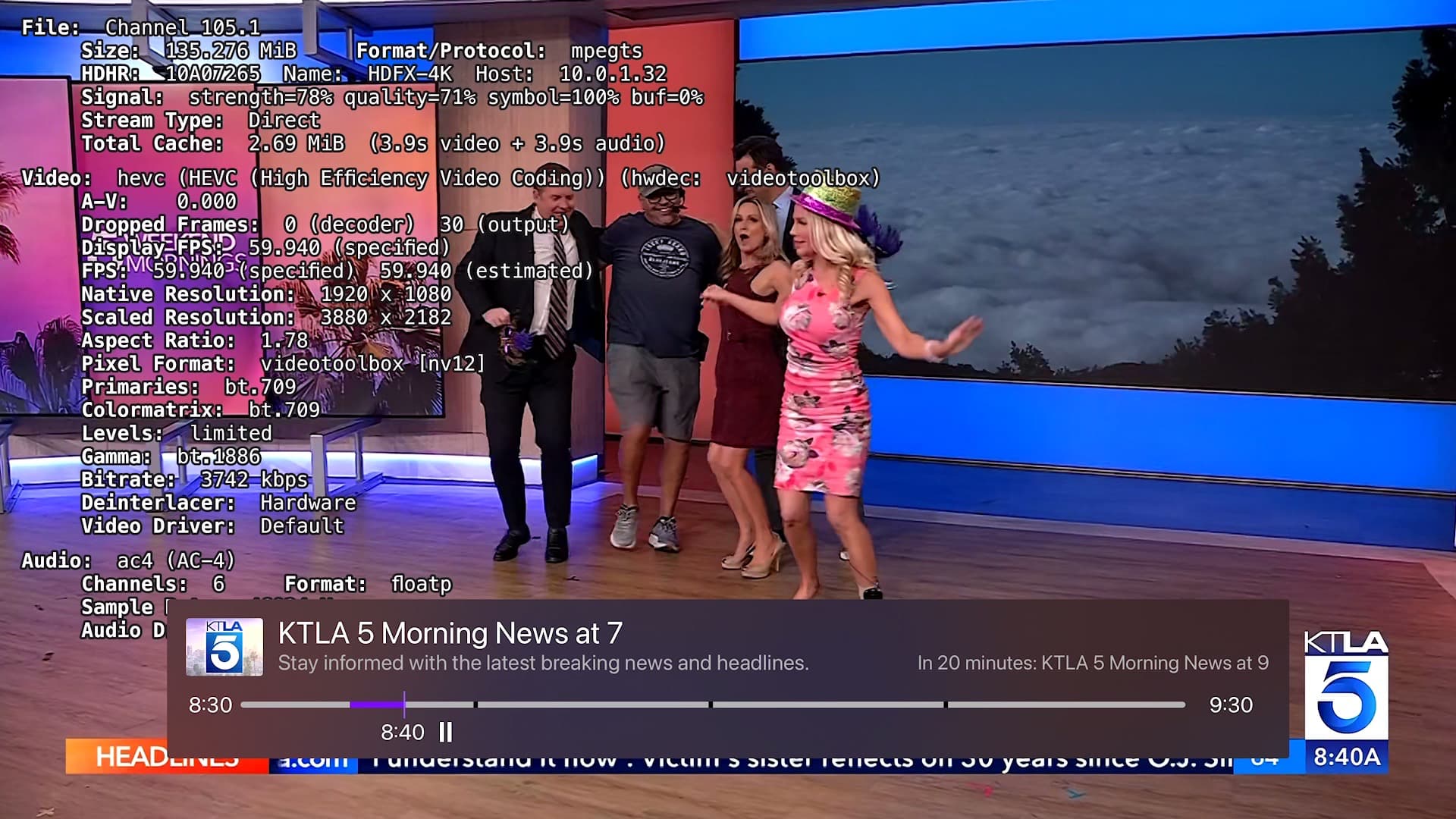
Also on iPad app, plays fine:
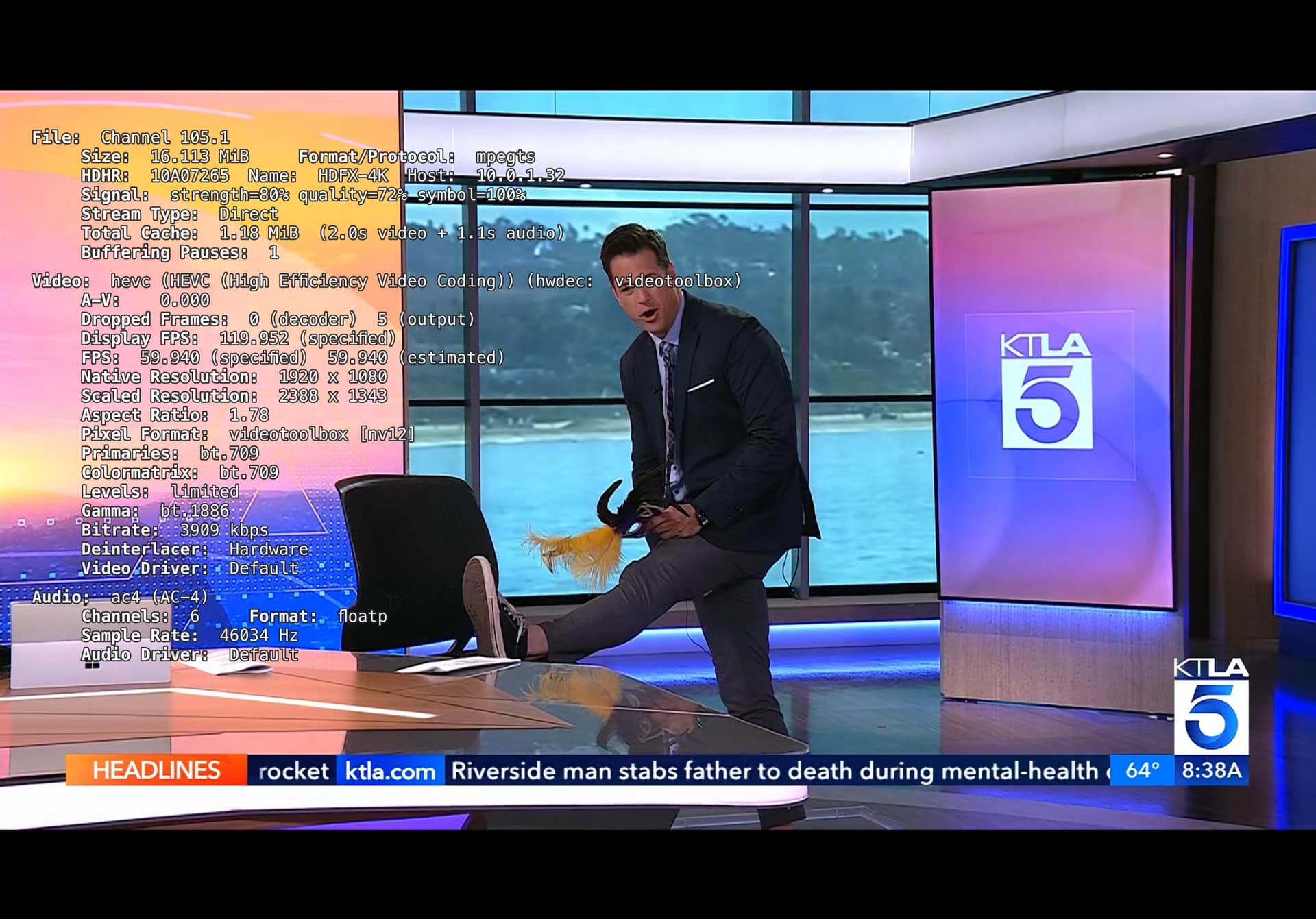
This channel used to play fine on these specific devices, so something's changed in the past year, I'm just not sure what.

I'm pretty sure it was around this time:

Some discussion here:

TestFlight on macOS won't let me go that far back to experiment though. It's probably notable that this audio also doesn't play in CDVR on the web. It plays fine in HDHomeRun app regardless. What more information can I provide?
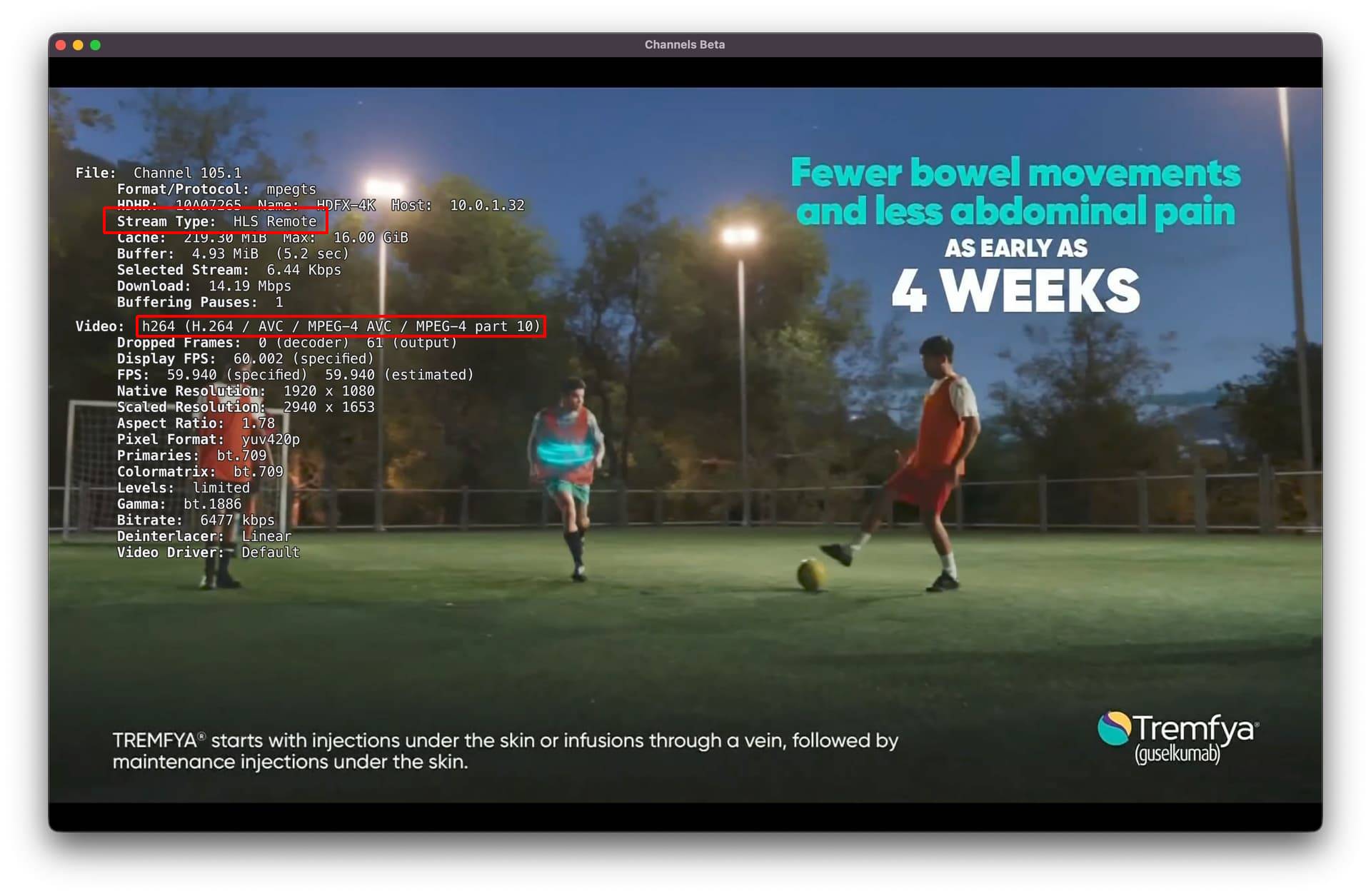
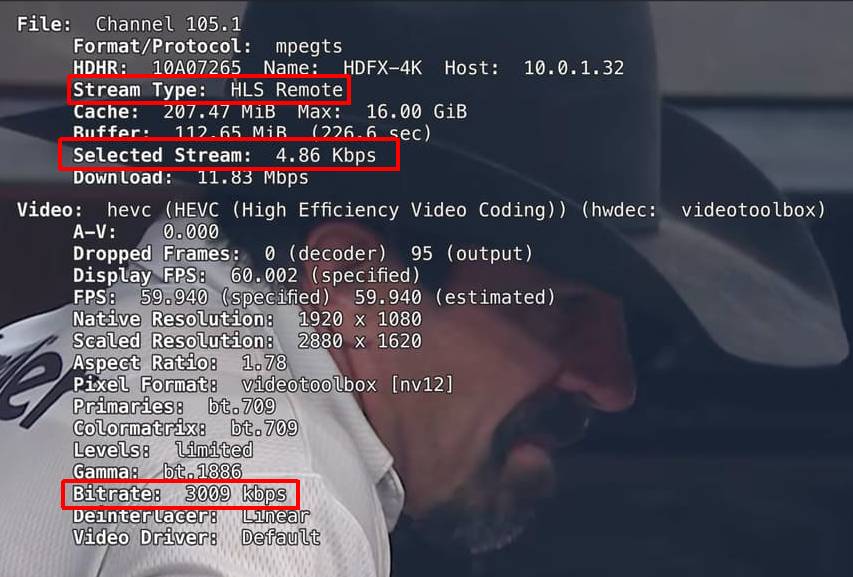
On the iPad app on your Mac it shows you're streaming remotely (HLS Remote) and the DVR is transcoding from HEVC to H.264

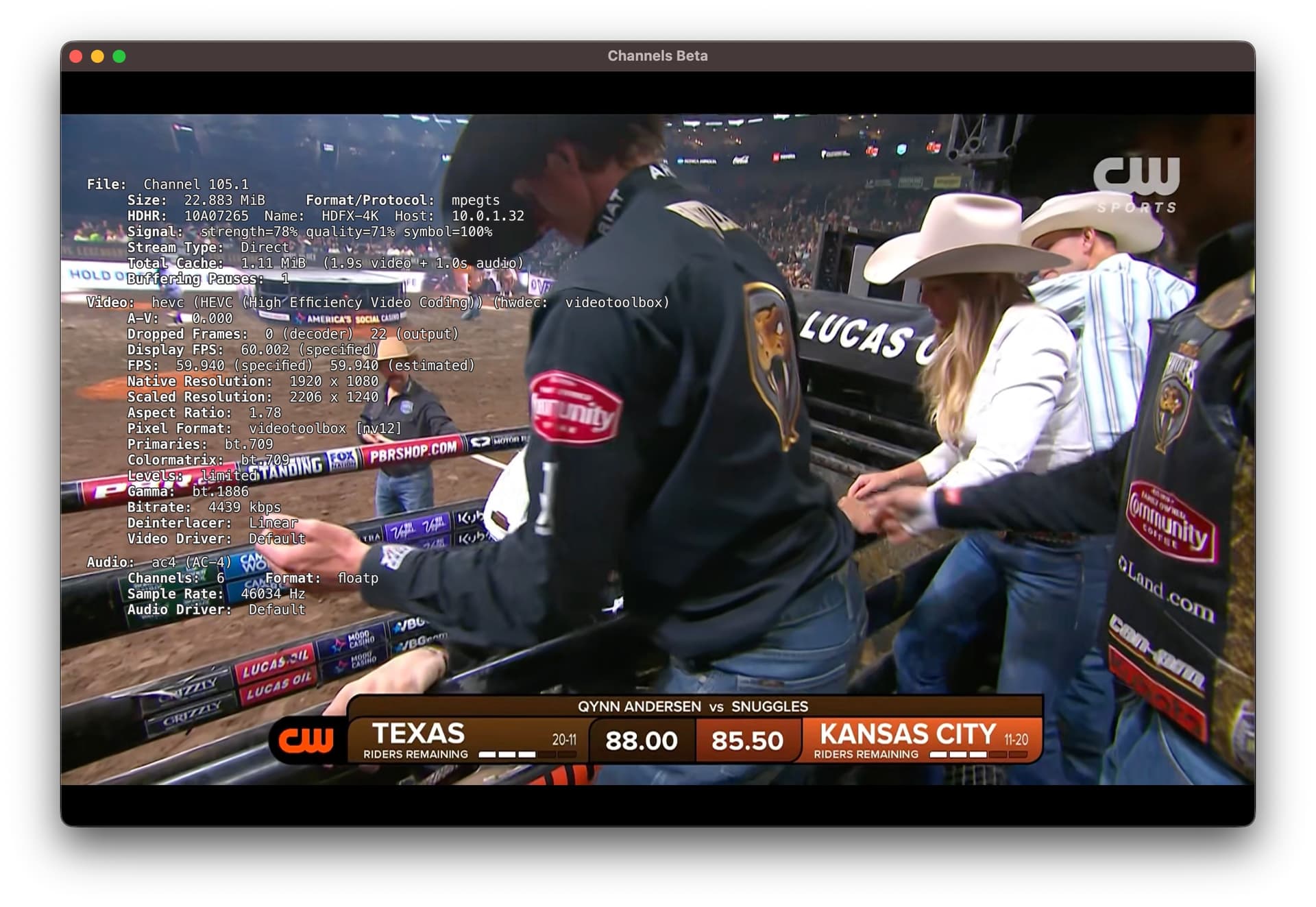
On the Apple TV and the iPad app on the iPad it's streaming Direct HEVC from your HDHR tuner.

OK thanks, where are the settings to change that? I tried this channel with Tuner Sharing on, as well as off, but there's still no audio.

The DVR thinks your Mac w/iPad app is connected remotely.
Is it?

If connected remotely it's using Tuner Sharing regardless of the setting.

Also, Check Streaming Quality setting
My iPhone is set to
:ballot_box_with_check: Home Streaming: Original
Internet Streaming: 4Mbps
Cellular Streaming: 4Mbps
Original Quality Delivery: Stream

It will have a checkmark next to the one it's using.

The DVR web admin UI player will always use tuner sharing and the DVR will transcode your HEVC ATSC 3.0 stream to H.264. I always have issues using the web admin UI player.

Hmm. This is interesting. Thanks for the ideas. No, this is on the home WiFi, using a MacBook Pro. The checkmark is on Home Streaming. Initially I had it set to 8 Mbps. With that setting, the channel plays immediately, but without any audio. When I change that setting to Original, and try to tune in the same channel, it takes about two minutes with a spinning wheel on-screen, and then, eventually, video starts to play, finally, but again, without any audio.

And when I check for Audio Language options it only offers Spanish, even though no audio plays
The settngs have the checkmark next to Home Streaming, which is set to original, but it still ultimately tunes into HLS stream. I'm not sure how to force it otherwise? Maybe this is the bug / discrepancy with the iPad app on the Mac, without a workaround. I'm not using a VPN or anything extra. I also confirmed I'm on the latest HDHomerun firmware.

This issue feels very similar to this one from earlier this year, where the video would start playing after the same two minute delay: Two channels freezing upon start, without any audio - #22 by Fofer

That one got resolved for two other ATSC 3.0 channels, just not this one.

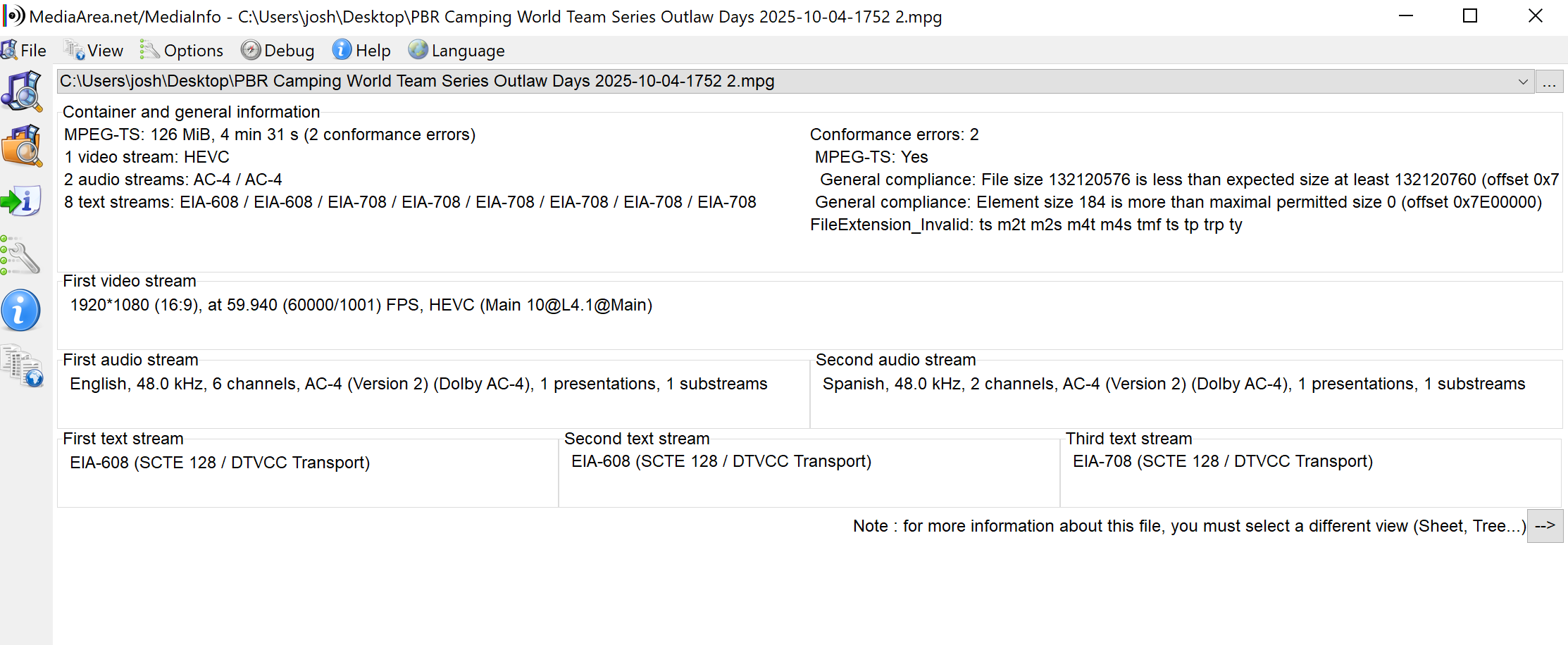
I recorded a few minutes and then checked the file with mediainfo:

Thanks again for any suggestions, much appreciated! I also know tthat the iPad app on Mac isn't directly supported by the Channels dev team, it's more of a side convenience of Apple Silicon compatibility, but it's worked brilliantly on these laptops for years. If this is a new change, a distinction that'll affect favorite channels, it's something Mac users should know about moving ahead. Although it doesn’t work in the web admin either.

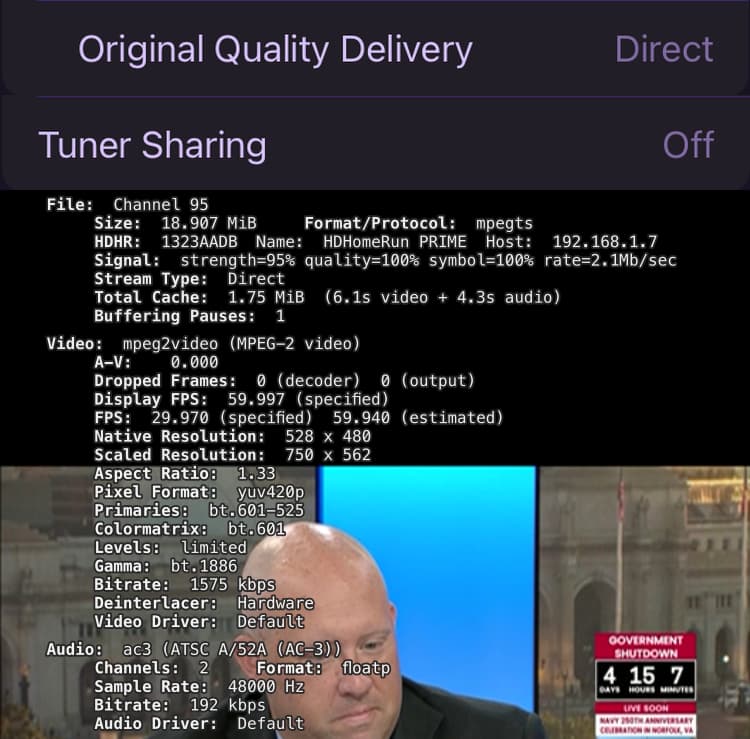
Try this to establish a baseline for the ATSC 3.0 channel stats

Streaming Quality > Home Streaming: Original
Streaming Quality > Original Quality Delivery: Direct
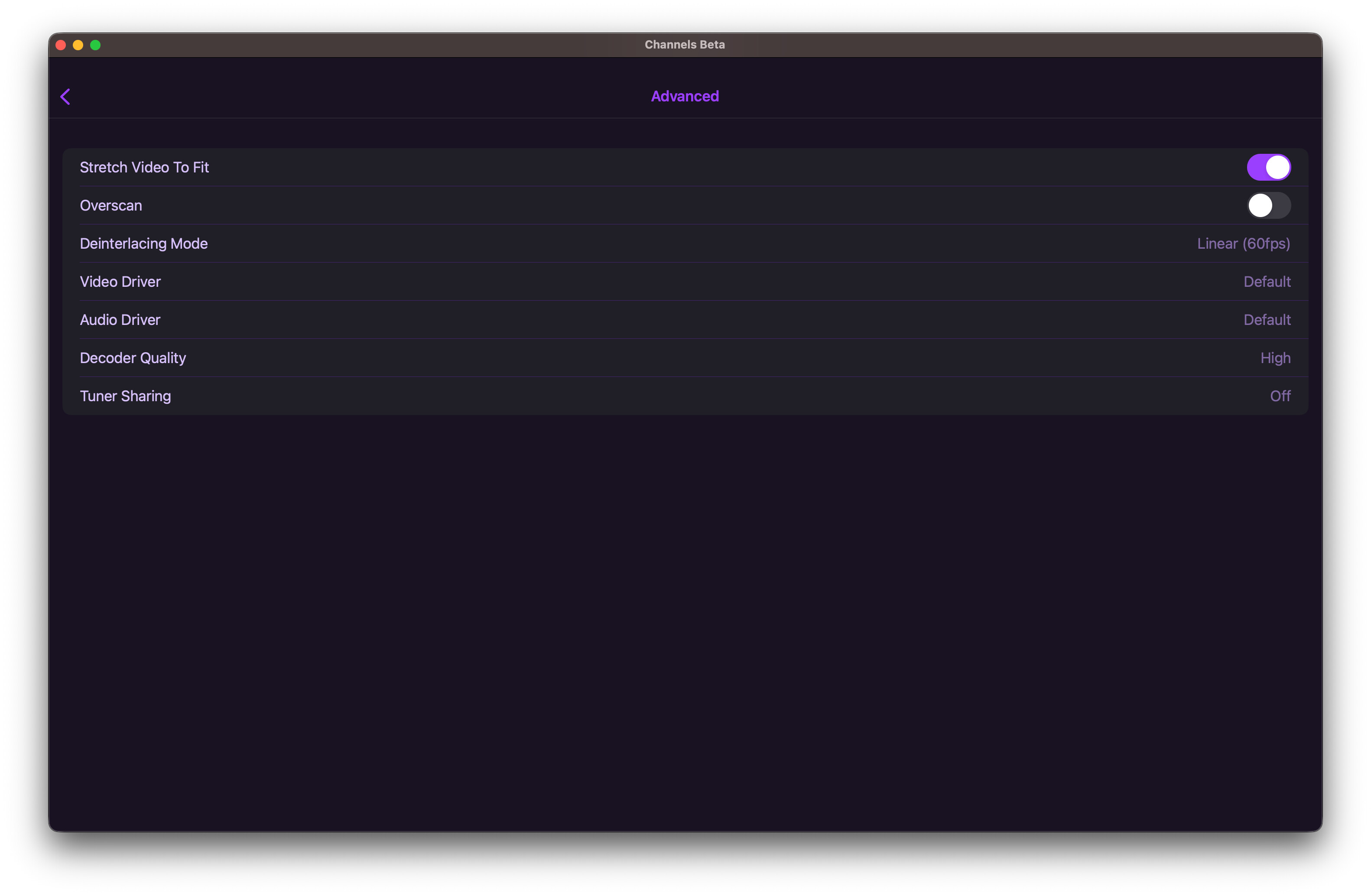
Advanced > Tuner Sharing: Off
That will have the app pull the live stream directly from the HDHR tuner.
Then see what the app stats show.

Also run a Support > Speed Test from the app to the server since you're on WiFi

Either the stats are wrong or CDVR is delivering a very low bitrate stream at 4.86 Kbps

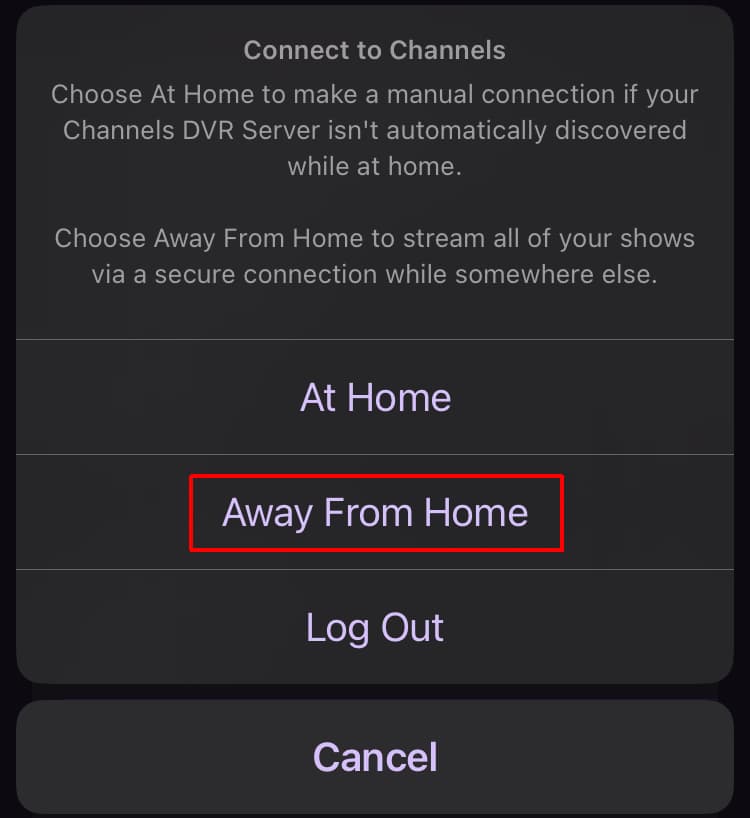
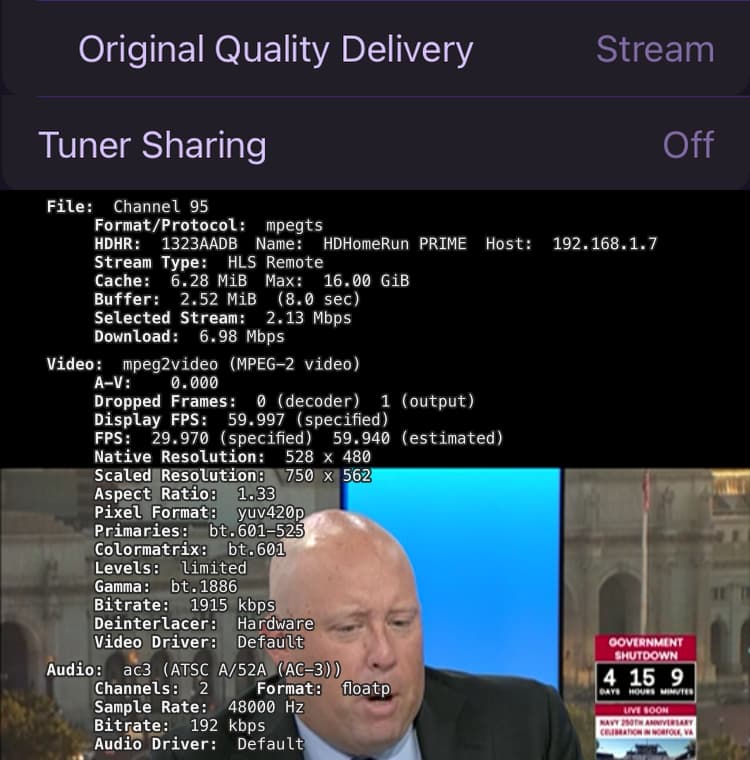
UPDATE: Just checked my iPhone and the stats are showing Stream Type: HLS Remote
I'm connected At Home via Wifi and my settings are
Streaming Quality > Home Streaming: Original
Streaming Quality > Original Quality Delivery: Stream
Advanced > Tuner Sharing: On

Tuner Sharing setting doesn't matter when I'm using Original Quality Delivery: Stream

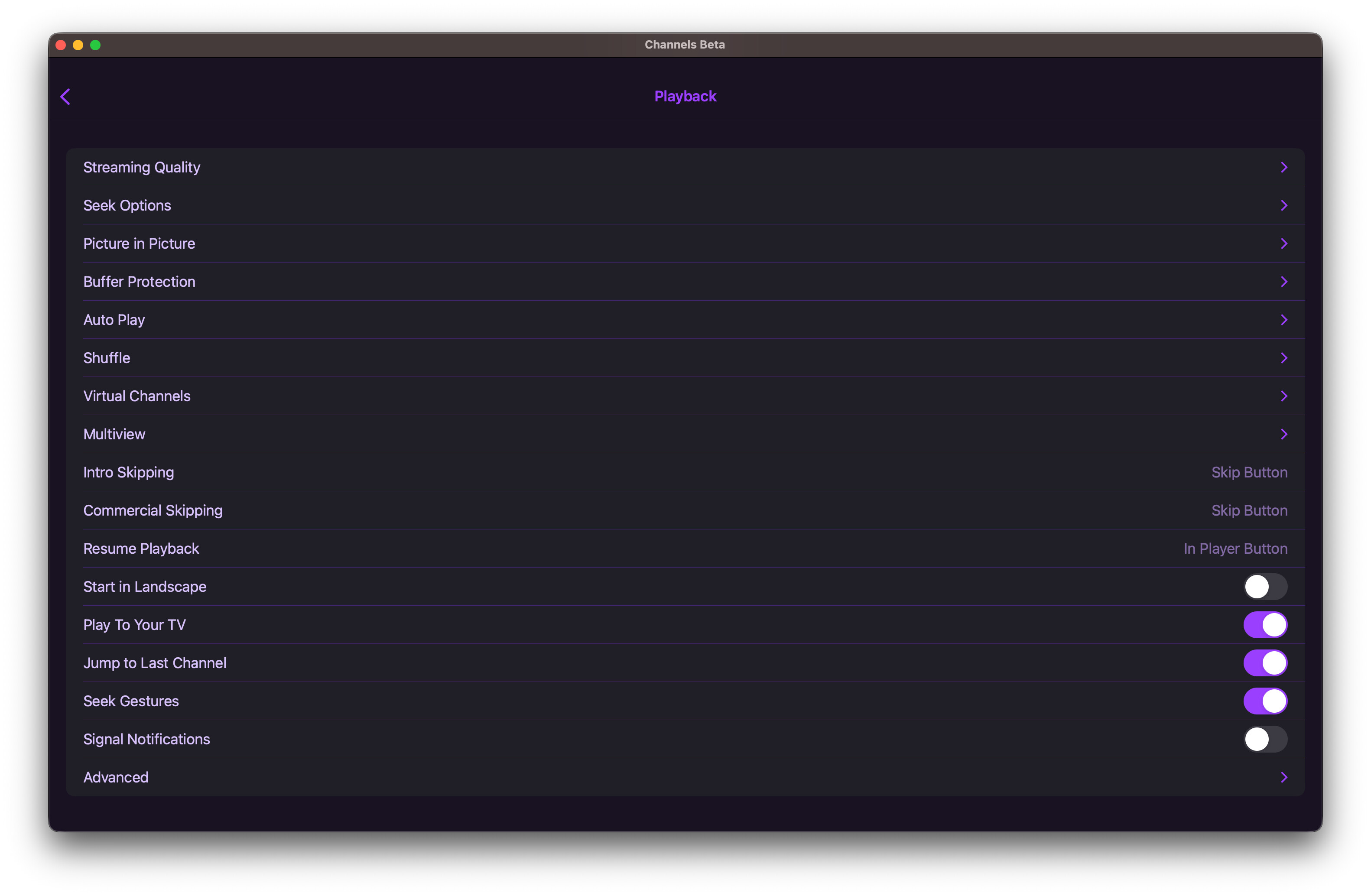
Settings > Playback > Advanced > Tuner Sharing

If enabled, the stream goes
Original Quality Delivery: Direct = HDHR tuner > Channels DVR Server > Channels DVR Client
Original Quality Delivery: Stream = HDHR tuner > Channels DVR Server > Channels DVR Client

If disabled, the stream goes
Original Quality Delivery: Direct = HDHR tuner > Channels DVR Client
Original Quality Delivery: Stream = HDHR tuner > Channels DVR Server > Channels DVR Client

Here's what stats look like watching live at home over WiFi. This is CSPAN SD MPEG2 Comcast cable from my HDHR Prime.


Thank you, looks like this setting forced the direction connection, and now audio is passing through:

I appreciate your help troubleshooting this!

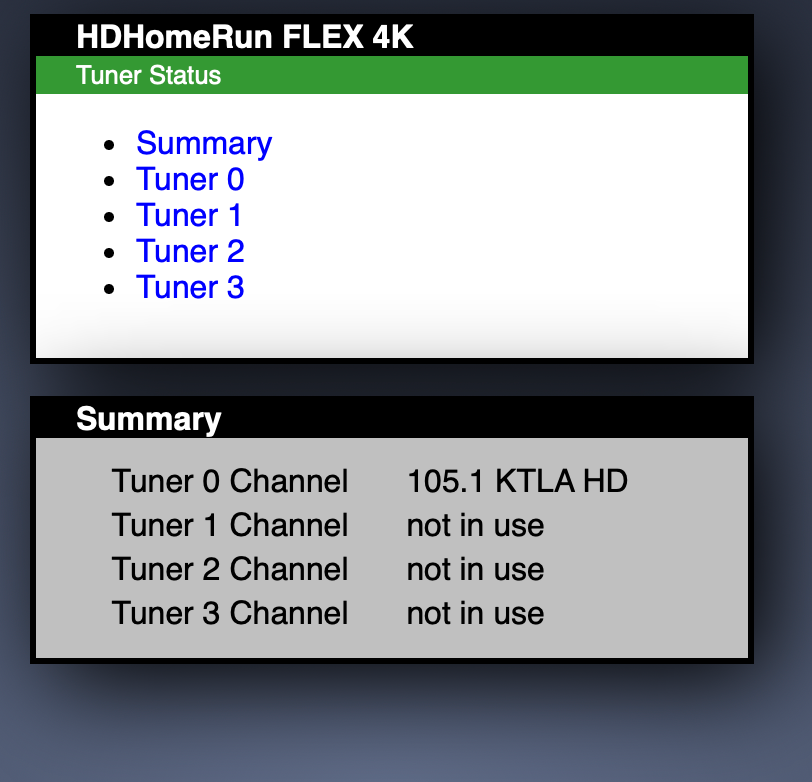
One downside to using Original Direct is that it ties up one of your two HDHR ATSC 3.0 tuners (tuner0 and tuner1).

Do you have an actual iPad where you can test Original Stream on to see if that works?
I have an iPad, but don't have an HDHR ATSC 3.0 tuner.

1 Like

Yes, I just tested on my M1 iPad Pro, with this same channel, and Original Stream "Direct" plays the audio, but changing it to "Stream" blocks it from playing. Same as how it's working now on the Mac.

Ahh, OK.
So it's not an "iPad on Mac" issue, it's more of a Channels iOS issue.
Does Original Stream work on an Apple TV?

No, it doesn't, it's the same issue. The only way I get any audio playing at all from this ATSC 3.0 channel on AppleTV is by setting it to Original Direct. Once I change it to Original: Stream, it stops playing audio again. I can work around all of this hassle by switching to the ATSC 1.0 version of this same channel. That would seem to be a downgrade though, taking the native resolution from 1920 x 1080 down to 1280 x 720, but the scaled resolution is the same so maybe it's not such a downgrade after all? They both have 6 channel audio, not 2 channel stereo, so at least there’s that.

I do think this will be an issue for ATSC 3.0 hopeful users in the future. But now that I understand what's causing it and how to work around it, I'm not too bothered. I'm also not too concerned about running out of tuners. If it poses a issue I'll switch to the ATSC 1.0 channel instead or add another HDHomeRun box to the mix. There's always a solution out there.

Once again I thank you for your help, I understand what's going on a whole lot better now.

1 Like

It sounds like there is an issue with the DVR's handling of the AC-4 audio that isn't present on the client devices.

Agreed, something like that, specific to ATSC 3.0.

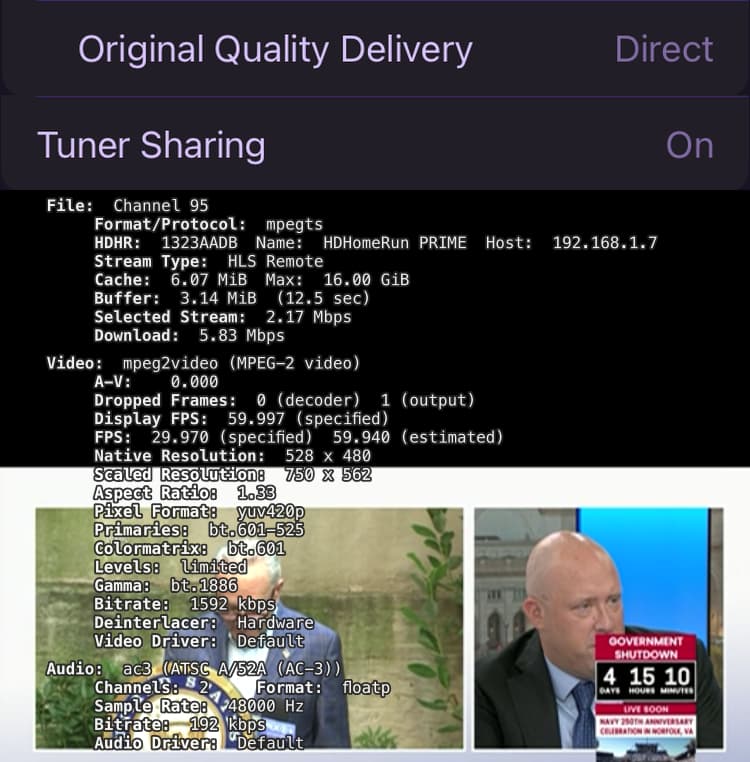
I also just experimented and see that with Tuner Sharing enabled on the clients, I'm still getting a "direct" stream with audio playing on this channel, and ... it's only using one tuner on my HDHomerun (?)

I'm not sure how to explain this, but it feels like a good thing.

Just watching KTLA News. Another interesting wrinkle I've noticed about this ATSC 3.0 channel (105.1) in Los Angeles: when the "Audio Language" track is set to English, 6 channels (surround sound) plays, and when it's set to the only other choice listed, Spanish, the audio changes to 2 channels (stereo.) I haven't heard the actual language change though, that probably depends on content.

On the ATSC 1.0 version of this channel (5.1) the same thing happens. The only difference I can tell with that audio is that here the first choice is labelled English and the second choice is labelled "Descriptive Video Service."