Please help with SeriesID in advanced passes

I would like to use SeriesID to create Advanced passes for shows that are currently not airing. (I'm trying to recreate my TiVo passes as Cable Card is going away.) I'm a bit reluctant to solely rely on titles.

According to earlier posts, the SeriesIDs used are those coming from Gracenote.
However, as much as I've tried, I can't match the SeriesIDs in passes I have created from existing shows to the Gracenote IDs listed on their website. And if I put one of their ID's in a pass, regardless of format, there won't be any matches.

What am I missing here, please!?

If they aren’t airing in the next 2 weeks, they won’t show up. Guide only goes out 2 weeks.

Try selecting all episodes just in case many shows have repeats.

1 Like

Where are you getting the Series ID's from and what does it look like?

Which website?

Give one Show and Series ID you're using you're using for it as an example

It may be easier using Title CONTAINS or Title == until the show appears in the guide data, then change the pass to use the Series ID as found.

This is the way. :point_up_2:

Midsomer Murders is an easy one. There's always one show running somewhere :slight_smile:
In the pass I created, the Series ID is 196903
On the tvlistings.gracenote.com webpage, Midsomer Murders is identified as SeriesId=SH01260612. The numeric part of that should be the TMS rootID for the show. But that has no resemblance to the SeriesID in my Advanced Pass.

Yes, I can set up the passes without it, hope that I catch the right show when there's a match, and then set up a new pass from there. But I need this to work when I'm traveling and can't frequently check what's on air. That's the whole point of having the DVR...

I was curious about the link for TV listings but I get "Page Not Found" when trying to open the link.

Using an advanced pass based on the title, you may catch more recordings than you want but I think it's a case of "better to have too much than not enough".

2 Likes

Try this link https://tvlistings.gracenote.com/grid-affiliates.html?aid=cha

It shows three different TMS ID's for the show
SH01260612
SH00270848
SH02567500

I never figured out if there's a way to convert those to the Series ID's needed by Channels DVR.

When your Title CONTAINS pass finds something, you should find out up to 2 weeks ahead of time.
Channels DVR grabs 16 days of guide data every morning.

Try this for a Series ID: 196903

SeriesID == 196903

Basically, I did a search in the Web UI for "Midsomer Murders". It brought some found episodes up for my local PBS station. I clicked on the shows Title Card, and looked up in the address line to get the number above. I created an Advanced Pass for "All Episodes" using that number as SeriesID, and it found the next two weeks worth of recordings. I assume as the guide fills out in the future, it would continue to grab more episodes.

He already posted that one

I'm trying to figure out how to get a Series ID from the tms ID

Whoops, sorry, I didn't notice that.

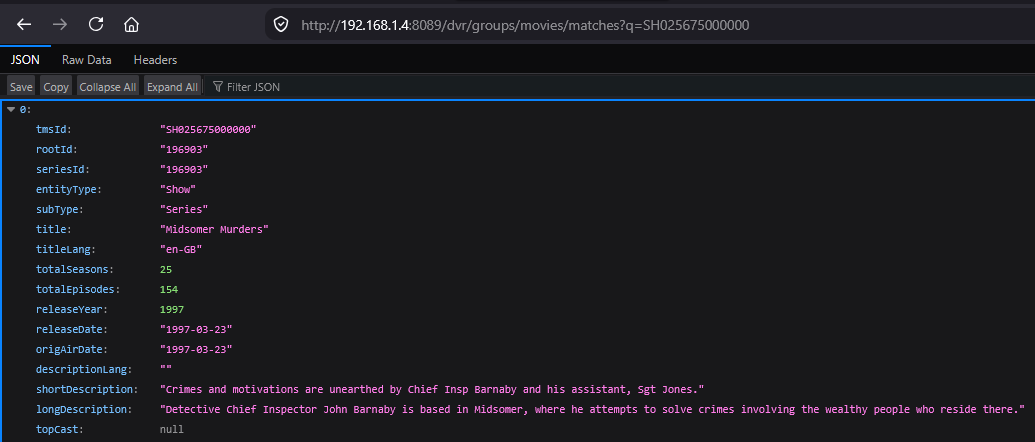
Figured out a way using what Fix Match does to retrieve by searching for the full tms ID
Example, to find the tms ID SH0256750, add 4 zeros to the end and search.

http://192.168.1.4:8089/dvr/groups/movies/matches?q=SH025675000000
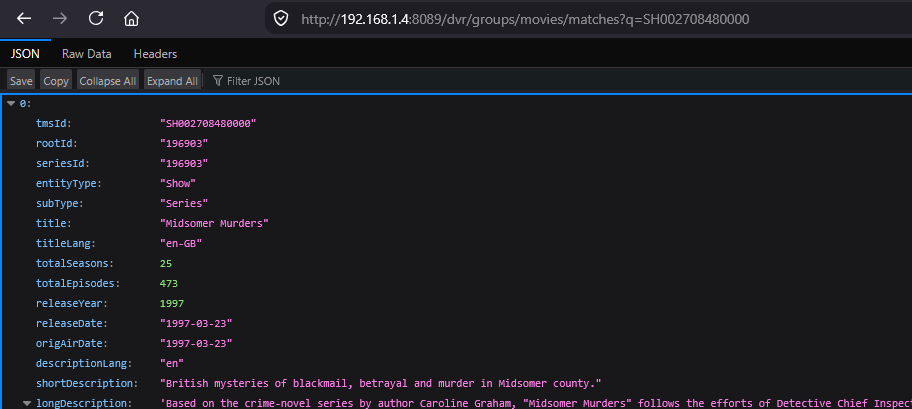
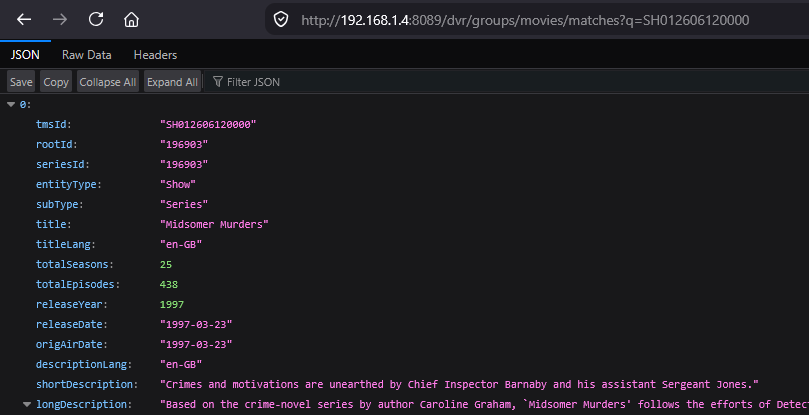
It will return the Series ID as seriesId

http://192.168.1.4:8089/dvr/groups/movies/matches?q=SH002708480000

http://192.168.1.4:8089/dvr/groups/movies/matches?q=SH012606120000

1 Like

Thank you!
That was exactly the solution I was looking for.
Just updated all my passes with SeriesID.

Great work, @chDVRuser!

When I see things like that, I automatically start considering whether a GUI tool could be developed to retrieve series IDs. :thinking:

1 Like

That would be awesome :smiley:
I’m past the age where I would go and look at the code to figure out how this query worked. :stuck_out_tongue_winking_eye: But now I’m of course wondering whether there would be a way to query by Title (avoiding the lookup on Gracenote with ensuing cut and paste).
One can always dream…

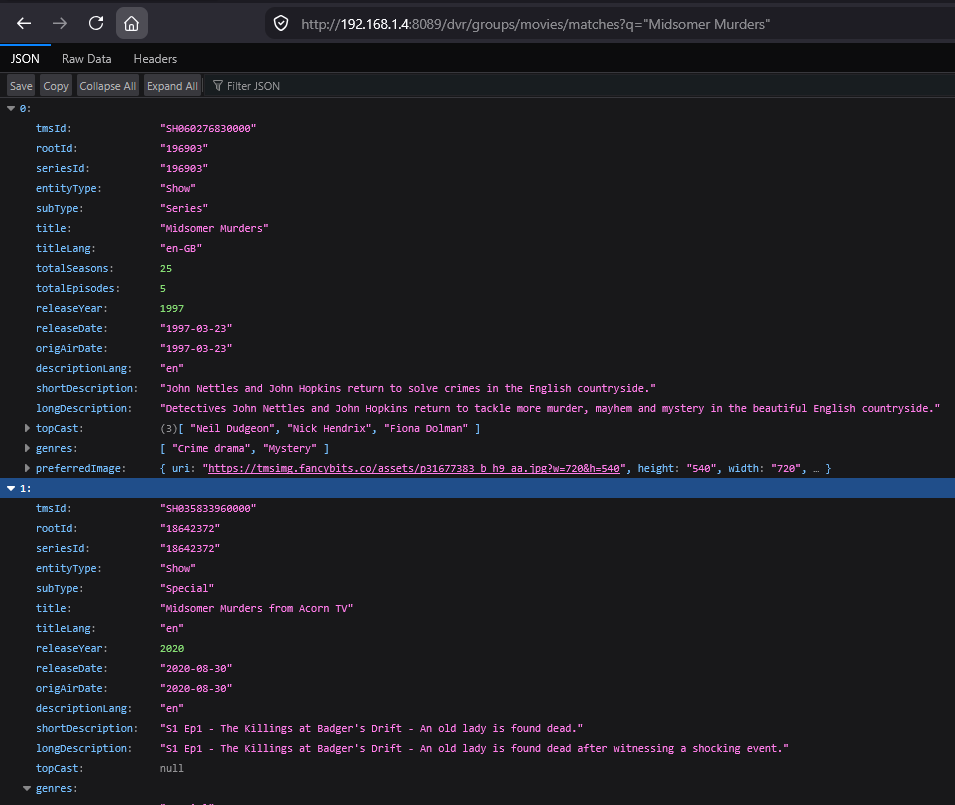
Yes, just replace the tms ID with the Title in double quotes.
This replicates what Find Match for Imports does behind the scenes.
You will get more than 1 result this way and will have to pick the correct one.
http://192.168.1.4:8089/dvr/groups/movies/matches?q="Midsomer Murders"

2 Likes

The double quotes don't quite work as expected, as they will also match to just the first word.

However, what does seem to work if searching for a string with blanks is to enclose it with URL encoded quotes %22 and a + between words. E.g.
http://192.168.1.99:8089/dvr/groups/movies/matches?q= %22Midsomer+Murders%22
(The space after the q is wrong but I couldn't figure out how to escape the percent code so that it wouldn't transform into quotations marks)
(still can have multiple matches, but not as many :slight_smile: )

But I do appreciate that you kept digging. I just had a bit more time...

Using the double quotes will find the phrase enclosed within them.
Try URL encoding it like this
http://192.168.1.4:8089/dvr/groups/movies/matches?q=%22Midsomer%20Murders%22
where " is %22 and space is %20

Otherwise (without the double quotes enclosing the phrase) it will search the words by ORing them.
Midsomer OR Murders
http://192.168.1.4:8089/dvr/groups/movies/matches?q=Midsomer%20Murders

http://192.168.1.99:8089/dvr/groups/movies/matches?q=%22Midsomer+Murders%22

1 Like

How'd you do that? :slight_smile:

While we're discussing neat tricks to deal with passes for shows that aren't currently airing, here's a merely cosmetic question: Is there a way to edit the image for a pass? E.g. I created a pass for Signora Volpe (not currently airing, new season announced). With the above query method, I get the link to the artwork that's saved on the fancybits server. Can I somehow get the pass to use that link? (Edit a file somewhere?)

Of course, an automated fetch of metadata, once a SeriesID is entered, would be even better :joy:
(One could also create an option to enter the ShowID and the SeriesID is derived from that. :grimacing:)
So many silly options, so little time…