
I had to move Channels to a new Win11 server today. I also installed Docker Desktop and reinstalled the Pluto Container.
However, I noticed that the Guide only shows the channels, no guide data. I haven't messed with this container for sometime, so I'm not sure if something has changed?
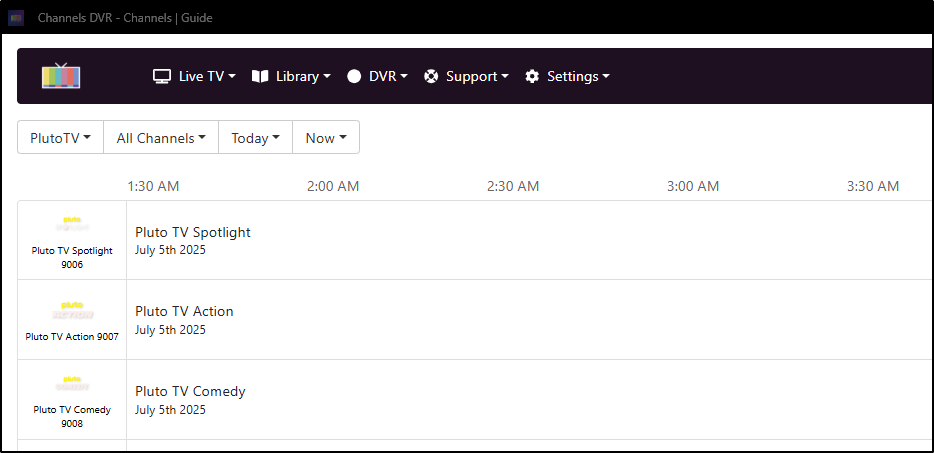

Don't know what changed, but the guide is now updated/correct. All good!
Is there anyway to get the Channels App on FireTV from dumping the stream after about 20 minutes? It just dumps back out to guide for no reason.
Try running the Channels Beta app and see if that helps.
I know that closed captions can not be recorded from Pluto into Channels. However, could a docker version be built that recorded "Open Captions", where captions were turned on before the stream entered Channels?
@joagomez, just a heads up:
Looks like Pluto is testing requiring log-in for some users. Not sure how this would impact the API, if at all, but wanted to drop an early warning in case it's coming!
1 Like
Ehh...I only have a few channels using that. I'll just migrate to another FAST source to get them if they implement DRM
No mention of DRM with this (for now), but agree otherwise. The only Pluto station I'm aware of that has DRM is CNN Headlines, but I suppose others on my "Ignore" list could possibly have it as well. Anyway, this article is more warning about requiring a log-in to switch the stations in general.
Guess we'll have to wait and see when/if they go wide with enforcing a login.
I only using around 15 channels enabled from Pluto. Using nocords url source.
And also, about 12 more channels from Pluto CA and UK in the mix to.
Not had any issues with them, so far. Most are just, Top Gear, Star Trek, South Park, and a few kids channels etc. Usual only tune them when nothing else to watch/background noise.
If they go full on, login required, then, i'm sure Channels devs could figure out something to support that perhaps.
ADBTuner perhaps?
Or maybe @joagomez could update his docker image, like he did for tubi (for the SB earlier this year).
Pluto stopped working for me all together recently. 
Would help to know which one of these sources you're using
- maddox container
- joagomez container
- nocords.xyz website Non-Docker source for PlutoTV m3u playlists and EPG
#3 is working for me, which is using #1
And what do you mean by "Pluto stopped working for me" ?
- No channels from the source
- No guide data from the source
- Get error when trying to play channels from the source
1 Like
And #2 is working for me as well.
And I'm using #1, and its working fine.
1 Like
Thanks for responding. I get an error when trying to play back the channels. I had it set up through an available m3U for a long time and worked no problem. When that tried I setup the Maddox docker but get the same 503 error when trying to play. It is my first docker foray so definitely could be me. Channels and guide load fine. Just doesn’t play.
Probably easier using this as a source.
These links should work exactly the same as the files created by the local Docker instance.
The underlying m3u and epg files are automatically updated on the backend every three hours.
- For Pluto Playlist: https://nocords.xyz/pluto/playlist.m3u
- For Pluto EPG: https://nocords.xyz/pluto/epg.xml
Otherwise you need to look at your Pluto container (maddox or joagomez) log to see what errors it shows when you get the 503 error from Channels DVR and post them.
I get BBC World News through Pluto #3 source, and lately I've seen random cases where a BBC News show that I record in the morning will not play. The recording is corrupted somehow, playback just goes to the end and will not play from the beginning at all. You can see the video image onscreen but that's it. Played fine this morning but not the previous two days.
I mostly use DW News as my non-US source so it's not a big deal, but Lucy Hockings has always been my coffee time eye candy lol.
Thanks for this! I got it fixed though. It wasn't an issue with my first foray into docker but was invloved with the mounting on my 2TB USB drive. Channels was still able to access but there was as error with the mount within Ubuntu. I wouldn't have figured it out but after lots of docker troubleshooting and it appearing to be working, I disabled the server and got an error when trying to re-enable. Once I corrected the issue with the NTFS mount (I brought the drive over from windows and have things I don't want to lose) then everything worked fine! Yay!
1 Like