PrismCast issues (or is it just me?)

Before spending the time to document these and post in the official topic thread, I thought I would throw this out there to see if other users are seeing the same behavior.

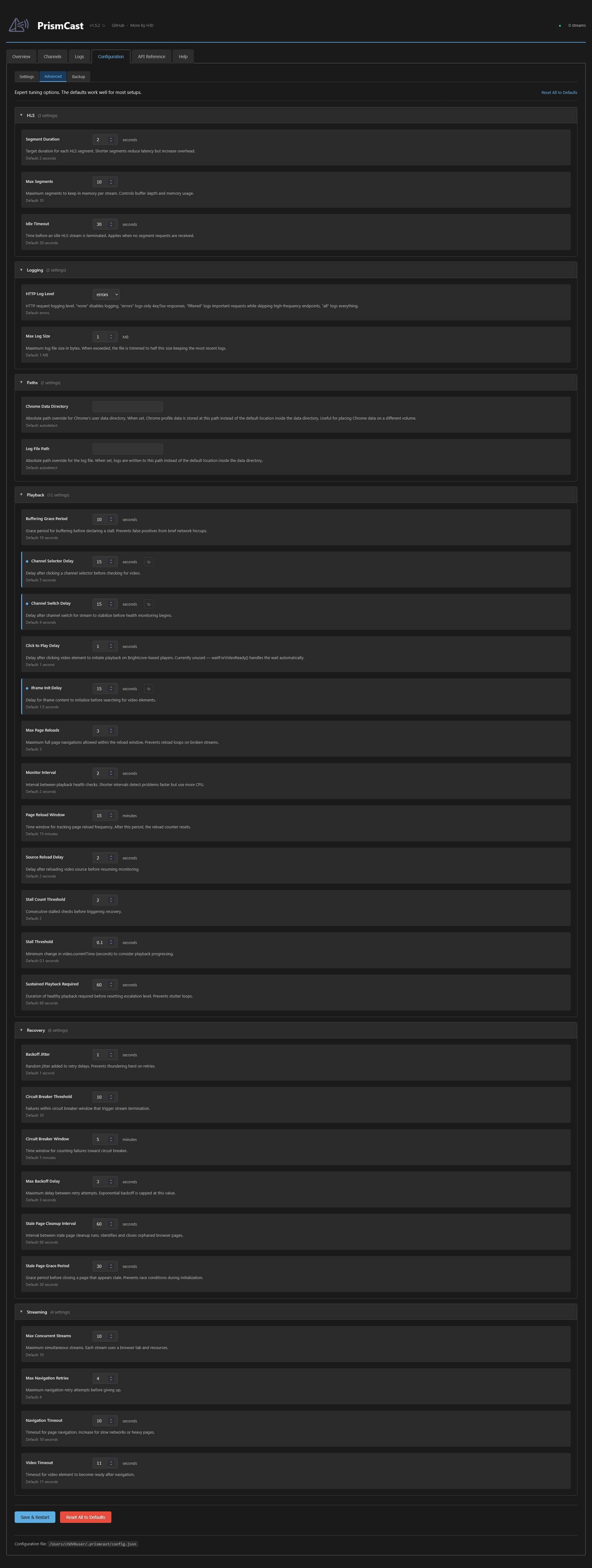
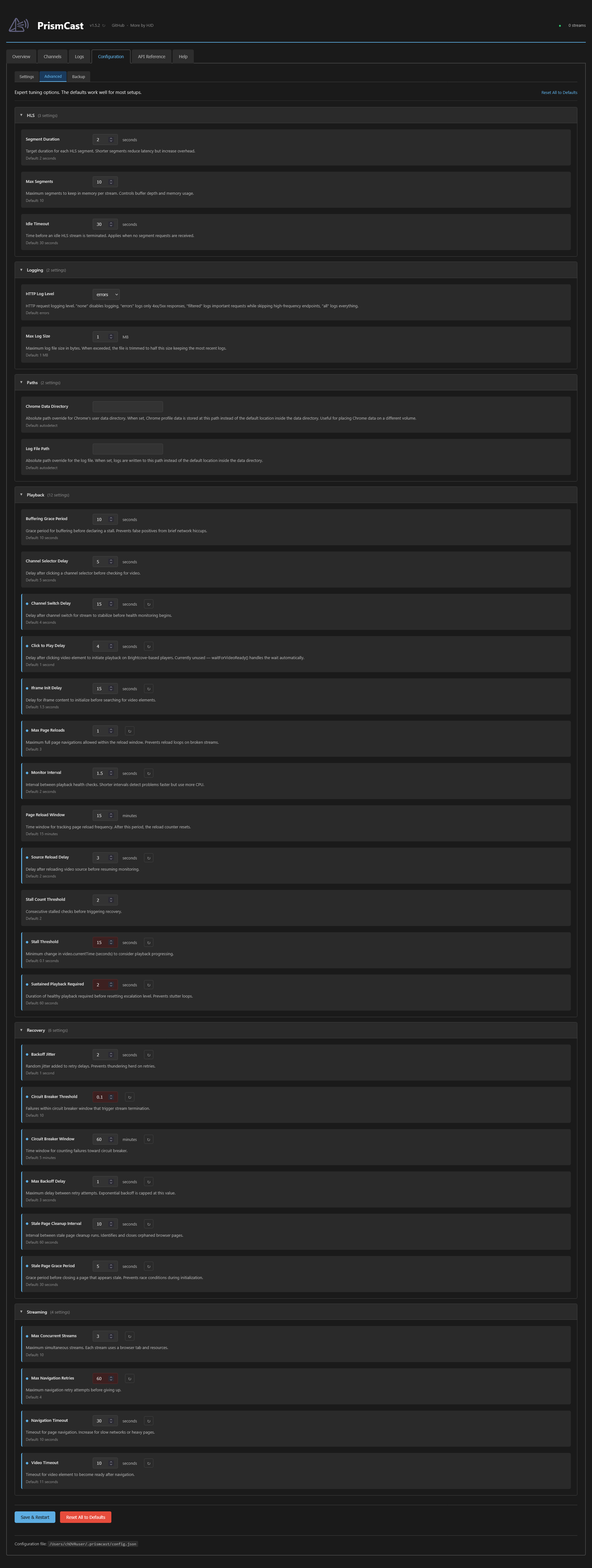
  • (UPDATED: Firefox only) In the web UI Configuration Advanced tab , clicking on Reset All to Defaults messes up the advanced settings that are displayed (they are not displaying default values) and you have to reset each setting individually back to its default value.
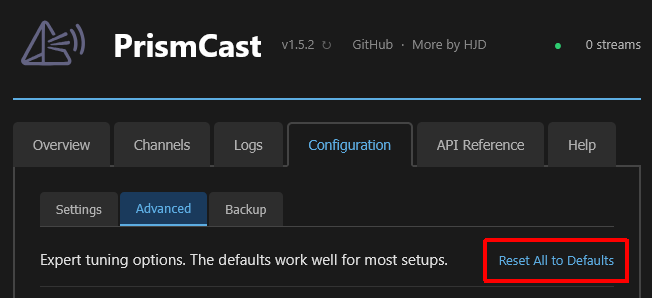
    Screenshot 2026-03-10 at 13-18-06 PrismCast

  • When you stream a channel (using the PrismCast channel playlist in VLC or CDVR), the output stream starts before the video is stable. You can see the browser page starting the stream. I haven't looked at every single one, but on average the first 1.5 - 5 seconds of the stream. This results in changes in frame rate and presentation timestamps (PTS) at the start of recordings. Has anyone experienced this and know of a setting to delay the stream output until its stable?


This button works correctly for my installation. I have noticed some funkiness when launching a channel or beginning a recording. I see several settings under the "Configuration/Advanced/Playback" tabs which could create the delay you are looking for. I haven't played with them enough to see what they do. I only have one channel on Prismcast so far. Local PBS. It hasn't been high on my "fiddlin' around" priority list. I am curious to find out more about how this program can be configured.

Thanks, I did notice there's a button on the bottom of the web page (that I haven't tried yet).
I was clicking the link at the upper right.
I have to wait until recordings are done before I mess with it again.

I was changing some that "looked promising". But none I changed helped.
That's how I discovered the issue with reset to defaults.

I totally missed the link in the upper right. I just tested again, the button and link both function the same for me. Reset "Configuration/Settings" tab to default. I haven't tried changing anything on the "Configuration/Advanced" tab yet.

Ok, I just tried changing several of those and saved the settings. The "reset all" button and link worked fine on them, too.

Thanks for testing.
I'll have to try again later when my recordings are finished.

This is what I'm trying to explain.
This is the beginning of a recording viewed with my Video Editor.
I set it to display a video thumbnail every 0.1 seconds.
The numbers at the bottom are the PTS (Presentation Time Stamp), what you would see as the timeline in a player.


The red triangles are the audio frames.
In a 60 fps video, there should be a video frame every 0.01666666... seconds.
Same video displaying a thumbnail every video frame.

Since I appear to be the only one seeing this, I'll just stop changing settings.

After changing settings

After clicking Reset All to Defaults and Save & Restart

OK, narrowed this one down to the browser. I'm only seeing this when using Firefox. Brave and Edge don't exhibit this issue with the advanced settings.

Glad to know that you figured it out. :+1::slightly_smiling_face:

At least now I can try to figure out which setting (if any) will fix the other issue and delay the stream output until it's stable.

EDIT: Gave up trying to find a setting to do this. Nothing obvious (to me) worked.

Just did a semi-scientific test of a HDHR recording vs. TVE recording vs. PrismCast recording of my local CBS evening news.

I recorded the same 30 minute local CBS 6:00 pm news from my HDHR, TVE and PrismCast source, using 3 different Channels DVR Servers. I also recorded that CBS channel from 5:30-6:00 pm so Channels would already have each stream opened at 6:00 pm.

I then repeated these steps for each of the three separate 6:00 pm recordings;

  • downloaded the recording using Channel iOS client on my iPhone
  • played the downloaded recording from the start with stats on until the 26 minute mark, then paused and took a screenshot of the stats
  • deleted the downloaded recording from the Channels iOS client on my iPhone

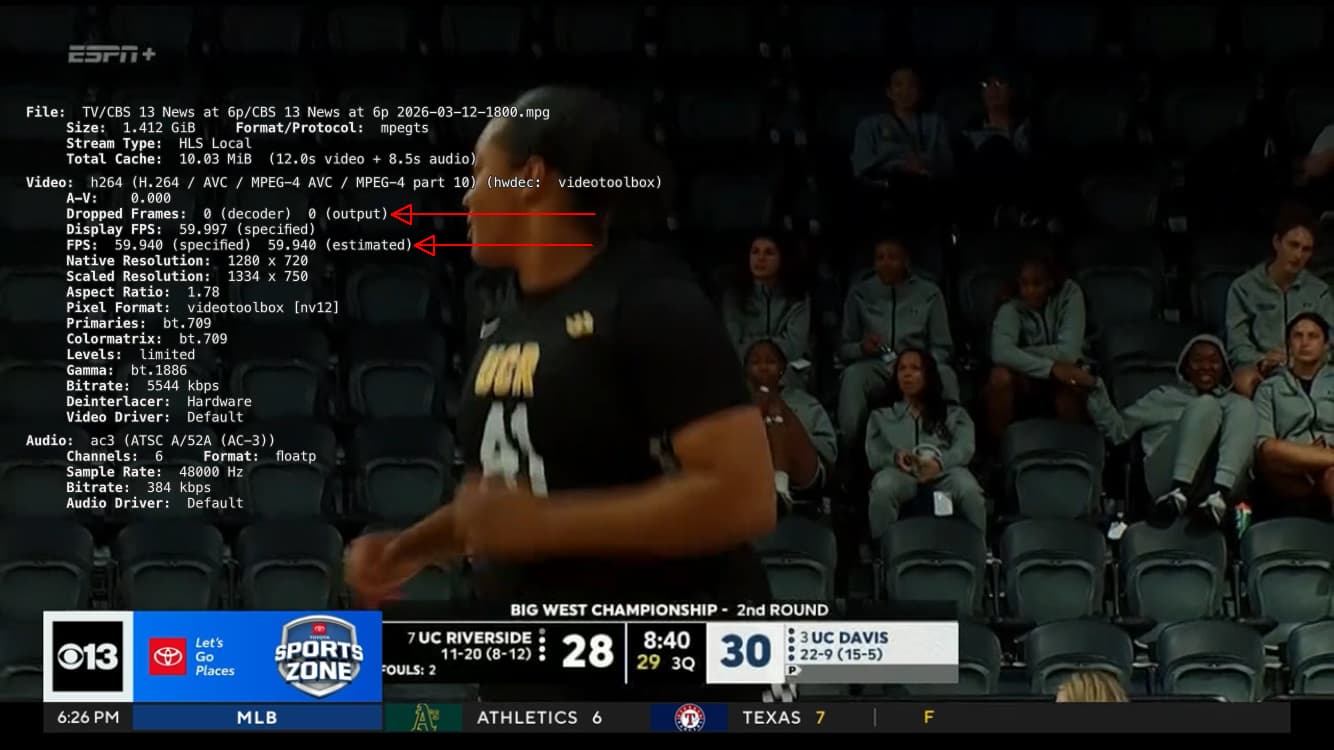
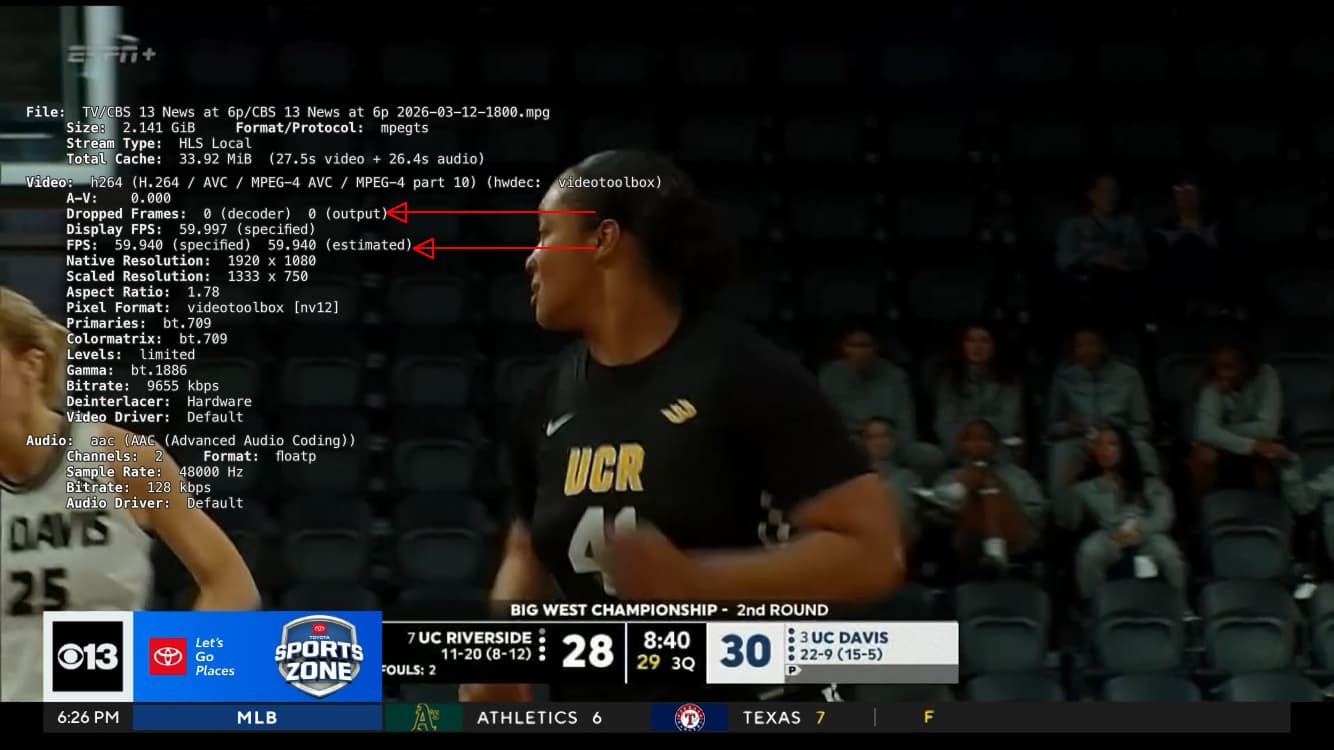
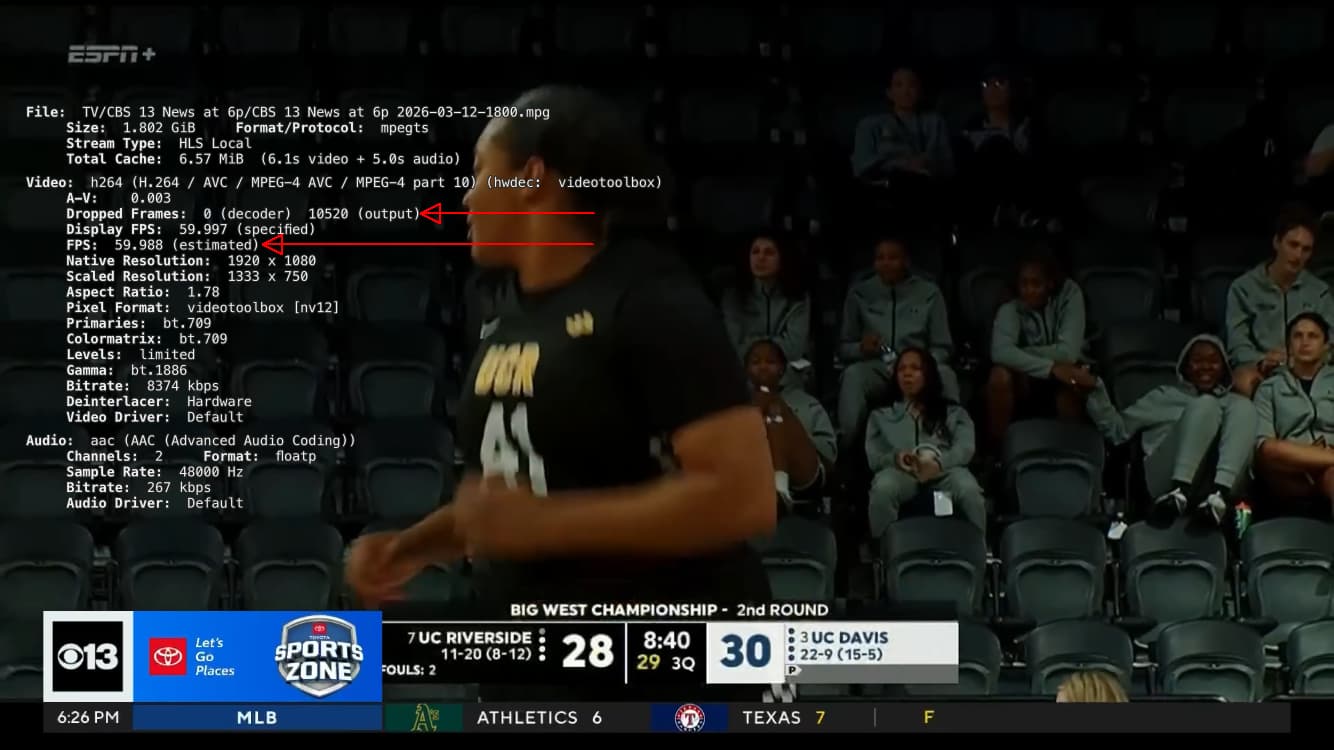
Here are the screenshots. Notice the dropped frames and FPS.
HDHR recording

TVE recording

PrismCast recording

Exactly my Unraid issue.

I decided to download them to my iPhone and play them from there to eliminate any question of network issues.

1 Like

Yeah I mean I primarily see inconsistent framerate and output frames dropping like crazy.

I'm using a M4 Mac Mini

Well, even a guy like me can see a difference in the numbers. I imagine that it is also noticable in watching the playback. Looks like I may not rely on Prismcast for anything more than a backup to a backup source. Too bad, I really like the concept.

1 Like

I like it enough that I'll use it for live viewing and record-watch-delete, but not for anything I want to edit, remove ads and archive.

Honestly, it looks so bad in my environment that I can't even use it as a backup source. And it's not my network. My LinkPi encoders are just fine. Everything is wired as well. When I say everything, I mean everything, the server, my Apple TV, literally everything on my network is wired.

Yeah. It managed to fill in for grabbing my local PBS station while the pbs-vlc-bridge was out of service. Though, I don't know that those few recordings will be "keepers".