Introducing PrismCast: Browser-based Live TV Capture for Channels DVR and Plex

That's very strange then. I'm using DirecTV only, like DirecTV's website, so I wonder if perhaps it has something to do with streaming from that source.

I actually also noticed when DirecTV initially loads, the picture is very low bit rate and low quality but smooth and all of a sudden it bumps up to a very high bit rate on DTVs side, and I wonder if that is when the frames start to drop.

Also, in my setup, I get nowhere near 16 Mbps. Chrome just never pushes that much. So I wonder if maybe there's something with the DirecTV implementation and that could be the cause and @chDVRuser happens to be using the same source as me, and that could be possibly the commonality here, and why no one else is seeing this.

I don't really have any other sources to test with, so I've only tried DirecTV, but perhaps I'll try a TVE source and see if that maybe works better and that would narrow it down to something with the DirecTV implementation.

Also my caching is also super weird. Like I see yours is pretty much a line two seconds for audio, two seconds for video. But mine will jump to like two seconds for audio, seven seconds for video, and then drop frames and then catch back up.

I'm on an Apple TV, everything in my environment is wired, so it's not like a weird networking issue since I would be having issues with my Osprey setup if it were something networking related.

Edit: I also want to be very clear, I am not complaining in any way. I think this is a very cool project. I'm very happy with my Osprey setup with ADBTuner, so this is really just a nice to have for me. I was working on this Friday from 8 p.m. until about 4 a.m. and then Saturday from about 11 a.m. until 8 p.m. just trying to find a solution, not really for me, but for others in the community having the issues with Docker.

Like this is more of a nice to have for me, not a necessity. I just wanted to try to find some sort of fix for others that were reporting the same issue since I could reproduce it and have some skill set to troubleshoot it. Honestly, even if I did find a fix and PR it, probably wouldn't really use it day to day. I just wanted to try to help others in the Channels community. I just don't want my comments to be seen as a complaint or anything against Prismcast. I think it's really awesome. I just wanted to try to find a fix for others reporting the same problem.
I'm still having trouble reconciling what you've written. Is this a Docker-specific issue or not? You seemed confident it was the same issue as what @chDVRuser was reporting in the other thread. Could this be something settings related? Do you experience the same issues at 720p resolution?

1 Like

I experience the issues at all resolutions and bitrates set. Although I believe it is Docker specific because I have an M1 Mac Mini and I tested it on that and it was perfect. I'm just not willing to use that device for this because I have other services tied to that hardware.

I actually tested WebRTC as well through patching Puppeteer at runtime just to see if it was something related to MediaRecorder, and that also produced the same weird output. What I was able to narrow this down to was something related to Chrome running under Docker. I don't know why though. It might just be intrinsic to Chrome not being able to push the same frames as under Mac OS or Windows. I also confirmed that it's not on the FFmpeg side because I installed FFmpeg into the Docker container and did a hardware accelerated VAAPI re-encode rather than a remux. I completely narrowed it down to the Chrome tab capture, at least from what I could tell. What further narrowed it was when I used GStreamer to actually capture the whole screen and it was just perfect video, like indistinguishable from my Ospreys.

Like I said, none of this is a complaint or anything. I think this is such an innovative idea. I'm just trying to narrow this down to help others. I'm not planning on using this as my day-to-day streamer because I have such an investment in physical encoder hardware. Since I have the skill set and can reproduce the issue, I thought I'd try and find a solution, or at least debug a little bit. I was more of trying to contribute back a little bit since this is such a nice community. I was trying to help out.

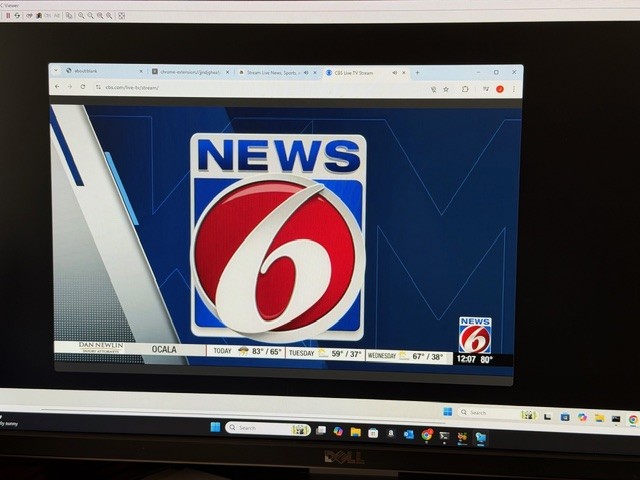
I am hesitant to post but feel this is strange issue. I discovered I could force CBS to go local by disabling location settings in Chrome. It then sees my Google info and starts the stream in chrome.

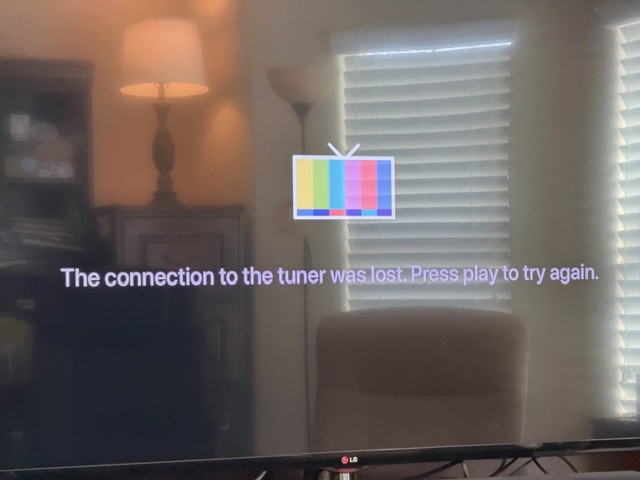
However, CDVR doesn't stream it. I wouldn't post but CBS seems to be the only provider with this issue. The HLS streams are perfect. Our local Fox is better than OTA! Here are log shots and a couple of quick photos. If this is something not worthwhile, I do understand.

[2026/03/16 12:12:09.495] [ERROR] [cbs-u81d7v] Stream setup failed for https://www.cbs.com/live-tv/stream: Waiting for selector `video` failed.
[2026/03/16 12:12:09.497] [cbs-u81d7v] Stream ended after 13s (setup failed).
[2026/03/16 12:12:09.497] [WARN] Stream setup failed for cbs: Failed to start stream..
[2026/03/16 12:12:14.492] [WARN] [cbs-pozqni] No iframe contained video element. Falling back to main page context (searched 5 frames).
[2026/03/16 12:12:14.493] [WARN] [cbs-pozqni] Main page fallback: no video element found in main page either.
[2026/03/16 12:12:25.884] [cbs-pozqni] Streaming CBS (keyboardIframe, native HLS). Tuned in 13.9s (direct).
[2026/03/16 12:13:01.855] [cbs-pozqni] Stream ended after 50s.

CDVR:

2026/03/16 12:12:09.016184 [SNR] Rewriter statistics for 192.168.1.37 (Office TV) for ch60021 CBS: discontinuity_detected=0 transport_errors=0 saw_pcr=false saw_pmt=true highest_pts=10.239322
2026/03/16 12:12:09.016184 [SNR] Buffer statistics for 192.168.1.37 (Office TV) for ch60021 CBS: buf=0% drop=0%
2026/03/16 12:12:09.016184 [SNR] Streaming statistics for 192.168.1.37 (Office TV) for ch60021 CBS: timeouts=0 segment_timeouts=0 playlist_timeouts=0
2026/03/16 12:12:09.019623 [TNR] Closed connection to M3U-Prism for ch60021 CBS
2026/03/16 12:12:09.019623 [TNR] Retrying live stream for ch60021 CBS: Transcoder Reset: Playlist reset to a lower sequence (5 -> 4): http://192.168.1.62:5589/hls/cbs/stream.m3u8
2026/03/16 12:12:09.024934 [TNR] Opened connection to M3U-Prism for ch60021 CBS
2026/03/16 12:12:27.529212 [SNR] Rewriter statistics for 192.168.1.37 (Office TV) for ch60021 CBS: discontinuity_detected=0 transport_errors=0 saw_pcr=false saw_pmt=true highest_pts=82736.094644
2026/03/16 12:12:27.529212 [SNR] Buffer statistics for 192.168.1.37 (Office TV) for ch60021 CBS: buf=0% drop=0%
2026/03/16 12:12:27.529212 [SNR] Streaming statistics for 192.168.1.37 (Office TV) for ch60021 CBS: timeouts=0 segment_timeouts=0 playlist_timeouts=0
2026/03/16 12:12:27.531449 [TNR] Closed connection to M3U-Prism for ch60021 CBS
2026/03/16 12:12:27.531449 [TNR] Retrying live stream for ch60021 CBS: Transcoder Reset: Playlist skipped to a higher sequence (5 -> 12): http://192.168.1.62:5589/hls/cbs/stream.m3u8
2026/03/16 12:12:27.536000 [TNR] Opened connection to M3U-Prism for ch60021 CBS
2026/03/16 12:12:28.084828 [SNR] Buffer statistics for 192.168.1.37 (Office TV) for ch60021 CBS: buf=0% drop=0%
2026/03/16 12:12:28.084828 [SNR] Streaming statistics for 192.168.1.37 (Office TV) for ch60021 CBS: timeouts=0 segment_timeouts=0 playlist_timeouts=0
2026/03/16 12:12:28.084828 [TNR] Closed connection to M3U-Prism for ch60021 CBS
2026/03/16 12:12:28.084828 [TNR] Error during live stream for ch60021 CBS: mp4 to mpegts converter: decode box at position 1254: decode �
 pos 1254: read box body length 6702192 does not match expected length 1195376648

p1
p2

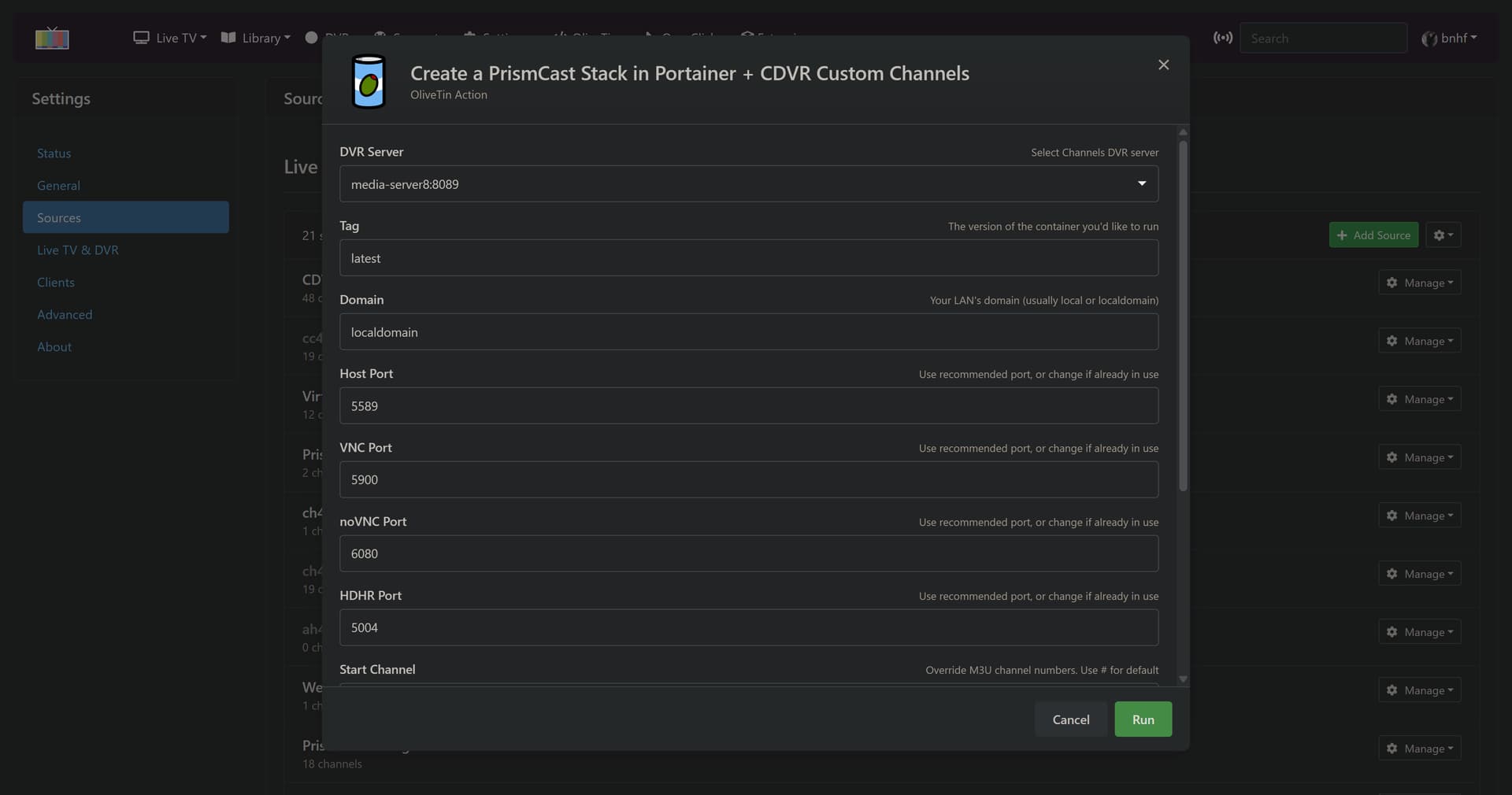
New bnhf/olivetin:latest (aka bnhf/olivetin:2026.03.16) pushed with updated Project One-Click and Project WebUI+ support for PrismCast Docker iGPU hardware acceleration:

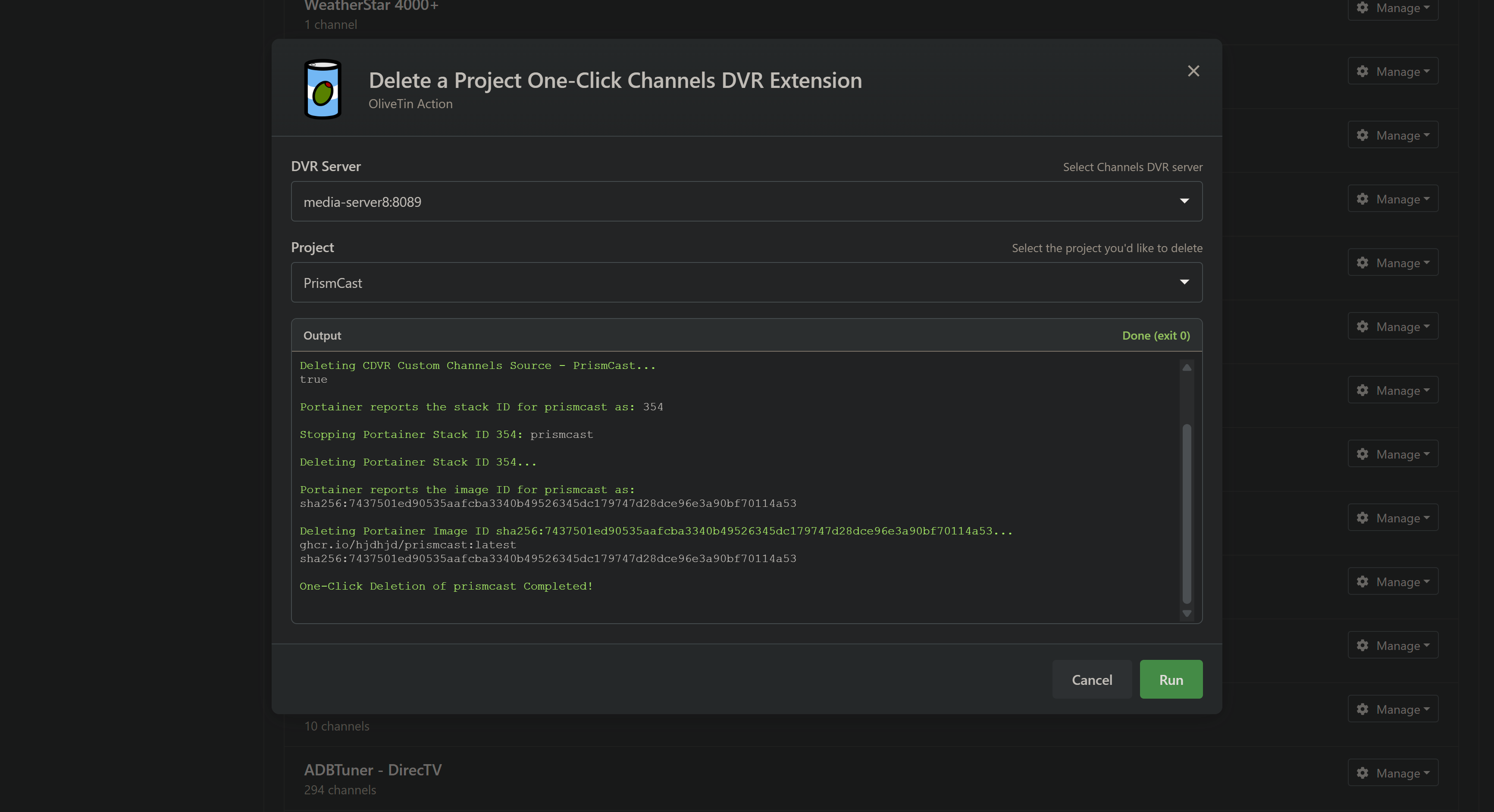
And as always, if you're just taking an extension out for a test flight, you can delete a project with one click too. Including the CDVR Custom Channels Source, Portainer Stack and Portainer Image:

I'm assuming you're addressing these issues

  1. I can confirm the Reset All to Defaults is now working correctly in Firefox.

  2. I'm repeating my previous test, by recording a 30 minute show on CBS using three CDVR servers with three different sources: 1) PrismCast using tv.yttv as a source, 2) YTTV TVE and 3) HDHR Prime tuner. They're currently recording.

It appears the stream from Prismcast is missing the Program Clock Reference saw_pcr=false

2026/03/16 14:30:15.762446 [MTS] Statistics for "TV/Hot Bench/Hot Bench S12E121 Discount to Disaster 2026-03-16-1400.mpg": discontinuity_detected=0 transport_errors=0 saw_pcr=false saw_pmt=true highest_pts=1819.274333

Same show recorded via YTTV TVE saw_pcr=true

2026/03/16 14:30:35.836195 [MTS] Statistics for "TV/Hot Bench/Hot Bench S12E121 Discount to Disaster 2026-03-16-1400.mpg": discontinuity_detected=0 transport_errors=0 saw_pcr=true saw_pmt=true highest_pts=1856.119022

Took 1:20:34 to comskip the PrismCast recording and the comskip log shows errors

WARNING: Actual framerate (59.971) different from specified framerate ( 1.000)
Internal frame numbers will be different from .txt frame numbers
WARNING: Complex timeline or errors in the recording!!!!
Results may be wrong, .ref input will be misaligned. .txt editing will produce wrong results

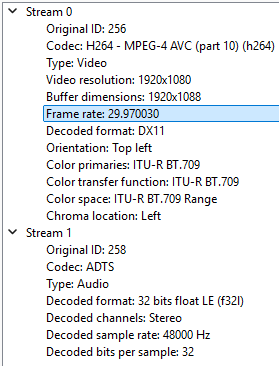
VLC thinks the framerate is 29.97 fps
VLC
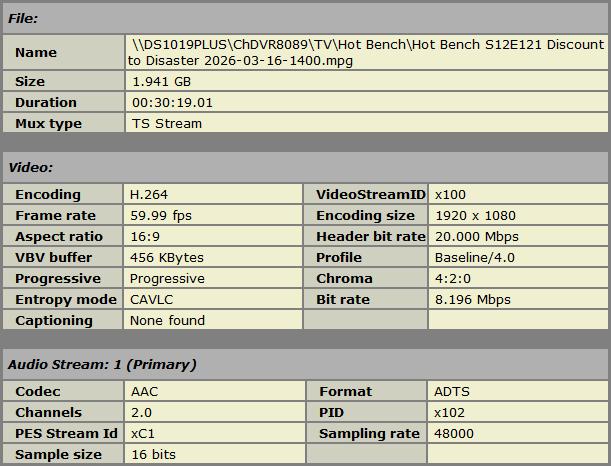
My Video editor thinks it's VFR (Variable Frame Rate) at 59.99 fps average
VRD

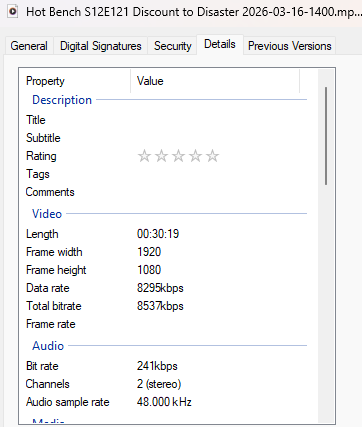
MediaInfo doesn't display a frame rate
General
ID                                : 0 (0x0)
Complete name                     : Hot Bench S12E121 Discount to Disaster 2026-03-16-1400.mpg
Format                            : MPEG-TS
File size                         : 1.81 GiB
Duration                          : 30 min 19 s
Overall bit rate mode             : Variable
Overall bit rate                  : 8 537 kb/s
FileExtension_Invalid             : ts m2t m2s m4t m4s tmf ts tp trp ty
Conformance warnings              : Yes
 General compliance               : File name extension is not expected for this file format (actual mpg, expected ts m2t m2s m4t m4s tmf ts tp trp ty)

Video
ID                                : 256 (0x100)
Menu ID                           : 1 (0x1)
Format                            : AVC
Format/Info                       : Advanced Video Codec
Format profile                    : Baseline@L4
Format settings                   : 1 Ref Frames
Format settings, CABAC            : No
Format settings, Reference frames : 1 frame
Format settings, GOP              : M=1, N=101
Codec ID                          : 27
Duration                          : 30 min 19 s
Width                             : 1 920 pixels
Height                            : 1 080 pixels
Display aspect ratio              : 16:9
Color space                       : YUV
Chroma subsampling                : 4:2:0
Bit depth                         : 8 bits
Scan type                         : Progressive
Color range                       : Limited
Color primaries                   : BT.709
Transfer characteristics          : BT.709
Matrix coefficients               : BT.709

Audio
ID                                : 258 (0x102)
Menu ID                           : 1 (0x1)
Format                            : AAC LC
Format/Info                       : Advanced Audio Codec Low Complexity
Format version                    : Version 4
Muxing mode                       : ADTS
Codec ID                          : 2 / 15-2
Duration                          : 30 min 19 s
Bit rate mode                     : Variable
Channel(s)                        : 2 channels
Channel layout                    : L R
Sampling rate                     : 48.0 kHz
Frame rate                        : 46.875 FPS (1024 SPF)
Compression mode                  : Lossy
Delay relative to video           : 12 ms

Windows 11 doesn't display a frame rate
Windows

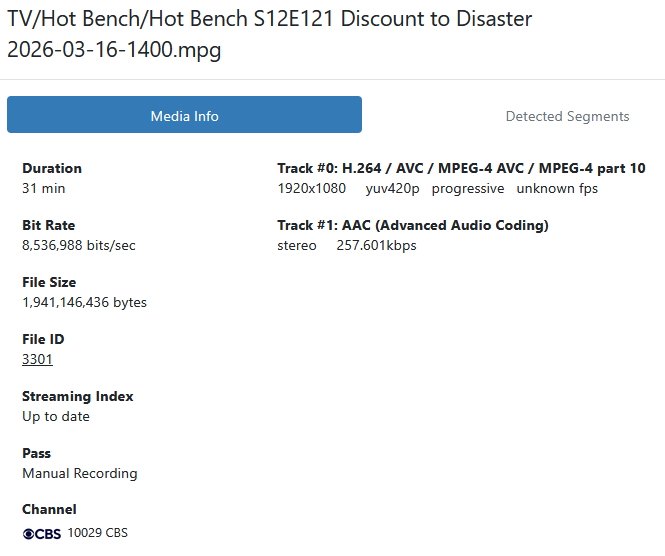
Channels DVR doesn't display a frame rate

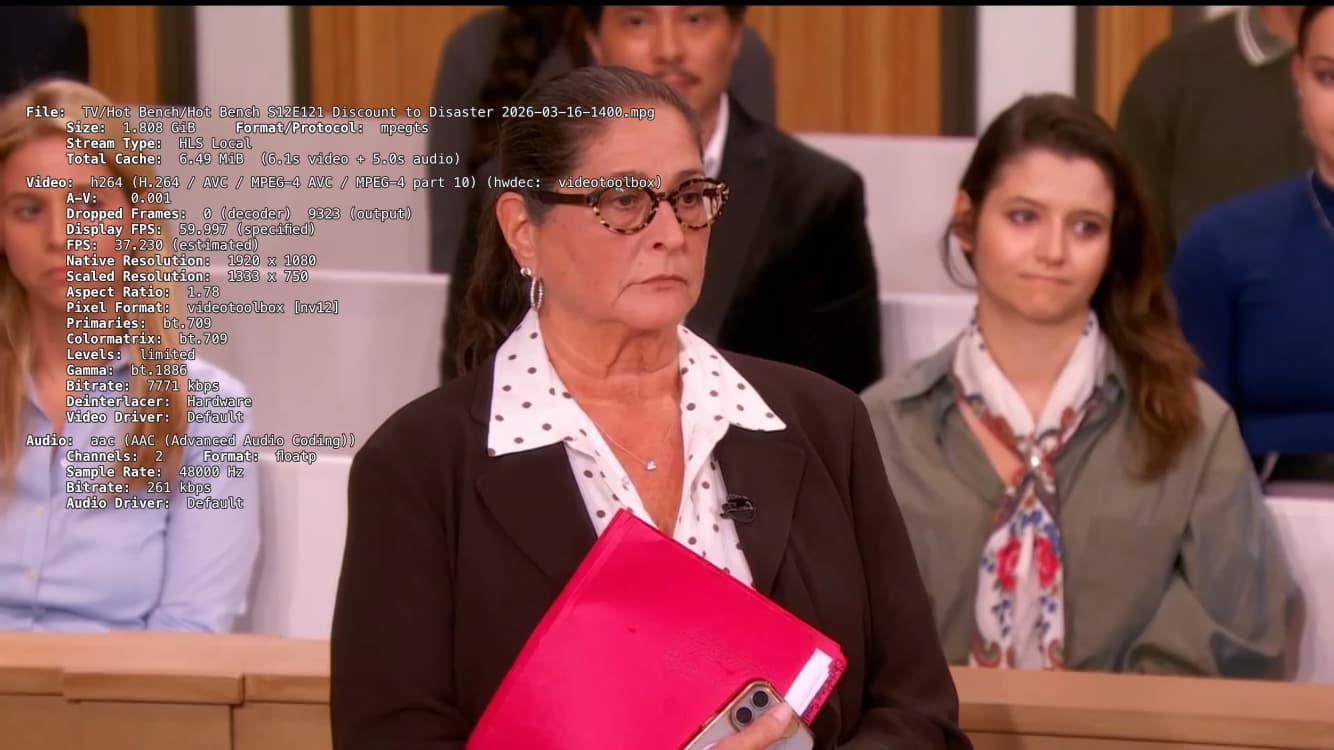
Downloaded the recording to my iPhone, turned Airplane mode on and am playing it.
It's dropping output frames and A-V and FPS are changing as it plays.

After the upgrade on Windows via Node/npm, is anyone able to force 60 frames per second in the video? No matter what I do, I'm still only getting 30.000 fps.

Still throwing an error when I attempt to install the service.

What is that error?

If the source that PrismCast streams from is 30 fps, you get 30 fps.

Known Limitations

  • Frame rate follows the source. If the streaming site delivers 30fps, capture will be 30fps regardless of the configured frame rate setting.

Never seen anything higher than 30 with 1080p. But the pic is still pretty good with no real hiccups that I've seen.

I see 1920x1080 at 59.94. This is a native HLS stream. Running NPM

Just FYI.

Yes, thank you. PrismCast is capturing at 720p and when I check the Youtube capture window it is 720p60.

Thanks, Jim. What hardware are you running on? Is Chrome using hardware acceleration (Quicksync)?

I'll check it next time I restart that system. Just to confirm, with PrismCast already installed and running on this machine, do I just run the service installer per the github instructions when PrismCast isn't already running?

Running it on a cheap BeeLink PC on Win 11. It is not Intel so not getting GPU benefits.

1 Like

I appreciate the side-by-side comparison approach. Let me walk through what you're seeing:

The short version: You're comparing three fundamentally different signal paths - screen capture (PrismCast via YTTV), a native TVE stream, and a broadcast tuner. They use different container formats, different encoding pipelines, and different delivery mechanisms. The differences you found are inherent to those different paths, not bugs.

PCR and frame rate differences: When PrismCast uses screen capture (e.g. YTTV), Chrome's encoder produces the video. Chrome doesn't guarantee fixed frame timing, which is why you're seeing variable frame rate detection and why I presume comskip struggles with it. The PCR difference is simply a container format difference between screen capture output and native streams. None of this is something PrismCast can change - it's how Chrome's capture pipeline works.

For providers that deliver non-DRM streams, PrismCast's native HLS mode bypasses screen capture entirely and delivers the provider's original stream with proper fixed frame rates. The best way to get CBS is going to be through CBS.com, if it's available to you, since PrismCast can pull it via native streaming.

The comskip issue: Out of scope for any support I provide...so you're on your own here.

Bottom line: Screen capture will always look different from a native stream or a broadcast tuner in a metadata comparison. That's expected. The question that matters is: does the video look good when you watch it? If the answer is yes, the metadata differences are academic.

1 Like

What's your source and provider? In other words is it CBS on YTTV, etc.

I can't recall a channel that I got 60 FPS at 1080p on, but I'm sure it's possible If you have the right source and provider.

1 Like

Thanks. I'm already getting all my available TVE streams from Channels DVR TVE.
I was just using CBS as an example because I can get it three different ways.

Thanks for acknowledging that. I'll move on.

I wasn't reporting a comskip issue. I was just pointing out that its use of ffmpeg in reading every frame was showing timestamp and framerate variations in the TS stream.

Fox One …. YTTV is the provider.

This is a fantastic project - thank you for all of your work on this. I was able to get my Hulu Live channels working perfectly, but I also subscribe to FanDuel on Fubo and have had trouble getting it to work setting up a custom Provider. I trialed and errored with different settings for hours, with no luck. Has anyone had any success setting up channels with Fubo?

1 Like