
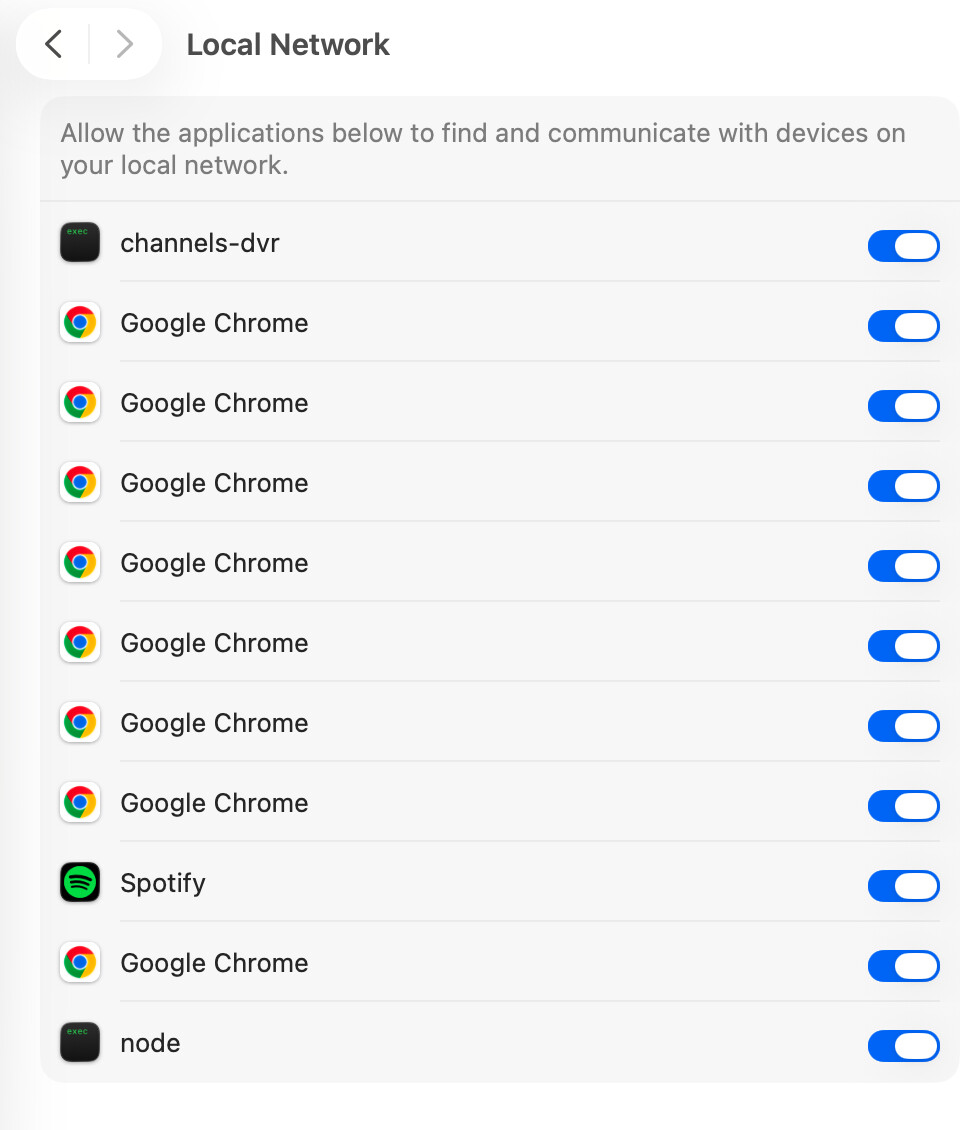
I looked and I think is good, but noticed that channels dvr is not on. ?
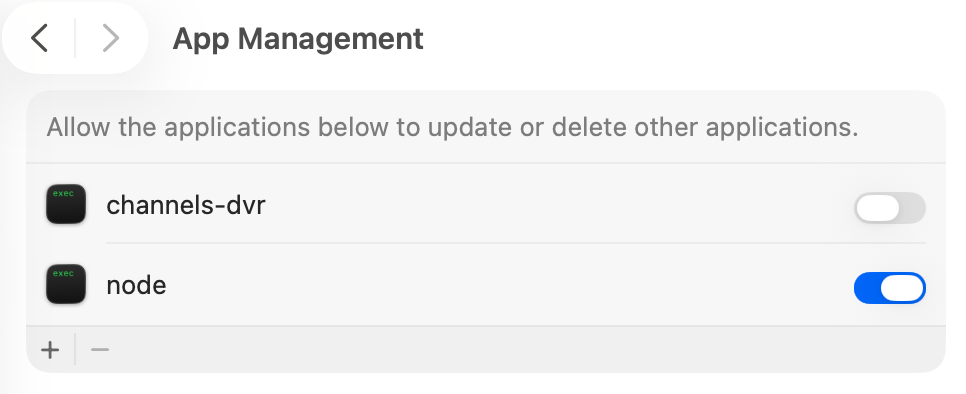
No way to remove them from Local Network.
There is no remove button there.
1 Like
What about in Local Network access
open Terminal and run
prismcast service restart
Look for a Chrome window opening and then minimizing.
then run
prismcast service status
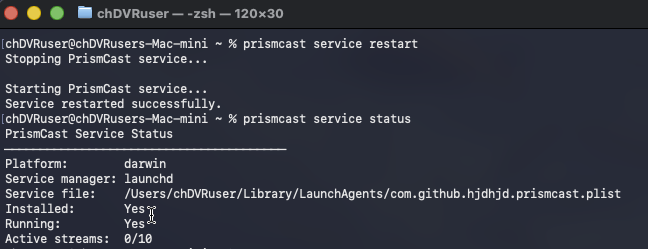
make sure it shows PrismCast Service Installed and Running,
if not then install it as a service by running prismcast service install
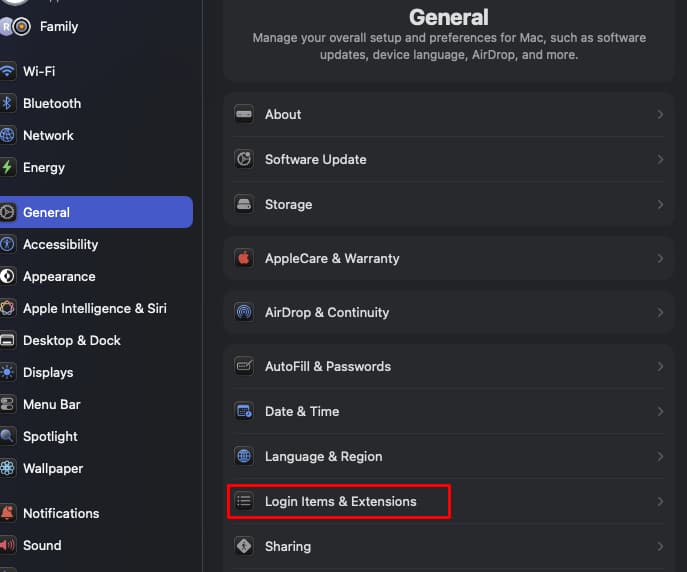
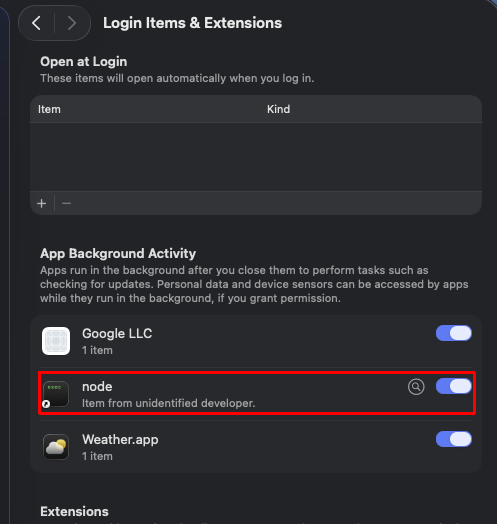
Check your Settings General > Login Items & Extensions > App Background Activity
Make sure node is enabled
Then copy/paste the PrismCast log here between two lines of 3 backticks
```
paste
log lines
here
```
Wow. I cannot thank you (in advance and continuing) enough for your kind and detailed help. I have worked through the steps you provided (and others from others along the way), to no avail. When I authenticate, I am able to view CNN content that I access from the Prismcast console/guide page, but when same program is presented in my Channels DVR guide, it craps as in my previous error screen shots. Here is my latest Prismcast log. Thanks again!
[2026/08/02 10:57:11.614 AM] [ERROR] Browser disconnected unexpectedly. All active streams will be terminated.
[2026/08/02 10:57:27.074 AM] Shutting down.
[2026/08/02 10:58:30.775 AM] Starting PrismCast v1.10.3 with configuration:
[2026/08/02 10:58:30.775 AM] Configuration file: /Users/lmolmud/.prismcast/config.json
[2026/08/02 10:58:30.775 AM] Chrome profile: /Users/lmolmud/.prismcast/chromedata
[2026/08/02 10:58:30.775 AM] Server port: 5589
[2026/08/02 10:58:30.775 AM] Quality preset: 720p-high (1280×720)
[2026/08/02 10:58:30.775 AM] Capture codecs: h264, hevc
[2026/08/02 10:58:30.775 AM] Video bitrate: 12000000
[2026/08/02 10:58:30.775 AM] Max retries: 4
[2026/08/02 10:58:30.775 AM] Max concurrent streams: 10
[2026/08/02 10:58:30.775 AM] Circuit breaker threshold: 10 failures in 5 minutes
[2026/08/02 10:58:30.775 AM] Chrome executable: autodetect
[2026/08/02 10:58:30.775 AM] HLS segment duration: 2s, max segments: 10
[2026/08/02 10:58:30.775 AM] HDHomeRun emulation: enabled (port 5004)
[2026/08/02 10:58:30.782 AM] Using FFmpeg at: /Users/lmolmud/Library/Application Support/ChannelsDVR/latest/ffmpeg.
[2026/08/02 10:58:30.788 AM] Loaded 1170 channels.
[2026/08/02 10:58:30.789 AM] Loaded health state for 7 channels and 1 domains.
[2026/08/02 10:58:38.048 AM] Chrome ready: Chrome/150.0.7871.187 (GPU: Apple M4 [AV1, H264, HEVC]).
[2026/08/02 10:58:38.048 AM] [WARN] Bundled FFmpeg is not available. Preroll generation skipped - startup playlists will have no segments.
[2026/08/02 10:58:40.579 AM] Capture system verified successfully.
[2026/08/02 10:58:41.447 AM] CDP proxy listening at /cdp.
[2026/08/02 10:58:41.447 AM] PrismCast is now listening on 0.0.0.0:5589.
[2026/08/02 10:58:41.447 AM] HDHomeRun emulation is now listening on 0.0.0.0:5004 (DeviceID: A3A55909).
[2026/08/02 11:06:52.899 AM] [ERROR] Browser disconnected unexpectedly. All active streams will be terminated.
[2026/08/02 11:11:54.856 AM] Shutting down.
[2026/08/02 11:11:55.110 AM] Starting PrismCast v1.10.3 with configuration:
[2026/08/02 11:11:55.110 AM] Configuration file: /Users/lmolmud/.prismcast/config.json
[2026/08/02 11:11:55.110 AM] Chrome profile: /Users/lmolmud/.prismcast/chromedata
[2026/08/02 11:11:55.110 AM] Server port: 5589
[2026/08/02 11:11:55.110 AM] Quality preset: 720p-high (1280×720)
[2026/08/02 11:11:55.110 AM] Capture codecs: h264, hevc
[2026/08/02 11:11:55.110 AM] Video bitrate: 12000000
[2026/08/02 11:11:55.110 AM] Max retries: 4
[2026/08/02 11:11:55.110 AM] Max concurrent streams: 10
[2026/08/02 11:11:55.110 AM] Circuit breaker threshold: 10 failures in 5 minutes
[2026/08/02 11:11:55.110 AM] Chrome executable: autodetect
[2026/08/02 11:11:55.110 AM] HLS segment duration: 2s, max segments: 10
[2026/08/02 11:11:55.110 AM] HDHomeRun emulation: enabled (port 5004)
[2026/08/02 11:11:55.115 AM] Using FFmpeg at: /Users/lmolmud/Library/Application Support/ChannelsDVR/latest/ffmpeg.
[2026/08/02 11:11:55.119 AM] Loaded 1170 channels.
[2026/08/02 11:11:55.120 AM] Loaded health state for 7 channels and 1 domains.
[2026/08/02 11:11:55.884 AM] Chrome ready: Chrome/150.0.7871.187 (GPU: Apple M4 [AV1, H264, HEVC]).
[2026/08/02 11:11:55.884 AM] [WARN] Bundled FFmpeg is not available. Preroll generation skipped - startup playlists will have no segments.
[2026/08/02 11:11:56.590 AM] Capture system verified successfully.
[2026/08/02 11:11:57.362 AM] CDP proxy listening at /cdp.
[2026/08/02 11:11:57.363 AM] PrismCast is now listening on 0.0.0.0:5589.
[2026/08/02 11:11:57.363 AM] HDHomeRun emulation is now listening on 0.0.0.0:5004 (DeviceID: A3A55909).
[2026/08/02 11:13:29.118 AM] Service filter updated: xfinity.
[2026/08/02 11:13:34.620 AM] Login mode started for https://xfinity.com/.
[2026/08/02 11:14:17.680 AM] Login tab was closed. Ending login mode.
[2026/08/02 11:14:18.378 AM] Login mode ended.
[2026/08/02 11:16:44.283 AM] Login mode started for https://www.xfinity.com/stream/listings.
[2026/08/02 11:18:33.996 AM] Login tab was closed. Ending login mode.
[2026/08/02 11:18:35.142 AM] Login mode ended.
[2026/08/02 11:20:17.080 AM] [ERROR] [cnn-6djkgz] Stream setup failed for https://www.xfinity.com/stream/listings: Stream initialization timed out.
[2026/08/02 11:20:17.109 AM] [cnn-6djkgz] Stream ended after 10s (setup failed).
[2026/08/02 11:24:32.009 AM] Shutting down.
[2026/08/02 11:24:32.264 AM] Starting PrismCast v1.10.3 with configuration:
[2026/08/02 11:24:32.264 AM] Configuration file: /Users/lmolmud/.prismcast/config.json
[2026/08/02 11:24:32.264 AM] Chrome profile: /Users/lmolmud/.prismcast/chromedata
[2026/08/02 11:24:32.264 AM] Server port: 5589
[2026/08/02 11:24:32.264 AM] Quality preset: 720p-high (1280×720)
[2026/08/02 11:24:32.264 AM] Capture codecs: h264, hevc
[2026/08/02 11:24:32.264 AM] Video bitrate: 12000000
[2026/08/02 11:24:32.264 AM] Max retries: 4
[2026/08/02 11:24:32.264 AM] Max concurrent streams: 10
[2026/08/02 11:24:32.264 AM] Circuit breaker threshold: 10 failures in 5 minutes
[2026/08/02 11:24:32.264 AM] Chrome executable: autodetect
[2026/08/02 11:24:32.264 AM] HLS segment duration: 2s, max segments: 10
[2026/08/02 11:24:32.264 AM] HDHomeRun emulation: enabled (port 5004)
[2026/08/02 11:24:32.268 AM] Using FFmpeg at: /Users/lmolmud/Library/Application Support/ChannelsDVR/latest/ffmpeg.
[2026/08/02 11:24:32.274 AM] Loaded 1170 channels.
[2026/08/02 11:24:32.274 AM] Loaded health state for 7 channels and 1 domains.
[2026/08/02 11:24:33.064 AM] Chrome ready: Chrome/150.0.7871.187 (GPU: Apple M4 [AV1, H264, HEVC]).
[2026/08/02 11:24:33.064 AM] [WARN] Bundled FFmpeg is not available. Preroll generation skipped - startup playlists will have no segments.
[2026/08/02 11:24:33.774 AM] Capture system verified successfully.
[2026/08/02 11:24:34.552 AM] CDP proxy listening at /cdp.
[2026/08/02 11:24:34.553 AM] PrismCast is now listening on 0.0.0.0:5589.
[2026/08/02 11:24:34.553 AM] HDHomeRun emulation is now listening on 0.0.0.0:5004 (DeviceID: A3A55909).
[2026/08/02 11:26:10.502 AM] [ERROR] Browser disconnected unexpectedly. All active streams will be terminated.
[2026/08/02 11:27:41.553 AM] [fxm-pkdlrw] Chrome ready: Chrome/150.0.7871.187 (GPU: Apple M4 [AV1, H264, HEVC]).
[2026/08/02 11:27:55.633 AM] [ERROR] [fxm-pkdlrw] Stream setup failed for https://abc.com/watch-live/d298ab7e-c6b1-4efa-ac6e-a52dceed92ee: Waiting for selector `video` failed.
[2026/08/02 11:27:55.641 AM] [fxm-pkdlrw] Stream ended after 15s (setup failed).
[2026/08/02 11:28:32.668 AM] [WARN] [lifetime-vomrnx] Video did not reach a playable state within 11000ms.
[2026/08/02 11:28:32.669 AM] [ERROR] [lifetime-vomrnx] Stream setup failed for https://play.mylifetime.com/live: Waiting failed: 11000ms exceeded.
[2026/08/02 11:28:32.675 AM] [lifetime-vomrnx] Stream ended after 14s (setup failed).
[2026/08/02 11:28:32.677 AM] GET /hls/lifetime/stream.m3u8 from 192.168.1.107 responded 500 in 13996.809 ms.
Hmm...
Is your DVR installed natively or in a container?
I had to install ffmpeg for it to work. I used Homebrew to install. Just google how to install. You will have to restart PrismCast after you install it.
Everything looks correct except it fails to stream CNN
[2026/08/02 11:20:17.080 AM] [ERROR] [cnn-6djkgz] Stream setup failed for https://www.xfinity.com/stream/listings: Stream initialization timed out.
[2026/08/02 11:20:17.109 AM] [cnn-6djkgz] Stream ended after 10s (setup failed).
What does your CNN channel look like in PrismCast

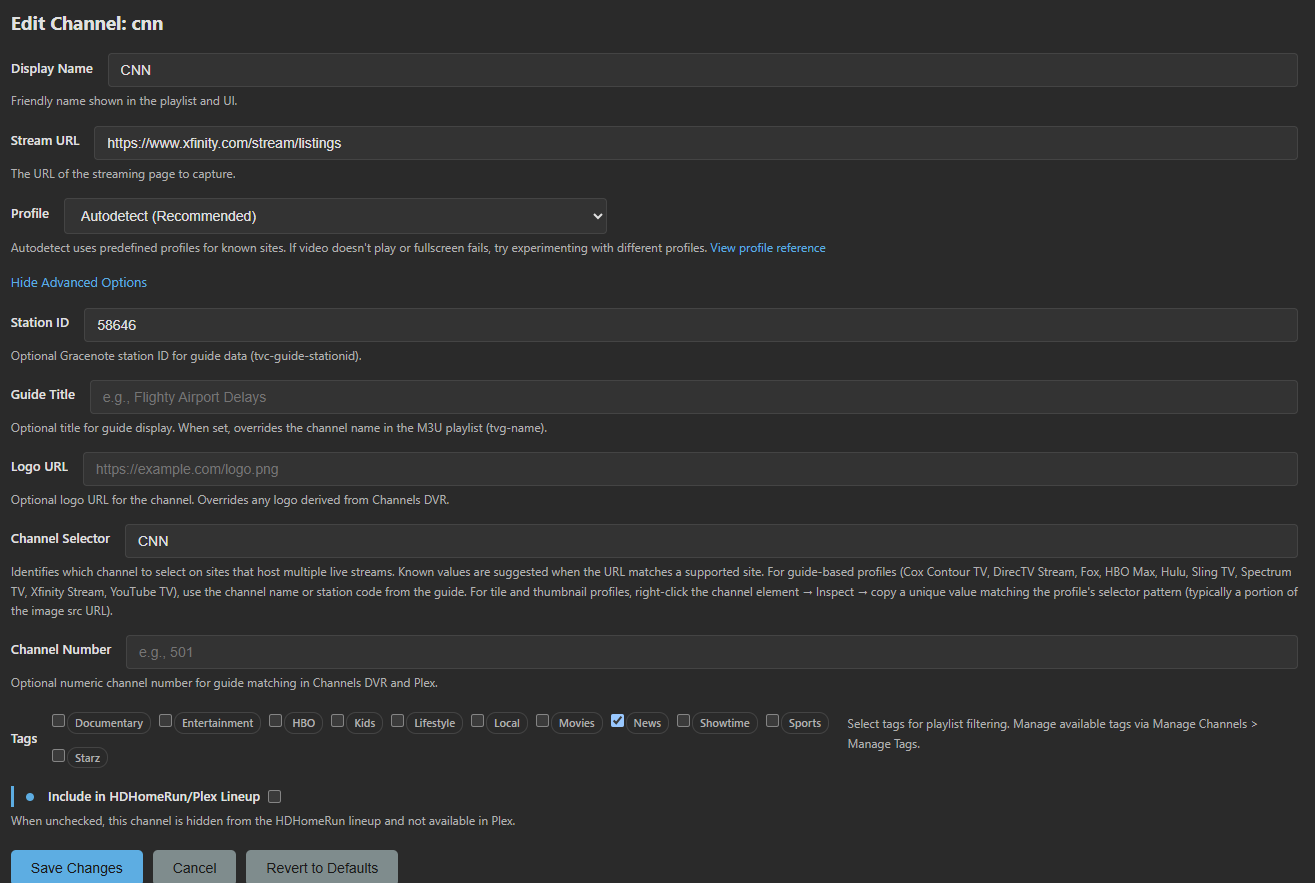
Just ignore that
He's got ffmpeg
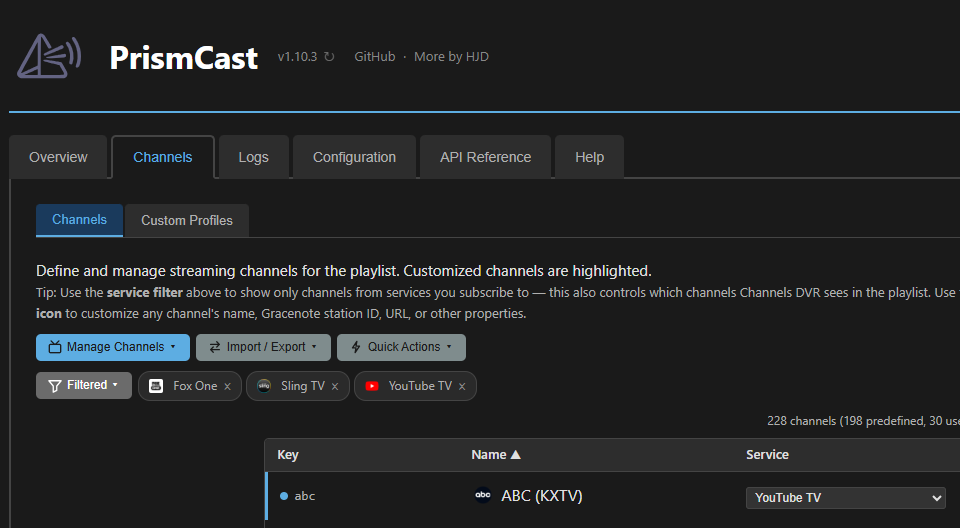
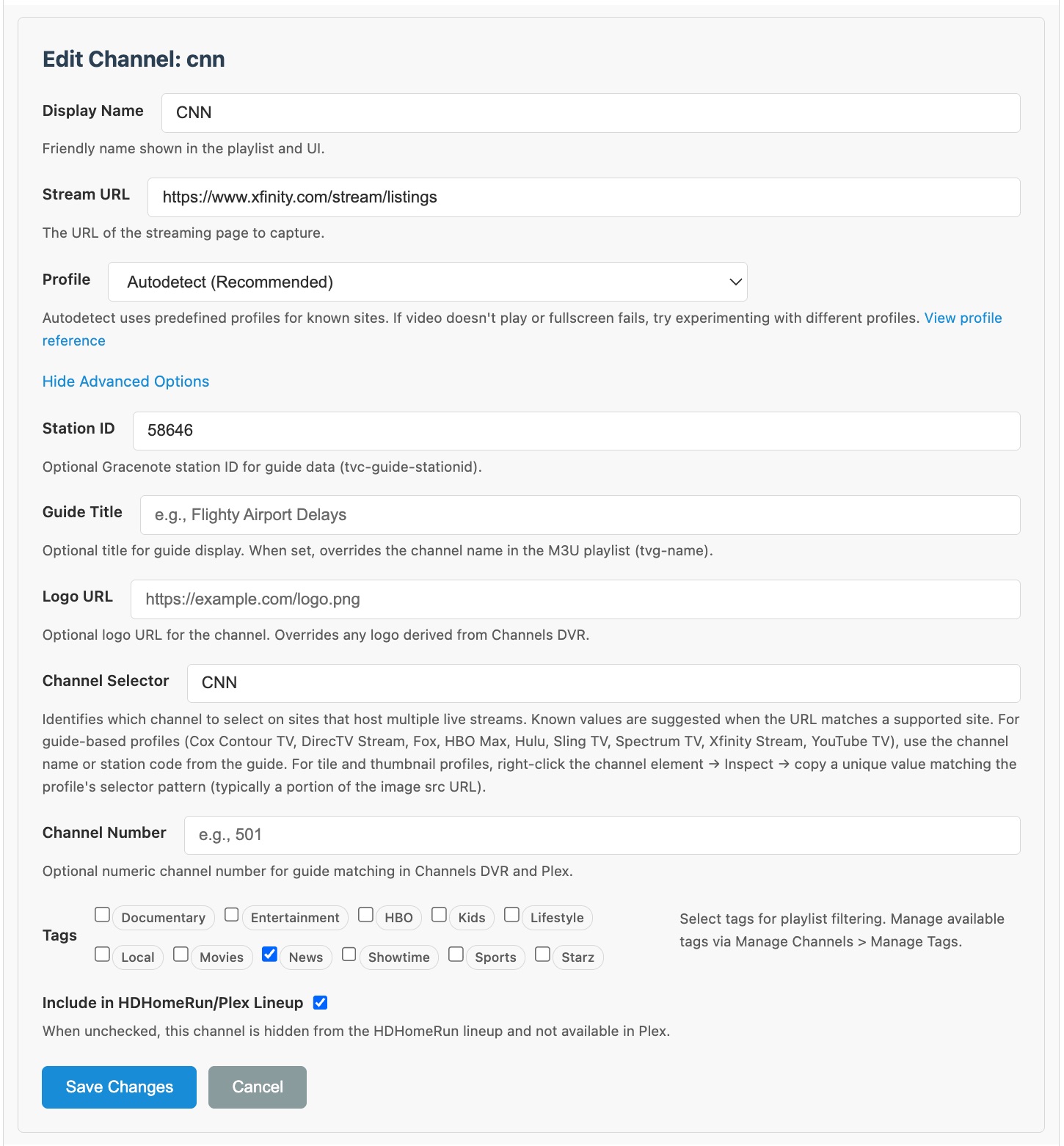
Looks correct.
I'm out of ideas. I don't know why it's not working for you.
PrismCast is opening a Chrome Window, correct?
1 Like
Yeah. It opens what I think is it's own instance of chrome that I can see and also interact with, it has none none of my bookmarks or other specific user data or configs that I can see. I have been doing everything else that I need to poke at in the UI in Safari.
Everything else on my box, esp. Channels DVR and all of my other AppleTV apps work just fine.
I am very frustrated at this point.
If you click the Login icon for CNN

does PrismCast open its Chrome window and go to Xfinity Stream in a tab for you to login?
I tested PrismCast with Xfinity Stream and it's working for me (I only have basic channels).
From the channels tab on the Prismcast dashboard— choose CNN.com to authenticate instead of Xfinity. When the chrome tab pops up, authenticate with tv provider (Xfinity).
1 Like
I was gonna say "Nope! Tried that before and already!" But damn... it worked. It's clunky when it handshakes w/CNN, but it works! (so far..).
Thanks!
Does not support Linux so if you are trying this with Docker Xfinity stream will fail. Using Xfinity as Provider will work Xfinity Stream will fail under Linux.
Mac OS/Unix, native install, got it solved, and thank you!