That looks fine. Does your watchtower container line look like this:

Or, is there a number where the image name should be? If you see a number, stop your watchtower stack -- followed by a re-pull and redeploy.

That looks fine. Does your watchtower container line look like this:
Or, is there a number where the image name should be? If you see a number, stop your watchtower stack -- followed by a re-pull and redeploy.
Number, rather than name:
After re-pull/re-deploy:
Unfortunately, Watchtower still does not update Portainer.
You're pulling the image from Portainer's repo instead of Docker Hub. They should be the same, but maybe there's an issue with their repo?
After you run watchtower, what do you see in its log?
time="2026-07-25T15:33:21Z" level=info msg="Watchtower 1.20.1 using Docker API v1.55"

time="2026-07-25T15:33:21Z" level=info msg="Using no notifications"

time="2026-07-25T15:33:21Z" level=info msg="Running a one time update"

time="2026-07-25T15:33:23Z" level=info msg="Found new image" container=weatherstar4k image="ghcr.io/netbymatt/ws4kp:latest" new_id=8fd5e04c47ac

time="2026-07-25T15:33:27Z" level=info msg="Found new image" container=adbtuner image="turtletank99/adbtuner:development" new_id=8d7845876e4c

time="2026-07-25T15:33:27Z" level=info msg="Found new image" container=adbtuner3 image="turtletank99/adbtuner:development" new_id=8d7845876e4c

time="2026-07-25T15:33:27Z" level=info msg="Stopping container" container=adbtuner id=22e71d5e342e signal=SIGTERM timeout=30s

time="2026-07-25T15:33:27Z" level=info msg="Stopping container" container=adbtuner3 id=ca46de3726e4 signal=SIGTERM timeout=30s

time="2026-07-25T15:33:27Z" level=info msg="Stopping container" container=weatherstar4k id=1087af0544a4 signal=SIGQUIT timeout=30s

time="2026-07-25T15:33:58Z" level=info msg="Started new container" container=weatherstar4k image="ghcr.io/netbymatt/ws4kp:latest" new_id=266e58dfbcca

time="2026-07-25T15:33:58Z" level=info msg="Started new container" container=adbtuner3 image="turtletank99/adbtuner:development" new_id=95a10ec42a70

time="2026-07-25T15:33:58Z" level=info msg="Started new container" container=adbtuner image="turtletank99/adbtuner:development" new_id=6b6e1300c4c9

time="2026-07-25T15:33:58Z" level=info msg="Update session completed" failed=0 notify=no scanned=17 updated=3
Can’t help with watchtower but just updated my Synology Portainer using the below instructions. Took less than a minute.
It doesn't seem to think that there is anything to update...
time="2026-07-25T16:58:01Z" level=info msg="Watchtower 1.20.1 using Docker API v1.43"
time="2026-07-25T16:58:01Z" level=info msg="Using no notifications"
time="2026-07-25T16:58:01Z" level=info msg="Running a one time update"
time="2026-07-25T16:58:14Z" level=info msg="Update session completed" failed=0 notify=no scanned=14 updated=0
Perhaps it would be better to change to pulling from the Docker Hub. How can I switch that?
Another thing I notice is that there is not a stack for this Portainer container. Is that normal?
I had the same issue, and did some sleuthing and I believe the person maintaining it retired it, but there are other forks out there (if that is the right term). I found one several people recommended. It was a simple matter of swapping out the image name. This is the one I’m using now: nickfedor/watchtower:latest
(Edit: I should have read a little closer, Watchtower had stopped updating anything for me until I made this switch, but I don’t know if I’ve ever used it to update Portainer. I do that manually)
If you have an updated OliveTin for Channels, that's what it uses for one-click install on Watchtower
services:
  watchtower:
    image: nickfedor/watchtower:${TAG:-latest}
    container_name: watchtower
    environment:
      - PATH=${PATH:-/usr/local/sbin:/usr/local/bin:/usr/sbin:/usr/bin:/sbin:/bin}
      - WATCHTOWER_RUN_ONCE=${WATCHTOWER_RUN_ONCE:-true}
    labels:
      - 'com.centurylinklabs.watchtower.enable=true'
    volumes:
      - /var/run/docker.sock:/var/run/docker.sock
Default Environment variables can be found below under stderr -- copy and paste into Portainer-Stacks Environment variables section in Advanced mode
TAG=latest
WATCHTOWER_RUN_ONCE=true
I don't use Watchtower, but just thought I'd point that out.
Hmmm... I'm thinking that my installation must be very old and likely outdated.
version: '3.9'
services:
  watchtower:
    image: ghcr.io/nicholas-fedor/watchtower:${TAG}
    container_name: watchtower
    environment:
      - PATH=/usr/local/sbin:/usr/local/bin:/usr/sbin:/usr/bin:/sbin:/bin
      - WATCHTOWER_RUN_ONCE=${WATCHTOWER_RUN_ONCE}
    labels:
      - 'com.centurylinklabs.watchtower.enable=true'
    volumes:
      - /var/run/docker.sock:/var/run/docker.sock
TAG=latest
WATCHTOWER_RUN_ONCE=true
WATCHTOWER_CLEANUP=false
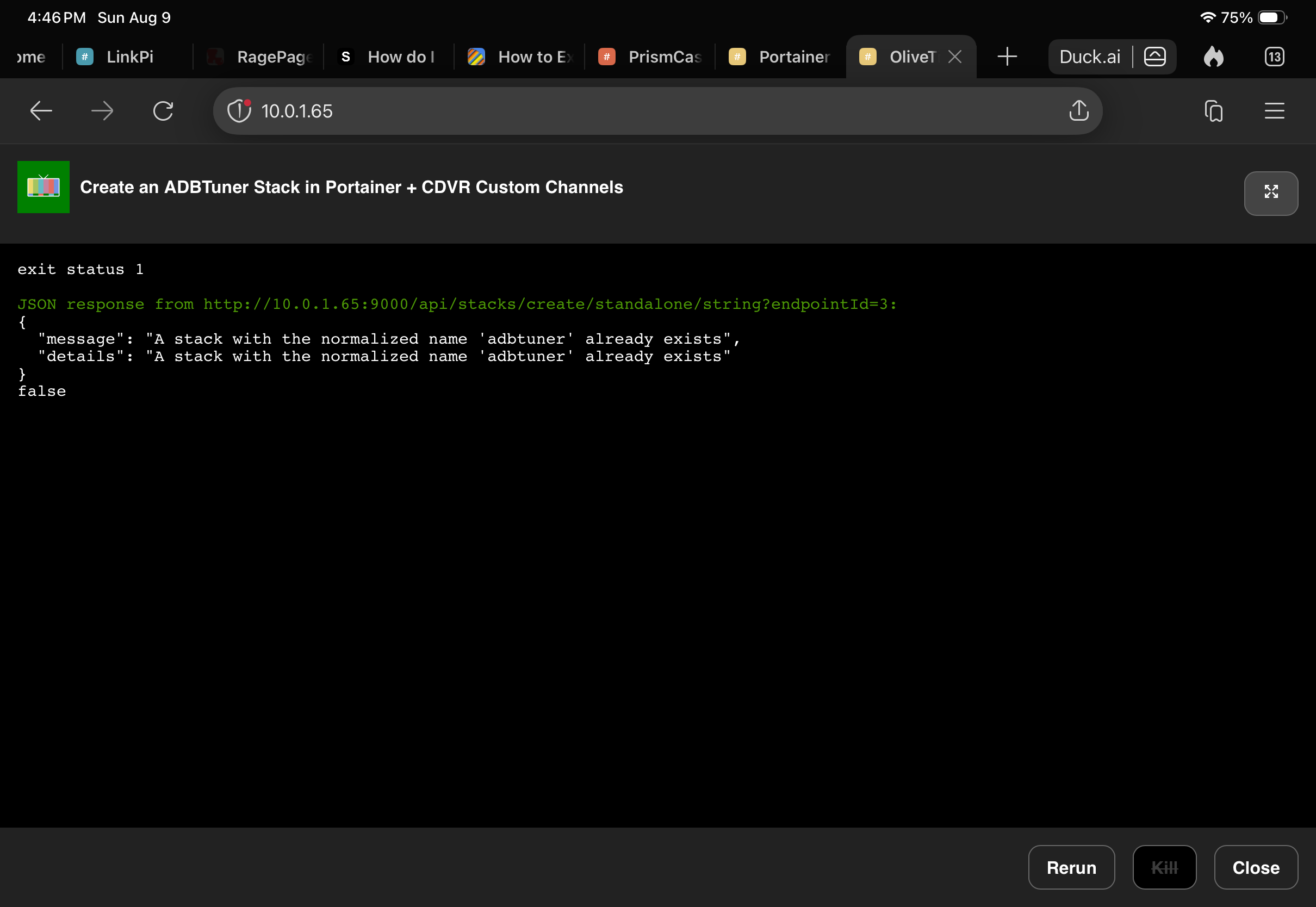
I'm going to try deleting and reinstalling by Project One-Click.
That's the same image, just from his GitHub GitHub - nicholas-fedor/watchtower: Automate Docker container image updates · GitHub instead of Docker nickfedor/watchtower - Docker Image repository
I’m looking to incorporate @babsonnexus 's HDMi Encoder Native Apps into my existing ADB-FruitDeepLinks set up. From the wiki, it appears that I have two options to do this:
If I use P1C , the wiki says "With these, you can either deploy to an existing ADBTuner/Roku Bridge installation, or use it to create a new one.".
Will this just add the stations and required configurations to my existing ADBTuner or will it mess with my FDL lanes (works great)?
Or would it be simpler to import the configurations and stations manually?
Current setup on Link Pi:
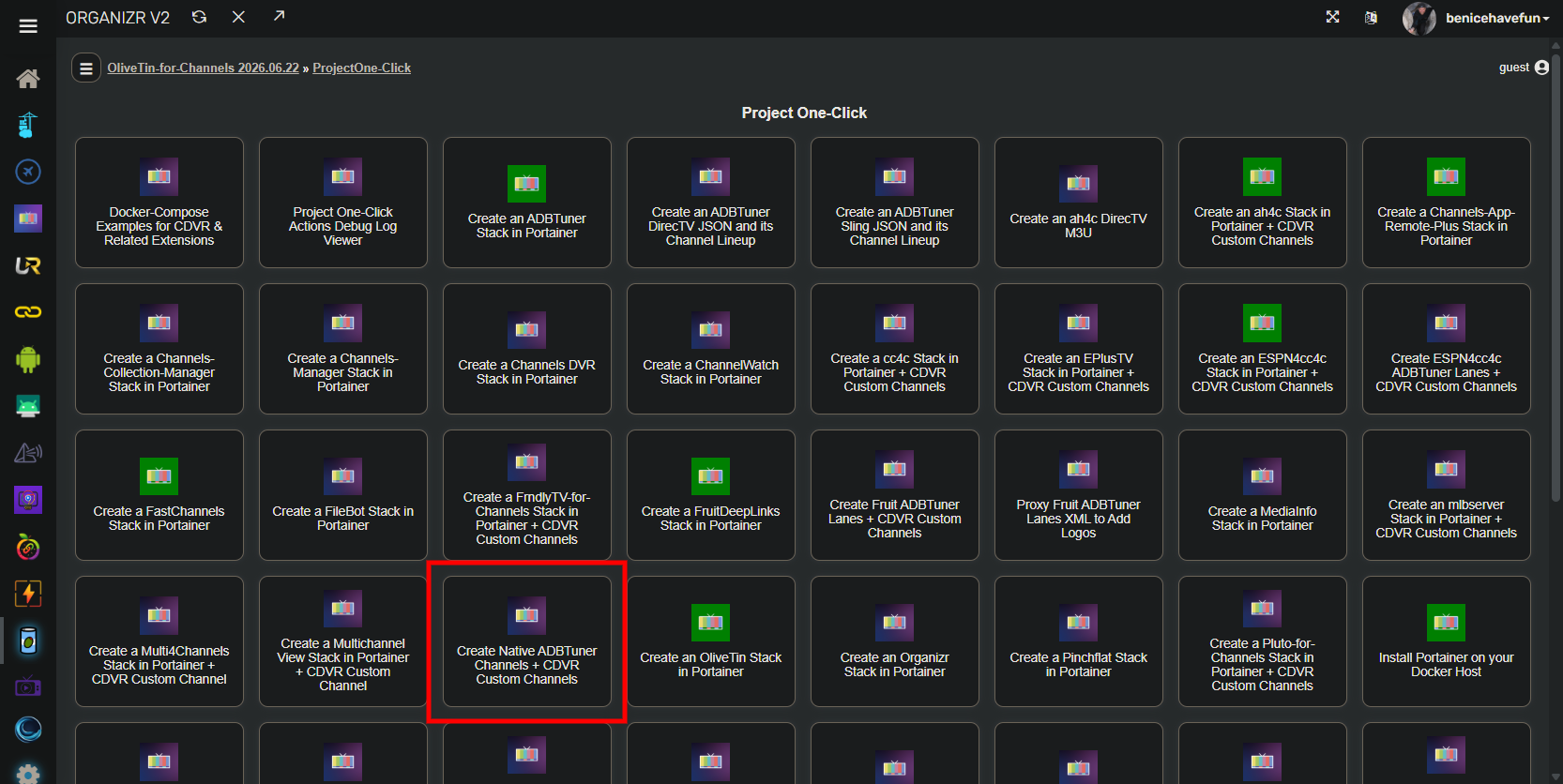
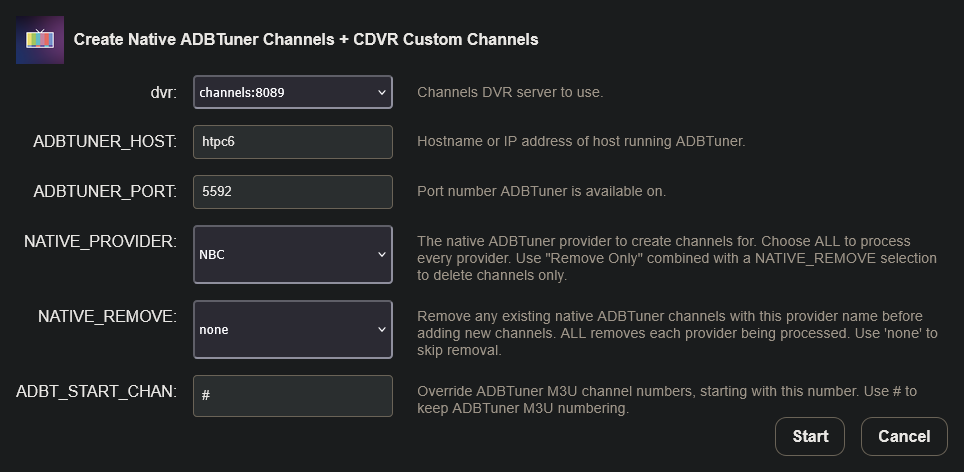
Using Project One-Click will just add additional virtual channels to ADBTuner, along with Custom Channel Source(s). If you add providers one at a time, you'll a source per provider. If you add them ALL, then they'll all be in a single CDVR Source.
The Action also adds support for FireSticks automatically, along with a couple of touches related to channel numbering. It's the no drama way to go in my opinion. ALL channels can be removed (or updated) just as easily.
It don’t like me today!
My current ADB stack that I use for Fruit DeepLinks is on development. Only change from "latest > development" and "localdomain >local"
Actually, you don't need to create another ADBTuner stack. The "native" Action assumes you already have ADBTuner running, and goes from there:
Worked like a champ!!!
FYI, native now has all the same FireTV alternate package names by default, so you don't need the function in P1C that adds them.
I just wanted to flag a minor bug with the DirecTV M3U generator for ah4c. It is impossible, I discovered, to tune overflow channels via channel number tuning. So, I'm wondering if the logic for the overflow channel should be modified so only the primary channel is included in the M3U when channel number selected (for Osprey). If one wants to then tune an overflow channel for some odd reason, they would have to use ws-scrcpy to manually select it. Deep links on the other hand work just fine for overflows and are superior in my opinion. Effectively, the issue with this is when they're generated, you effectively have channels that tune to nowhere. It doesn't lock up the Osprey box at all, but it just returns it to the previously tuned channel.