Provider - Hulu Live TV

I apologize. That's probably my fault. I have more than one DVR and I must have mixed up the the two. Although they are both experiencing the same problem.

In an effort to resolve this, I considered that maybe DVR has an old password cached and isn't using the one I enter. I've changed Hulu's password ten times in the last day or so. I keep a record of my old passwords in my password manager, so I changed Hulu's password to some of the old ones that worked back in 08/2023 (this all used to work!) and I retried adding Hulu as a TVE source without success. So I feel I can dismiss this as a possible problem.

I had Hulu on the phone for two hours yesterday, and they've escalated my case and suggest they'll respond within 72 hours. I can surmise that I am alone in this problem, and that this isn't a systemic problem with Channels DVR.

But I can promise that I'm changing the password, verifying it by logging into Hulu with my browser, and using the username/same password when I try to add Hulu as a TVE source.
b06e554c-8a93-479d-a97d-5ff810693b04

I've had YTTV for the last 18 months. I'm trying to switch away from it because I can't stand their interface for watching NBC Sports and some other networks that don't work with TVE.

Posting here for people who may come later...

After having some issues with channels not streaming, I removed Hulu as a source, and went to re-add it. That was a mistake. Try to avoid that, even if it means you wait several days to see if a new beta resolves the issue.

I could not add Hulu as a source. I received the 2FA emails, with no ability to authenticate. After trying several things, several times, none of it working, I will tell you how I got going again.

I started a chat with Hulu support, and had to confirm all my account info. I informed them I had a computer that I was trying to use TVE, but that computer cannot use 2FA, so I needed to authenticate with name and password only. They tried to start troubleshooting, asking about what browser I was using,m but I redirected them saying "This computer cannot use 2FA, no amount of troubleshooting the browser or connection will change that. I need to authenticate this computer with username and password only." They escalated support and came back and said to try again. I went to my Hulu account, to "Manage Devices", and removed my web browser that was trying to authenticate. I then added the source to Channels .... and it worked.

Evidently, by doing this, you can have them temporarily bypass 2FA to get a device added to the account. I wish they still allowed disabling 2FA in your account so this extra headache was no necessary.

Hopefully this helped someone!

2 Likes

Using Hulu with TVE is a nightmare. I wouldn't recommend using this service anyways for TVE. To get it working is just too many steps. I commend you for pushing on tho :rofl:

wow, i had this working for a couple of years no issues at all, yesterday i rebooted the NAS - and oops i hit this issue

Given that channels can take a picture of the error message from the embedded web page, is there really no way to make it make a popup for the MFA that can be entered into what i assume is an MFA prompt that is not happening because it is an embedded browser?

2025/07/06 10:03:36.902148 [TVE] Auth starting for Hulu as redacted
2025/07/06 10:03:38.260395 [TVE] action=auth mvpd=Hulu requestor=nbcentertainment
2025/07/06 10:03:40.783059 [TVE] action=version product=Chrome/129.0.6668.59 jsVersion=12.9.202.18 protocol=1.3 revision=@8591405f2525be5aa06c825e3051a243c42a80f1
2025/07/06 10:03:40.794320 [TVE] action=page_ready chromeVersion=129
2025/07/06 10:03:40.795506 [TVE] action=navigate url=https://sp.auth.adobe.com/adobe-services/authenticate/saml?noflash=true&mso_id=Hulu&requestor_id=nbcentertainment&no_iframe=true&domain_name=adobe.com&reg_code=&redirect_url=https%3A%2F%2Fsp.auth.adobe.com%2Fadobe-services%2FcompletePassiveAuthentication
2025/07/06 10:03:40.798274 [TVE] action=request type=Document method=GET url=https://sp.auth.adobe.com/adobe-services/authenticate/saml
2025/07/06 10:03:46.514611 [TVE] action=request type=Document method=GET url=https://auth.hulu.com/oauth2/login redirected_from=https://sp.auth.adobe.com/adobe-services/authenticate/saml
2025/07/06 10:03:46.514695 [TVE] action=auth_domain domain=.hulu.com
2025/07/06 10:03:46.614517 [TVE] action=wait_for_page
2025/07/06 10:03:54.319947 [TVE] action=page_ready
2025/07/06 10:03:54.320074 [TVE] action=wait_for_page done=true reason=page_ready
2025/07/06 10:03:54.320222 [TVE] action=fill_form u=username-redacted
2025/07/06 10:03:54.320215 [TVE] action=wait_for_auth timeout=12s
2025/07/06 10:03:54.327020 [TVE] action=tvejs msg="huluLogin: found username"
2025/07/06 10:04:00.078347 [TVE] action=page_ready
2025/07/06 10:04:00.078456 [TVE] action=check_result
2025/07/06 10:04:00.083220 [TVE] action=tvejs msg="huluLogin wrong password"
2025/07/06 10:04:00.083568 [TVE] action=screenshot
2025/07/06 10:04:00.244145 [TVE] action=screenshot file=tve_error_screenshot.png size=112923
2025/07/06 10:04:00.440081 [TVE] action=capture_html
2025/07/06 10:04:00.451634 [TVE] action=capture_html file=tve_error_screenshot.html size=180341
2025/07/06 10:04:00.452337 [TVE] action=capture_html
2025/07/06 10:04:00.462603 [TVE] action=capture_html file=tve_error_screenshot.html size=180341
2025/07/06 10:04:00.902961 [TVE] action=script_error err=Wrong password. Please update your password and try again.
2025/07/06 10:04:01.595910 [TVE] Auth failed for Hulu: Wrong password. Please update your password and try again.

either way the log message is wrong, the issue is NOT a wrong password unless the TVE integration is mangling my password for some reason (like it has ! in the password?)

--edit--

hmm, interestingly if i go to that first URL in the log and login with the right username and password, i get this... maybe something more here?

it defintely sends an email one time code along with this attempt at passive login.... which would seem to indicate that MFA is enable on the passive API and that API provides no way to enter MFA interactively..... did disney break their API, lol.

And i tested again, it doesn't send an MFA when channels is using the passive API. So that was a silly idea i posted above.

What's wild is the hulu devices page says that TVE was added today.

Do you have a Disney+ sub?
Did you recently add it or change the password on it?
If so, it changes your Hulu Live password.

I would change the Hulu password, then update password on your CDVR source to match and try again.
Might not hurt to delete all TVE devices appearing on your account first.

Its not a subscription, password issue, other TVE on the account, thanks for assuming i am an idiot.
SMH

Just tried to help. I'll quit doing that for you now.

did my post not show you how i am not a noob user - learn to the read room, given you help was no help and just noise, no great loss, cya. (you also didn't read my post where i said this was working for years - so of course i have disney+ account with hulu or I wouldn't be asking here would i FFS)

@JBgotM seems you got lucky with the right support people, just tried this, front-line support was awesome, they escalated the same request to the next level up and I got a polite Foxtrot Oscar. So at this point hulu live tv & TVE seems to be functionally dead in channels DVR for new folks unless the devs can find a way around the current issue.

Guess i need to look for a new provider, but one of my key requirements is ESPN works with channels DVR....

I had the same awful authentication experiences with Hulu Live TV as most, and dumped it.

I've had fairly good luck with YoutubeTV so far using TVE, with the exception of FS1/FS2/BTEN dropouts once in a while (Channels developers do get around to fixing it).

It has ESPN1, ESPN2, and ESPNU.

1 Like

@Kryptonyte thanks, i literally just signed up for the 21 day YTTV trial while i stepp away from this thread :wink: - anything else i should know? I am running the synology package (installed years ago) can i just add it as a provider or do i need to mess around with the YTTV docker container i see folks talking about?

I run on Windows so I can only speak to that, but as far as I know, yeah, YoutubeTV is added the same way other TVE providers are (pulldown option). The 2FA has been a problem for YoutubeTV TVE authentication. Searching the forum will probably yield most folks creating some kind of family account without 2FA and using that for Channels.

1 Like

thanks, yeah it didn't work, hit the browser may be insecure issue

disabling MFA on the google account doesn't work so off to try a new google account as someone recommended, tbh at this point getting my tivo with lifetime subscription out of storage and subscribing to comcast is starting to look the 'well it works' option (i am not going to say better as its not), sigh

Is there a list of the Hulu TVE channels vs YTTV TVE channels to compare? Have you missed anything from Hulu since you switched over?

Thanks to Maddox in adding the CSV export option.

I went to export mine just now and unfortunately I can't figure out how to determine which channels are actually available via TVE by a specific provider based on that CSV output.

Until someone chimes in on how to use that CSV file to determine TVE availability, you can select a provider on this webpage to see current TVE availability and compare that way.

I was in your boat also. My NAS would not authenticate YTTV (account without MFA) and receive the insecure message. I could not get Hulu to work either. I setup a small laptop/desktop and installed Channels DVR there and added YTTV with no problems at all. I set the machine to never sleep and never accept Windows Update unless critical. I also setup the machine to auto login if a reboot did occur. This machine has absolutely nothing running but Channels DVR (and CC4C). I removed the monitor and put the machine in the corner of the room alone running.

On my normal Channels setup, I added a custom channels source pointing to the other server and everything works fine.
source: http://192.168.xx.xx:8089/devices/ANY/channels.m3u?format=ts
xmltv guide: http://192.168.xx.xx:8089/devices/ANY/guide/xmltv?duration=1209600

Stupid setup but it works flawlessly for me.

EDIT: sorry, I guess I forgot that this remote machine is also setup with a CC4C (chrome-capture-for-channels :web browser config) for receiving all the YTTV channels that are not on TVE. The CC4C config opens a chrome page to the website for YTTV specified live stream and sends it to Channels DVR as a custom channels source. I can watch or record SyFy or Cartoon Network or Comedy Central or any YTTV live channel.

2 Likes

hmm had a quick look at that, i notice the instructions say to git close the project and build locall (i am on linux) but i notice the fancybits docker hub seems to have a pre-built image fancybits/chrome-capture-for-channels - Docker Image | Docker Hub can i just pull this with a compose or do i need to follow the github as-is?

i am also unclear how that opens a web page on linux that is purely text mode...

also given this is the hulu provider thread, i just setup new instance using docker and hulu still doesn't work at all :frowning: (i needed someway to watch ESPN as of 11/10/25 :slight_smile: i just don't see that the docker TVE container worksr for hulu?
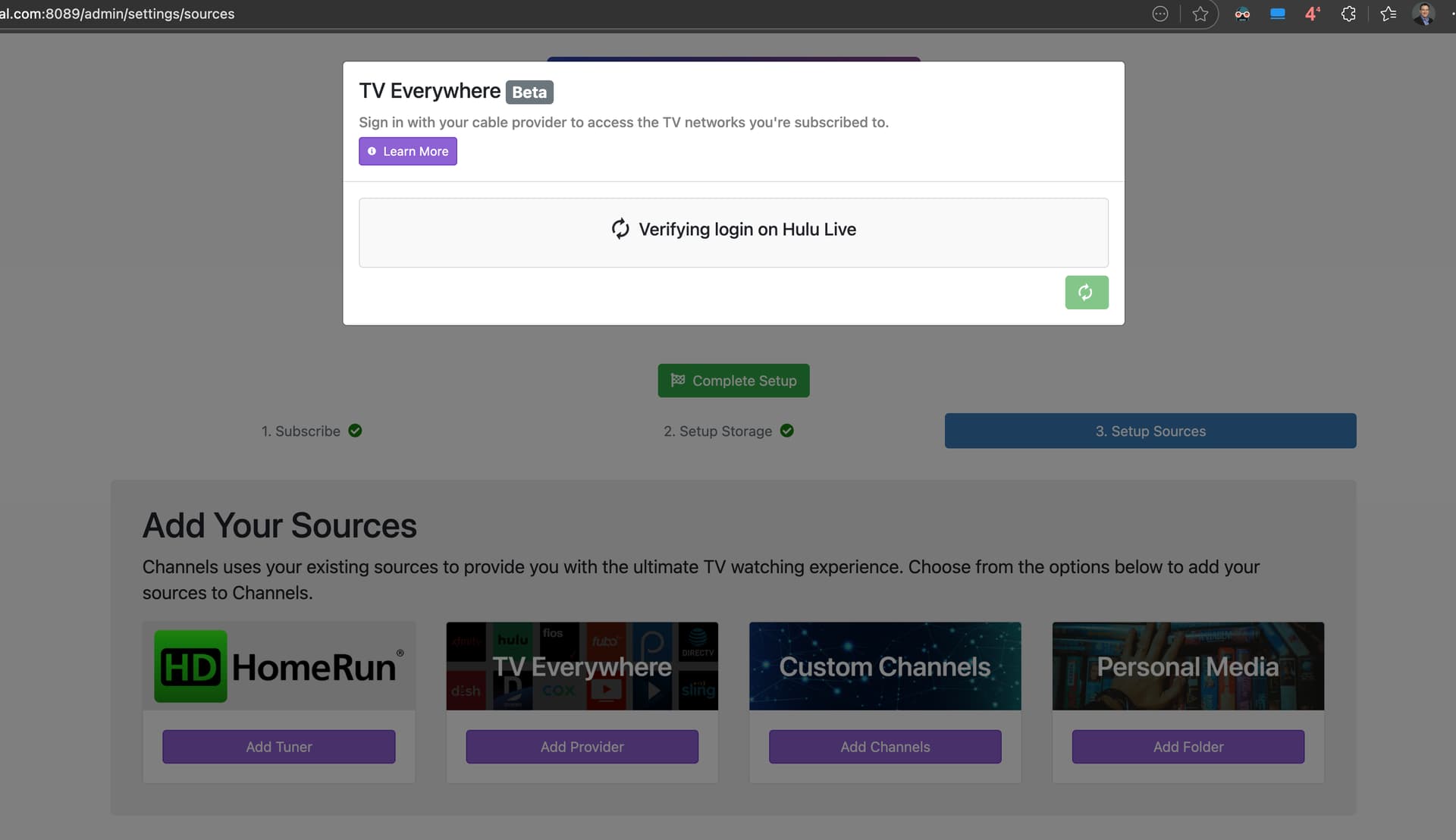
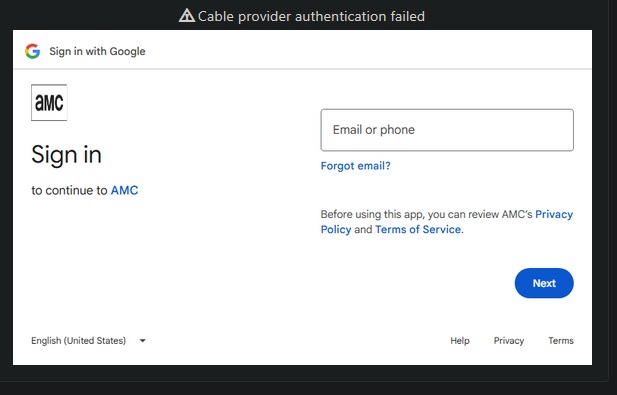
it eventually just gave me a chrome timeout

Seeing this now as well - Chrome Timeout when attempting to login