
Seeing this now as well - Chrome Timeout when attempting to login
Hulu was working fine then today I started getting bombed with 2FA emails from them and determined it was Channels causing them. I made the mistake of removing it and now cannot readd it as it just keeps trying to verify the login. Is there any way to add a prompt to send the code they email so it will finish the verification process?
I'm having a similar issue, I cannot get the ESPN channels nor BigTen, FS1 or FS2. I AM getting the "my disney via Hulu" one time passcode emails. I'm not sure HOW I add that into Channels. I had not issues TVE'ing these channels for years. Thoughts?
1 Like
I'm having the same problem. I literally just switched from DirecTV Stream to Hulu Live today because DTV got too expensive. From looking around the forums, there is no solution. 2FA is required by Hulu now, no way to turn it off, and there is no way in Channels to enter the response. Looks like I may be saving even more dropping channels too. Unfortunate, because I really like it, but if it won't work, it won't work.
Same issue here. Still unable to add Hulu as a TVE source due to 2FA.
I have been able to access my Hulu+LiveTV in Channels via PrismCast, but (at least on my machine) the quality of the chrome capture is not really comparable to what I would get with TVE. I tried running PrismCast in Docker and it was not really watchable at all. When I run PrismCast as a Node.js package, it's watchable, but still some jittery video at times. My machine is pretty old, so maybe YMMV.
I'm having the same issue with YTTV as Hulu Live. How did you get past this?
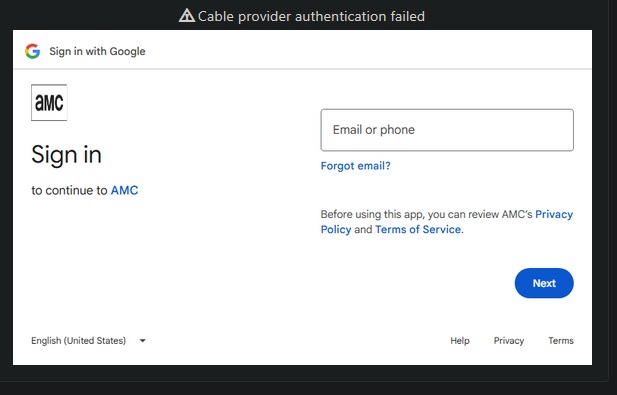
I'm attempting to set up TVE with Hulu Live TV on my Synology NAS, but keep getting the "Chrome Timed Out" error. It looks from my email like Hulu is sending me 2FA codes, but I never have an opportunity to input them. I can't seem to find a way to launch a browser from the NAS to log in to Hulu from the device, and it does not appear to be an option to disable 2FA through my Hulu account. I've tried searching the community but if the answer is on here it's eluding me.
Are there any recommendations for you to add Hulu Live as a source when running Channels DVR on a Synology NAS?
Thanks!
Yesterday we had a power outage and now my Hulu doesnt work any longer. It's asking for a 1 time password that I can't put in. Ugh. This worked for the last 2 years but it's back
Hello.
@Maddox and @tmm1
I am very curious about what I see in the logs for DVR server and tve_chrome.
DVR logs: It looks like Channels DVR Server is attempting to impersonate nbcentertainment as the requestor of the passive authentication. I fully realize that what I'm about to say is not apples to apples. When launching an NBC app on a mobile device and linking to Hulu as my provider, I am prompted for login to Hulu via MyDisney.com's standard login which prompts for the email address, I provide that and tap continue, I am prompted for my MyDisney.com password. It is not a passive login.
Given that the Channels DVR Server web UI has the user select the provider, this must allow for different action based on the user's provider selection.
Rather than attempting a passive login, why isn't the interactive MyDisney.com login page presented as is the standard experience in any linking with many apps?
It seems that displaying the provider's interactive login is an enhancement that could apply to several providers based on the comments.
tve_chrome: the log shows several messages related to deprecated endpoints, registration errors, and failed to open pipe server process messages. The last looks like a potential issue on my installation. These other API errors seem like they might need to be addressed.
I provided this feedback in my support ticket last month but the individual working with me stopped replying to the ticket which ultimately left me unsubscribing again. I have clearly re-subscribed in hopes of making this request here and finding a way to get this working.
Looking forward to your reply!