
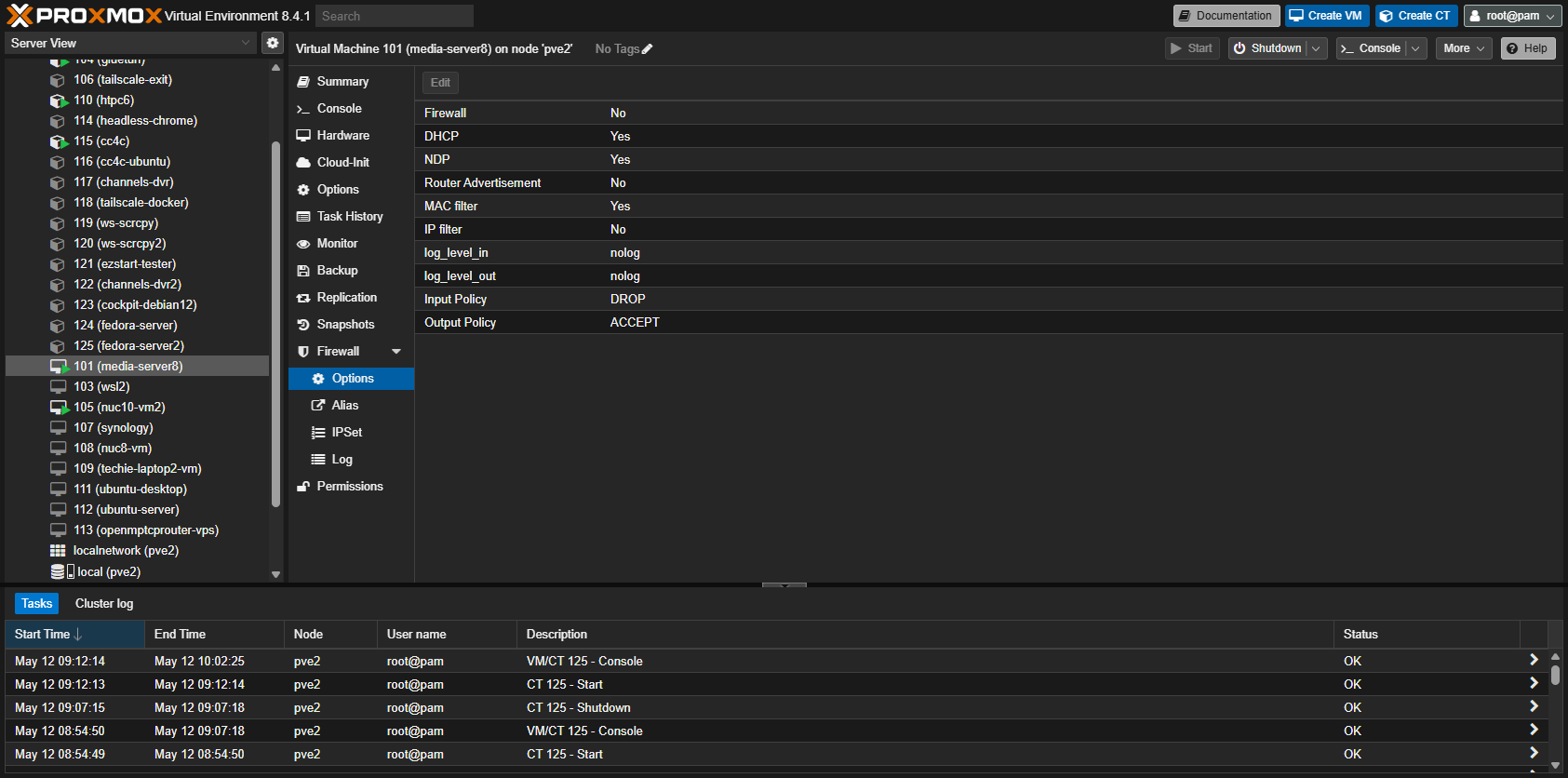
Have you checked to be sure your Windows 11 VM Ethernet connection is set to a network type of "Private"? Also, in the Proxmox WebUI, make sure your Windows 11 VM doesn't have a Proxmox firewall enabled -- that's an easy one to miss when you're provisioning a VM or CT:
I just got it working...went into control panel > programs and feature > turn windows features on > enabled .NET framework 3.5. Only because it was enabled on my main Win11 PC and surprisingly that at least got the VM share showing in the network. Was still unable to connect 
 So I ened up adding another user on the VM with a local account...had to use a different user name but it works now RDP and shares can be connected to
I did check Proxmox and VM firewall settings and various other setting buttons etc. most of the day. Just crazy I had internet on VM and VM to LAN share connections just no LAN to VM connections and sometimes the VM share would not even show in the network.
I'm glad you got it working. I find myself wondering if you still have some underlying network setup issue though. With the two network interfaces you have, do you have them setup like this:
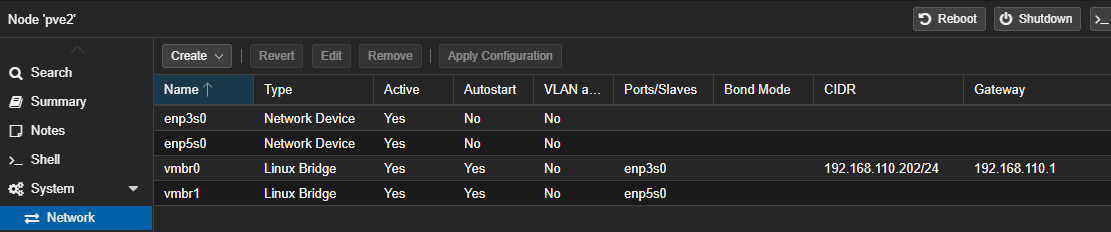
Each on its own bridge with only your admin bridge having a CIDR and Gateway assignment? In my case all of my virtualizations are assigned to vmbr1, as that's my 10GbE port. But even with two identical ports, reserving vmbr0 for admin related, and any other interfaces for virtualizations is typical.
Here's what mine looks like.

Also I've setup an LXC for channels-dvr but can't get it to see the Database backups.
To pass network shares to an LXC you should follow this post I did on the Proxmox forum:
The last part regarding mount points (mp0, mp1, mp3) in the LXC, you can do from the WebUI now.
Though the post talks about doing this to make the shares available in Docker running in an LXC, the same applies to the LXC alone.
F me that was so easy and smooth after fighting with it in the wee hours (3:00 AM ish). 
2 Likes
Bit of a side discussion here, but were the hardware specs of the system you were running Proxmox on equivalent to the Mac Mini? Also, I'm an everyday Proxmox user, and I'd suggest Docker is at its very best running in an LXC rather than a VM.
My main Proxmox cluster is running on Intel 12th gen i5-12400 procs. I agree that running as LXC container directly on Proxmox would give very good performance. I did not do that because I have a 3 node hyper-converged cluster using ceph storage. The setup gives me a very reliable and maintainable environment but it costs in performance running a hyper-converged cluster. Ceph is the real killer in performance but it is a fantastic setup for reliability and maintainability. I can live migrate my Portainer and other vm's around to take down a node for maintenance without my wife even noticing 
If running a single Proxmox server then LXC containers are very efficient to work with.
Edit: I apologize for hijacking this thread on more extraneous topics.
1 Like
I moved our posts over to this more appropriate thread. 
I will add that I have not even attempted to run LXC containers on my hyper-converged proxmox setup. Mainly because I do not want to break something in the cluster and get everyone in the family breathing down my neck to FIX IT NOW! If I only had another hyper-converged cluster to test with but my lab is already ridiculous in my wife's opinion!
It's amazing what you can do with an LXC -- there are only a few situations where I've had to use a VM.
Are you using a Proxmox Backup Server? I'm a big fan of that too, and so far when I want move a container from one Proxmox server to another, I'll just back it up from one and restore it to the other. Not as cool as a cluster, but it works for my needs.
I am also a strong proponent for using Promox Backup server for any Proxmox environment. I have 4 sites tied together with a private wireguard VPN with fully routable 10.x.x.x network and replicated internal DNS servers. All sites run Promox VE and Proxmox Backup server. After nightly backups are completed I cross site sync the backups between Proxmox Backup servers so that I always have an offsite backup available. Each site has 1 alternate backup site. All of this automated so easily with PBS.
Edit: I also use PVE snapshots. My nightly automated jobs that do any updates/changes all run between 1am-5am so I take snapshots of all vm's before at midnight and after at 6am. They are kept for 7 days which gives me a quick way to roll back to before or after any maintenance window. I subscribe to big time CYA!
1 Like
The PCWorld shop currently has Windows 11 Pro Activation Codes on sale for ~$13 -- this is about the cheapest I've seen from a reputable source. Perfect for those Windows 11 VMs in Proxmox! Be sure to save the code together with the UUID generated for the VM. This way you can migrate it to another VM in the future, if you don't keep the VM you originally used it on:
Just purchased, and successfully activated, one a few minutes ago.
1 Like
Did you see the big change they made in Proxmox 9? Looks like AppArmor 4.1 might block the use of some components of Intel's QSV.
The article says transcoding still works fine. Its just one intel_gpu_top monitoring tool that no longer works inside containers.
1 Like
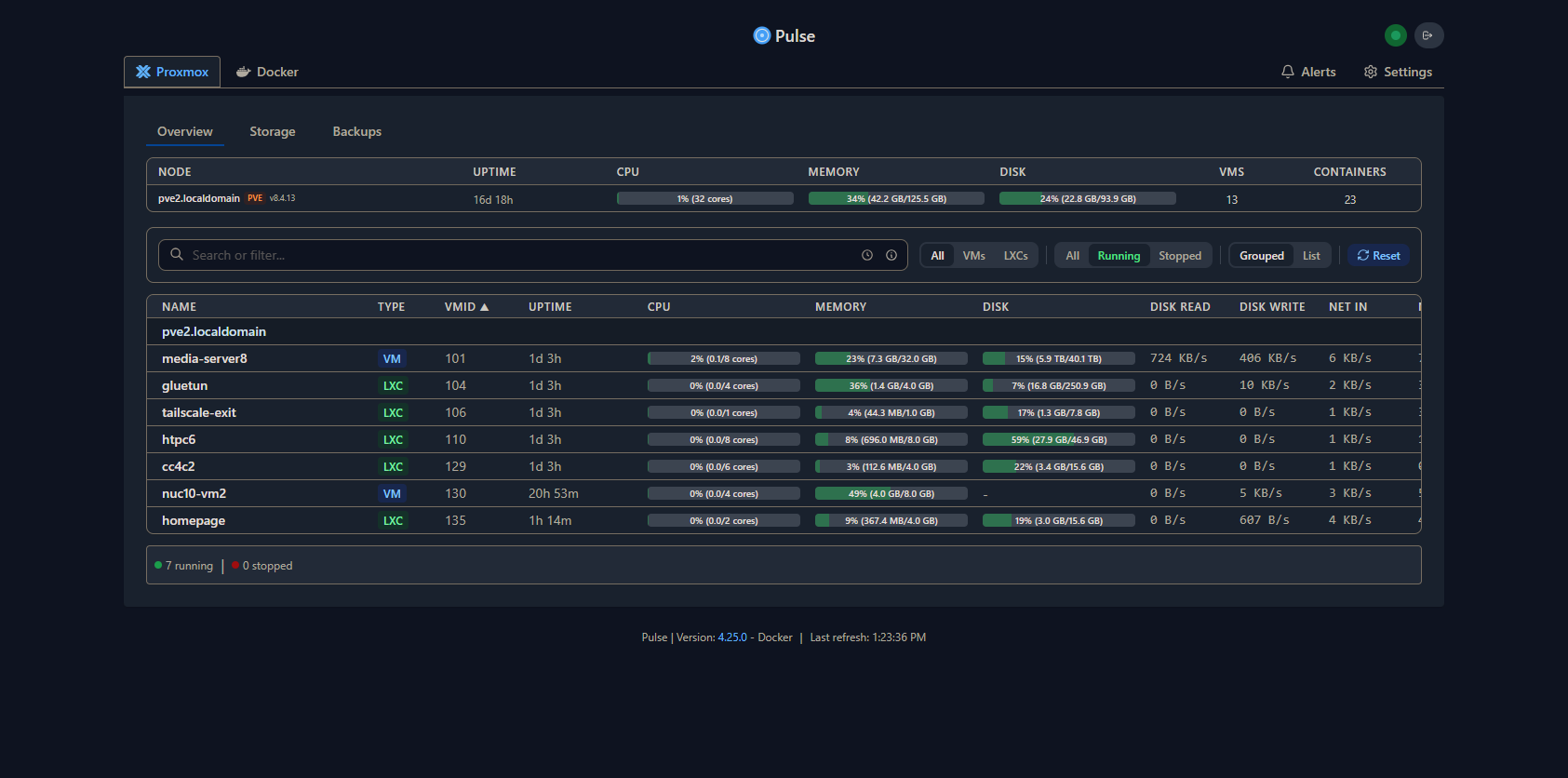
I've spent some time recently setting up the Pulse Dashboard for Proxmox and Docker -- and so far, I'd give it two thumbs-up. The installation is well done, and particularly in the case of Proxmox, is non-invasive. It sets up a user and a token, with limited roles, to get the data it needs. Nothing is installed!
For Docker, the installation is also well done, however a small binary "agent" is installed along with a service to start it on boot. Pretty minor, but not zero-footprint like the Proxmox setup.
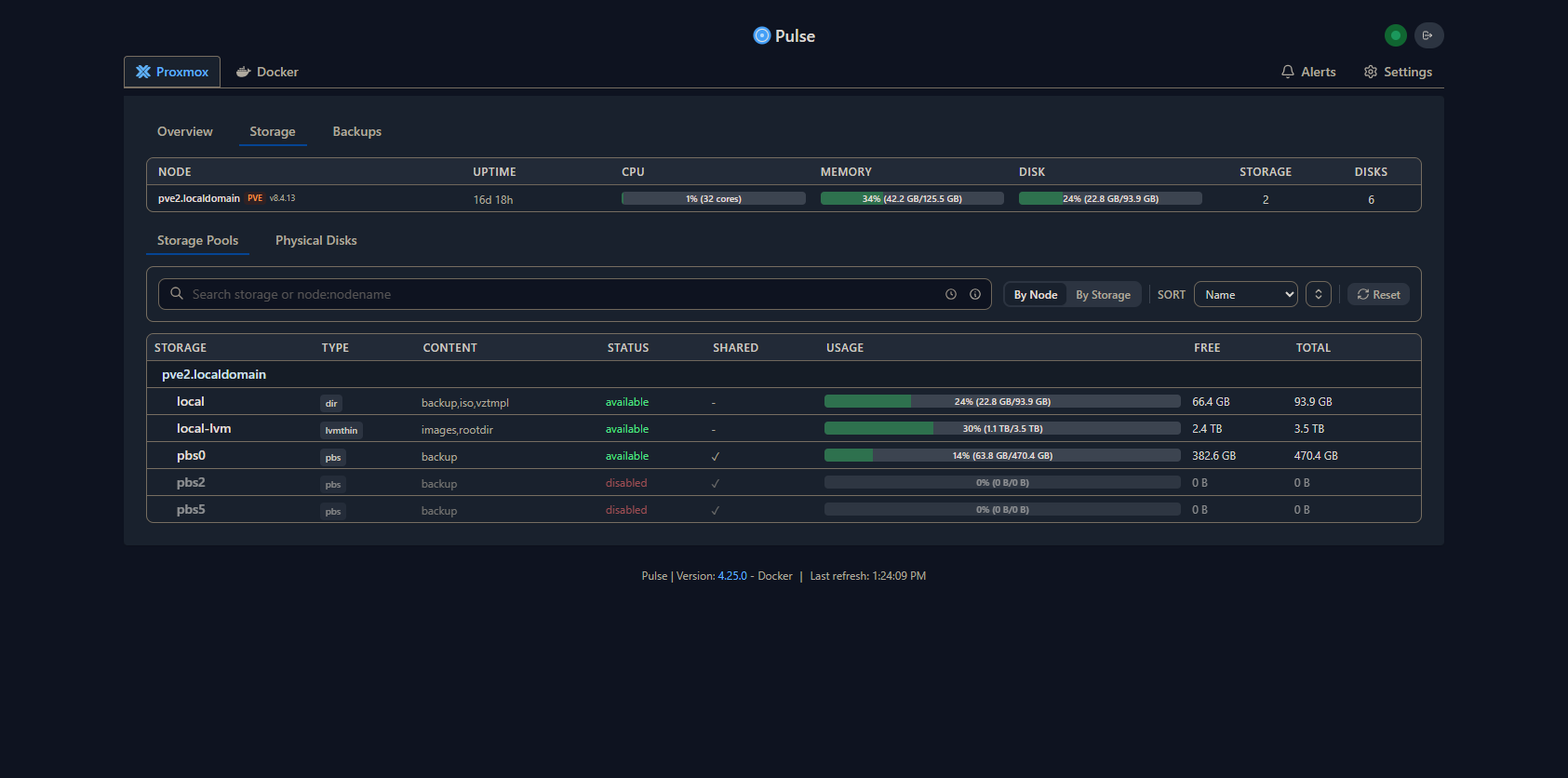
They're both great though, showing some nice metrics, along with hyperlinks for any WebUIs. There are also details by Proxmox node for storage and backups:
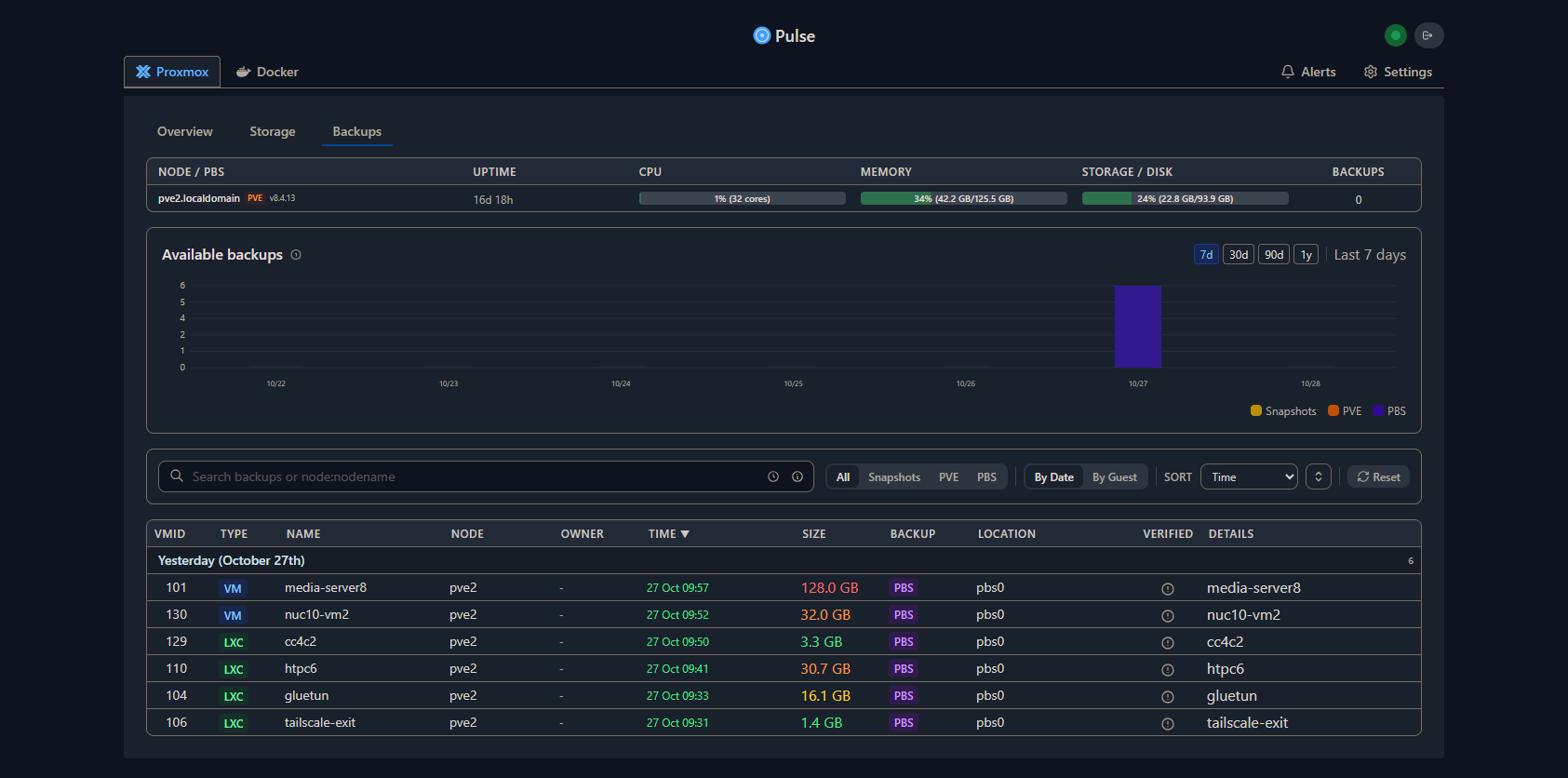
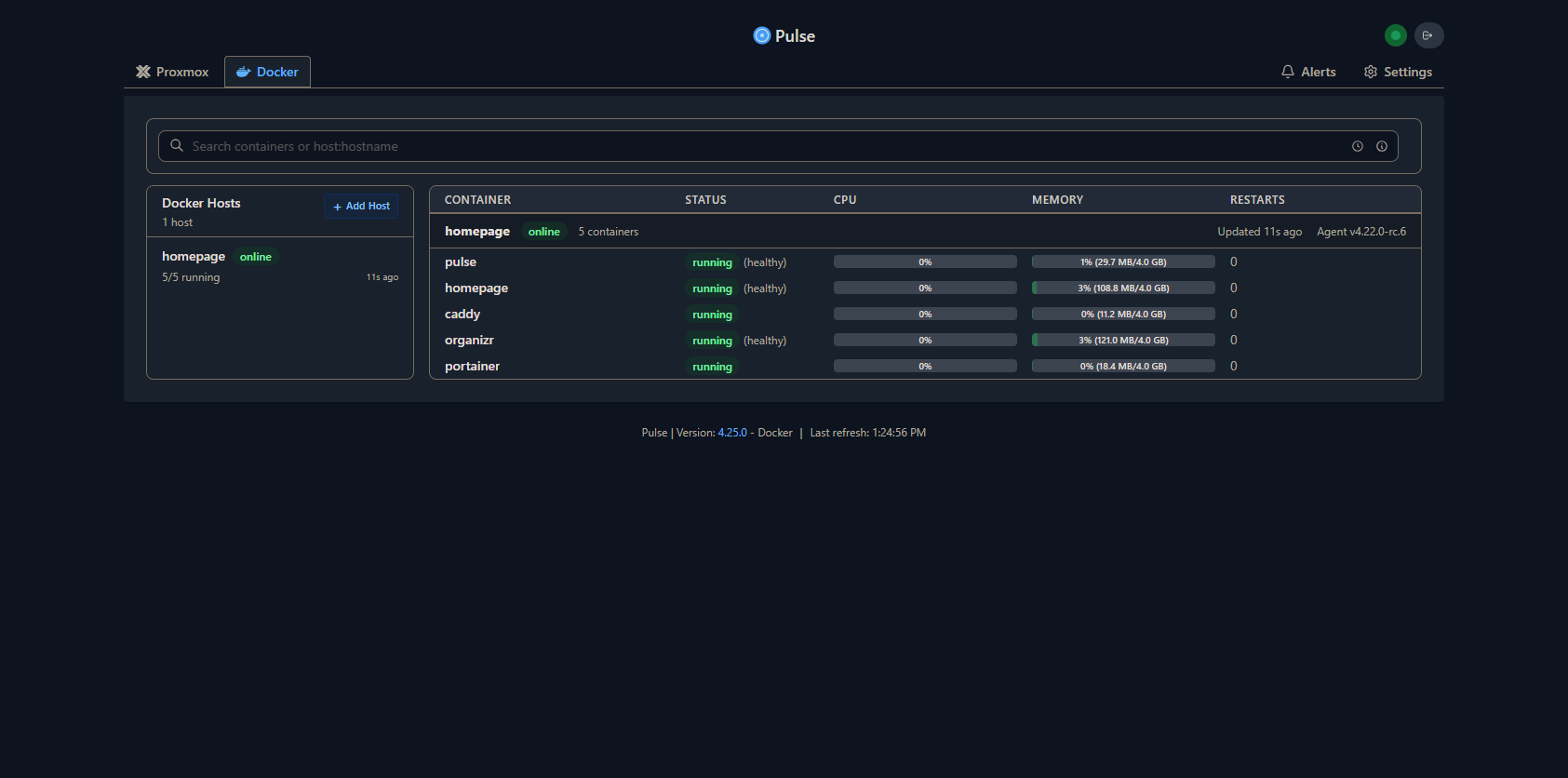
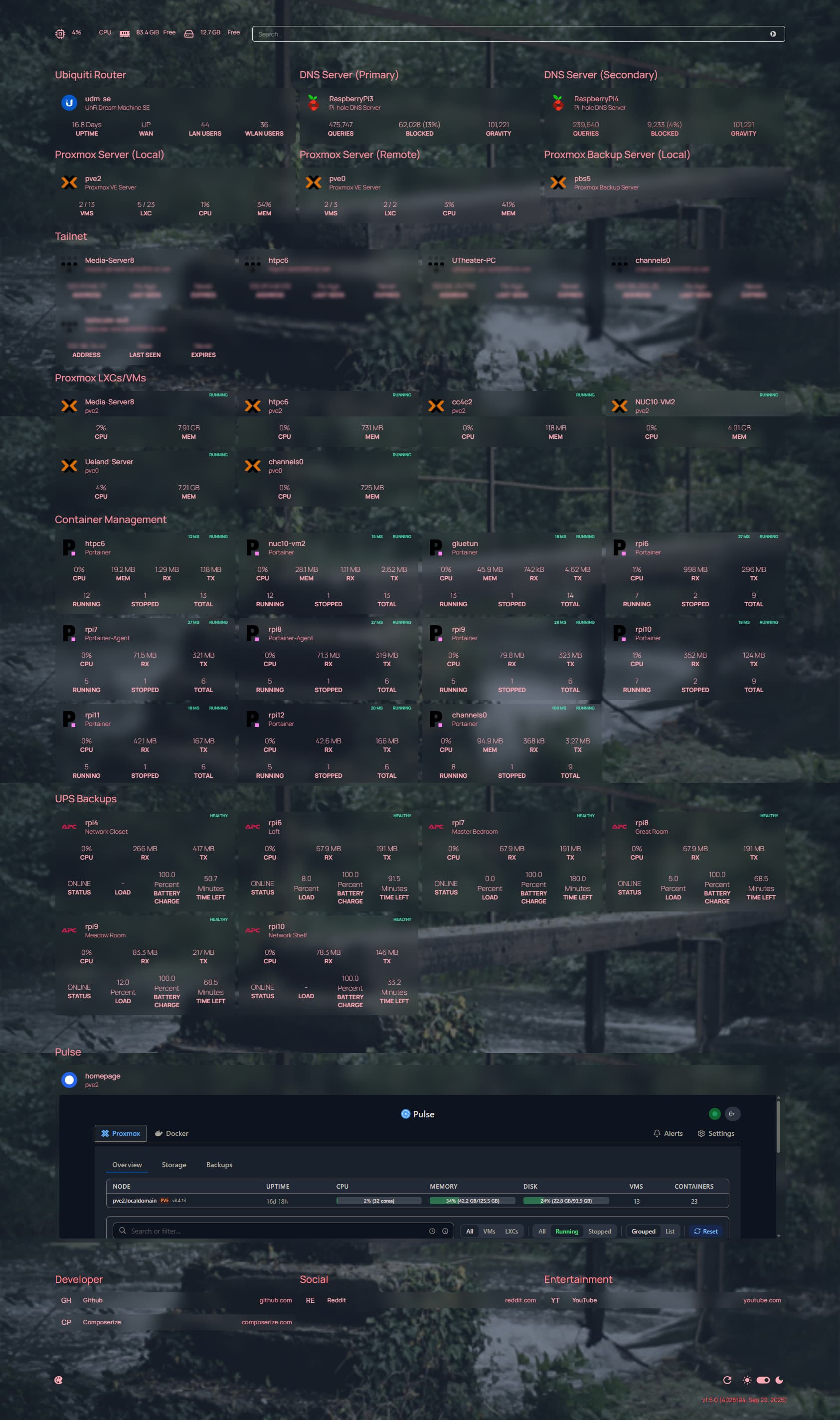
I haven't rolled this out to all my Proxmox or Docker instances yet, but this seems like an excellent tool -- especially for those of using these two outstanding virtualization technologies. I've even had success embedding the Pulse Dashboard in an iFrame on the Homepage Dashboard I've been working on!
I've recently used this script, for the second time, to do a real-world Channels DVR installation in a Proxmox Debian 13 LXC -- and I have to say, it works exceptionally well. For those dialed-in to the magic of Proxmox, there's no better way to set up a CDVR server:
3 Likes
Here's the final output from the CDVR Server installation script, mentioned just above, after running it in a Debian 13 LXC:
Installation complete! Log in to start using Tailscale by running:

tailscale up
  OK Tailscale installed.
  OK /dev/net/tun is present.
  OK tailscaled is running.
  -> Run 'tailscale up' to authenticate this node.

==> Starting Channels DVR
  OK channels-dvr.service is running.

============================================================
 Channels DVR installation complete
============================================================

  Channels URL      http://192.168.1.34:8089
  Timezone          America/Chicago
  Google Chrome     yes
  Samba             yes
  Intel Quick Sync  yes
  Tailscale         installed (run 'tailscale up' to connect)
  Windows discovery running (wsdd)

  Samba shares (user: channels)
    \\192.168.1.34\channels-dvr    -> /channels-dvr
    \\192.168.1.34\channels-data   -> /channels-data
    smb://192.168.1.34/channels-dvr
    smb://192.168.1.34/channels-data

  Next steps
    1. Open the web UI and complete first-time setup.
    2. Set the recordings / imported media location to /channels-data.
    3. Run: tailscale up

  Useful commands
    systemctl status channels-dvr
    journalctl -u channels-dvr -f

  To reach CIFS/SMB shares elsewhere on your LAN
    Mount the share on the Proxmox host in /etc/fstab, then bind-mount it
    into this LXC with an "mp0:" line in /etc/pve/lxc/<CTID>.conf.
    Channels DVR runs as root here, so use uid=100000,gid=100000 in the
    host fstab entry for an unprivileged container.
    https://forum.proxmox.com/threads/tutorial-unprivileged-lxcs-mount-cifs-shares.101795/post-555014
Tailscale is in the LXC with Channels only or for the whole machine?
Just in the LXC. Tailscale installations only apply to an individual virtualization, or to the Proxmox hypervisor itself.
1 Like