Roku Tuner Bridge Official Release

Morning. Installed via command line and is installed on a Synology x64 NAS.

Uninstalled, deleted the docker config volume and image, then reinstalled. Still having the same issue, though now the red indicator on the config page when I hover over says connection refused.

Here's the config file:

{
  "channels": [
    {
      "deep_link_content_id": "3D10179",
      "id": "fubo_espn",
      "media_type": "live",
      "name": "ESPN",
      "playlist": "Fubo",
      "plugin_script": "fubo_plugin.py",
      "roku_app_id": "43465",
      "tvc_guide_stationid": "32645"
    },
    {
      "deep_link_content_id": "Q2hhbm5lbDo2MDg1NDg4OTk2NDg0Mzk2OTU",
      "id": "philo_cc",
      "media_type": "live",
      "name": "Comedy Central",
      "playlist": "Philo",
      "roku_app_id": "196460",
      "tvc_guide_stationid": "91415"
    }
  ],
  "epg_channels": [],
  "ondemand_apps": [],
  "ondemand_settings": {
    "tvc_guide_art": "",
    "tvg_logo": ""
  },
  "tuners": [
    {
      "encoder_url": "http://192.168.0.72/ts/1_0",
      "name": "rTuner1",
      "priority": 99,
      "roku_ip": "http://192.168.0.176"
    }
  ]
}

Error logs from within the app after trying to tune to a channel:

2025-10-26 13:25:19,069 - INFO - Loaded 1 tuners, 2 Gracenote, 0 EPG channels, 0 On-Demand apps.
2025-10-26 13:32:54,159 - INFO - Locked tuner: rTuner1
2025-10-26 13:32:54,160 - INFO - Tuning to actual channel Comedy Central...
2025-10-26 13:32:54,167 - ERROR - Error during background tuning for http://192.168.0.176: HTTPConnectionPool(host='http', port=80): Max retries exceeded with url: /192.168.0.176:8060/launch/196460 (Caused by NameResolutionError("<urllib3.connection.HTTPConnection object at 0x7ff2f8aaaad0>: Failed to resolve 'http' ([Errno -2] Name or service not known)"))
2025-10-26 13:33:04,019 - INFO - Released tuner: rTuner1. Sending Home keypress.
2025-10-26 13:33:04,026 - ERROR - Failed to send Home keypress to http://192.168.0.176: HTTPConnectionPool(host='http', port=80): Max retries exceeded with url: /192.168.0.176:8060/keypress/Home (Caused by NameResolutionError("<urllib3.connection.HTTPConnection object at 0x7ff2f8aab570>: Failed to resolve 'http' ([Errno -2] Name or service not known)"))

No indication when I click save on the settings that anything is wrong, just that its saving the settings and restarting.
Change the roku ip address from "roku_ip": "http://192.168.0.176" to "roku_ip": "192.168.0.176"

Also, the fubo channel is missing the list position for the channel.

Thanks, that fixed it. Finally figured out how to use the Fubo plugin as well.

When I tested the Fubo app, I could not find how the Deeplinks were used by Roku. There should be a way to use the Deeplinks, it's just a matter of finding the correct ones. I set up a plugin to try and use keystrokes to tune in the channels and it worked when I tested them, but I am finding keystroke tuning with the Roku is very unpredictable. The Fox One app changes up how the tuning process is viewed making it unusable, same for the Philo app. The only apps I have had luck with Deeplinks is YTTV and DirecTV. Philo Deeplinks tune to the correct channel, but it does not respect the start from live setting in the app. It continues to start from the beginning or where you left off. To be honest, it is not as useful as I had hoped it would be.

The deep link for Fubo works as follows
https://link.fubo.tv/al1?v=1&a=play&t=channel&channel_id=132158
When you play a fubo stream in the browser, look for the channel_id.
The URL above will take you to get comedy.
I'm using a beta version of ADBTuner and that is the best way to use Fubo with channels.

Not all Deeplinks for Roku are the same as Android Deeplinks. The ones for YTTV are identical but others are not. I want to say I tried the same links for the Fubo app on Roku, but I have totally forgotten what links I did try.

I do have ADB setup with 4 ONN boxes. Works reasonably well. Occasionally I get an invalid configuration on one of the tuners when trying to watch ESPN channels and have to reboot the ONN. Also, about 1 in 5-7 times when I try and watch my local NBC using ADB, it doesn't actually tune the channel but just shows a splash screen of NBC from the Fubo app. That's too frequent for my wife who likes to record things and watch them later to skip commercials.

Hey Bobby? Can I ask that in a future upgrade, you add custom channel and custom logo to the options under the Gracenote section? Currently I use Threadfin to modify my m3u to do those 2 things before bringing back into Channels. Having the option within the Gracenote section would alleviate if I were to switch over completely to your solution?

I will look into it in the next few days. When some tags are added to the m3u, it can cause the gracenote ID to be ignored. I don't thing the image tags will cause an issue, but I will verify that and add the feature if I can.

1 Like

Good news, I did a quick test and both the channel numbers and logos can be used with the gracenote m3u. I'll update the project with the changes.

1 Like

When you have a chance, try the latest version and see if it does what you need.

Traveling through Sunday evening. May be able to test thursday.

Any traction on this? If not, no worries, I will start looking at alternative solutions. Appreciate all of your effort with this, it was really easy to get up and running.

I haven't been able to get it to consistently tune with keystrokes. It is very frustrating. It will work a few times and then the app takes longer to tune and throws the whole sequence off. The amount of time you have to add to the tuning steps to accommodate random tune delays makes it unusable. Sorry.

Can confirm the options are there and the output of the M3U captures the appropriate values. Playing with Channels right now as I'm not seeing Channels honor the custom logo (not yet testing the channel number, I suspect that would work). For the logo, it's reverting back to fancybits logo in the output M3U even though I have selected use logo from M3U. Tried deleting and re-adding, same result. Not a Roku app issue I believe, but something in channels (Gracenote ID overriding the custom logo).

Output of Roku M3U:

#EXTINF:-1 channel-id="fubo_espn" tvg-name="ESPN" channel-number="60" tvg-logo="https://res.cloudinary.com/dndea4kmd/image/upload/v1757686798/tv-logos/zyyea471xxxxxxxxxx.png" tvc-guide-stationid="32645" group-title="Fubo",ESPN
http://192.168.0.2:5006/stream/fubo_espn

Output of Channels M3U

#EXTINF:-1 channel-id="13874" tvg-id="13874" tvg-chno="13874" tvg-logo="https://tmsimg.fancybits.co/assets/s32645_ll_h15_ab.png?w=360&h=270" tvc-guide-stationid="32645" tvg-name="ESPNHD" group-title="HD",ESPN
http://192.168.0.2:8088/devices/M3U-Roku/channels/13874/stream.mpg?format=ts&codec=copy

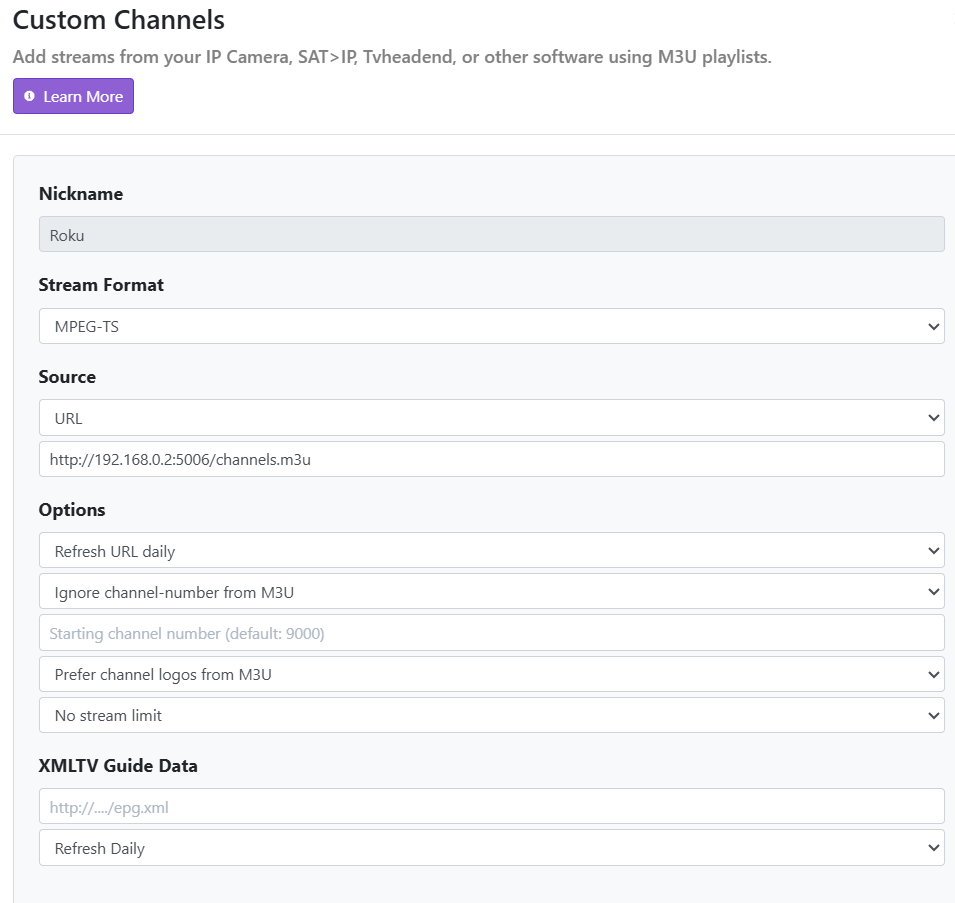
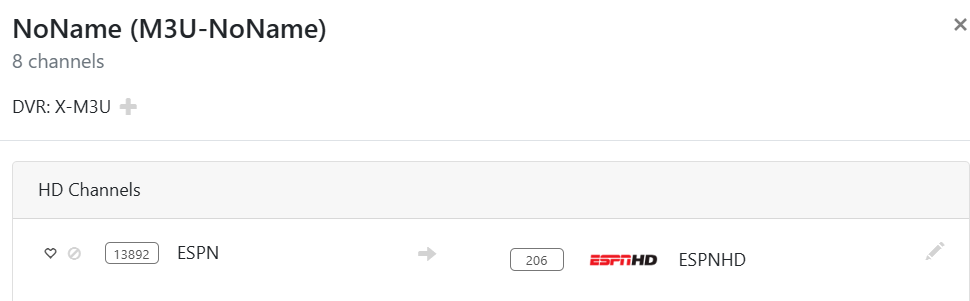
Screen shot of config page within Channels for this source:

That's interesting. I tested it with USA network and after a redownload m3u and EPG, it switched for me. I have had issues in the past where the Channels Custom Channels hold onto old settings. If I remember correctly, I would have to recreate the custom channel with a different name before it would work correctly. I don't know if that will help or not.

Deleted and used a generic name for the source, still seeing the same:

I'm guessing it has something to do within Channels, so not sure there is much you can do. I still have use cases where I can use this, so no need to feel compelled to try and chase this down ahead of other priorities. For now, I'll continue to use Threadfin to insert the logo and channel number for my Channels Server.

It just dawned on me that I am running the test version of it. If you have time to try it out, it requires a yaml file to install with a local path for storage. If you feel comfortable trying it, maybe it will work better.

If you don't want to mess with it, I will look into the issue as soon as I have a break. The install instructions are on the test GitHub page.

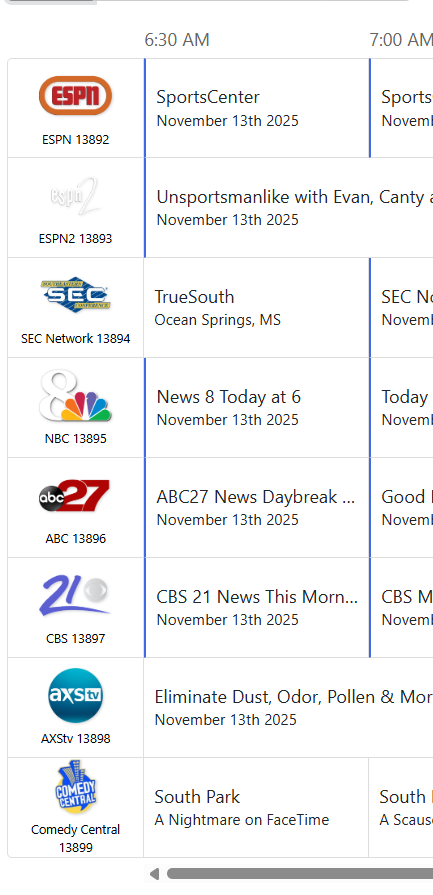
So silly me, I was looking at the logos within the source page and not going to the guide to see what it was displaying. Even though the source still shows the original logos (likely pulling from the Gracenote ID), in the guide it is working. Sorry if I had you chasing down a rabbit hole.

Hi @Bobby_Vaughn !
What providers/apps have you tested with Roku Tuner Bridge? In particular, I'm interested to find out about the Peacock app. It has a tricky deeplink format. I haven't quite figured out how to get it working with this setup.:thinking: