
I did some research on this and it appears to be a recurring issue with ECP and Philo. I am working on a fix for this and will be testing it today. As soon as I have a working fix, I will let you know and push the update.
As a quick update, I am in contact with Tier 2 support from Philo to try and address the issue. As soon as we can figure the issue out, I will report back. Thanks.
I've been thinking about putting the Roku bridge online in channels
How is the picture quality and how well does it respond
I'm thinking of using a roku Ultra.
This is one time i wish i had an encoder with multiple inputs.
I find it to be good quality streams. The main factor is the settings in the link pi. If it is set up right, the picture is nice. I use the new 4k Stick and a Walmart version of the Roku Ultra LT which has a few less features than the regular Roku Ultra. They both work great. I also have an older Roku Premiere 4k that works fine, but does take a little longer to tune.
The channel load time is a little longer than the ADBTuner. The way Roku tunes from the ECP commands is to reload the app every time a channel is tuned, which adds a few seconds to the overall time to tune. The next Roku OS update is supposed to improve app loading time according to reports I had read, but I will believe it when I see it.
My opinion is the ADBTuner is a better application that has been working for a long time. The Roku Bridge is still new and does work. I would hate for someone to spend a few hundred bucks on Roku and encoder and find out they don't like it. Hopefully some other users can give their opinions on it.
Also, on my next version, it will be able to record On Demand channels.
Thanks for the extra information. I'm hoping to keep my onn boxes and the roku stuff connected without a problem.
I've got three onn 4k boxes and three Roku 4k sticks running on a LinkPi ENC5-V2 with a cheap usb HDMI capture stick for the sixth tuner input.
After a couple of days of playing phone tag with Philo and Roku support, I have no solution to offer. At one point the ECP tuning did respect the setting to start live. At some point this has changed and neither Philo nor Roku say anything changed on their end. I will say they did try and both made efforts to help, which surprised me. I tried several different ways to force live viewing and nothing seems to work. Sorry about the inconvenience.
I appreciate the attempt. It's unfortunate that it has just stopped working. I started to look into it and assume you are using mediaType=live and that is what has stopped working?
That media type is not actually supported by Roku. They had talked about using a Live-TV tag but never put it in use and the other supported tags really don't apply to live content. I am using it as a placeholder for now as it doesn't seem to matter with any tests I used it on. I did test all supported tags for media type, but none changed how the app tuned the channel. The media type is more of a context type of parameter than a required one.
I might have a Philo work around. How many channels are you trying to pull in from Philo?
Thankfully TVE works fairly well with Philo so it is for only a handful of channels.
Cool. I'm putting a Philo plugin together to tune in channels with keystrokes. You can only click down so many times before channels DVR will time out. Basically, you can set like 5 or 6 channels as favorites and they will be at the top of the guide. I still have to fine tune it, but so far it works ok.
Trying to setup this up for the first time. I have a single HDMI encoder and a Roku Streaming Sick (4k version, super thin). I've configured 2 different channels, 1 from Fubo and 1 from Philo, but can't get either to work. Did a little digging and it seems like the encoder is connectiing but not the Roku stick. I can confirm it's working, I've checked the IP address on the device and can manually tune things, but when trying to tune through LiveTV preview function in the docker web admin page, it only shows me the screen saver from the Roku app.
I did have to go into the advanced settings and change ECP to enabled so that I could lookup the App IDs. Is there another step that I missed?
Here's some screen shots showing the IP settings for the Roku but still not working. Any advice on how to resolve?


Try restarting the Roku. If you have the correct IP and have followed these steps, it should work
Step 1: Find Your Roku's IP Address
On your Roku remote, press the Home button, then navigate to Settings > Network > About. Note the IP Address.
Step 2: Enable Control by Mobile Apps
This is critical. On your Roku, navigate to Settings > System > Advanced system settings > Control by mobile apps and ensure "Network access" is set to Default or Permissive.
Thanks for jumping in so quickly.
Restarted the device.
Confirmed IP both before and after restarting the device.
I had it set to Enabled but switched to Permissive (no default option available) and restarted the Roku. Still not showing as connected in the docker.
Also double checked, no conflicting IP addresses.
Edit - Connected to Phone app, can confirm it connects and has the correct ip address.
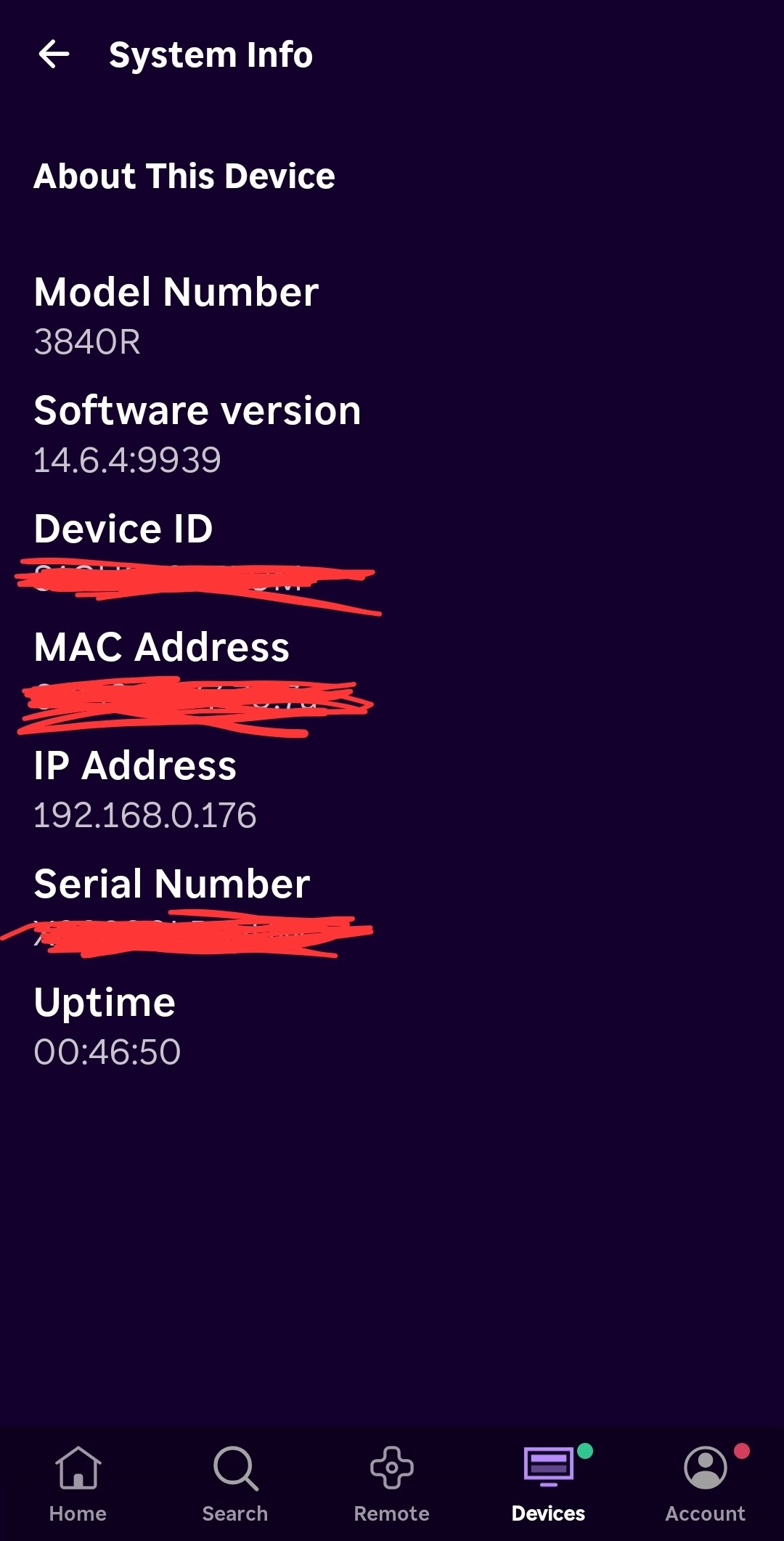
I will look at it in a few. I have a busy Saturday going on.
If you would, turn on debug logging and paste the log file. Also let me know what your docker is running on, thanks.
Command line:
-e ENABLE_DEBUG_LOGGING=true
Or docker compose:
 environment:
      - ENABLE_DEBUG_LOGGING=true
Is this what you are looking for?
roku-channels-bridge
| date | stream | content |
|---|---|---|
| 2025/10/25 16:29:26 | stderr | [2025-10-25 20:29:26 +0000] [1] [ERROR] Worker (pid:8) was sent SIGTERM! |
| 2025/10/25 16:29:26 | stdout | Successfully loaded plugin: Fubo from fubo_plugin.py |
| 2025/10/25 16:29:26 | stdout | Successfully loaded plugin: FOX One from fox_one_plugin.py |
| 2025/10/25 16:29:26 | stderr | [2025-10-25 20:29:26 +0000] [8] [INFO] Worker exiting (pid: 8) |
| 2025/10/25 16:29:25 | stderr | 2025-10-25 20:29:25,005 - INFO - Loaded 1 tuners, 2 Gracenote, 0 EPG channels, 0 On-Demand apps. |
| 2025/10/25 16:29:24 | stderr | [2025-10-25 20:29:24 +0000] [9] [INFO] Booting worker with pid: 9 |
| 2025/10/25 16:29:24 | stderr | [2025-10-25 20:29:24 +0000] [1] [INFO] Hang up: Master |
| 2025/10/25 16:29:24 | stderr | [2025-10-25 20:29:24 +0000] [1] [INFO] Handling signal: hup |
| 2025/10/25 16:29:24 | stderr | 2025-10-25 20:29:24,561 - INFO - Loaded 1 tuners, 2 Gracenote, 0 EPG channels, 0 On-Demand apps. |
| 2025/10/25 16:28:49 | stderr | 2025-10-25 20:28:49,529 - INFO - Loaded 0 tuners, 0 Gracenote, 0 EPG channels, 0 On-Demand apps. |
| 2025/10/25 16:28:49 | stderr | 2025-10-25 20:28:49,528 - WARNING - Config file not found at /app/config/roku_channels.json. Creating default. |
| 2025/10/25 16:28:44 | stderr | [2025-10-25 20:28:44 +0000] [8] [INFO] Booting worker with pid: 8 |
| 2025/10/25 16:28:44 | stderr | [2025-10-25 20:28:44 +0000] [1] [INFO] Using worker: gevent |
| 2025/10/25 16:28:44 | stderr | [2025-10-25 20:28:44 +0000] [1] [INFO] Listening at: http://0.0.0.0:5000 (1) |
| 2025/10/25 16:28:44 | stderr | [2025-10-25 20:28:44 +0000] [1] [INFO] Starting gunicorn 23.0.0 |
Thank you for the logs. How did you install the roku bridge? Did you use the docker run command or install it through Project One Click? Also, what are you running docker on?
Edit: Also, would you click Save All Changes on the status page and see if you get an error or a confirmation. Download and view the Configuration file, look for something like this:
 "tuners": [
    {
      "encoder_url": "http://192.168.86.37:8090/stream0",
      "name": "Roku1",
      "priority": 1,
      "roku_ip": "192.168.86.35"
    }
And verify the information is correct. Thanks.
I updated the main repo to increase the status check timeout in case that was the issue and I added better error checking for the tuners. Update and see if this fixed it or gives you an error.