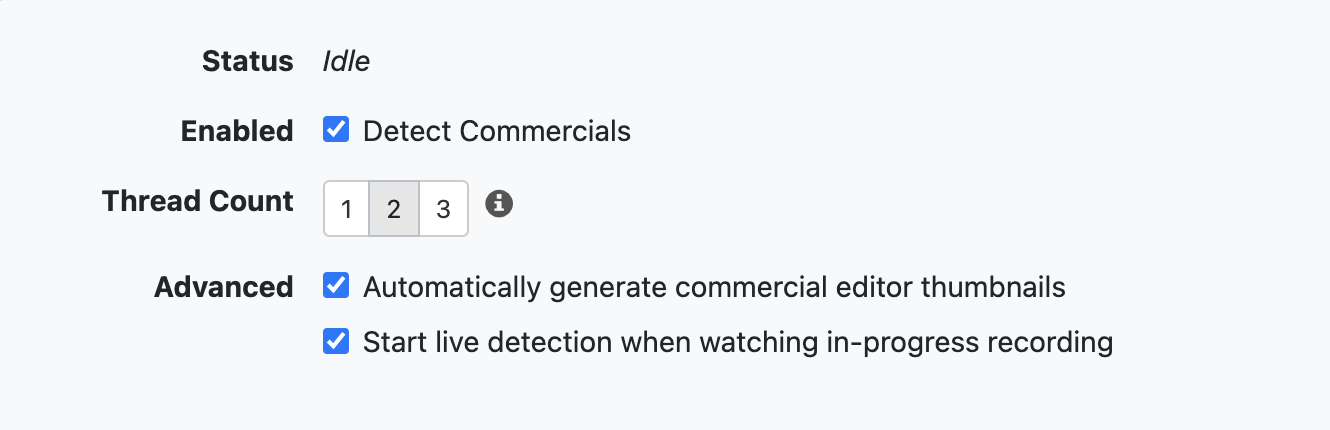
Start live detection when watching in-progress recording not working

It was working before I installed the latest beta. Not sure which version I was on before.

I found this in the LOG:
2024/11/17 14:15:07.730360 [DVR] Running live commercial detection on file 225 (TV/NFL Football/NFL Football Los Angeles Rams at New E 2024-11-17-1259.mpg)
2024/11/17 14:15:09.050397 [DVR] Commercial detection failed for NFL Football Los Angeles Rams at New E 2024-11-17-1259.mpg: exit status 11: Comskip 0.82.011, made using ffmpeg
Donator build
Received signal 11 (Segmentation fault)
2024/11/17 14:48:28.767997 interfaces: found Android default route 192.168.5.1
2024/11/17 14:51:10.031366 interfaces: found Android default route 192.168.5.1
2024/11/17 14:51:10.133167 interfaces: found Android default route 192.168.5.1
2024/11/17 14:52:03.763444 interfaces: found Android default route 192.168.5.1
2024/11/17 14:52:03.821202 interfaces: found Android default route 192.168.5.1
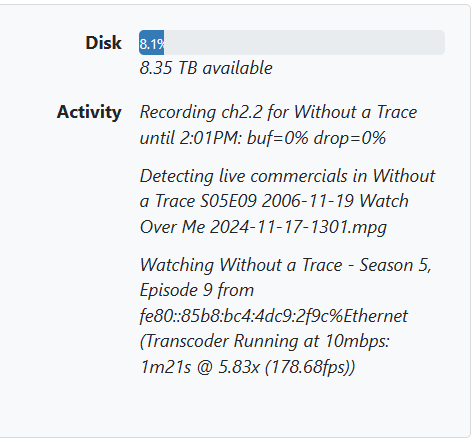
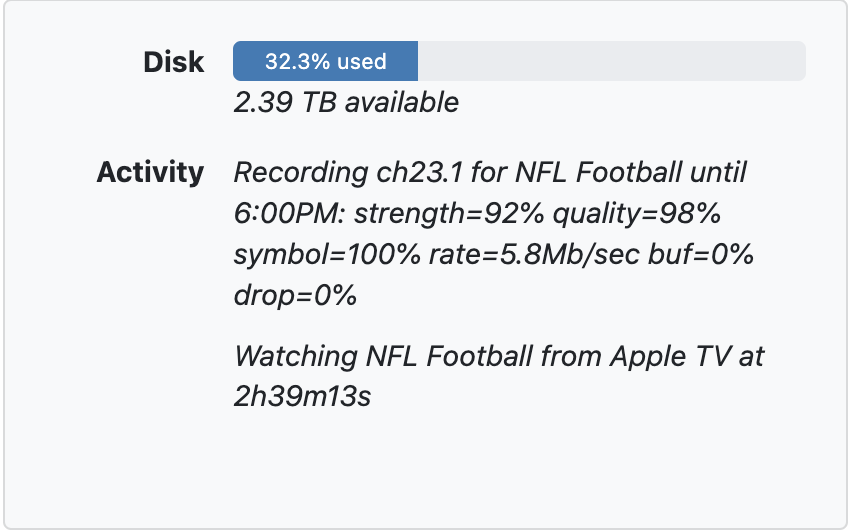
If you update to the latest pre-release does it resolve the issue for you?

I was on: v2024.11.10.2341

Currently on this one:
2024.11.16.0101

I can try it later but I"m in the middle of recording and watching the Game currently.

Just updated to the latest: 2024.11.17.2014

I don't see an error in the Log but its still not running.... Status says idle.

It is working .....Version
2024.11.17.2014

image

I wish I could say the same thing

Are you sure this is checked ... and are you watching the recording and not LiveTV.... you have to watch the recording.

image

Of course...

Well now my whole recoding failed from messing around with this so I missed the end of the game.

Well it is working unless you are watching LIVETV and not the recording.

I know you're trying to help but I've been a user for a long time. I know how it works.

ok

Confirmed Android issue.

Note that Android server is not supported any more but we will try to fix.

2 Likes

After starting a new recording since updating to the latest DVR it is now working.

Running my DVR server through an Nvidia Shield is not supported anymore?

1 Like

Hasn't been supported for awhile https://getchannels.com/dvr-server/#nvidiashield

1 Like

I see that now. I haven't been on here in quite some time. Either I forgot about it or I missed the memo.

Thanks

3 Likes

You should consider migrating your server to a new platform at some point.

1 Like

I was using it mostly for TV Everywhere access as it was something I had here without buying something new. Now that Paramount Network isn't working with TV Everywhere anymore I could just go back to using my QNAP ARM server for just OTA I suppose. I don't really record anything anymore thru TV Everywhere. I do have an old laptop I could use as well I suppose.

If it's working, then it's fine. We can't tell you to STOP running it. And we certainly won't just break it on purpose.

But it's things like the issue in this thread that will start popping up over time, and of course, there's no provided technical support.

Your server continues to update, but just know that we do no testing, nor do we give any attention to Channels DVR Server running on the NVIDIA shield.

2 Likes

Just wanted to say it happened again for me. I know its not supported and thats fine I guess. It is what it is. Sucks to have to go buy new stuff.

Anyways, is there a way I can go back to v2024.11.10.2341?
LOG:
2024/11/18 21:02:30.264451 [DVR] Finished job 1731977970-2 9-1-1: Lone Star
2024/11/18 21:02:30.292125 [DVR] Processing file-227: TV/9-1-1 Lone Star/9-1-1 Lone Star S05E08 The Quiet Ones 2024-11-18-1959.mpg
2024/11/18 21:02:31.434289 [DVR] Running commercial detection on file 227 (TV/9-1-1 Lone Star/9-1-1 Lone Star S05E08 The Quiet Ones 2024-11-18-1959.mpg)
2024/11/18 21:02:36.183183 [DVR] Commercial detection failed for 9-1-1 Lone Star S05E08 The Quiet Ones 2024-11-18-1959.mpg: exit status 11: Comskip 0.82.011, made using ffmpeg
Donator build
0:00:08 - 486 frames in 1.00 sec(486.00 fps), 1.00 sec(486.00 fps), 0%
0:00:15 - 935 frames in 1.99 sec(469.85 fps), 1.00 sec(449.00 fps), 0%
0:00:22 - 1340 frames in 2.99 sec(448.16 fps), 1.00 sec(405.00 fps), 0%
Received signal 11 (Segmentation fault)