Stuttering golf video

I recorded the PGA tour Scottish Open and the video stutters and I was wondering if there were any buffering tricks or things I could use to get it to play better

I don’t know much about networking but I did look thru the features and I was wondering if any of them might help??

Is the bit rate of my Windows 11 fast enough?? Is the difference between my iPad tablet, android google TV and windows 11 server causing a problem??

Curious….I recorded two programs on the same day and they are both misbehaving!

Thank You Kevin

1 Like

You would have to post more info. What do the stats show? Bitrate, frame rate. What is the source, OTA, TVE? What is your TV model? Do you have all of the smoothing crap turned on? If so turn that off first.

I have recorded a couple of programs that seem to keep reloading again and again

I started this topic and seems to have faded out of focus, however, someone asked me to post the bit rate and frame rate so I thought I would try again.

Is there anything I can do to improve the tv recording to improve them??

Thank you Kevin

Link to original post:

Thank you…

1 Like

Can you answer my other questions so that we can try and help you? Also play the recording a little bit and then show stats on the channels app while playing the content. Take a pic of that.

1 Like

I found the link in the drop down

Support>troubleshooting…

I sent in the logs and then tried to explain the problems in an email I sent in.

To answer your questions
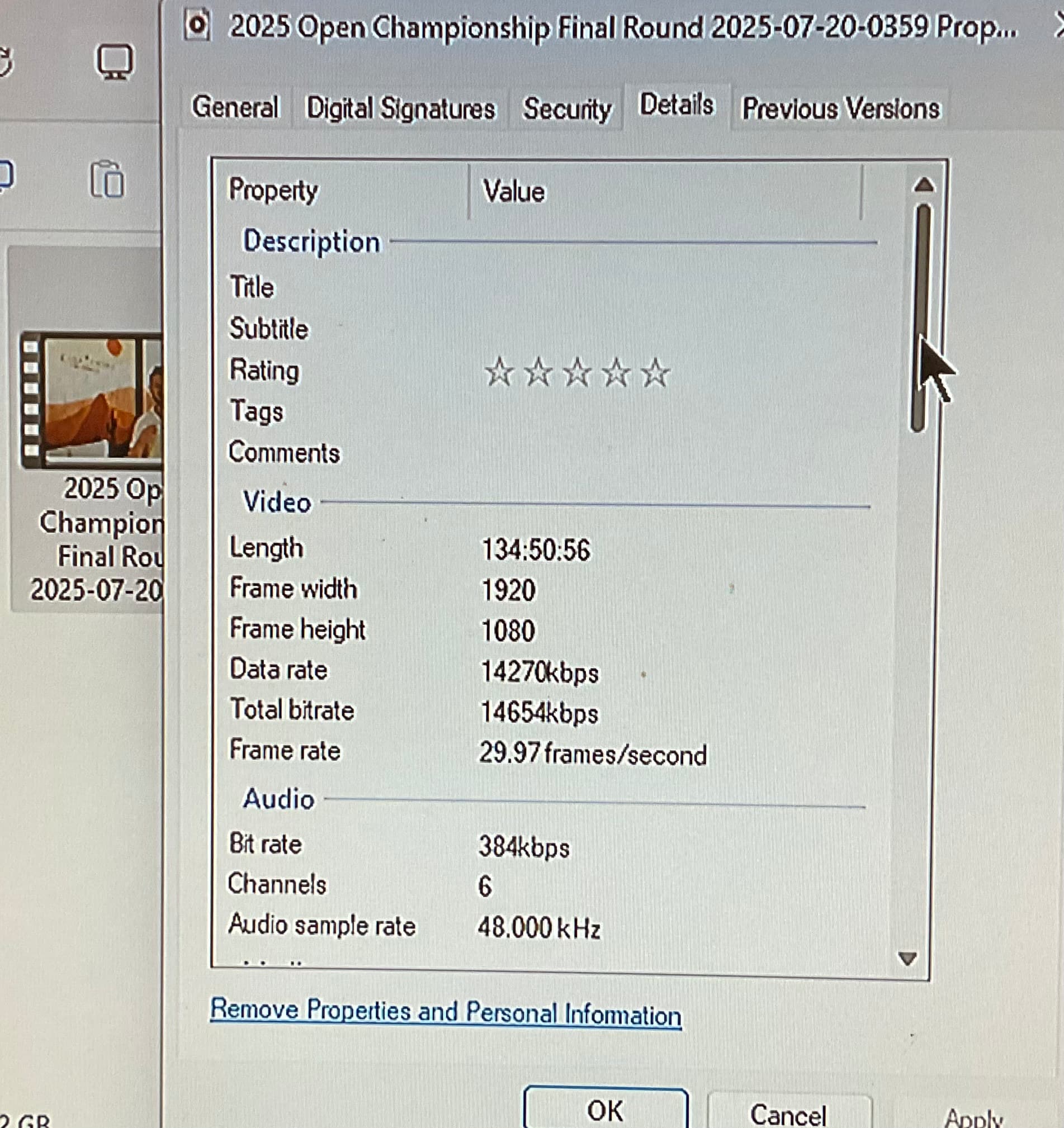
Bitrate: 14654kbps
Frame rate: 29.97 frames per second
Source: HDHomeRun Quattro OTA
TV Model: TCL QM6-55 2025
Adjustments: PlayBackSpeed: 8mbps

I did make a change to the menu options

CLIENTS > My TV

You showed me how to put that back…thanks

Other than that change the only other change was to the playback speed as I mentioned above. I think I saw the smoothing stuff in the option on the PlayBackSpeed. On the bottom I think but that looked like trouble so I left it alone.

I did a lot of research before I bought the TV to make sure it would be compatible with both HDHomeRun and the Channels Server Setup.

The TV is a google platform so I Installed both the HDHomeRun and Channels Server as apps into the TV

When I try to run programming from my tablet I am having trouble with the audio not synching with the video…lip Sync stuff
I am running all my programming directly from the TV google installed channels app instead of my tablet

I was having all types of trouble after a trouble free yesterday

So I went into the System setting of the TV to do a restart
Did the same for the windows server setup and the apple tablet

Things seem to be running better…

Don’t consider this a second request for help I was going thru the email and found your reply and decided I should respond.

Kevin

No i meant on your client. If you go under options show stats it will tell you what is going on. The info from the server is not useful here. The web client always transcodes and its not meant to be the primary means to which you watch tv.

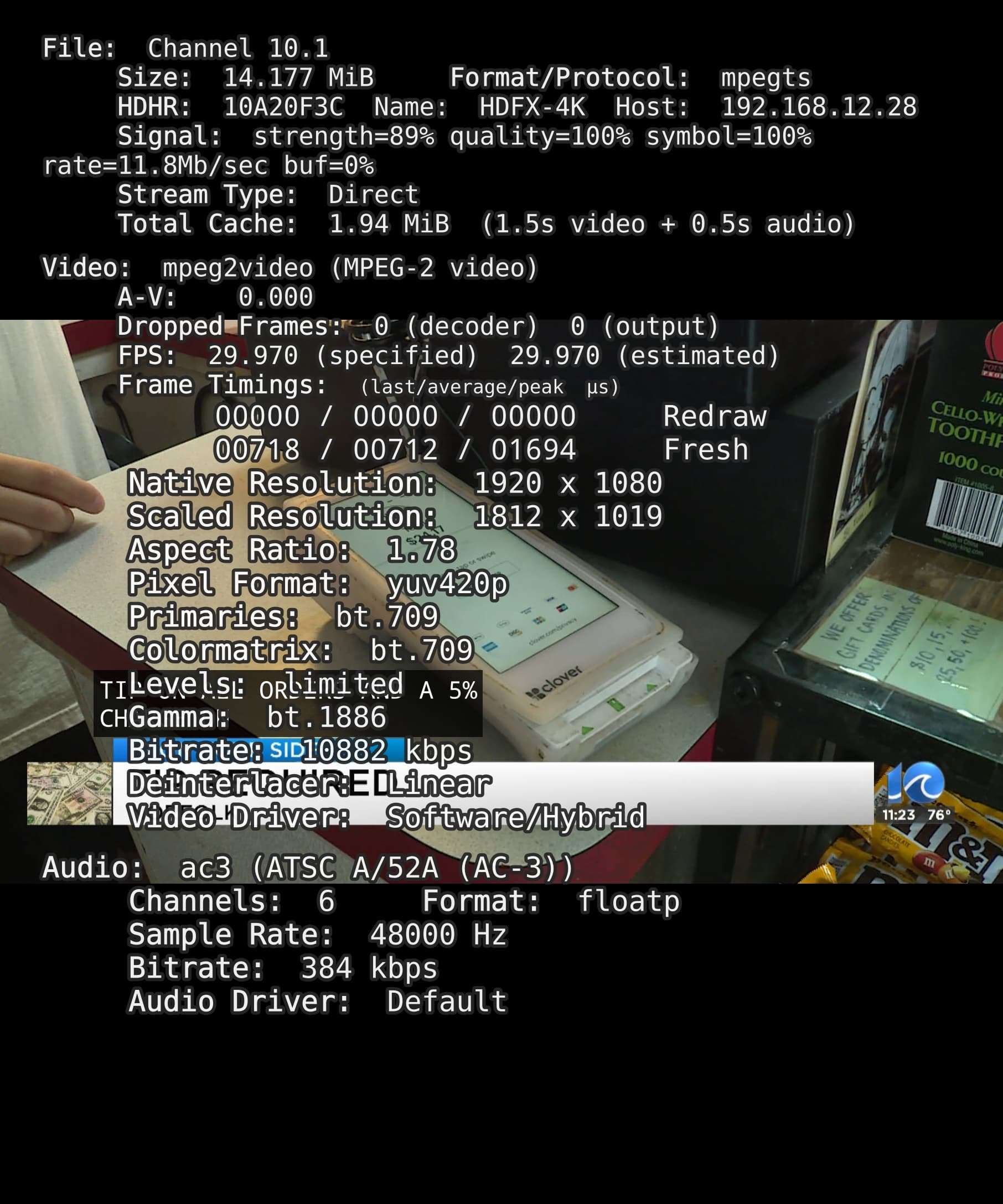
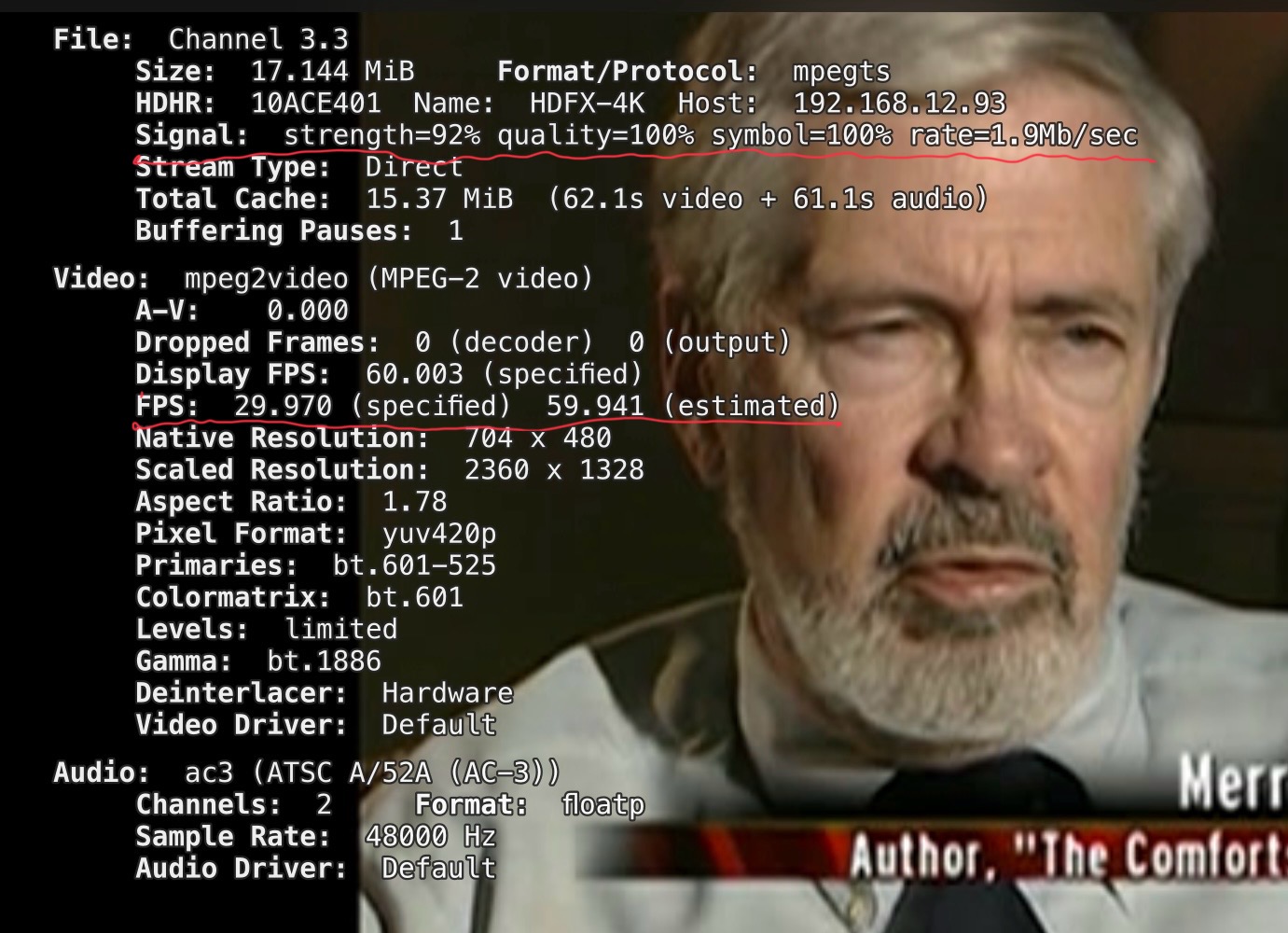
Here is an example, this screen will overlay the content the channels client is playing. Play the orobelmatic recorsing, reproduce the issue and take a screenshot. Its probably the framerate, 29.97 is never good for live sports especailly golf

OK I found what you were talking about

PIC:

Is there anything I can change about the frame rate capture?
Playback…

It is 29

Pretty bad…

Ideas…
Kevin

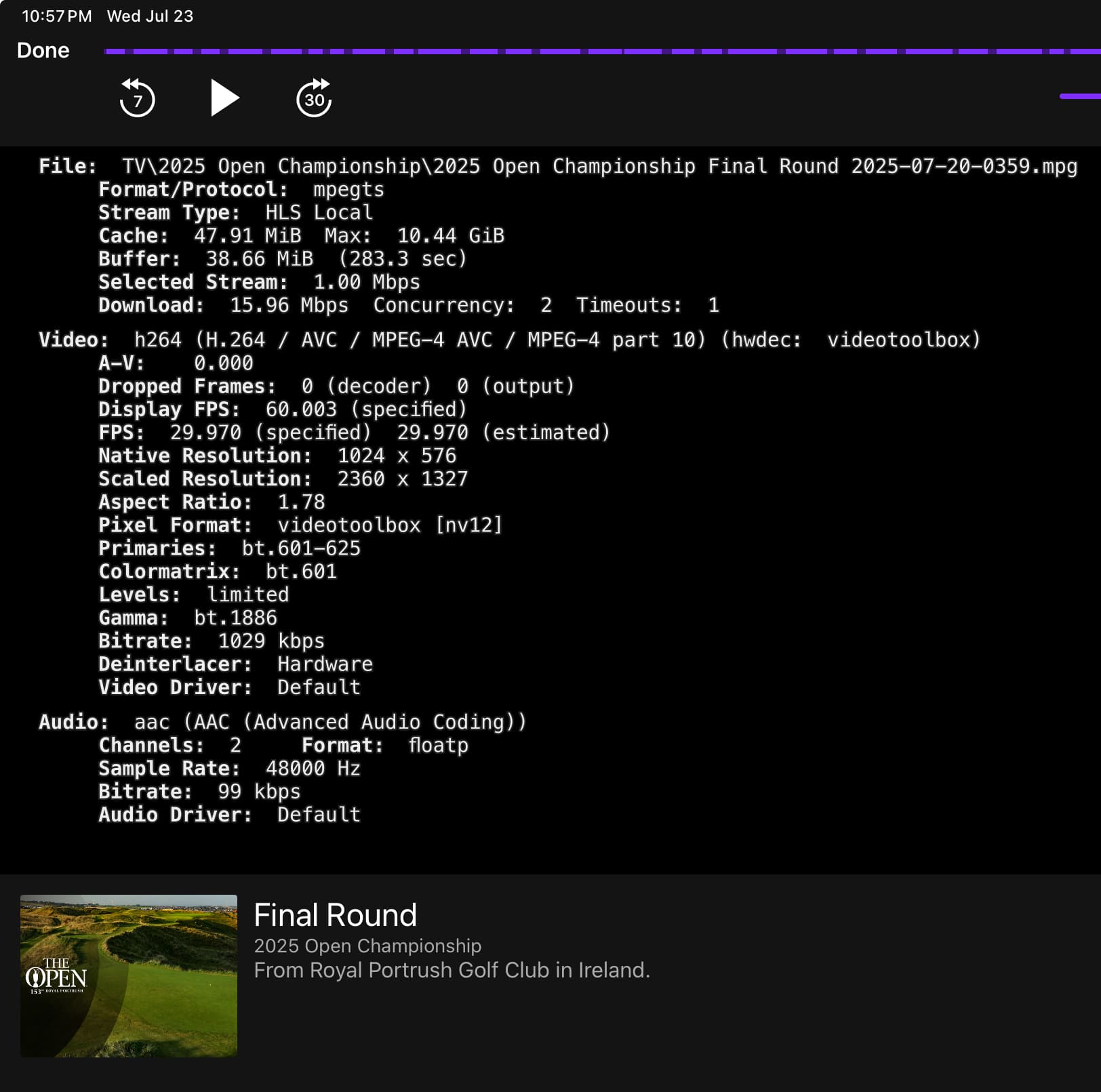
That recording isnt HD (1024 x 576) and the bitrate is really low (~1mbit). What is the source that you recorded this from? Sports are going to look like garbage on this channel.

I just went thru my OTA channels and they are all about the same
CBS, NBC, Fox
FPS: 29
Bitrate: 1.1 >> and lower

ABC is about
58 fps
Bitrate 850 > 900
And its VHF which makes it really unreliable
My UHF channels seem to do better

I’m recording movies as well and they have the same bit rate & fps
29fps - 850bit

Does that sum everything up

Thank you kevin

I have watched several golf matches on CBS, Bitrate noted, things went pretty good half the time. Almost no hiccups

I have watched several movies OTA and they went without a hitch except for today.

Is it possible that my WiFi > Win11 platform > QM 65 55 TCL is just not handling things the way it should.

The TV is a good one with a 144 refresh rate so on board memory and processsing shouldn’t be a problem.

What grabs my attention is the inconsistency
Some good, some really good “not great” and today which was a disaster.
Prompting the restart of all the systems “Not that I think this helped”

Further thoughts
Kevin

I missed it the first time i looked but i see "selected stream 1mbit". There is your problem. But first what is your source? I havent seem a HDHR that does hls. Regardless you wamt original quality on your client. Dont select a specific bitrate as it will transcode and you dont want that

When you say selected stream are you asking if I set the value;
No I didn’t if that was a question

My source??
Using channels OTA to record my HDHomeRunQuatro ASC 1.0

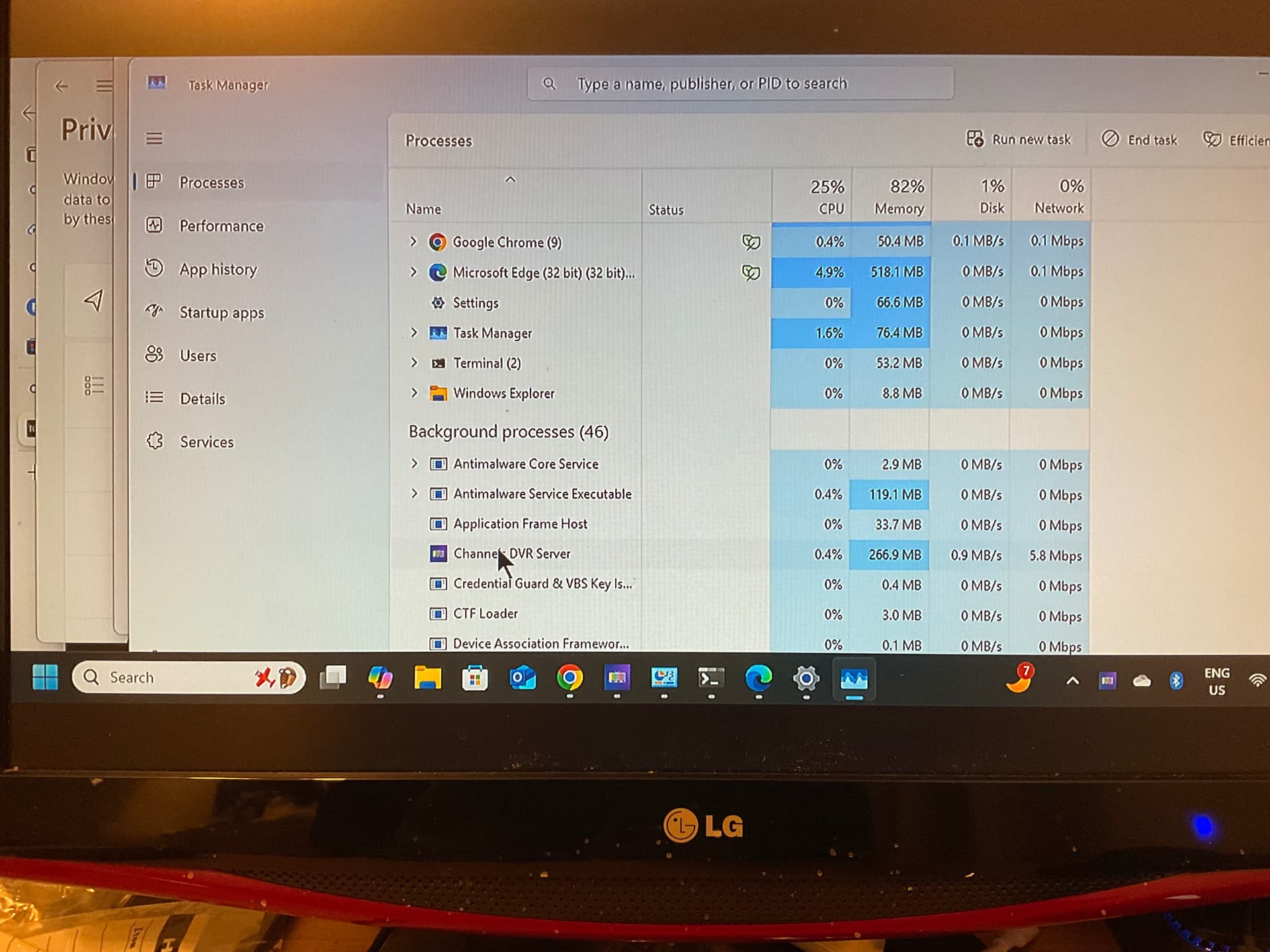
I just figured out how to assess my network Bitrate sent by windows to my channels app located on my TCL QM65 55

PHOTO:

I was wondering if my WiFi signal to my TV was equal to the task. I watched several different videos, golf, old westerns from the 60’s, and few recent ones and windows 11 shows that my WiFi is sending anywhere from .950 mbs > 15.7 mbps

The CHANNELS software is sending over WiFi what is required is my understanding

Thank You Kevin

So lets forget about doing anything on the server, task manager is not going to give you any useful data here. Everything I am asking is going to be done client side.
On Android client
Settings -> Playback -> Streaming Quality -> Home Streaming -> Verify Original is set.
Settings -> Playback -> Streaming Quality -> Original Quality Delivery -> Verify Direct is set.

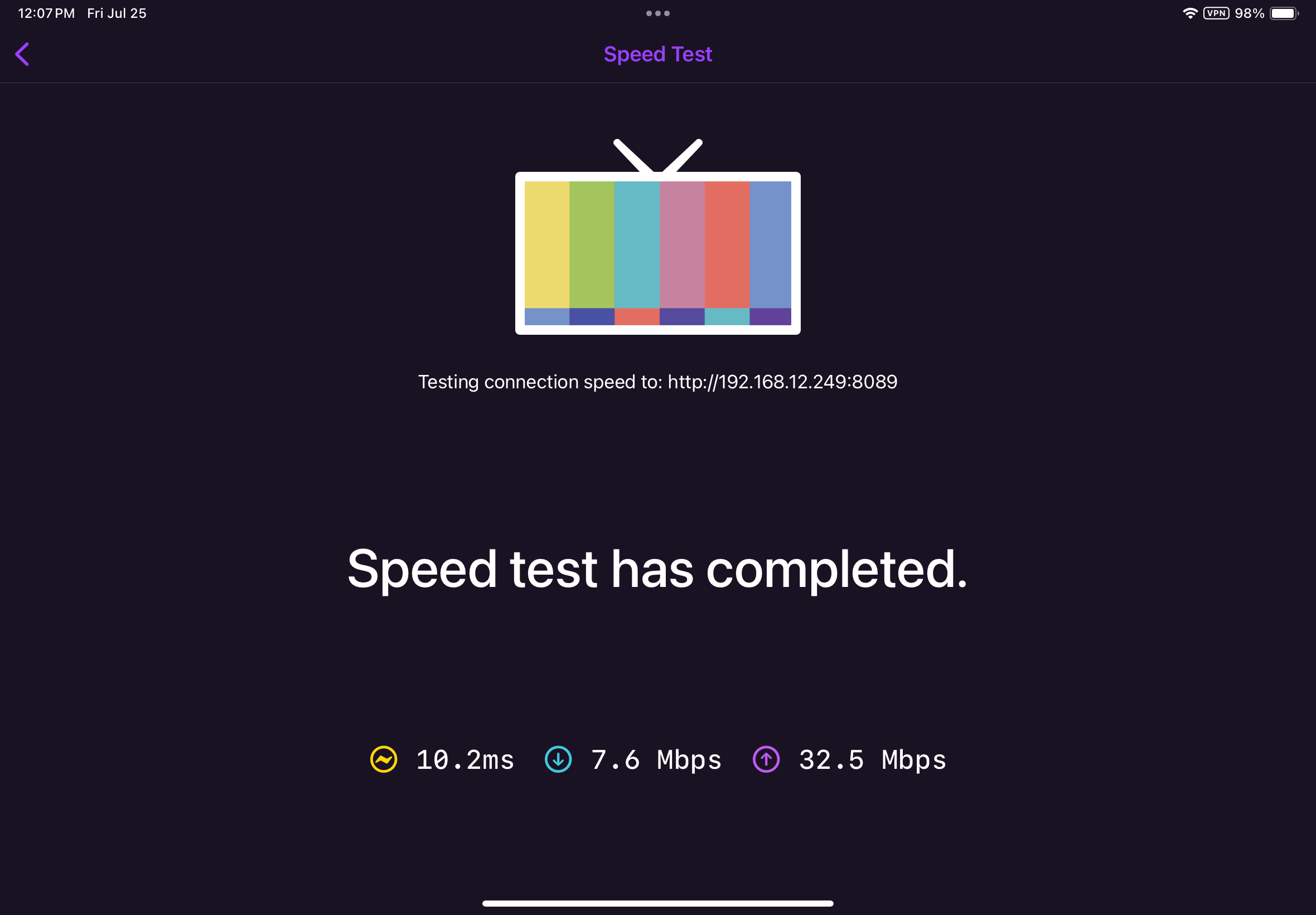
Do a speedtest to the server to see what you have between client and server
Settings -> Support -> Test Speed to DVR Server

You appear to be currently using Stream for the quality delivery based on the screenshot below. Your connection is downshifting until it can reliably stream content. That usually means that your wifi connection from your TV is having issues. The speedtest will show what you are actually getting. Setting the client to stream is a bandaid and it is doing what it is supposed to, downshifting until the stream can transmit reliably, sacrificing quality.

This is all supposition here but if the speedtest comes back to what I think it is the permanent fix is to fix the network.

image

2 Likes

Settings -> Playback -> Streaming Quality -> Home: reset to original
Settings -> Playback -> Streaming Quality -> Original Quality Delivery -> reset to Direct

Speed test..

I think I have what I need working now.

I upgraded the cost effect HdHomeRun from ASC 1.0 -> to ASC 3.0 Quattro

I did a search on ASC and the info came back that the 1.0 has 19mbs and the 3.0 84mbs or something like that :wink:

And after it is divided up into requirements the signal I’ll get back isn’t gonna work.

Then I upgraded the HdHomeRun antenna to the WineGard consumer reports helped out

I was able to find the onscreen data using the ellipses in the top right corner of the iPad tablets view screen and ran tests across all of the channels

I am averaging the results from the PIC below ->

It looks like everything should be up and running… :wink:

Thank You
Kevin

Your main problem is the 7.6mbps download. You really need to fix that. On your internal network you should be seeing triple digits. That recording isnt atsc 3, its astc 1 lower bitrate sandard def channel. You will be in the same boat when you tune an hd channel thst isnt atsc 3 (unencrypted)

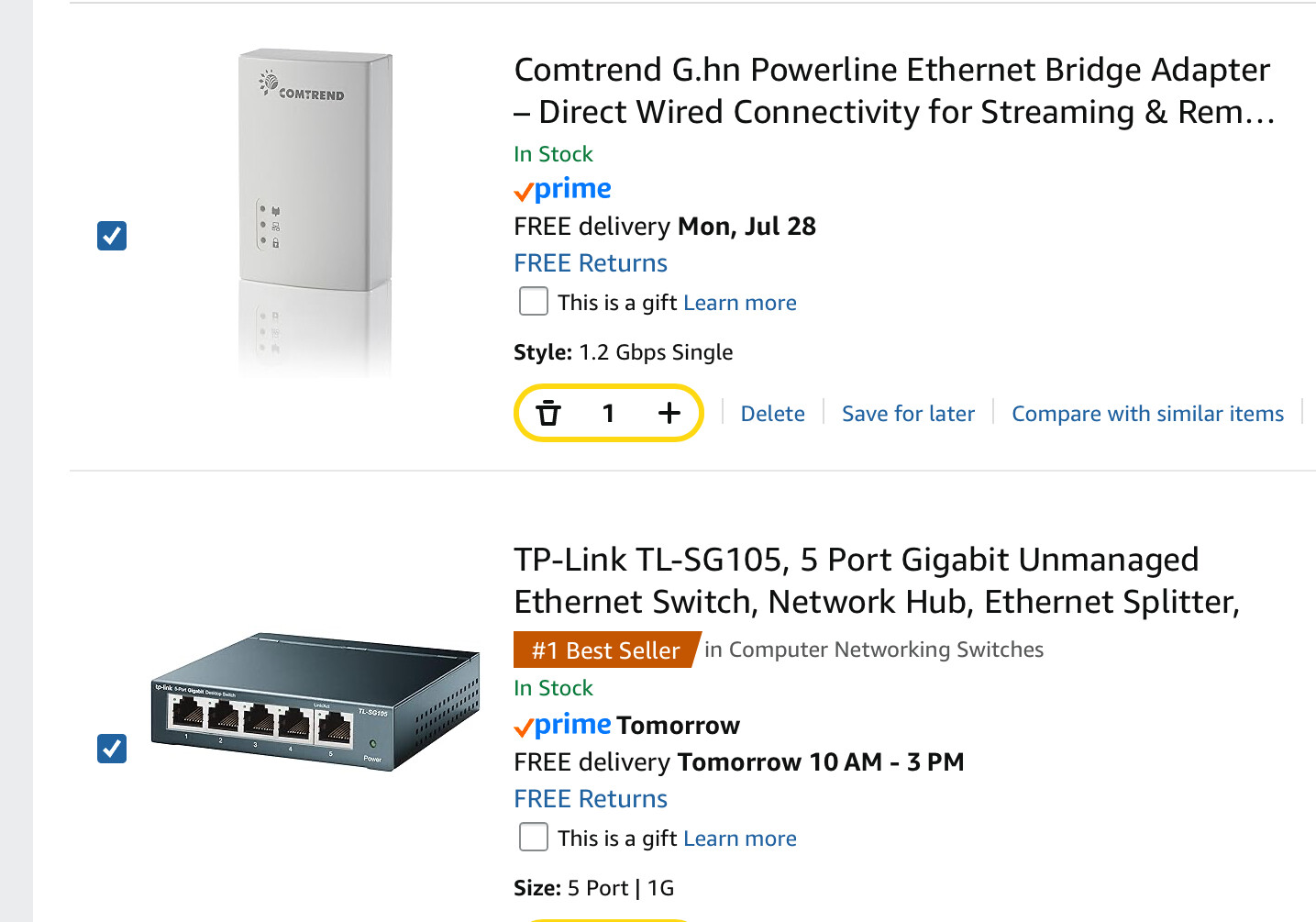
I’m looking at Ethernet devices you plug into the wall
And the Gigabit unmanaged Ethernet 5 port

Will these devices do the trick
PIC:

What I thought would work is plugging the T-Mobile into the gigabit Ethernet 5 port
And then plugging
HdHomeRun into the Gigabit 5 port
Then connect Ethernet 5 port into an electrical outlet Ethernet connector
Then sending a signal through the wall jack to the other room where the computer server is

This may be a little off topic for Channels forum, will it work??
Thanx Kevin

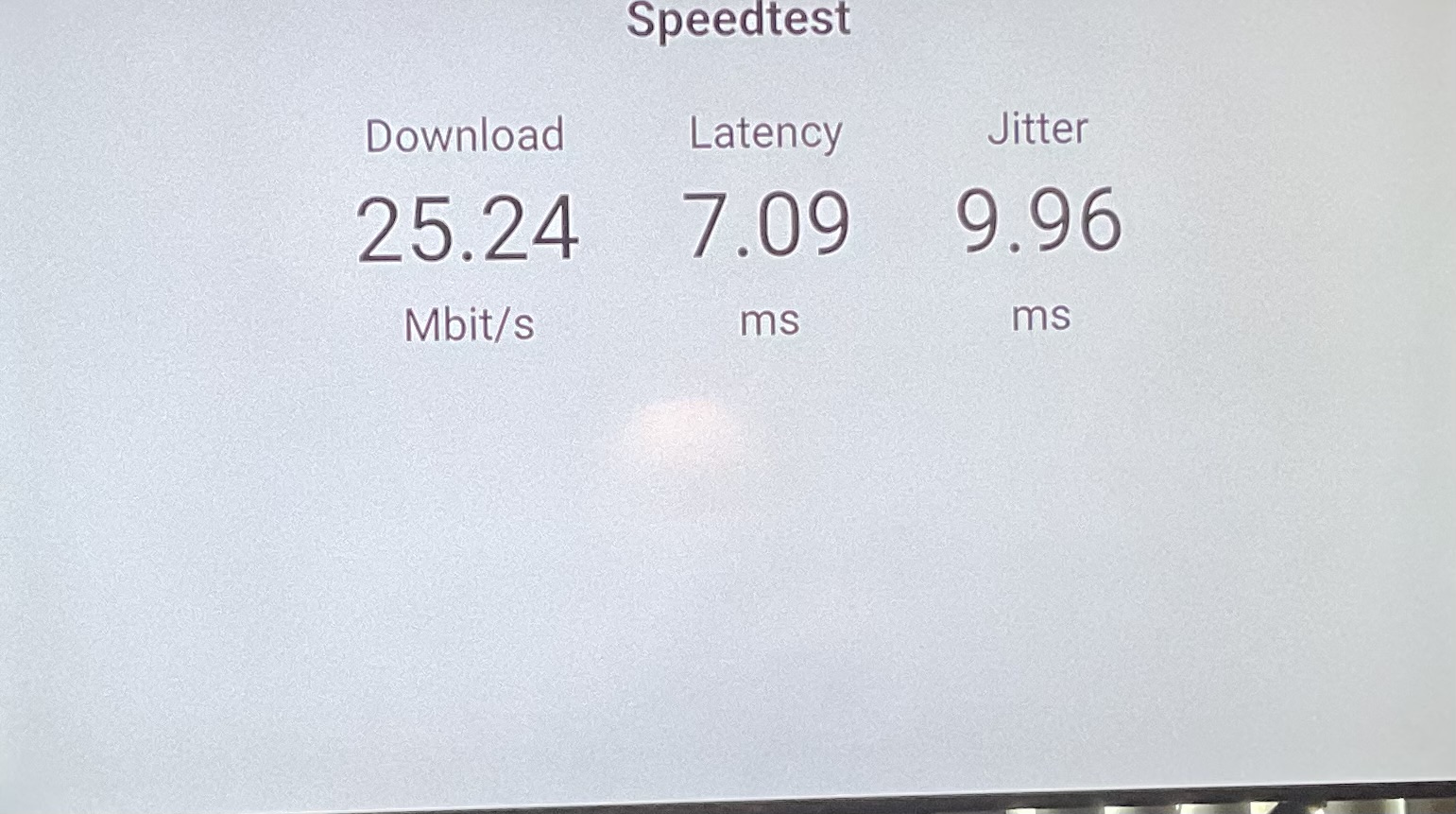
I just figured out how to run the speed test from the client “TV” installed channels app

I ran the previous test from my apple tablet

SPEED TEST:

The previous message sent asks whether I need to hard wire the system

I found a WiFi signal booster would that be useful that plugs into the wall

Really new to all this networking
Educational

Kevin :wink:

Dont go with powerline networking, its crap honestly. Do you have a CATV outlet behind the tv? And also one near a place that is close to your router? If so i would look at MOCA. This will allow you to get gigabit speeds and be 99% as good as an ethernet homerun. You only need a switch if you are connecting more devices via ethernet, like an xbox or ps5. Basically if you only need to connect the tv then you dont need anything more than the link below.

To confirm, your computer is hard wired via ethernet to the router correct? Hang in there, you will get it sorted i promise...

Edit... wired ethernet is always better than wifi. Signal boosters are ok but without a site survey you could be amplifying garbage and buying yourself more headaches.

https://a.co/d/cHJW7gK