
I can SSH into my sever. Let me know what commands you need me to run.
cd /mnt/HD/HD_a2/Nas_Prog/ChannelsDVR/channels-dvr/data && cat channels-dvr.log
I am not seeing any directories inside the mnt folder. I am trying to see if I can find a similar folder structure somewhere else.
found a channels-dvr.log file in volume1/@appstore/ChannelsDVR/channels-dvr/data
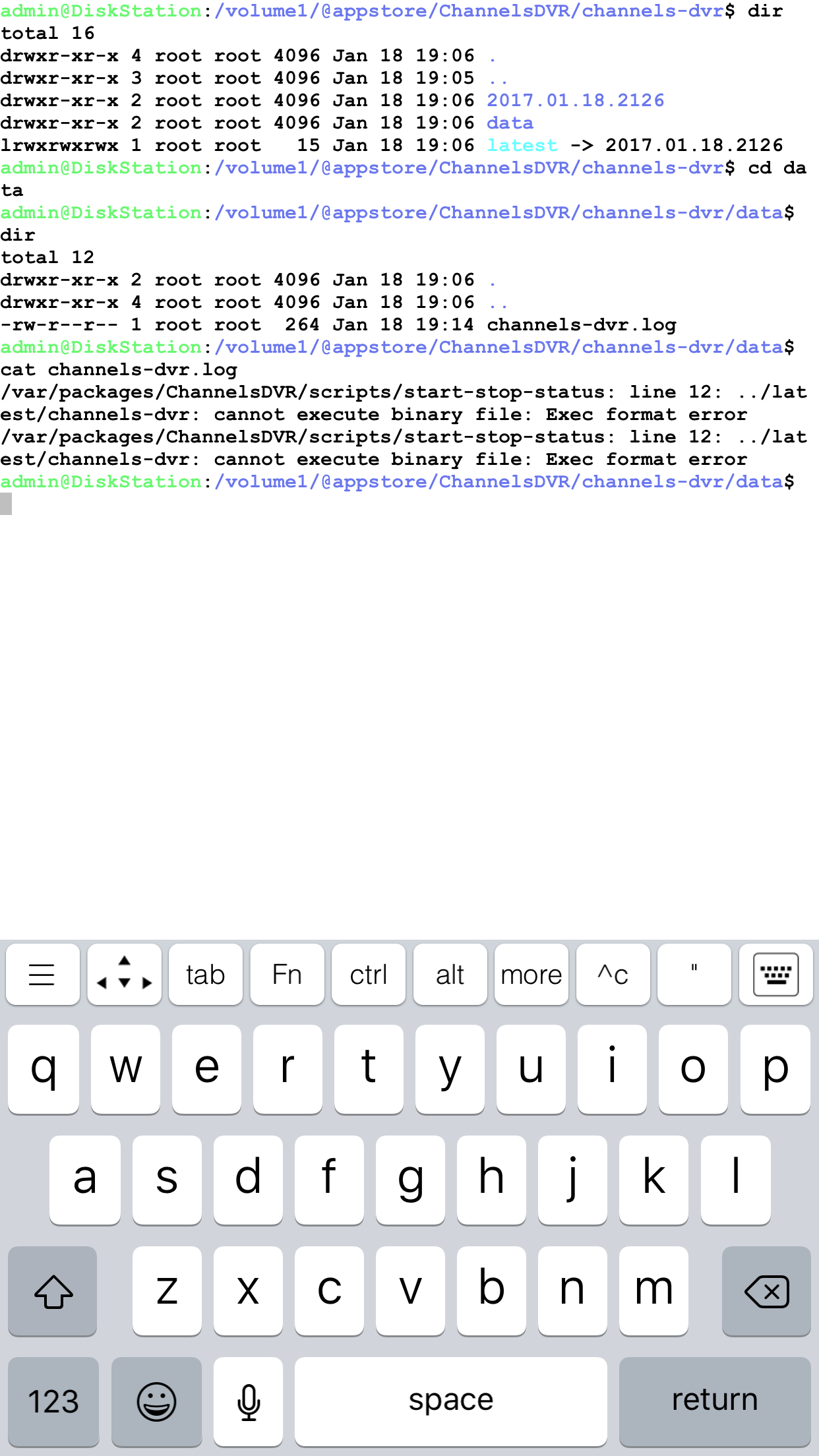
Weird.
Try “file …/latest/channels-dvr”
Also run in that same directory:
…/latest/ffmpeg
FYI, I tried installing and also received a message that the package is already running. I uninstalled the 64-bit package prior to trying to install (it was sitting there from previous try but not running).
Also, I ssh’d and tried to find the log file at the specified path but it does not appear to be there.
Can one of you run the following commands:
cd /volume1/@appstore/ChannelsDVR/channels-dvr/data/
file …/latest/channels-dvr
file …/latest/ffmpeg
…/latest/ffmpeg -hide_banner
Aha, I just figured out what’s going on. Will fix shortly.
i just logged back in… can"t wait.
Ok it’s ready.
Uninstall the existing version and then install the spk again.
still getting the error… failed to run the package service, it is already running.
Can you check the log file again?
No log file in the directory I found it in last time
volume1/@appstore/ChannelsDVR/channels-dvr/data
I just retried it and is appears to be working.
1 Like
Confirmed. You fixed it, I have setup my account and I already like how polished this “beta” feels.
Excellent! Thanks for confirming.
I also got it installed and running. Thanks!