Tnt & tbs

Anybody been having issues it skipping or playback?

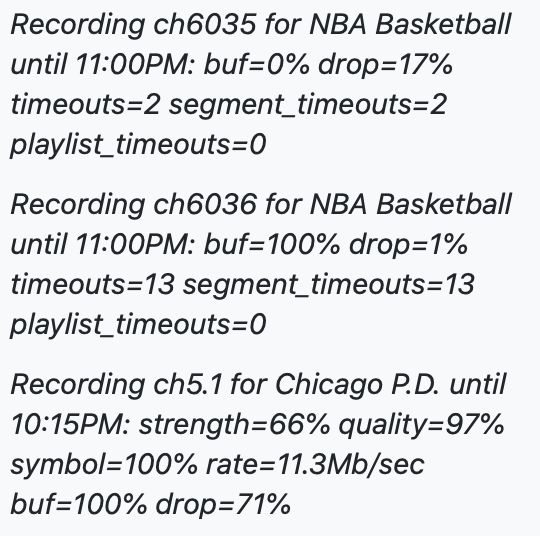
Tonight recording the Mavericks game and it went from 12 mins to 6 mins and I assume it’s something with TNT & TBS. But was curious if someone else is having the same issues. Thanks!

Using Spectrum btw.
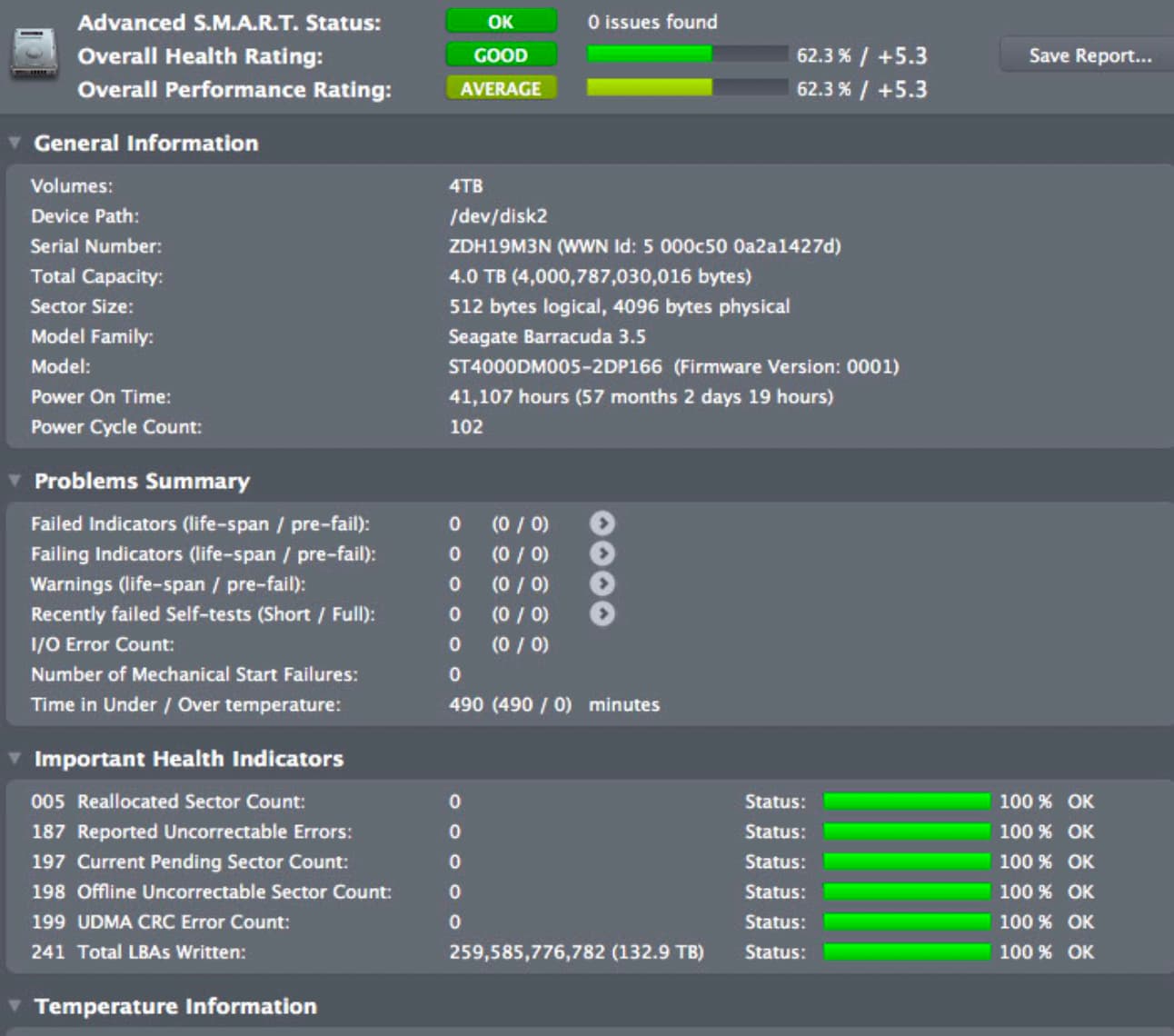
Sounds like you might be having a resource issue.
I had channels acting strange and wound up replacing drives.
Much better experience.

Interesting. This is what my Channels DVR drive says but maybe it's time for a new drive. Almost has been 5 years on this hard drive. Maybe time to replace it.

What does that mean?
Were you watching a recording in progress and it skipped backwards on you?
If so, could be the stream had timestamp issues, or a problem with the client device (you didn't say which client).

Sorry it went from 12 min start of game and then skipped to like 6 mins left in the game.

I am wondering know if I am having network issues but seems like everything is fine on my ubiquiti Dream Router. It seems I am having a 97% percent drop on my HDHomeRun. I am going to re run the intensive test again after everything finishes recording. I also wondering like @rpaulmerrell if I am having a hard drive failure slowing coming were it's not writing fast enough or something.

1 Like

Did the whole game record, or are you missing a large chunk of it?

Most likely the stream had timestamp issues. Was it an interrupted recording?

Seems like chunks of it. I have had from time to time TBS and TNT have different issues but nothing like this before.

It was an interrupted recording.

Also, the HDHomeRun issues I had looked at a recording with pixelation but signal is coming in fine from the HDHomeRun app and getting good signal strength and quality so wondering if it is a hard drive issue. Because locally it is coming up fine locally but starts to record I am having issues.

Interrupted recordings are usually due to the source (TVE, m3u or HDHR) disconnecting.
I would suspect networking before hard drive.

Could also be antivirus or the like scanning the recording being written.

Gotcha. Is there an app or service out there to check connection issues from my server (it's a Mac) to my UDR to check packet loss.

You can run a test from the HDHR to the MAC to test network connectivity.
https://info.hdhomerun.com/info/troubleshooting:network_packet_loss

1 Like

I just did a normal ping test to the local ip address of my HDHomeRun and it saying 0 percent packet loss.

run the packet loss test above as recommended by SiliconDust.
A ping test doesn't pull enough data.

Oh that makes since. I tried running that and it’s saying Resource locked by my Channels local ip address. And I run the next command and unable to start stream.

When you run this, you need to pick a tuner.
hdhomerun_config FFFFFFFF set /tuner0/vchannel <channel number>

If Channels DVR is using tuner0, it will fail.

Try tuner1 or tuner2 or tuner3, whichever one isn't being used.

Oh didn’t even think to check the tuner that isn’t being used currently. Got the test working so far so good. Only dots no network packet loss. I am going to keep it running but no issues locally at least.

2 Likes

May be anti virus software interfering. That test doesn't write to disk.

You are recording TVE there can lots of reasons why a Glitch on the Stream coming in or just a hiccup on your router ... I would not go crazy chasing something down if it is just 1 TVE recording. I would reboot the router.