Virtual Channels -Suddenly Slower

I’ve noticed over the last 2 weeks my load times have gone from virtually instantaneous to 3-4 seconds. Specifically with virtual channels. I’d also say regular live tv channels much longer.

Not sure if anything changed under the hood but thought I’d mention it.

Apple TV 4K by the way and iOS

@maddox any thoughts on this?

Virtual channels play back the same way as anything else in your library.

Try playing them back from your library instead and see if they exhibit the same thing you noticed.

Since you said live tv is slower now too, you may have developed an issue with your home network that is causing data to flow slower

Almost every “this video is slow to load” or “seeking is slow” issue can be explained by a slow home network.

You can try running the speed test in the app under settings

Okay I have AT&T 1gig and haven’t really had issues plugged in with the Ethernet but I will do some tests

Your internet bandwidth has no bearing on the speed at which Channels streams from your local computer on your local network.

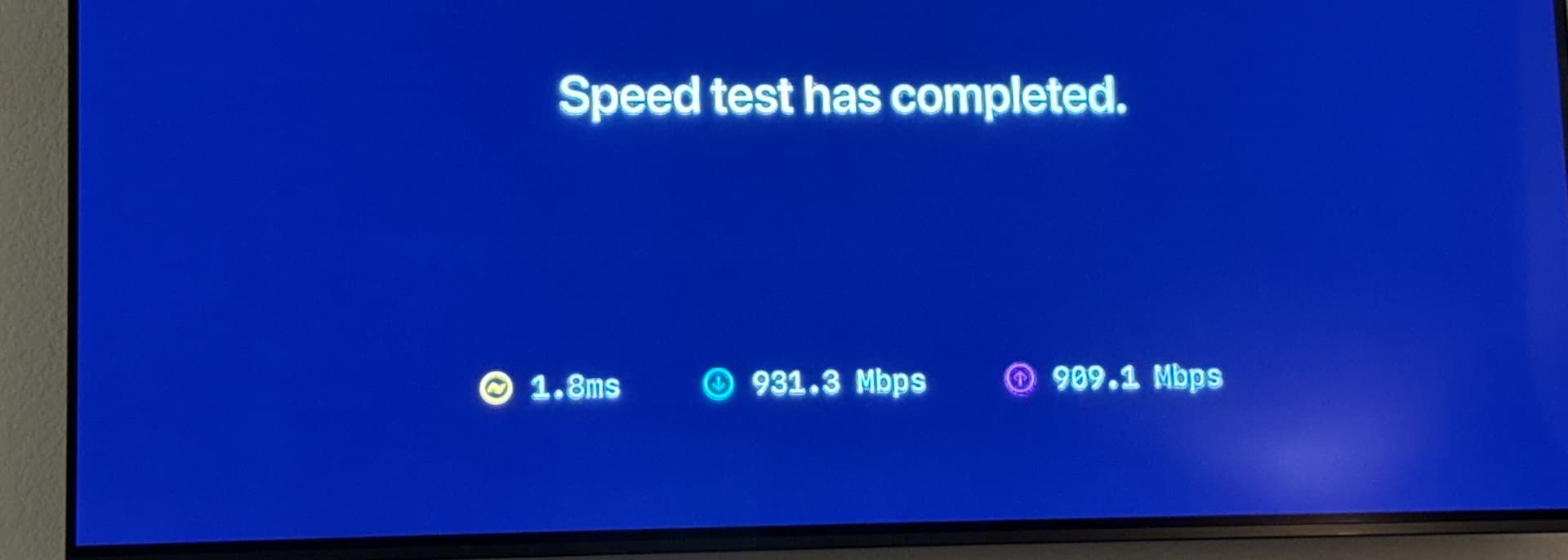
Are you saying run the speed test in the internet browser settings or in a client? I did it on the client and it was 900. So plenty. I checked some of my content straight from the library on a client and it was loading instantly. Looks like it might be a virtual channel/live issue? @maddox

Channels has it's own speed test that tests speeds between itself and your Channels DVR Server.

Settings > Support > Speed Test

Doing an internet speed test does nothing to test the speeds between your Channels app and your Channels DVR Server.

Could you provide a video displaying the issue?

I should be able to upload something by tomorrow displaying the issue. Thank you

It’s not letting me upload a video. But in the first video I show how it’s instantaneous to select a movie or TV show from the menu. However when watching or turning on a channel from the Guide or channel flipping it takes much longer @maddox

@tmm1 @maddox

Here is the speed test results

You can upload the videos here:

https://www.dropbox.com/request/MMjICRc053JJpSBPDIfQ

Thanks @maddox just uploaded 3 vids

In your videos you are playing back different things from your virtual channels than you are from the library.

Please attempt to play back the same videos that are giving you trouble via virtual channels, from your library, as that is a 1:1 test.

The goal is to test if the exact same videos are loading the exact same way.

I can say though, that the video where you start the virtual channel from the guide, looks like the TV is mode switching, and that's why it's "lagging". The screen blanks out before coming back after the video has started, which is normal behavior for Content Matching on the Apple TV.

The movie you played from the library had no mode switching, so it played immediatly.

So maybe what you're experiencing is the mode switching on your TV from Content Matching.

Hey I’m aware of her mode switching and match content and I know it looks that way but that’s not it unless Apple did something on the update. Everything in my video was SDR in sdr mode. Like I said I’ve had everything working perfectly for years. It’s just slow now. I will upload a 1:1. But it’s only with virtual channels,

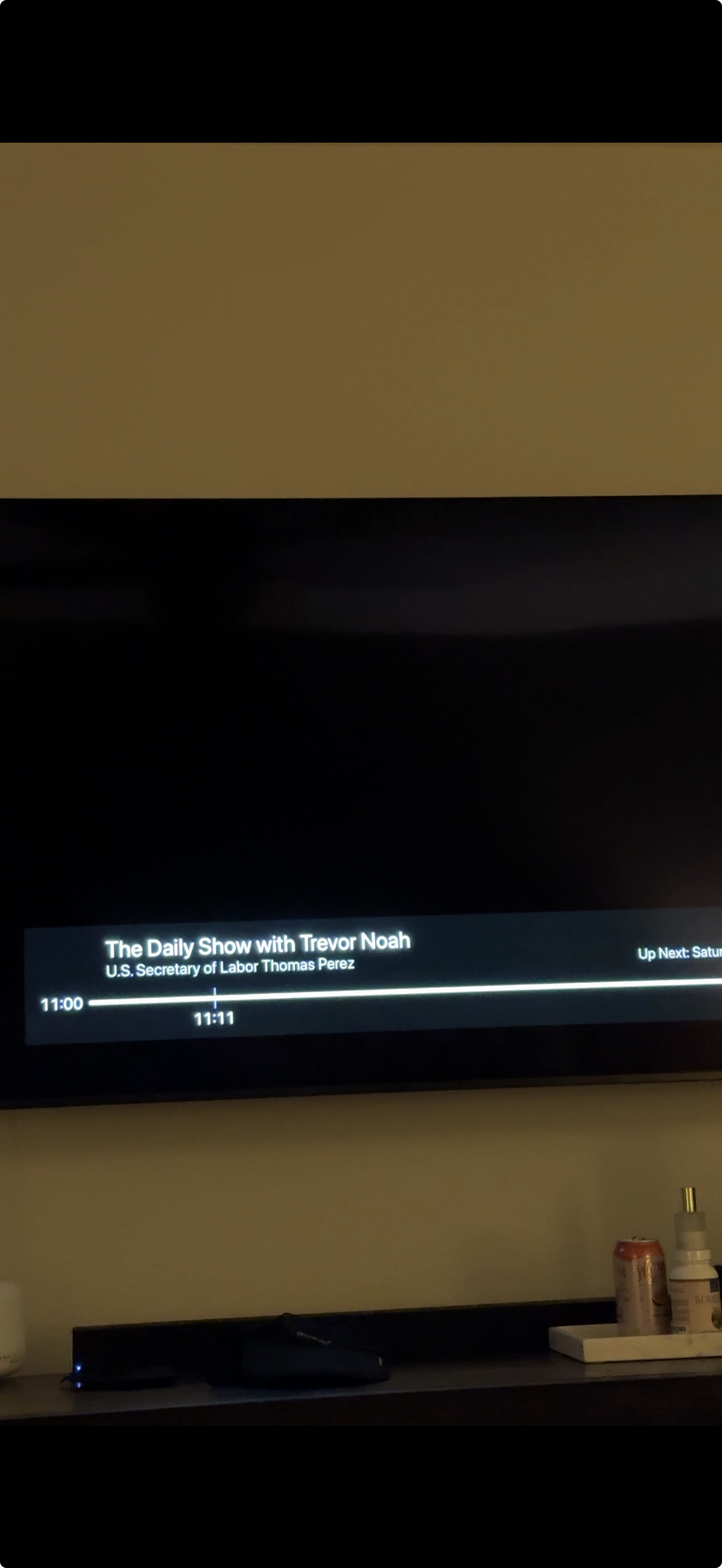
@maddox @tmm1 I’ve noticed that when I press on a Virtual Channel and then soft-tap the remote while it’s loading (I’m doing this to confirm it’s not a Match Content issue), it looks like it’s briefly pulling from one of my real channels that’s linked from YouTube TV. For example, The Daily Show will flash on screen for a second before moving on to the actual Virtual Channel. I uploaded a video.The example is on my Central Inteligence test

Also the Daily show with Trevor Noah is not even on right now. Its like its referencing an old episode or recording cause youll notice it says Up next: Saturday night Live. But i dont have that in my recordings

Somehow its trying to play this first every single time I play a virtual channel. It flashes first before moving on to channel. @tmm1 @maddox

:rofl: you're just seeing the timeline in it's default state before rendering with what's currently playing. Here it is in the dev tools.
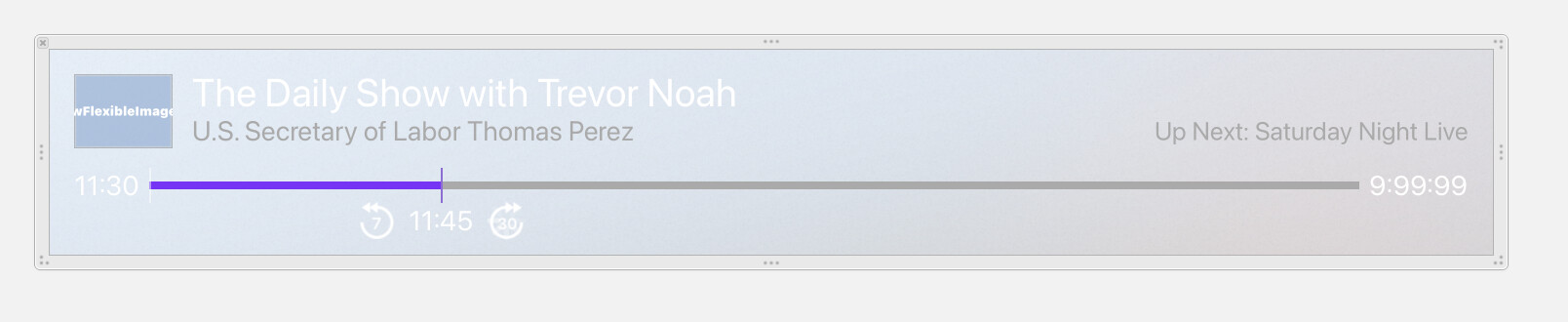
I don't think this has ever come up in like 10 years. I've certainly never seen this.

2 Likes

If you try old TestFlight builds is there one where the behavior is different?

Do you have a build you recommend me using?