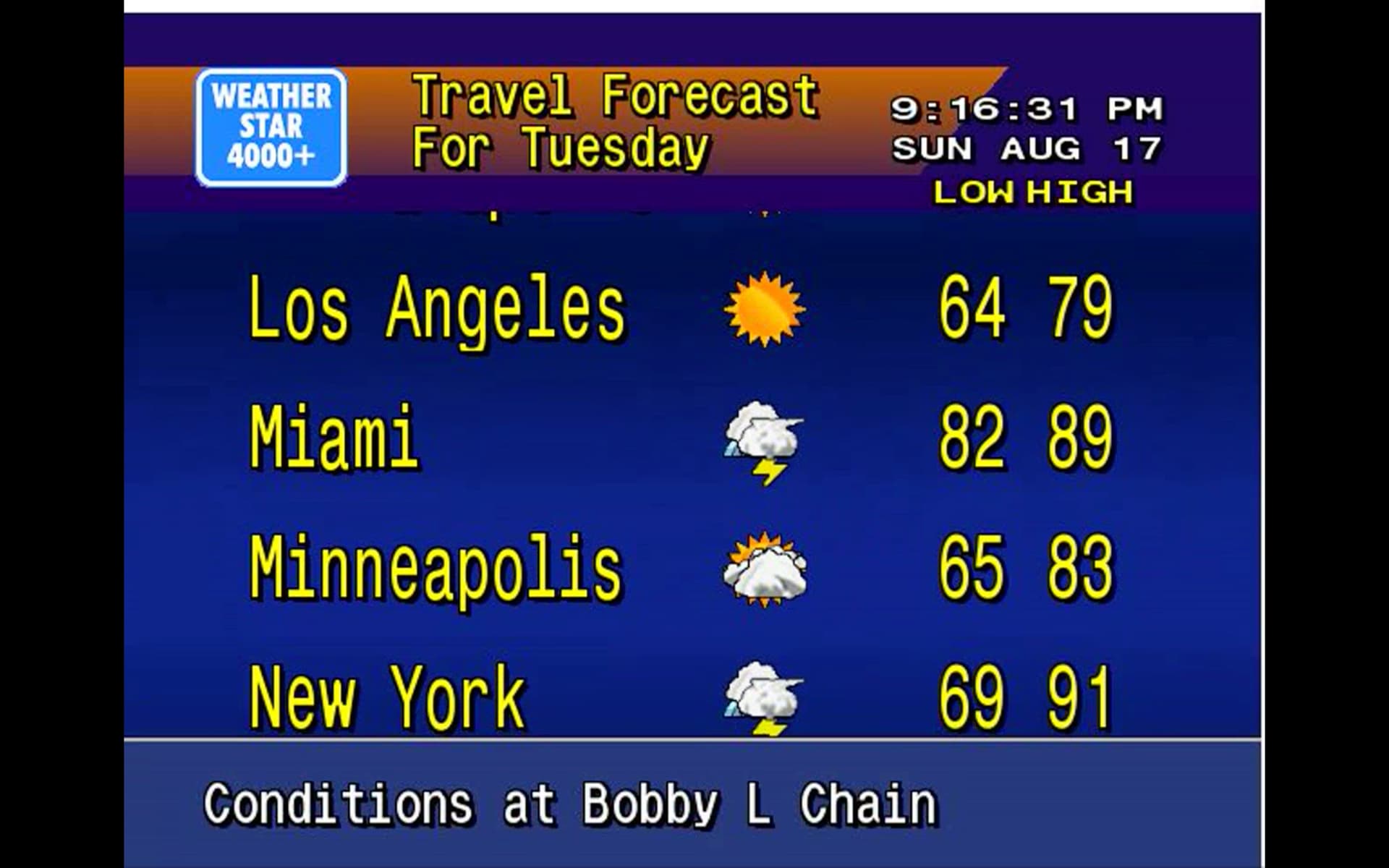
WeatherStar 4000

Thanks, I retried the docker command with that image, this time:

sudo docker run -d --name ws4channels --restart unless-stopped --memory="400m" --cpus="1" -p 9798:9798 -e ZIP_CODE=90036 -e WS4KP_HOST=10.0.1.21 -e WS4KP_PORT=9090 ghcr.io/rice9797/ws4channels@sha256:f1bb086fb7e54678909d3f456d4affd97c566d072e1765b2002dba7acb942e46

...which seemed to run successfully, but then I saw this in its logs:

Running with 1 CPU cores, 400MB RAM
Streaming server running on port 9798
  Puppeteer old Headless deprecation warning:
    In the near future `headless: true` will default to the new Headless mode
    for Chrome instead of the old Headless implementation. For more
    information, please see https://developer.chrome.com/articles/new-headless/.
    Consider opting in early by passing `headless: "new"` to `puppeteer.launch()`
    If you encounter any bugs, please report them to https://github.com/puppeteer/puppeteer/issues/new/choose.
/app/node_modules/@puppeteer/browsers/lib/cjs/launch.js:267
                reject(new Error([
                       ^
Error: Failed to launch the browser process!
rosetta error: failed to open elf at /lib64/ld-linux-x86-64.so.2
 
TROUBLESHOOTING: https://pptr.dev/troubleshooting
    at Interface.onClose (/app/node_modules/@puppeteer/browsers/lib/cjs/launch.js:267:24)
    at Interface.emit (node:events:530:35)
    at Interface.close (node:internal/readline/interface:534:10)
    at Socket.onend (node:internal/readline/interface:260:10)
    at Socket.emit (node:events:530:35)
    at endReadableNT (node:internal/streams/readable:1698:12)
    at process.processTicksAndRejections (node:internal/process/task_queues:90:21)
Node.js v22.18.0

I see @KineticMan's post above too (thanks!) but it went a bit over my head. Any extra assistance on the best way to get this deployed for testing on an M1 Mac running Docker Desktop and portainer would be greatly appreciated.

It is grabbing a version of chrome that is incompatible with ARM. There really isn’t anything you can do to get it to work. You would have to fork it and change the Dockerfile and it might possibly work. Unfortunately I have a lot going on with my actual job and I don’t see being able to mess with it for weeks. Probably not the news you want to hear.

All good, I totally understand and am grateful to have learned as much as I have thus far. Thanks for all that you've shared, it's certainly appreciated.

I'm trying to reinstall this on docker and I've removed all previous images and containers. I then follow the basic install steps listed at the top starting with: docker pull ghcr.io/rice9797/ws4channels@sha256:8d68bacc7bbe33e2edf9c6bb050fe09a502ea9badb0df0f08b6d0ca28a9842a7

The image seems to pull fine. Then I run the following:

docker run -d
--name ws4channels
--restart unless-stopped
--memory="1096m"
--cpus="1.0"
-p 9798:9798
-e ZIP_CODE=your_zip_code
-e WS4KP_HOST=ws4kp_host
-e WS4KP_PORT=ws4kp_port \
ghcr.io/rice9797/ws4channels:latest

and I'm getting the following response:
Unable to find image 'ghcr.io/rice9797/ws4channels:latest' locally
latest: Pulling from rice9797/ws4channels
docker: manifest unknown

In Portainer I see the image listed with the following ID: sha256:ff4b4a0c61fcb081a9daa4b5e34b6be24409269dca4b7b9852c76210cb73c52d
It's telling me it's unused and the Tag is listed as: ghcr.io/rice9797/ws4channels: none

I've also tried just pulling with the following command: docker pull ghcr.io/rice9797/ws4channels
And I get this response:
Using default tag: latest
latest: Pulling from rice9797/ws4channels
manifest unknown

Not sure what's going on here but everything used to work just fine and now all of a sudden I can't this back up and running...bummer. Hoping someone can help. Thanks!

Rice pulled "latest" tag out while working out some bugs.. Try this (edit your zip/IP address, too)

Blockquote
docker run -d
--name ws4channels
--restart unless-stopped
--memory="1096m"
--cpus="1.0"
-p 9798:9798
-e ZIP_CODE=90036
-e WS4KP_HOST=10.0.1.21
-e WS4KP_PORT=9090
ghcr.io/rice9797/ws4channels@sha256:8d68bacc7bbe33e2edf9c6bb050fe09a502ea9badb0df0f08b6d0ca28a9842a7

1 Like

That worked! Thanks!

I merged some code from another person in the hopes of adding hardware encoding and ARM architecture support. I probably should have tested it before merging but I didn’t have time. It didn’t work with ARM and you reported white line cropping issues. So I reverted back to the old image. Reverting caused the latest tag to be lost on the good image. Since I’m new to reverting I need to figure out how to get the latest tag back. I have a lot going on and haven’t had time to mess with it.

My advice is to exclude this container from your WatchTower if possible now that you got it going. When I do get the latest tag working I’ll let you know.

I excluded it from WatchTower. Appreciate the advice...thanks!

Hey! First and foremost, I’m sure you hear this a lot - what you put together is amazing and I’m sure I’m one of many who are very thankful for all your hard work :slightly_smiling_face: !

The reason I’m writing here is to say that I’m also having the issue with the white outline on the top and right side of the video. As with Accursitver, I am also running it on an Ubuntu Server (24.04). I noticed it after I recently performed a docker-compose pull.

Try deleting the container, the container image, and reinstall using the updated pull instructions on the ReadMe here. Make sure docker run and pull do not have the latest tag.

Thanks for the quick response and for the help! I stopped and removed the container, adjusted my docker compose, and reinstalled using the pull instructions. After I started the docker, I'm unfortunately still getting the same white lines:

Here is my my docker compose:

ws4channels:
image: Package ws4channels Ā· GitHub
container_name: ws4channels
network_mode: "host"
restart: unless-stopped
environment:
- ZIP_CODE=XXXXX
- WS4KP_HOST=localhost
- WS4KP_PORT=8080
deploy:
resources:
limits:
cpus: '2.0'
memory: 2200M

Hmm I don’t know instead of compose try using docker pull and run.

i just updated my ubuntu server and now getting these strange white lines too... i'll mess around - i suspect something with ffmpeg? just straight guessing

In your quoted code you reference the latest tag. Did you update to latest on accident?

well, i thought of that... did a clean install and still getting the bars. it's almost like the bars arent "bars" - it's like the whole image was drag and dropped down and to the left (hope that makes sense) exposing the white on top and right hand side.

#remove old containers
docker rm -f ws4kp
docker rm -f ws4channels

#pull weatherstar
docker pull ghcr.io/netbymatt/ws4kp
docker run -d \
  --name ws4kp \
  --restart unless-stopped \
  -p 9090:8080 \
  ghcr.io/netbymatt/ws4kp

# pull by digest 

docker pull ghcr.io/rice9797/ws4channels@sha256:8d68bacc7bbe33e2edf9c6bb050fe09a502ea9badb0df0f08b6d0ca28a9842a7

# run ws4channels
sudo docker run -d \
  --name ws4channels \
  --restart unless-stopped \
  --memory="400m" \
  --cpus="1" \
  -p 9798:9798 \
  -e ZIP_CODE=43016 \
  -e WS4KP_HOST=192.168.86.72 \
  -e WS4KP_PORT=9090 \
  --pull=never \
  ghcr.io/rice9797/ws4channels@sha256:8d68bacc7bbe33e2edf9c6bb050fe09a502ea9badb0df0f08b6d0ca28a9842a7

1 Like

How about this older one?


docker pull ghcr.io/rice9797/ws4channels@sha256:0cb8cb9b8fb7917714e13509119ad9ce4023b65e14145c306c19df78b610ab1a

same lines... i also tried some older versions of WS4KP too.

curious- how does your cropping logic work? wonder if something i updated today changed how your software crops?

I spent about 95 percent of the time it took to build the app on dialing in the cropping. It basically uses x y coordinates. There isn’t anything you can do with the cropping as it’s baked in. @Accustiver was able to roll back after seeing the lines. Mabey he has some tips, if you use portainer you can select the images tab and delete or roll back to an old image. The SHA numbers will be different then the GitHub sha though inside portainer. Portainer shows the local image id.

tnx...

AND -> go figure - i went through a ton of troubleshooting with ChatGPT and didnt get anywhere except after a fresh reset/refresh of the container for the 50th time, it magically worked..

from the robot machine:
So the white sliver was almost certainly a transient viewport/layout artifact (headless Chrome sub-pixel rounding, a scrollbar/margin, or a page state) that disappeared when the browser session was reset by the container recreate.

1 Like

My apologies...I actually am still getting those white lines even with an older image too. Not sure what else to try other than what @KineticMan suggested from ChatGPT