
Sweet mother. You've thought of everything.
Did you notice any improvement in load time?
Lil' bit. Takes about 5 seconds to tune now, compared to 8 to 12 seconds previously.
I have to admit, I don't really get too excited about tuning time when the software allows me to start the recording a minute or two earlier. Thank you for the option, though. I know there are some folks that seem to be very interested in fast tuning times.
This has been working flawlessly now for over a week. Thank you again, Bobby, for continuing to support native Windows Channels DVR customers. I would really like to throw a few hundred dollars your direction for you work, if that's an option.
Try increasing the Splash Screen / Tune Delay (ms). It sounds like a race condition on initial tuning, this will give the Fire Stick a little more time to load the app before it starts the tuning process.
Is that a setting on the firestick?
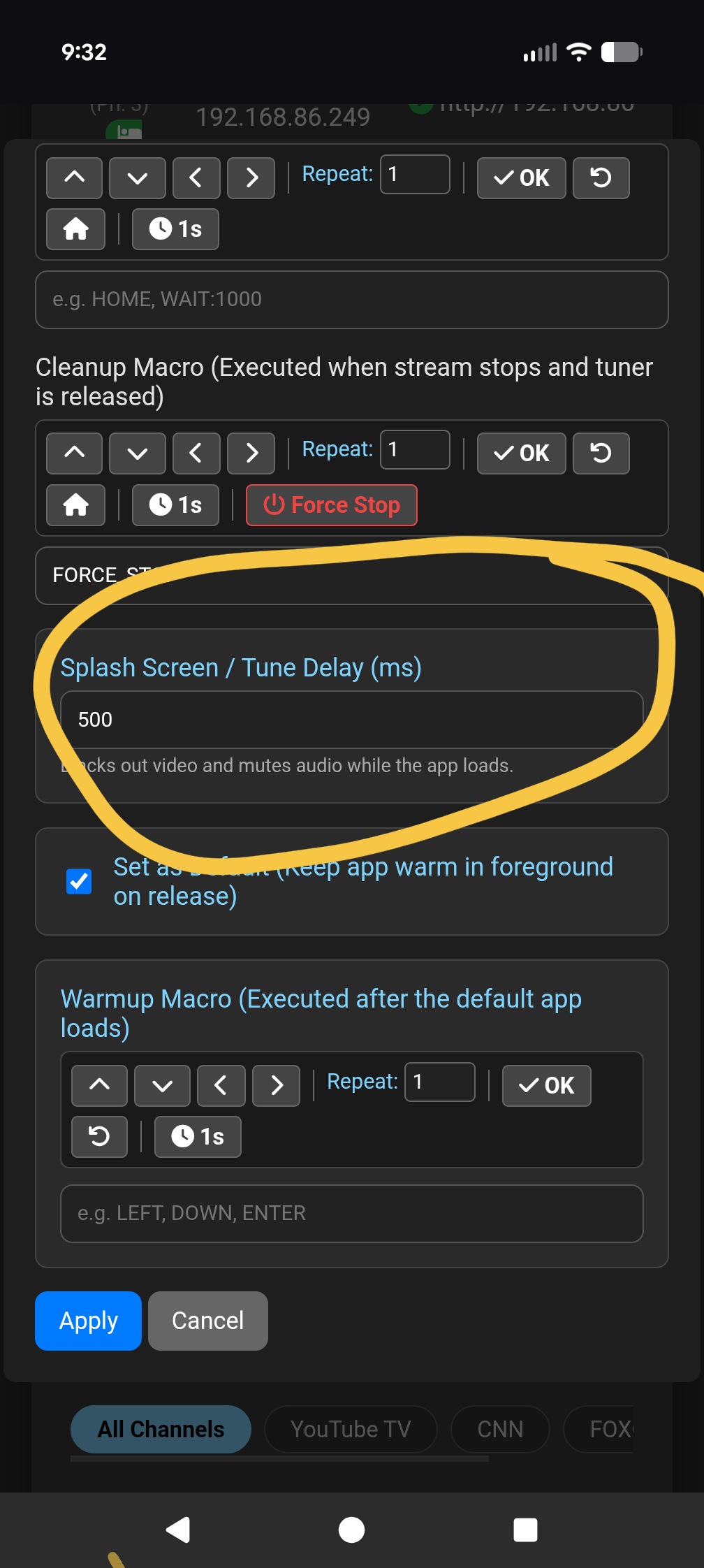
I've raised it to 20000ms and I still get the same message.
ADB Bridge 5.1.7 Released.
This release includes additional ADB Tools:
- App Inspector (Screen Capture & Intent Detection)
- Fire OS Intent Overrides
- Reboot Device
- Prevent Sleep
- Trim Caches
- Text Injector
- Lock 1080p Display
- Display Reset (Auto-Detect EDID)
- ADB Key Vault Backup
- ADB Key Vault Restore
- Automated ADB Key Migration
More info here:
It appears Windows has added new batch of IP addresses to their reserved list during this last round of updates. Port 8888 falls within their new reserved range. I am working on a clean way to update and change the IP on the app but you will need to change the port manually in channels.
If you can not access the ADB Tuner after Windows Update:
Right-click the Windows Start menu button, select Terminal (Admin), and then complete the following steps:
- Stop the WinNAT service: Run
net stop winnat
to release the current dynamic port blocks. You can verify this is complete when the terminal outputs that the service was stopped successfully.
- Reserve the port: Run
netsh int ipv4 add excludedportrange protocol=tcp startport=8888 numberofports=1 store=persistent
to lock the port. Replace 8888 if you are using a different port. You can verify the reservation by running netsh interface ipv4 show excludedportrange protocol=tcp and checking for an asterisk (*) next to your port number.
- Restart the WinNAT service: Run
net start winnat
to restore dynamic routing around your new reservation. You can verify the service is running when the terminal outputs that it started successfully.
- Reinstall the application: Run the ADB Tuner setup installer. You can verify this was successful by launching the application and ensuring the web dashboard opens on your designated port without crashing.
I will provide a better fix in an update as soon as I have time to test and verify.
5.1.8 reserves the port when ran and should resolve the issue. If doing a new install, select the reserve port checkbox when installing.
2 Likes
I have (3) Onn devices currently configured with YoutubeTV and just plugged a Firestick 4k 1st gen into the 4th port of my Network HDMI Encoder. I thought it had it all completely configured and ready to go, but when I set it to the lowest priority, it does nothing. The more I look at the configuration:
I get the feeling I may have to setup a 2nd YoutubeTV provider for Firestick, as the first is already configured for the Onn devices [EDIT: I did not have to setup a 2nd provider to make this work]
Additionally, I'm not sure what to pu in the for OS package name of activity component:
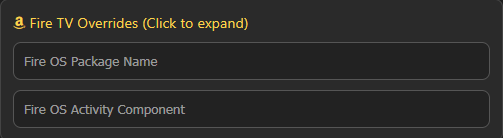
I am attempting to tune the Firestick over wifi, and I did get the notification to allow adb control, which I accepted. No joy.
2 Likes
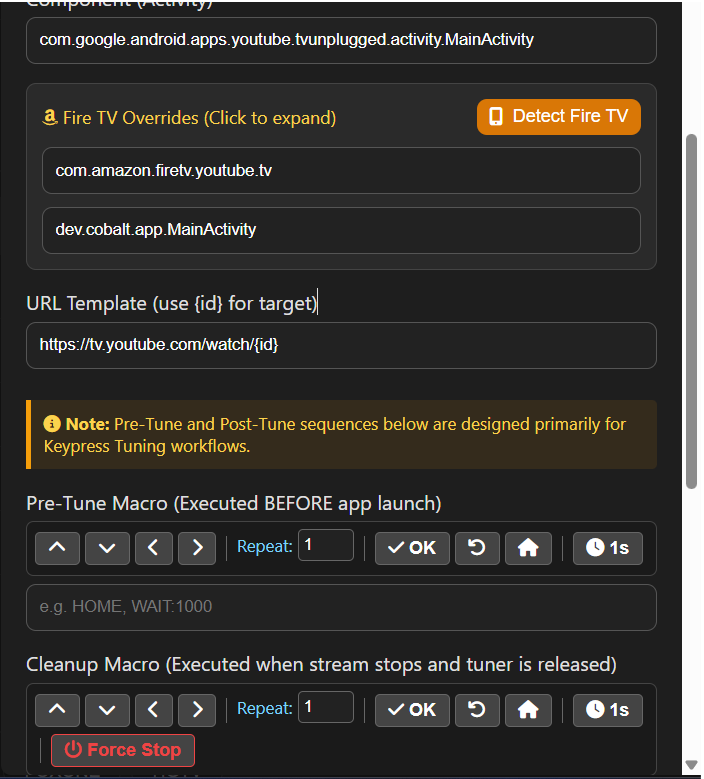
Thanks that did the trick. I see that I did not have to create another provider as you already have the software recognize the device it's tuning. Is it possible to have Firesticks also preload YoutubeTV like the Onn sticks do? At the moment, the Onn sticks do, but the Firestick just returns to the home screen.
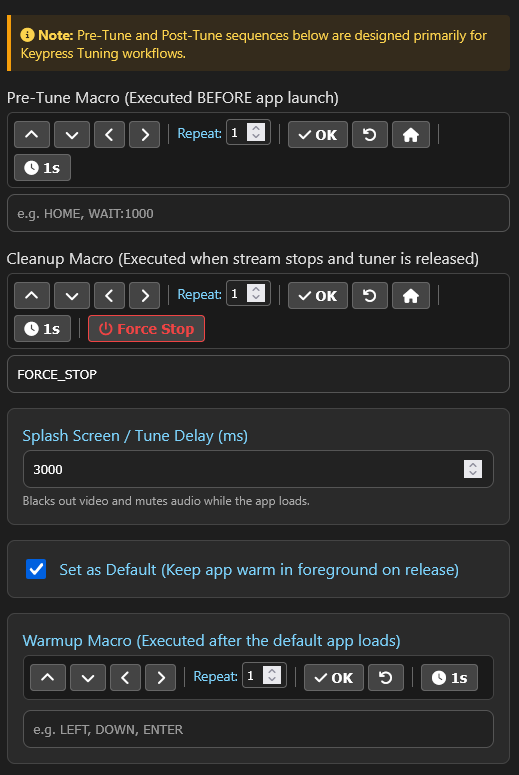
Great stuff!
I will have to see if the fire stick requires a different ADB command to restart the app. I will add that to the next release. thanks for the catch.
1 Like
I think that system of stopping the app, going back to the home screen, and then relaunching the app might be a bandwidth saver. Most of these Android based streaming sticks seem to do a fair amount of advertising on their homescreens. After some researching and work I was able to get the Onn sticks to be fairly static on the homescreen, but I haven't checked on how to minimize it with the Firesticks yet.
1 Like
v5.1.9 Release
Changes in v5.1.9
- Fire OS "Keep Warm" & Tuning Compatibility Fix
- Nucleus Pluto TV VOD Deep Link Routing
For reasons that I can't explain, the older v5.1.5-WIN is now pretuning to YoutubeTV after an initial release.