I will look this afternoon when I get home. I think it is dev.cobalt.app.MainActivity
It looks like your Google TV Activity Component is wrong. com.google.android.apps.youtube.tvunplugged.activity.MainActivity

I will look this afternoon when I get home. I think it is dev.cobalt.app.MainActivity
It looks like your Google TV Activity Component is wrong. com.google.android.apps.youtube.tvunplugged.activity.MainActivity
That worked for the FireTv.
My Onn 4k wouldn't work without the "ChrobaltMainActivity"
which was suggested by ChatGPT.
Strange.
Thanks
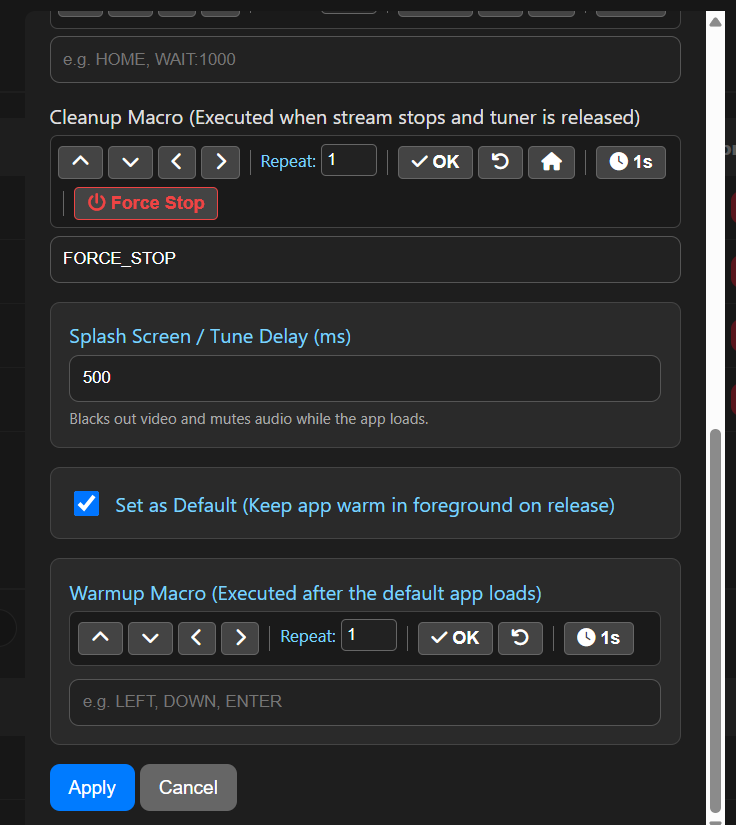
"Keep Warm" Checkbox: A new option inside the Provider edit modal that lets you set one specific app to automatically launch and idle in the foreground when a stream ends.
Warmup Macro Input & Toolbar: A new text field and button menu in the Provider modal allowing you to define a sequence of keystrokes (e.g., LEFT, DOWN, ENTER) that execute as soon as the default app opens, if required.
Note: You will want to turn off features like "Play on Startup" or "Autoplay" within the default app's settings menu. This improves tune times by having the main app you use ready to go, bypassing the need for the app to load when tuned. Other app will still load correctly, just without the "speed boast" of having it preloaded. You can also reduce the "Splash Screen" time since the default app tuning will happen quicker.
Finally got upgraded from the v5.0.1 version. Stopped the Channels DVR software, shutdown the running adb exe file in task manager, ran the upgrade over top of the older install, everything seemed to go fine. It did throw the "Allow PC control" checkbox on 2 of the 3 Onn sticks, and even after allowing, the message immediately popped up again. Restarted the sticks and so far no permission checkboxes. Crossing fingers. Restarted the Channels DVR server and the source was still there, so didn't touch a thing otherwise. Couldn't have been easier.
Thanks for the upgrades, Bobby. Looking good so far.
Just tested this with the Onn sticks and YTTV. I did confirm that "Autoplay on start" is set to OFF. When I stop watching a show, the Onn stick goes back to the home screen, then re-enters the Youtube app and continues playing that same show. I added the 'back' button to the warm-up macro, but that just takes the app back to the guide overlay with the show still playing in the background. Is there another way to achieve the warm-up?
I do have a bunch of Firesticks laying around. Would they be a better candidate for the streamers?
You have added a truly impressive amount of features to this tool.
Sweet mother. You've thought of everything.
Did you notice any improvement in load time?
Lil' bit. Takes about 5 seconds to tune now, compared to 8 to 12 seconds previously.
I have to admit, I don't really get too excited about tuning time when the software allows me to start the recording a minute or two earlier. Thank you for the option, though. I know there are some folks that seem to be very interested in fast tuning times.
This has been working flawlessly now for over a week. Thank you again, Bobby, for continuing to support native Windows Channels DVR customers. I would really like to throw a few hundred dollars your direction for you work, if that's an option.
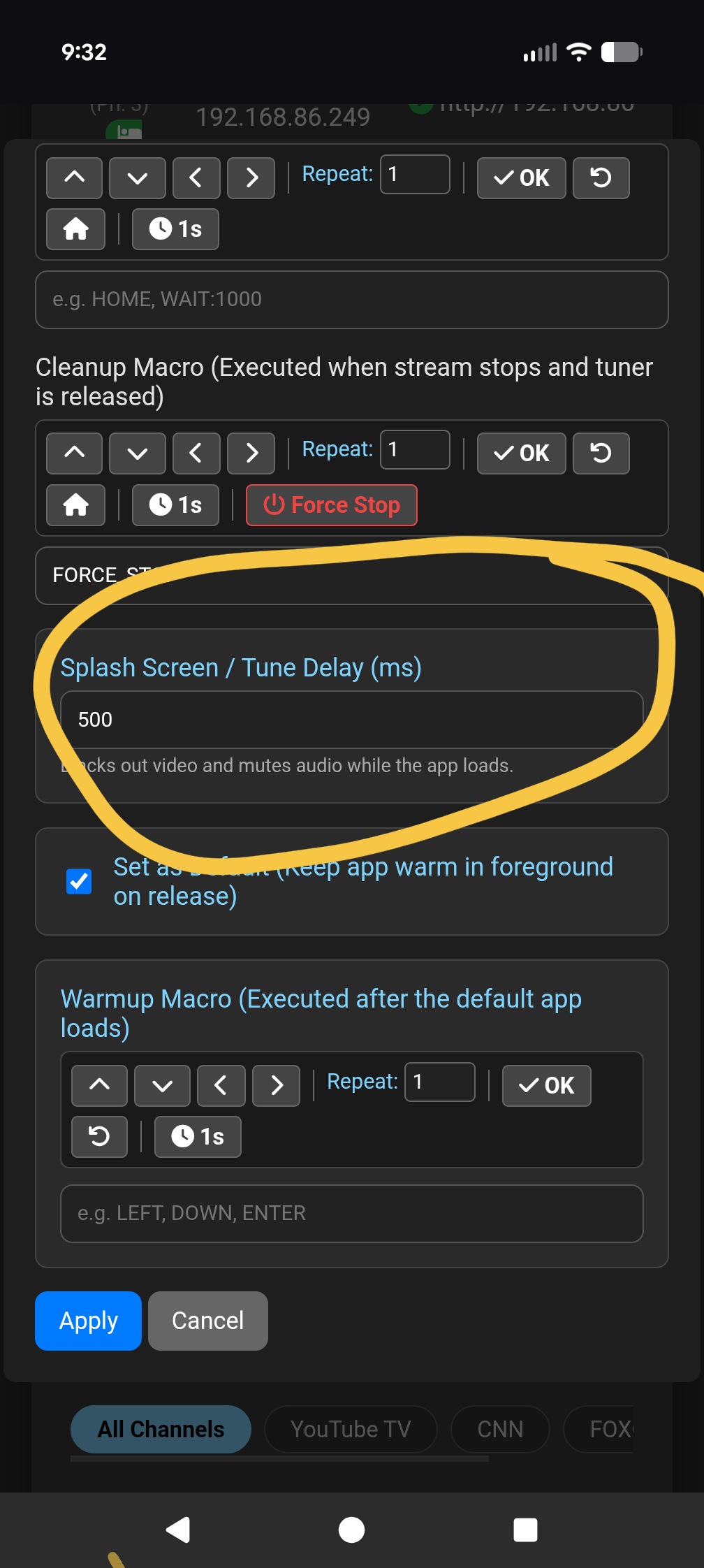
Try increasing the Splash Screen / Tune Delay (ms). It sounds like a race condition on initial tuning, this will give the Fire Stick a little more time to load the app before it starts the tuning process.
Is that a setting on the firestick?
I've raised it to 20000ms and I still get the same message.
This release includes additional ADB Tools:
More info here: