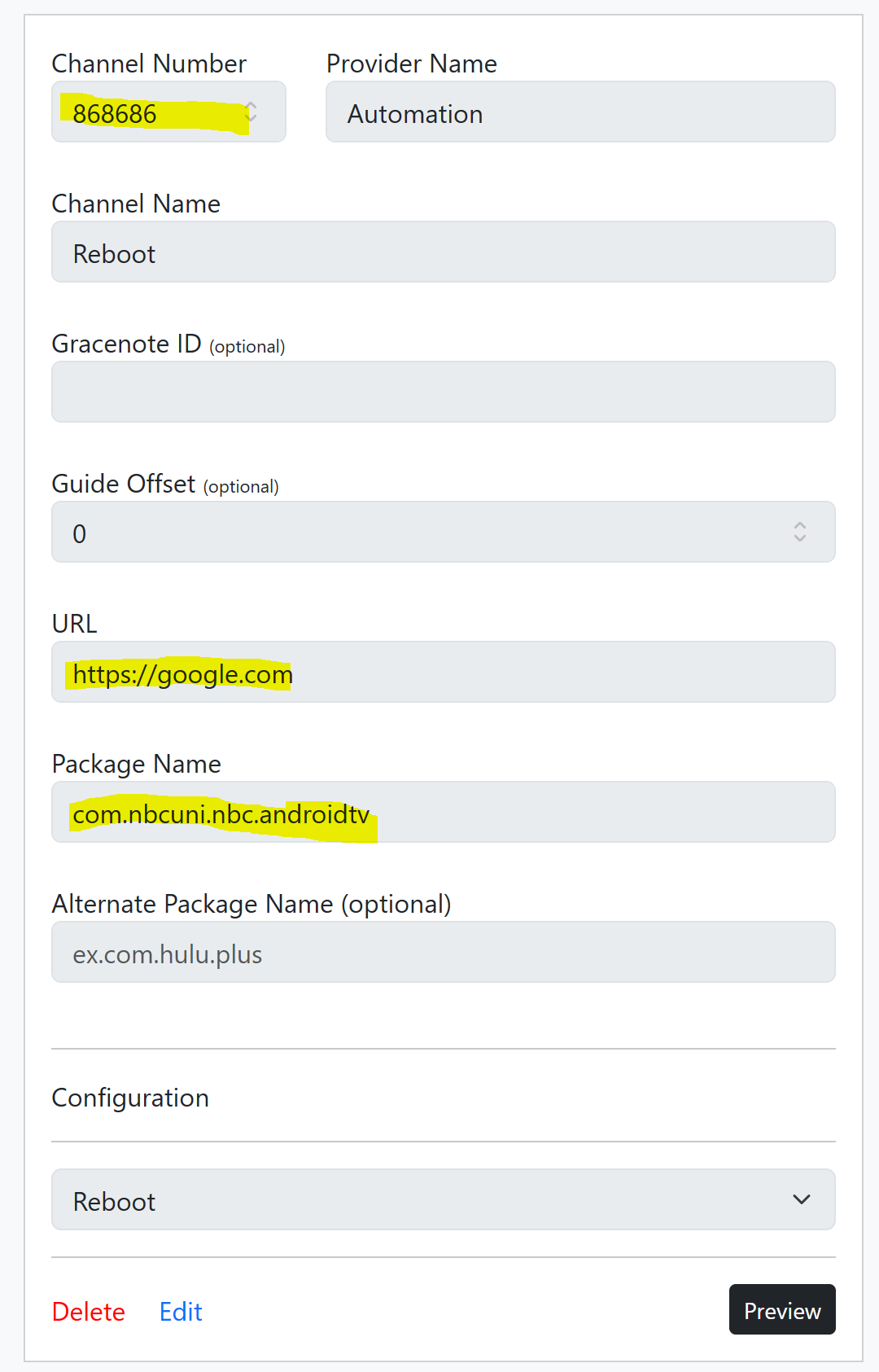
You can do this with a custom config, and fake channel. I just tested this:
{
    "name": "Reboot",
    "author": "",
    "version": "0",
    "description": "Forced reboot via ADB Command",
    "uuid": "e46314f0-cv73-21ab-c2b7-e1235d0f1433",
    "global_options": {
        "wait_for_video_playback_detection": false,
        "use_fixed_delay": true,
        "fixed_delay_seconds": 1,
        "check_for_and_clear_whos_watching_prompts": false,
        "wait_after_post_playback_start_commands_seconds": 3
    },
    "pre_tune_commands": [
        "input keyevent 3"
    ],
    "tune_commands": [
        "am start -c android.intent.category.HOME -a android.intent.action.MAIN"
    ],
    "post_playback_start_commands": [
        "sleep 5",
        "reboot"
    ],
    "post_tune_commands": [
        "input keyevent 26"
    ]
}
This wakes a tuner, sends the command to start the home screen button via AM Start, then pushes reboot command via ADB. You can watch the reboot process come back to home screen in the ADBT Preview Window. When tuning is finished, ending the preview puts the tuner to sleep.
To use the custom config, you have to make a fake channel, and but in anything for the URL, and select any application that is installed.
If you really wanted to, you could import this "channel" into Channels DVR, schedule short recording, and it should trigger reboot, say overnight. I guess you would then have a video log of the reboot completing, maybe. Didn't test this.
Of course this is a weird work around, but is much in the same style I use to get ADBTuner to work (rather well) with DirecTV Osprey boxes. If you have multiple turners, it would not target specific tuners. This was just a proof of concept, one that could be used if you were in dire need. As TurtleTank has mentioned before, ADBTuner should not become a scripting platform.
But this is the playground, it's something, best I could come up with before dinner. 
Have fun!