ADBTuner: A "channel tuning" application for networked Google TV / Android TV devices

@jsfullam I have the 4 of the Onn 4K pluses without the Ethernet
i'm not using them at all. If you want, I can sell them to you. I don't care. Like they're just sitting here. It was kind of a waste actually because I ended up buying the Ospreys.

I forgot what I paid for them, I think like $30 each. They're basically new. I just have to factory reset them.

Let me know if you can't find any and if you need them. Right now they're collecting dust, so at least they'd go to someone who'd use them.

Regardless, people are buying them up because of the Fire Stick issue, so I'm sure they'll be back in stock soon. I also saw Walmart was releasing a new model at some point soon.

1 Like

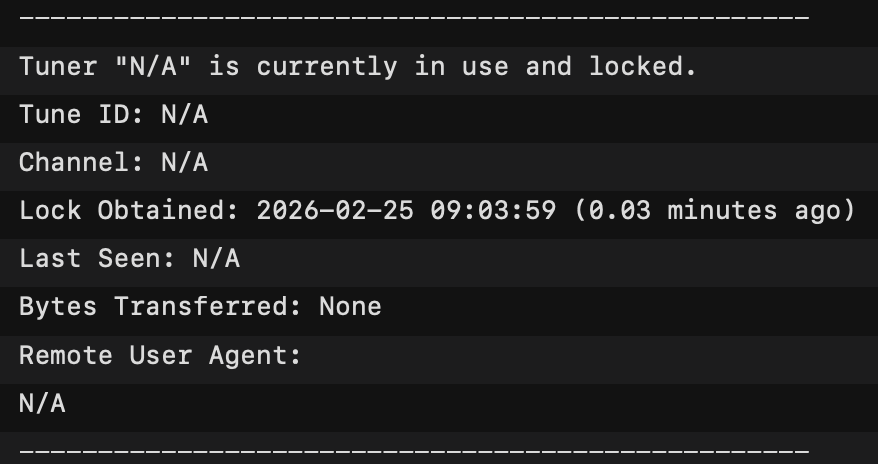
Looking in logs I see this quite frequently, is this a normal entry and part of some internal process? I have 4 tuners added to ADBTuner, just making sure there is not something I've misconfigured.

I think that's a logging bug. You should have log entries above and below that block that would explain why the tuner is locked. Something like tuner_management - Reserved Tuner for maintenance or ADB: Preparing com.package.name for future tuning operations.

1 Like

Yes, I see those above and below after the keep alive is run. Seemed like locking an N/A tuner was odd. Thought maybe my database or something was corrupted. I'll just ignore, or provide more info to you if needed. Thanks

Hi everyone, I am newer here, and I am definitely feeling in over my head. This project looks neat and I would like to give it a try. However I am no programmer but I feel like I should be able to do this and I cant even seem to get through the basic installation to get to the web interface.

Maybe there is a post about this on here but I havent been able to find one that helps, if there is, please feel free to direct me to it. I am running on windows 11 and have docker desktop installed. I tried running the installation code via docker compose using "docker-compose.yml" and I get "no configuration file provided: not found" in my terminal window when searching for the configuration file. I have tried putting the .yml file in different folders and navigatinig out to it using my cmd terminal with no luck each time.

Is there anyone who has the patience to tell me like a 3 year old where I have gone wrong lol? Thank you in advance for any advice.

Have you already purchased your HDMI encoder and streaming sticks?

If you install OliveTin-for-Channels, you'd be able to install this project, and many others pretty easily. Carefully follow the directions here to get it installed:

OliveTin's Project One-Click is accessed from the "hamburger" icon on the OliveTin Dashboard. Pretty much every know CDVR extension can be installed from there:

Wow that looks awesome. I am definitely going to look into installing this, thank you!

To your question about encoders and streamers, yes i have the streamers and no I don't have the encoder yet. I was planning on picking that up in the next couple days. I thought I could at least get the interface up to prove to myself I could do it before buying one. Are there any recommended encoders for project like this or things I need to look out for when buying one? Thanks again.

Search the forum regarding LinkPi encoders, as they work well, and are a good value compared to other quality encoders.

There's a dedicated thread about them, and many mentions across various threads.

1 Like

I sincerely appreciate your offer. I managed to find a few available for local delivery from Walmart today. I grabbed what I was able to get. We will see if they actually show up. I've had other orders cancelled due to low stack before. So, I don't believe anything until it's right in my hands. If this falls through, I'll be in touch with you. Thanks again.

1 Like

Good luck! I hope you get them!

1 Like

Score! I run a few Plus boxes along with my Osprey stack. Happy to share any configs I'm using in ADBT.

3 Likes

Thanks! The new "Plus" boxes actually arrived! I picked up two batches of three delivered from separate stores. I know it's more than I'll need for my tuner stack. But, I can always return the surplus, or...keep them to upgrade a couple of my older client boxes.

I have been using @mackid1993 's "DirecTV X.X.X" config with my regular onn 4k boxes. I figured that I'd start out with that one for my newer Plus boxes. @spammedeeper , I'd love to compare with the config you are using with your onn Plus boxes. You have shared a few versions with me. But, I don't remember which was your most recent preference.

Here is my current config for DirecTV App on Onn 4K Plus. Focus is on recording, so I wake and sleep at each tuning.

{
"name": "DirecTV App - Onn 4K Plus (Recording)",
"author": "",
"version": "0",
"description": "Wake, Tune, Sleep for DirecTV App - For scheduled recordings",
"uuid": "e98a9693-0753-457f-87f2-4ab7cbf6190e",
"global_options": {
"wait_for_video_playback_detection": true,
"use_fixed_delay": false,
"fixed_delay_seconds": 0,
"check_for_and_clear_whos_watching_prompts": false,
"wait_after_post_playback_start_commands_seconds": 0
},
"pre_tune_commands": [
"input keyevent 224"
],
"tune_commands": [
"am start -S -W -a android.intent.action.VIEW -d '||TARGET_URL_OR_IDENTIFIER||' '||TARGET_PACKAGE_NAME||'"
],
"post_tune_commands": [
"input keyevent 3",
"input keyevent 26"
]
}

One more thing for Onn 4K Plus boxes. Compared to my Osprey boxes the audio output is much lower. On my LinkPi encoders, I boost audio +6dB for O4K+ HDMI inputs.

1 Like

My god, that's the other thing about the Osprey boxes. They are very loud. Very, very, very loud!

Do you compensate for the volume by reducing gain in the encoder settings?

No I just leave it. It honestly doesn't bother me.

Tested the ESPN Unlimited Disney+ Hulu $35 bundle to get the ESPN linear channels working in ADB with the Hulu App:

It does work! Thanks for the advise @nateg

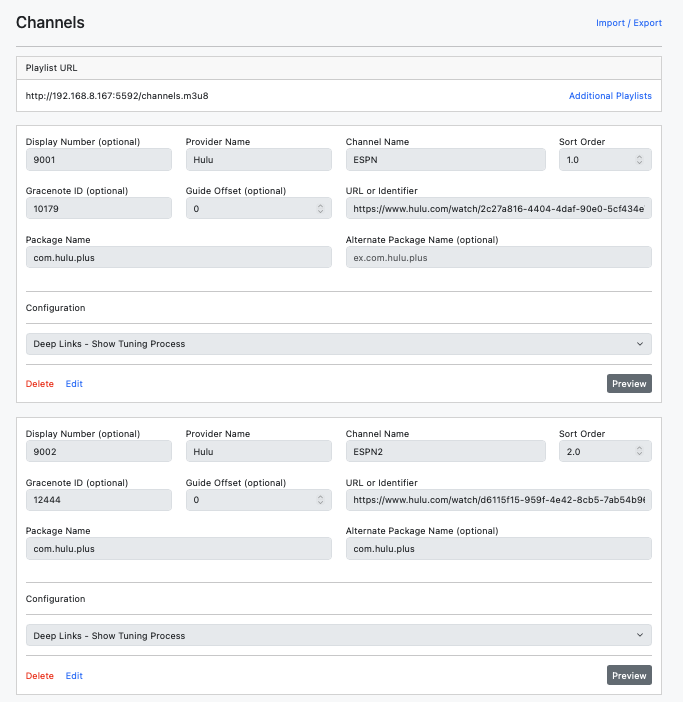
Hulu ESPN channel deeplinks for anyone that was looking:

ESPN: https://www.hulu.com/watch/2c27a816-4404-4daf-90e0-5cf434e7e0c9
ESPN2: https://www.hulu.com/watch/d6115f15-959f-4e42-8cb5-7ab54b966c02
ACC: https://www.hulu.com/watch/acc-network-4a61ce1f-1bfb-4de4-b5d4-2f542217f12f
SEC: https://www.hulu.com/watch/sec-network-315c6dbe-8c86-4ad4-a7ca-06acc006859a
ESPNEWS: https://www.hulu.com/watch/espnews-dbdc4011-d408-4697-a3d8-70e0bd179fe9
ESPNU: https://www.hulu.com/watch/espnu-8a3b8267-7a37-4097-ab44-b3e0d7abed57

Wondering if anybody has had any luck finding these ESPN channels Deep Links for the ESPN App or Disney+ App?

I think the Hulu standalone app will be phased out this year, so this will probably will stop working when that happens and need Disney + or ESPN+ Deep Links.

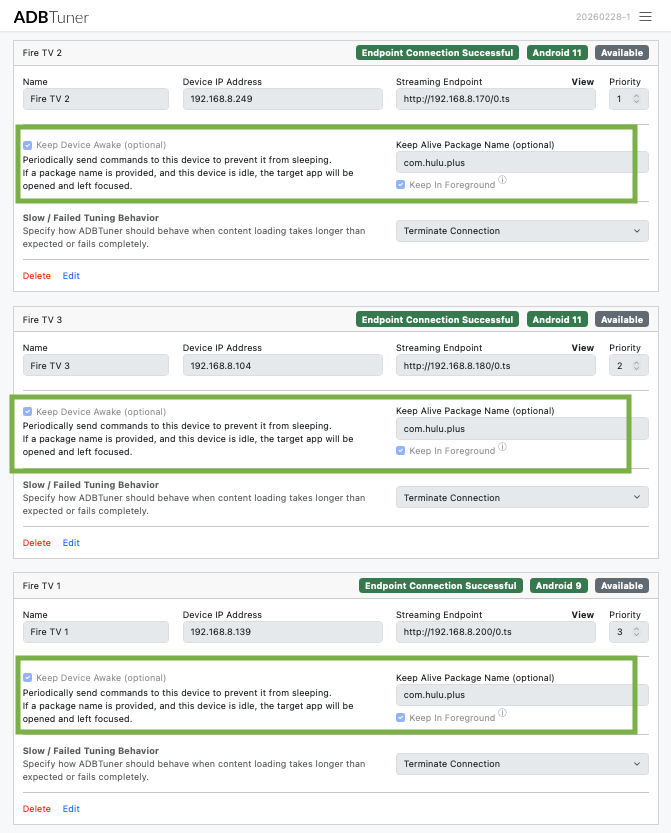
Update: There is one thing that is a little annoying, when the Hulu app goes idle, it asks you to select a profile on startup. Updated to the latest ADB 20260228-1 and wasn't having the issue anymore, the tuners are able to move past The "Who's Watching" profile screen.

Below was some testing I did, but no longer needed.

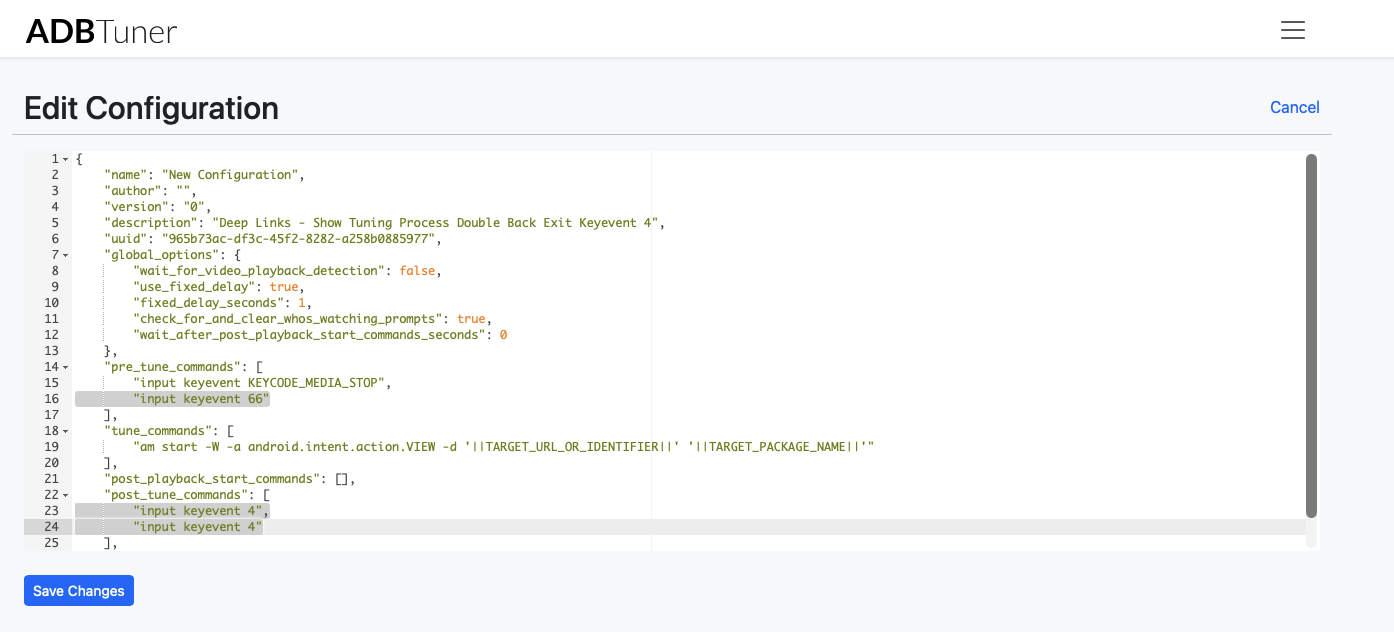
I created a custom ADB configuration to test a few things to get around this:

"pre_tune_commands"
Added "input keyevent 66" to press "enter" when ADB opens Hulu to get past the select profile screen.

"post_tune_commands"
Modified with a double "input keyevent 4", so my fire tv presses "back twice" on exit, so the Hulu app doesn't close and launches quicker. Might need to do some trial and error here to see what works best for your setup/preference.

Note: I've updated my fire tv's to not sleep with the "settings put system screen_off_timeout 2147460000" command, that is also explained below:

https://www.reddit.com/r/fireTV/comments/1atyvqa/disabling_sleep_of_a_fire_tv_stick_4k_max/

1 Like

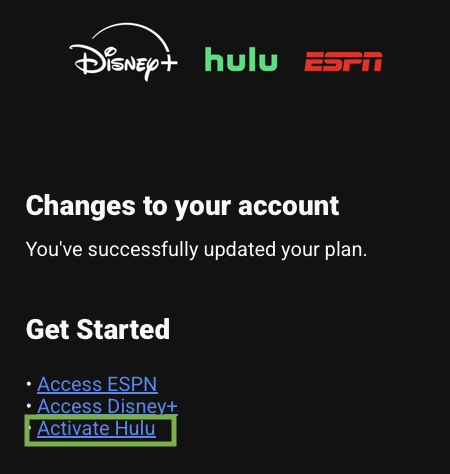
PS: When you signup for the ESPN Unlimited Disney+ Hulu bundle, you must activate Hulu in the email confirmation for the ESPN channels to work/show up in the FireTv Hulu standalone app.

Hulu

@Brando85 no worries. I don’t think the mouse house is going to give up on their live tv offering. I suspect that they would fold it in to their Disney app at some point. One would hope they would maintain deeplinking, and we would just just have to swap out hulu.com to Disney.com on these.

@nateg Yeah definitely, I was just reading that the stand alone Hulu app will shutdown sometime this year and only work under the Disney+ app

https://www.reddit.com/r/Hulu/comments/1mj3t4f/hulu_standalone_app_to_end_in_2026_content_to/