Thanks! The new "Plus" boxes actually arrived! I picked up two batches of three delivered from separate stores. I know it's more than I'll need for my tuner stack. But, I can always return the surplus, or...keep them to upgrade a couple of my older client boxes.
I have been using @mackid1993 's "DirecTV X.X.X" config with my regular onn 4k boxes. I figured that I'd start out with that one for my newer Plus boxes. @spammedeeper , I'd love to compare with the config you are using with your onn Plus boxes. You have shared a few versions with me. But, I don't remember which was your most recent preference.
One more thing for Onn 4K Plus boxes. Compared to my Osprey boxes the audio output is much lower. On my LinkPi encoders, I boost audio +6dB for O4K+ HDMI inputs.
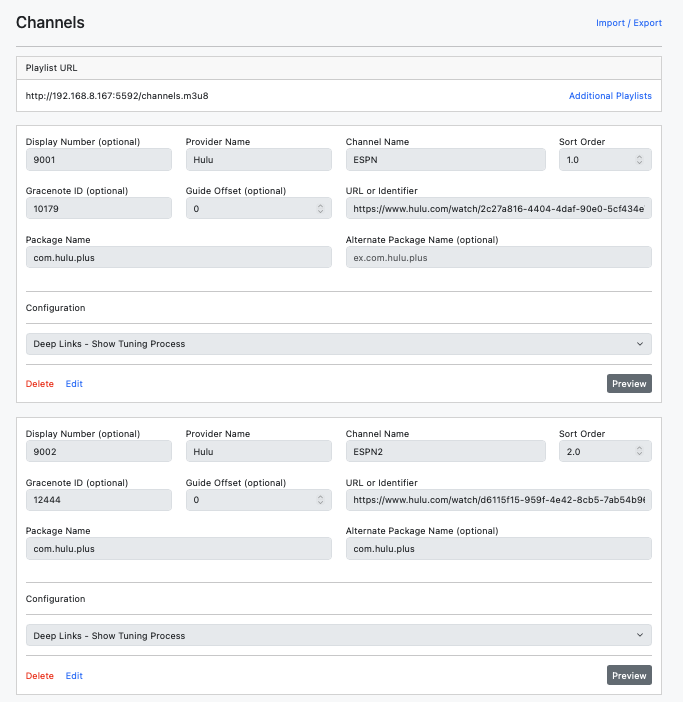
^ Wondering if anybody has had any luck finding these Hulu Deep Links for the ESPN App or Disney+ App?
I think the Hulu standalone app will be phased out this year, so the above Hulu deep links will probably stop working and will need either "Disney+" or "ESPN" App Deep Links.
There is one thing that is a little annoying, when the Hulu app goes idle, it asks you to select a profile on startup.
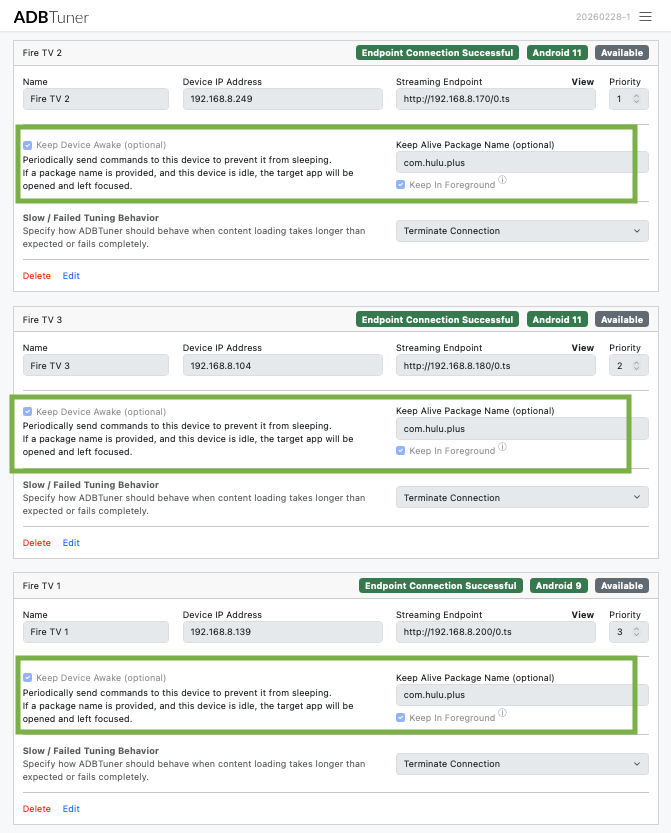
^ Updated to the latest ADB 20260228-1 and wasn't having that issue anymore, the tuners are able to move past The "Who's Watching" profile screen. I also have the "Keep Alive" and "Keep in Foreground" features at the tuner level checked for faster load times.
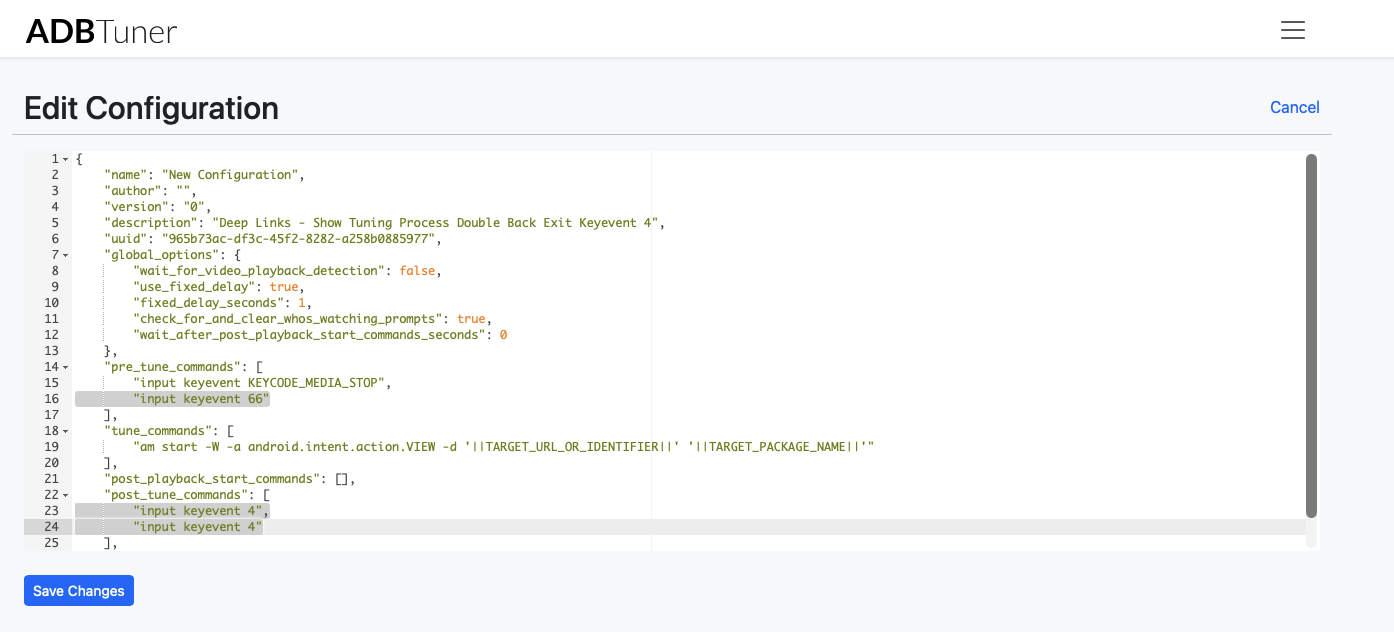
Below was some testing I did, but no longer needed. "Deep Links - Show Tuning Process" is working
"pre_tune_commands"
Added "input keyevent 66" to press "enter" when ADB opens Hulu to get past the select profile screen.
"post_tune_commands"
Modified with a double "input keyevent 4", so my fire tv presses "back twice" on exit, so the Hulu app doesn't close and launches quicker.
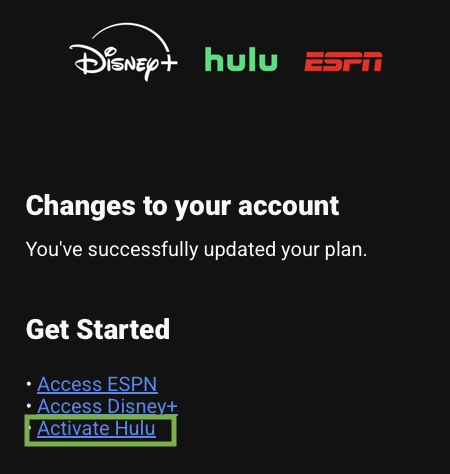
PS: When you signup for the ESPN Unlimited Disney+ Hulu bundle, you must activate Hulu in the email confirmation for the ESPN channels to work/show up in the FireTv Hulu standalone app.
@Brando85 no worries. I don’t think the mouse house is going to give up on their live tv offering. I suspect that they would fold it in to their Disney app at some point. One would hope they would maintain deeplinking, and we would just just have to swap out hulu.com to Disney.com on these.
It’s brand confusion or something I guess, but Hulu has been owned by Disney for a long time. Certainly ever since there has been Hulu with live tv that has been Disney in the background. They are killing an app, that’s all. It will be Disney with live tv at some point.
A new development build (20260228-1) was released this morning with the following changes:
Experimental support for sending HTTP requests from within custom configurations.
Experimental support for application focus detection during pre-tune operations within custom configurations. Note: for now this is only available within the pre-tune section.
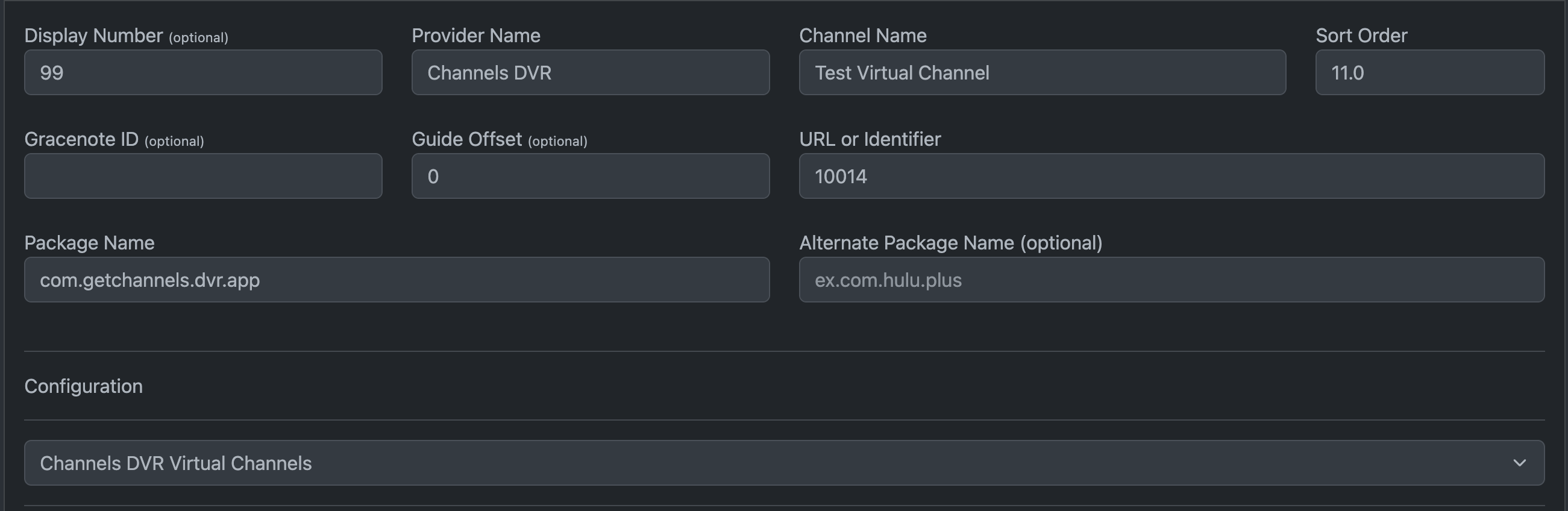
A few people had asked about using ADBTuner to control the Channels android app for the purposes of loading "virtual channels" which can only be accessed via a Channels client app. These changes are intended to provide a means of doing as such. @bnhf@jator
This is not well tested, but it worked for me on Android 14.
The channel numbers for the "URL or Identifier" field can be obtained from the Channels admin interface at http://x.x.x.x:8089/admin/virtual-channels/
or curl "http://192.168.86.25:8089/devices/VIRTUAL/guide" | jq '.[].Channel'
Let me know if you run into any issues.
I'm not sure what the best way to map these channels to guide data is, but there is some information about this in an older thread here:
Side note: If you are really into virtual channels like this, there are dedicated solutions for it like ErsatzTV and Tunarr that could provide similar functionality without having to tie up an Android TV device while watching. I'm sure there are pros and cons to all of the different approaches of course.
The "Who's watching" detect doesn't do this for you? I've always had success with that for Hulu. If you want to get wild you can explore the development version, which will let you put custom searches in for "who's watching?" types of screens.
Use of a compatibility mode configuration should help with apps that don't close properly.
Have you tried using the "Deep Links - Default" configuration with Hulu? I think it should work just fine. You can probably use the "Keep Alive" and "Keep in Foreground" features at the tuner level for faster load times as well.
Thanks! @turtletank I tested "Deep Links - Default" but the profile screen was sometimes still showing up after going idle, will try again with the above and see what works best!
I was having problems with the Hulu app going idle and putting up the Who's watching screen. But the most recent Deep Links - Default configuration deals with that just fine. Whenever Who's Watching is up I still tune correctly.(Note: I am cautious so I use the Deep Links version that does not hide the tuning process so I can see what is going on and also I got rid of all profiles but one so no other profile choices are possible).
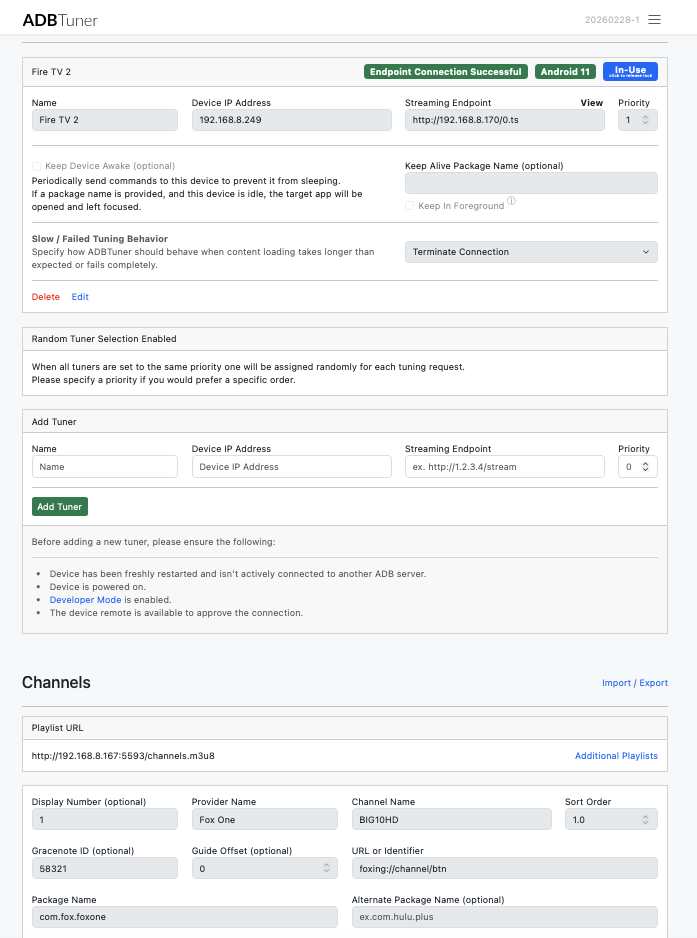
Running the latest 20260228-1 from today, ADB defaults are working better with Hulu. Thanks @turtletank@Stuartm@nateg for the info/feedback this morning, I switched from Sling TV so was working the bugs out. Updated my previous comment with updated setup/screenshots from today.
I was doing some more testing with Fox One App and wanted to run those channels on a separate ADB tuner, so that the app stays active with another separate tuner.
Was running into some little issues going back and forth between the Hulu App and Fox One App across multiple tuners/fire tv sticks.
Is there a way to run multiple instances of ADB Tuner?