
My apologies I was not aware
2 Likes
A new development build (20260222-2) has been released that includes the following changes:
- Per request: Added volume controls and a reboot button to the modal streaming endpoint preview window in the admin interface.
3 Likes
@tobeaking I saw the screenshots you posted earlier and while I think they looked awesome, it just isn't a direction I would like to take with ADBTuner.
ADBTuner has a pretty robust API (/api/docs) and you are more than welcome to start a new project that uses this API to provide an alternative administrative experience. If that is something you decide to take on and there is anything I can do to assist, please let me know, I'd be glad to help.
2 Likes
Thank you for implementing this, by the way. The reboot command is going to be really useful.
1 Like
Dang it! I was just going to pick up a few of those. It appears that there are none to be found through Walmart.
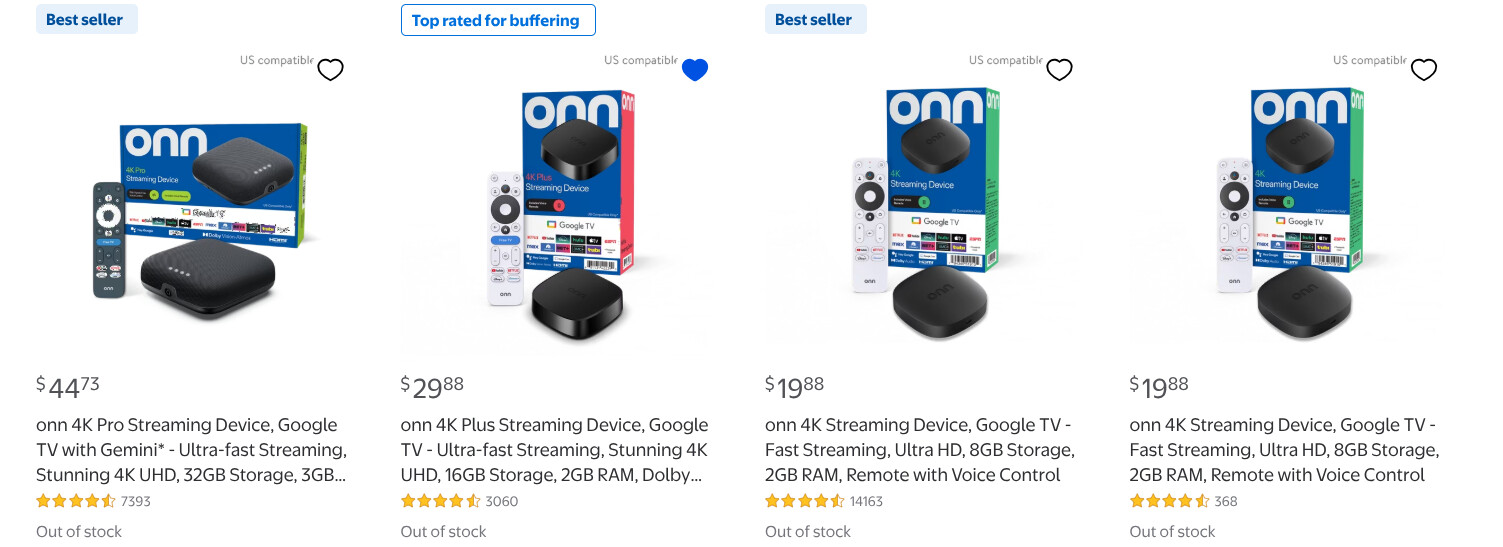
Now, I notice some popping up on eBay for twice the price...
1 Like
Keep an eye out. They were out of stock in my area, then came back for a small little bit.
These features are fantastic and appear to be working well in testing on my setup. Thank you so much!
1 Like
@jsfullam I have the 4 of the Onn 4K pluses without the Ethernet
i'm not using them at all. If you want, I can sell them to you. I don't care. Like they're just sitting here. It was kind of a waste actually because I ended up buying the Ospreys.
I forgot what I paid for them, I think like $30 each. They're basically new. I just have to factory reset them.
Let me know if you can't find any and if you need them. Right now they're collecting dust, so at least they'd go to someone who'd use them.
Regardless, people are buying them up because of the Fire Stick issue, so I'm sure they'll be back in stock soon. I also saw Walmart was releasing a new model at some point soon.
1 Like
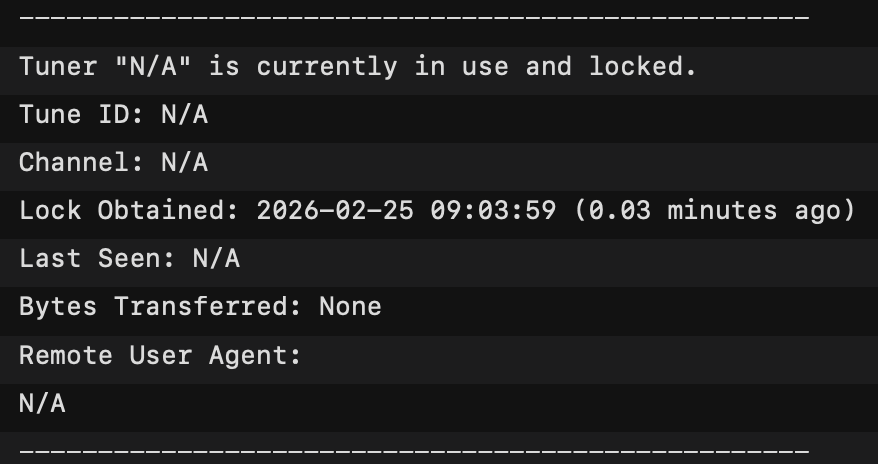
Looking in logs I see this quite frequently, is this a normal entry and part of some internal process? I have 4 tuners added to ADBTuner, just making sure there is not something I've misconfigured.
1 Like
I think that's a logging bug. You should have log entries above and below that block that would explain why the tuner is locked. Something like tuner_management - Reserved Tuner for maintenance or ADB: Preparing com.package.name for future tuning operations.
1 Like
Yes, I see those above and below after the keep alive is run. Seemed like locking an N/A tuner was odd. Thought maybe my database or something was corrupted. I'll just ignore, or provide more info to you if needed. Thanks
Hi everyone, I am newer here, and I am definitely feeling in over my head. This project looks neat and I would like to give it a try. However I am no programmer but I feel like I should be able to do this and I cant even seem to get through the basic installation to get to the web interface.
Maybe there is a post about this on here but I havent been able to find one that helps, if there is, please feel free to direct me to it. I am running on windows 11 and have docker desktop installed. I tried running the installation code via docker compose using "docker-compose.yml" and I get "no configuration file provided: not found" in my terminal window when searching for the configuration file. I have tried putting the .yml file in different folders and navigatinig out to it using my cmd terminal with no luck each time.
Is there anyone who has the patience to tell me like a 3 year old where I have gone wrong lol? Thank you in advance for any advice.
Have you already purchased your HDMI encoder and streaming sticks?
If you install OliveTin-for-Channels, you'd be able to install this project, and many others pretty easily. Carefully follow the directions here to get it installed:
OliveTin's Project One-Click is accessed from the "hamburger" icon on the OliveTin Dashboard. Pretty much every know CDVR extension can be installed from there:
Wow that looks awesome. I am definitely going to look into installing this, thank you!
To your question about encoders and streamers, yes i have the streamers and no I don't have the encoder yet. I was planning on picking that up in the next couple days. I thought I could at least get the interface up to prove to myself I could do it before buying one. Are there any recommended encoders for project like this or things I need to look out for when buying one? Thanks again.
Search the forum regarding LinkPi encoders, as they work well, and are a good value compared to other quality encoders.
There's a dedicated thread about them, and many mentions across various threads.
1 Like
I sincerely appreciate your offer. I managed to find a few available for local delivery from Walmart today. I grabbed what I was able to get. We will see if they actually show up. I've had other orders cancelled due to low stack before. So, I don't believe anything until it's right in my hands. If this falls through, I'll be in touch with you. Thanks again.
1 Like
Good luck! I hope you get them!
1 Like
Score! I run a few Plus boxes along with my Osprey stack. Happy to share any configs I'm using in ADBT.
4 Likes
Thanks! The new "Plus" boxes actually arrived! I picked up two batches of three delivered from separate stores. I know it's more than I'll need for my tuner stack. But, I can always return the surplus, or...keep them to upgrade a couple of my older client boxes.
I have been using @mackid1993 's "DirecTV X.X.X" config with my regular onn 4k boxes. I figured that I'd start out with that one for my newer Plus boxes. @spammedeeper , I'd love to compare with the config you are using with your onn Plus boxes. You have shared a few versions with me. But, I don't remember which was your most recent preference.
Here is my current config for DirecTV App on Onn 4K Plus. Focus is on recording, so I wake and sleep at each tuning.
{
"name": "DirecTV App - Onn 4K Plus (Recording)",
"author": "",
"version": "0",
"description": "Wake, Tune, Sleep for DirecTV App - For scheduled recordings",
"uuid": "e98a9693-0753-457f-87f2-4ab7cbf6190e",
"global_options": {
"wait_for_video_playback_detection": true,
"use_fixed_delay": false,
"fixed_delay_seconds": 0,
"check_for_and_clear_whos_watching_prompts": false,
"wait_after_post_playback_start_commands_seconds": 0
},
"pre_tune_commands": [
"input keyevent 224"
],
"tune_commands": [
"am start -S -W -a android.intent.action.VIEW -d '||TARGET_URL_OR_IDENTIFIER||' '||TARGET_PACKAGE_NAME||'"
],
"post_tune_commands": [
"input keyevent 3",
"input keyevent 26"
]
}
One more thing for Onn 4K Plus boxes. Compared to my Osprey boxes the audio output is much lower. On my LinkPi encoders, I boost audio +6dB for O4K+ HDMI inputs.
1 Like