ADBTuner: A "channel tuning" application for networked Google TV / Android TV devices

Generally speaking, if one has to specify an activity, the URL isn't formatted correctly. Some apps are broken though. I get that. Can you try using https://www.nowtv.com/deeplink?... and see if that changes things? That is specifically defined as the "deeplink_hostname" within that apk.

I removed that field from the UI because it's rarely needed and if it's needed one can now create a custom configuration that hardcodes that activity. It was one less thing in the UI to confuse people.

Let me know if this changes anything. I'm not sure how this could be related, but I could have missed something. If all the tuners have the same priority one is selected at random, otherwise the one with the highest priority (lowest number) is selected from the tuners that are currently not in use.

From the logs it looks like the playback device (client) stopped streaming long enough for ADBTuner to assume it was ok to stop playback and release the tuner. I will have to setup a test case to see if I can duplicate.

I struggled with a similar issue when v 2.0 came out, after a month of recording the YoutubeTV Home Screen, I added the below environment variable to my stack and it solved the problem.

environment:
KNOWN_STREAM_DEFAULT_TIMEOUT: 10

1 Like

I did some more testing last night and found that the unexpected behavior of exiting to theYTTV main screen when ending a multiview session on another TV still exists, despite adjusting the priority of tuners to be all individual. Well not conclusive it appears that it was harder to replicate with the priorities all being individual; I was able to make it happen 2 times. I tried to replicate this behavior by just ending one stream to see if the others were affected, and I could not do so. Whatever the issue is seems to happen when stopping multiple streams at one time.

When you have a chance, can you try @dvrbob's recommendation and add the following to your container's environment?

KNOWN_STREAM_DEFAULT_TIMEOUT: 10

From your logs it seems that the multiview playback client might stop streaming data for all of its active streams for a few seconds when one is stopped. After 3 seconds ADBTuner will release the tuner(s). Changing this configuration option will allow a full 10 seconds before that happens.

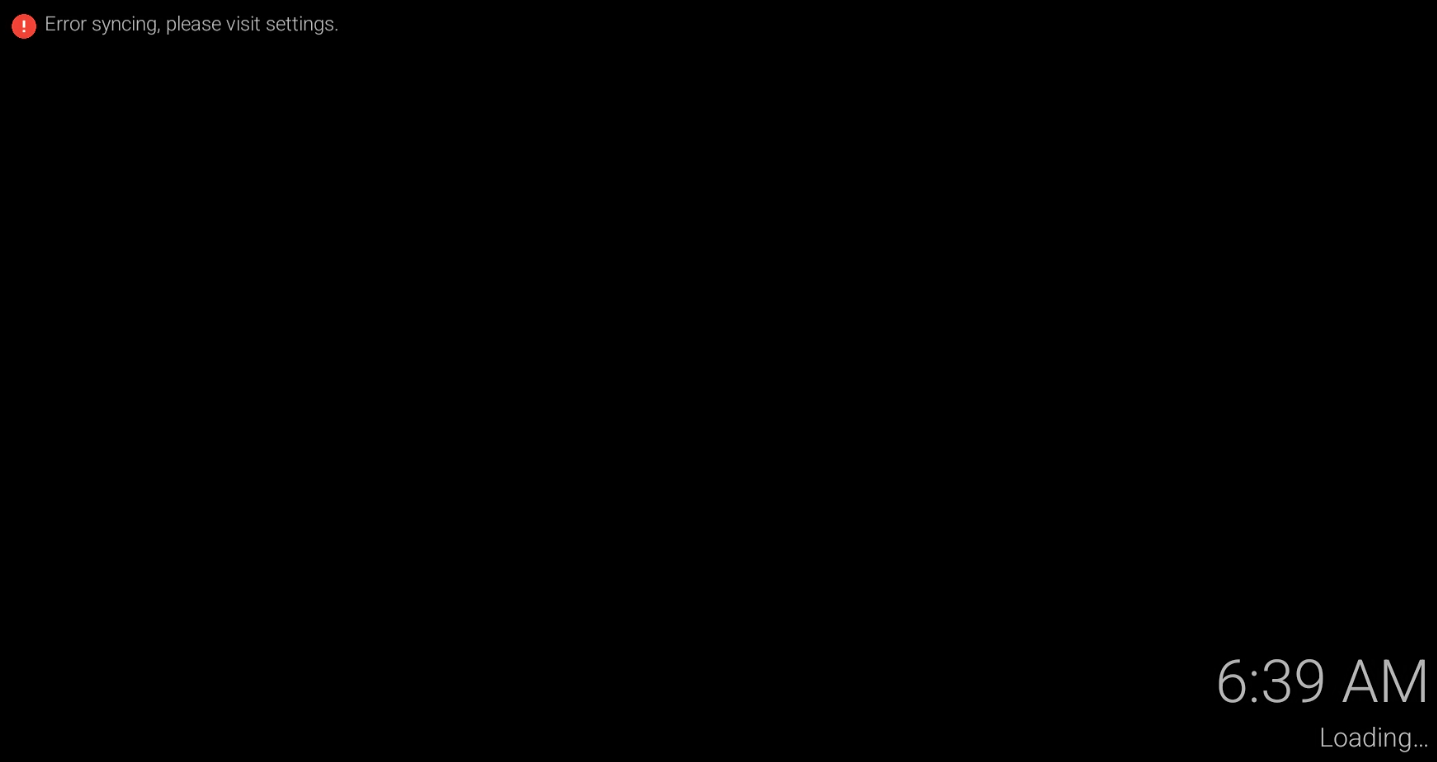
I'm the guy from the ah4c post that you helped me to get my Tivo Stream 4K working with adbtuner. It keeps getting stuck on this screen (that I get from View on Adbtuner). I can clear this screen by hitting "home" button in View screen, then I can get it to tune to adbtuner channels, but in a few hours it eventually drifts back to this "error syncing please visit settings" page. When I try to tune to a channel with CDVR android app, this same screen shows up and the CDVR app thinks its playing the requested channel. Any ideas?

You need to determine if this is happening during the virtual tuning process, or if it's happening when your TiVo Stream 4K is sitting idle. Doing multiple virtual tunes back-to-back, using just the TS4K, should answer that.

If this is something your TS4K is doing while sitting idle, and you're not using "keep alive", then this is not ADBTuner related.

If this is occurring during the virtual tuning process, then you need to determine which ADB command is causing it.

I can clear the "error syncing please visit settings" by hitting the Home button on adbtuner "View" button, I can then immediately tune to the channels defined by the adbtuner no problem (I did 3 in a row). I have placed com.hulu.livingroomplus into the "keep alive" field on adbtuner website yesterday after I did the same test (clear via home button, tune to several channels) and I then placed com.hulu.livingroomplus into the "keep alive" field. So it has failed after I populated the keep alive field also. So like the problem appears after sitting idle.

Disable keep alive, and see if this still happens while sitting idle. If so, this has nothing to do with ADBTuner.

It sounds like you could probably work around this though by adding an input keyevent KEYCODE_HOME to the pre-tune commands section of an ADBTuner Custom Config.

The problem exists with or without an entry in the keep alive field. I agree that all that's needed is to hit home button before trying to tune to a channel. Where is the process defined how to enter this custom config?

Search is your friend :slight_smile::

https://community.getchannels.com/search?expanded=true&q=custom%20config%20topic:36822

1 Like

OK, I'm trying here but its not obvious. If I go into adbtuner, I click "add new" n the configurations page. this json text then comes up:

{
    "name": "New Configuration",
    "author": "",
    "version": "0",
    "description": "Add description here.",
    "uuid": "2a15823e-8528-48b1-bfb0-c0d5ae5e37d5",
    "global_options": {
        "wait_for_video_playback_detection": true,
        "use_fixed_delay": false,
        "fixed_delay_seconds": 0,
        "check_for_and_clear_whos_watching_prompts": true,
        "wait_after_post_playback_start_commands_seconds": 0
    },
    "pre_tune_commands": [
        "input keyevent KEYCODE_MEDIA_STOP"
    ],
    "tune_commands": [
        "am start -W -a android.intent.action.VIEW -d '||TARGET_URL_OR_IDENTIFIER||' '||TARGET_PACKAGE_NAME||'"
    ],
    "post_playback_start_commands": [],
    "post_tune_commands": [
        "input keyevent KEYCODE_MEDIA_STOP",
        "input keyevent KEYCODE_MEDIA_PAUSE",
        "input keyevent KEYCODE_HOME"
    ],
    "source_file": "/app/app/configurations/01_default_deeplinks.json"
}

I see there us a UUID in this. I need add a pretune custom config for each channel? Sorry, went to an example on how to do this and its not sinking in. I just put in the input keyevent KEYCODE_HOME i the pretune section above and do this for each channel? Sorry..

One custom config, but each channel needs to be configured to use it.

Something like this should work:

{
    "name": "TiVo Stream 4K Compatibility",
    "author": "rss7",
    "version": "1.0",
    "description": "Added KEYCODE_HOME to pre_tune_commands.",
    "uuid": "2a15823e-8528-48b1-bfb0-c0d5ae5e37d5",
    "global_options": {
        "wait_for_video_playback_detection": true,
        "use_fixed_delay": false,
        "fixed_delay_seconds": 0,
        "check_for_and_clear_whos_watching_prompts": true,
        "wait_after_post_playback_start_commands_seconds": 0
    },
    "pre_tune_commands": [
        "input keyevent KEYCODE_MEDIA_STOP",
        "input keyevent KEYCODE_HOME"
    ],
    "tune_commands": [
        "am start -W -a android.intent.action.VIEW -d '||TARGET_URL_OR_IDENTIFIER||' '||TARGET_PACKAGE_NAME||'"
    ],
    "post_playback_start_commands": [],
    "post_tune_commands": [
        "input keyevent KEYCODE_MEDIA_STOP",
        "input keyevent KEYCODE_MEDIA_PAUSE",
        "input keyevent KEYCODE_HOME"
    ]
}

Thank You. I added the config you provided above to adbtuner, then applied it to each channel. Before I tried to tune to a channel the TS4K screen was still stuck. When I tuned to a channel I watched it get unstuck then tune to my requested channel. If I need more help I'll reach back out. Thanks as always for quick and productive response!

I added the suggested default timeout that @dvrbob and did some testing last night and could not replicate the unexpected behavior. I will note I never saw any video pause in my past testing. I will be using it again this weekend and will report back if any odd stuff happens agian. Thanks for the suggestions.