
@mantooth Thanks! We've identified the source of the issue and are looking at a solution. I appreciate the samples.
1 Like
I am also seeing a lockup with video processing going.
Earlier, there was one recording in progress and we were watching a program from the library while video processing was also in progress.
The show we were watching buffered and stopped playing.
The server was unresponsive. I had to kill the power to it.
Now that it's back up, it's locked up again and it's still processing after I upgraded to the latest pre-release.
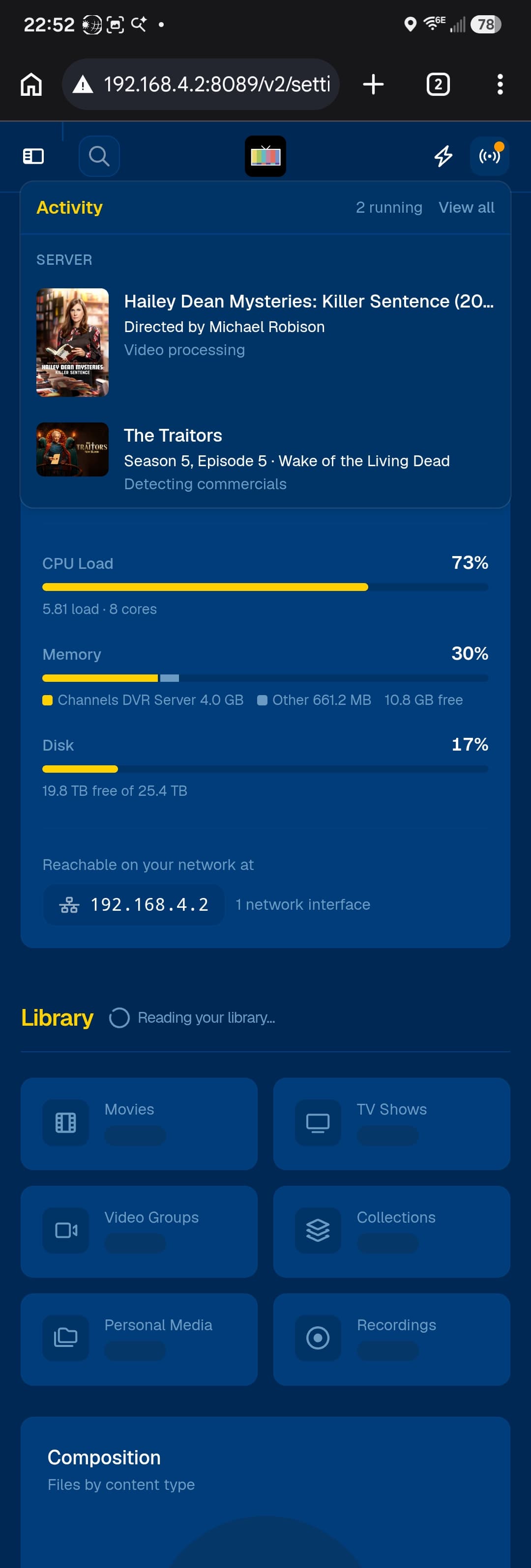
It's been processing this movie and detecting commercials on this episode for a long time.
I have other docker containers running on the same machine and their web pages won't load in the browser.
The whole machine is completely frozen.
I will kill the power again and as soon as Channels is back up, I will hurry and send diagnostics.
Logs submitted — reference 1a201b6f-46a7-41cc-92a7-659368cb5eac.
Great, Thank you Eric.
1 Like
Thank you. I've been running this new version for 12 hours now and no issues so far.
2 Likes
We have a big update in the new Enhanced+ work that is the next step in solving these issues that @sdschramm, @Shaggylive and others have talked about where a single block contains both ad and show content.
Next to the Mark as Commercial/Mark as Content button in the commercial editor, there is a new Split button that will take a block and split it into two.
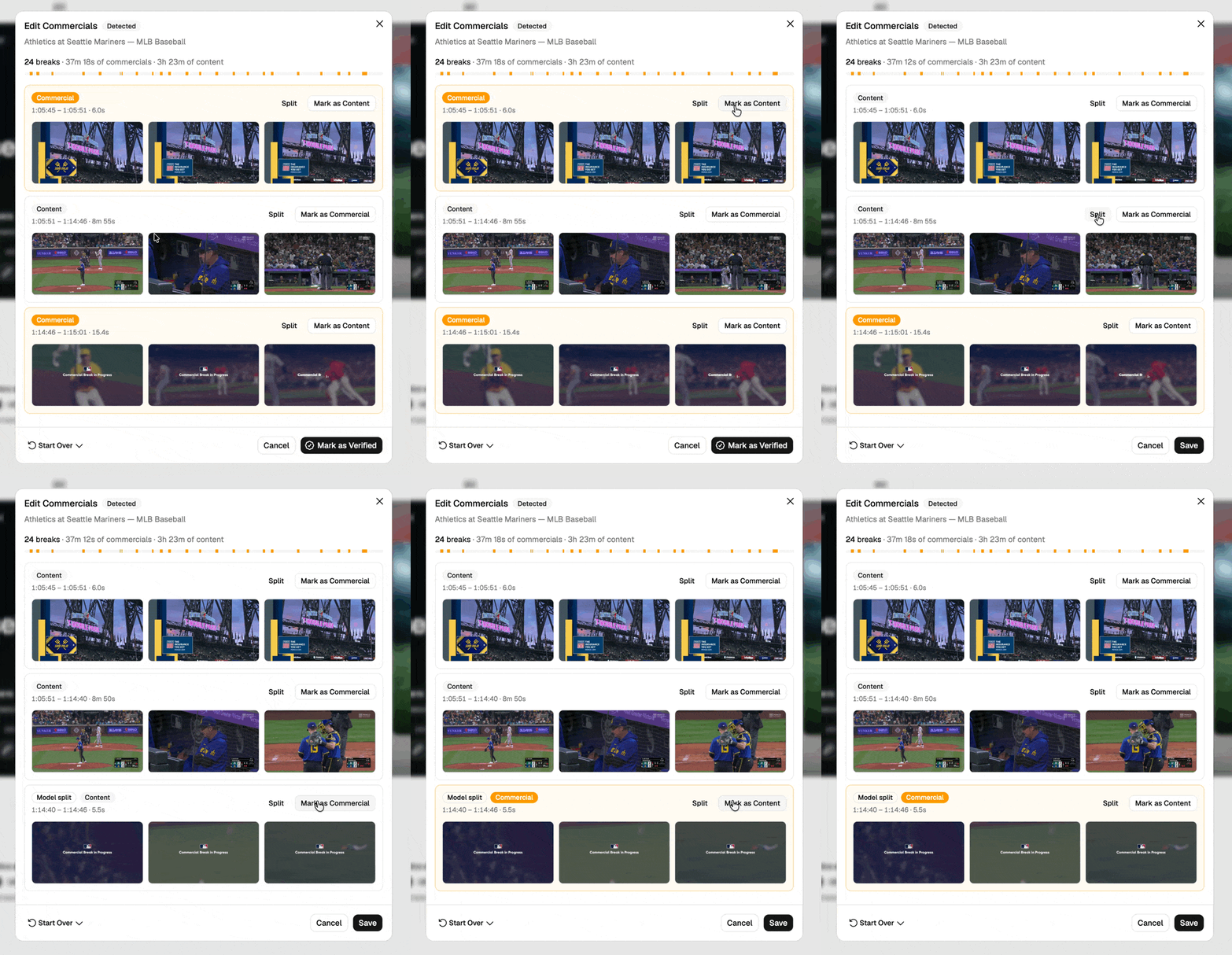
Using this button will allow you to be more granular with your commercial edits, which will mean that you won't have to sit through ads if you edit commercials before you watch a show, and will give us feedback about where the existing cuts are being missed to make the detection process better and more accurate.
We appreciate everyone who has been trying out Enhanced+ and reporting the issues. Soon it will be the only Enhanced Detection option.
5 Likes
Progress continues: Enhanced+ is now Enhanced. Anyone who was already on Enhanced now gets the new more efficient processing. We appreciate everyone who helped us test this out.
Note: If Deep Video Processing was disabled, you will need to enable it to be able to re-enable Enhanced.
6 Likes
Great work! 
1 Like
The new "split" button is working great! Thank you!
1 Like
I've viewed a number of shows where the commercial skipping has been so good that if the message that the skip was happening was not there it would look like a there was a normal fade to black, fade back in edit in the video. Someday we might be at the point that the commercial skipping message is not needed and could be made optional.
Thank you for the superb work Eric.
2 Likes
wanted to take this opportunity to point out that 'Play Next' does not recognize a show as watched if you do not let the count down finish and even then sometimes there is 1sec still showing unwatched.
@eric The Split feature is really cool.
That got me thinking. Would you consider providing an opt-in setting to open the editor with all segments already pre-split by default? That would save the user many clicks. 
Unless maybe there is a technical reason why it couldn't be done?
Or maybe have a Split All button at the top of the editor?
@mjitkop The Split button will continue to split a block until the block is only about 1s long, so a Split All would create as many blocks as there are seconds in the recording. We understand the current situation isn't the most convenient, but it is the best trade-off we came to considering the technical challenges we have and where we are hoping to end up.
That said, right now is the worst this will feel — once we have enough edited recordings with splits in them, we will be able to use that to make the editor automatically split at better places. We hope will eventually reach a point where you never have to use the button.
5 Likes
Loving this feature so far. One slight issue I'm seeing at the moment is that sometimes the thumbnails will appear to all be content but if I split it I can see there are actually ads that aren't visible until the split. Is this something that might also be improved as we share our edits?
1 Like
@mantooth yes, we are anticipating the more edits we get, the better this will become at picking the appropriate spot.
2 Likes
The Boundary model used for Split has been updated to 2026.10.17.0926. You can click Check for Updates under Enhanced Detection in settings.
1 Like
The new enhancements are great but the sports detection is abysmal. Record football games on Saturday and Sunday and see what happens.
detection works fine on HDHR NFL, but I don't use live dectection.
@eric what's the roadmap for improving live detection?