BETA: Enhanced Commercial Detection

I've viewed a number of shows where the commercial skipping has been so good that if the message that the skip was happening was not there it would look like a there was a normal fade to black, fade back in edit in the video. Someday we might be at the point that the commercial skipping message is not needed and could be made optional.

Thank you for the superb work Eric.

2 Likes

wanted to take this opportunity to point out that 'Play Next' does not recognize a show as watched if you do not let the count down finish and even then sometimes there is 1sec still showing unwatched.

@eric The Split feature is really cool.

That got me thinking. Would you consider providing an opt-in setting to open the editor with all segments already pre-split by default? That would save the user many clicks. :grin:

Unless maybe there is a technical reason why it couldn't be done?

Or maybe have a Split All button at the top of the editor?

@mjitkop The Split button will continue to split a block until the block is only about 1s long, so a Split All would create as many blocks as there are seconds in the recording. We understand the current situation isn't the most convenient, but it is the best trade-off we came to considering the technical challenges we have and where we are hoping to end up.

That said, right now is the worst this will feel — once we have enough edited recordings with splits in them, we will be able to use that to make the editor automatically split at better places. We hope will eventually reach a point where you never have to use the button.

5 Likes

Loving this feature so far. One slight issue I'm seeing at the moment is that sometimes the thumbnails will appear to all be content but if I split it I can see there are actually ads that aren't visible until the split. Is this something that might also be improved as we share our edits?

1 Like

@mantooth yes, we are anticipating the more edits we get, the better this will become at picking the appropriate spot.

2 Likes

The Boundary model used for Split has been updated to 2026.10.17.0926. You can click Check for Updates under Enhanced Detection in settings.

1 Like

The new enhancements are great but the sports detection is abysmal. Record football games on Saturday and Sunday and see what happens.

@GTFan Here's how you can help:

detection works fine on HDHR NFL, but I don't use live dectection.

@eric what's the roadmap for improving live detection?

It's something we hope to address at some point. Our current focus is improving the scene segmentation to prevent needing to have anyone use the Split button in the future.

2 Likes

The split function will certainly correcting any PTI shows (and any show on ESPN) that doesn't have many commercials detected automatically. Im able to split the segments and correct it and submit it.

1 Like

Great work on the Enhanced Commercial Detection, accuracy is substantially better and the new split feature works great. I am finding it still has problems with movies recorded from the channel "At The Movies, by WB tv" - there are commercial breaks that only show a blue screen with a 2 minute timer on it saying it will be right back. Detection will catch the first commercial break prior to the movie starting, and will sometimes catch the break after the movie is over, but doesn't catch any of the other breaks during the movie. If it will help I can upload one of the recordings.

Thanks again for all the hard work, you all are amazing!

3 Likes

I just wanted to say I started with you guys when I had Xfinity and a cable card and now I'm strictly over the air with a high def antenna and you guys are absolutely fantastic. I really appreciate all the work that you guys do.

1 Like

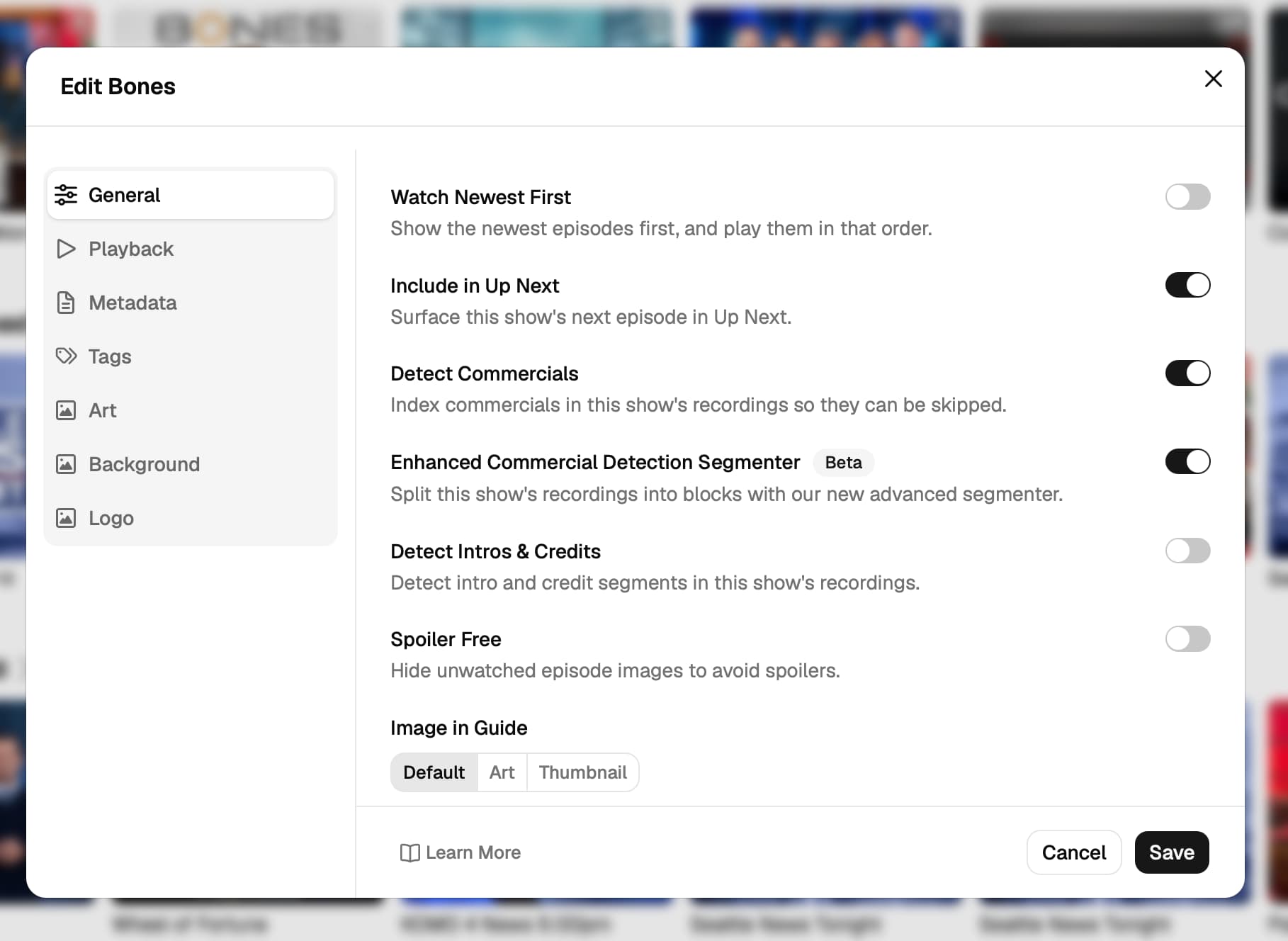
In the latest DVR pre-release, you can now enable the Enhanced Commercial Detection Segmenter on a TV show to try out our new mechanism for splitting recordings into blocks.

This is the same mechanism that is powering the new Split button. To enable it, select Edit on a show and enable Enhanced Commercial Detection Segmenter:

You should find that it creates less of those 1-2 second blocks compared to the standard mode, and will likely make different mistakes. Using the Split button and submitting your edits will feed into improvements in the future.

2 Likes

I'm seeing the following problems in the most recent macOS server build (2026.10.21.2302) in this area:

  1. The web view correctly shows both enhanced and "normal" splits, but does not provide a mechanism for forcing the video.ffsplit file (which I use in various scripts) to be generated off the enhanced splits rather than than the "normal" splits.

  2. A few days ago I set up my server to Reprocess Media Fingerprints and it's now churning through a thousand files or so in the background. That's fine, that's why we have lots of cores, for background work! What's less fine is that it seems that while the background queue is now set up to churn through all these files, manual manipulation of files (for example Options/Redetect Commercials for a TV episode) now fails, with some sort of mutual failure. Clicking Options/Redetect Commercials seems to both stop the Media Fingerprints Reprocessing (permanently, until the server is restarted) AND results in the Options/Redetect Commercials being borked (in the sense that no video.ffsplit file is generated).
    this could, of course be some independent error; all I see from the outside is these two behaviors

  • Media Fingerprints Reprocessing seems to stop
  • Options/Redetect Commercials generates some CPU activity at the expected level, for the expected duration, but no video.ffsplit file appears at the end of the process.
  1. It might also be nice to provide at least an approximate suggestion for how long it's expected to take until the Reprocessing Media Fingerprints is over. Tomorrow? October 31? Some time in January 2027?

Yes, you're right when you're using Enhanced Detection we are not updating the video.ffsplit in the comskip logs directory. We are rewriting the .edl file next to the recording if that option is enabled. Would you be interested in moving your scripts to use the .edl file?

You can even use a bash script such as this to convert an .edl to an .ffsplit:

  awk -F'\t' -v prev=0 '
    $3 == 3 { if ($1 > prev + 0.5) printf "-c copy -ss %.3f -t %.3f segment%03d.ts \n", prev, $1 - prev, n++; prev = $2 }
    END     { printf "-c copy -ss %.3f segment%03d.ts \n", prev, n }' "$1"

I'm struggling to tease out exactly what your saying your issue (2) is, but we'd need diagnostics to understand it more.

Unfortunately it's very hard to calculate that, because it only does the work when the system is idle (not recording, not playing, not doing other tasks that are higher priority). I'd need to see diagnostics from your server after some processing to even guess how long it will take. You can see the pending number in the web interface, and by looking at it over a day or so, would be able to project a very general estimate.

A new Boundary model 2026.10.21.2239 has been released. Go to Settings -> Recordings -> Enhanced Detection and tap Check for Updates to get improved Split suggestions and an updated Enhanced Commercial Detection Segmenter.

1 Like

Thanks for letting me know about the .edl files.
I expect it should be practical to use those.

As for issue 2, how do you want me to send diagnostics?
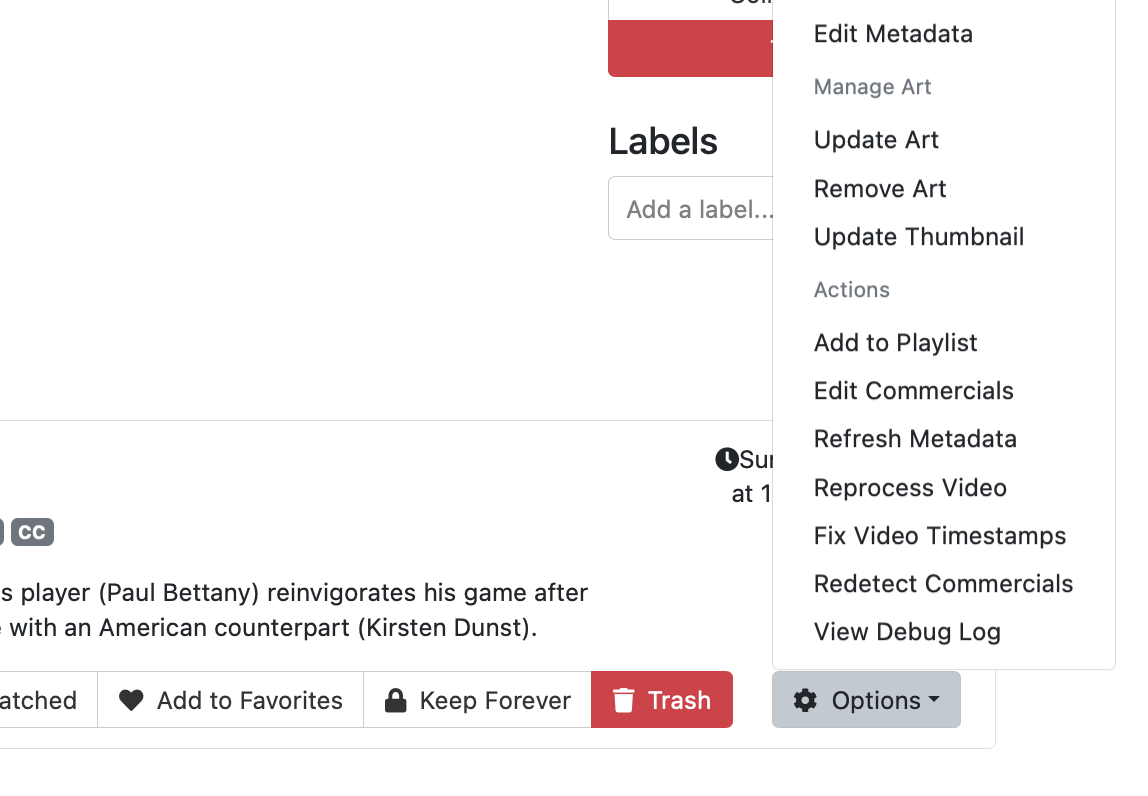
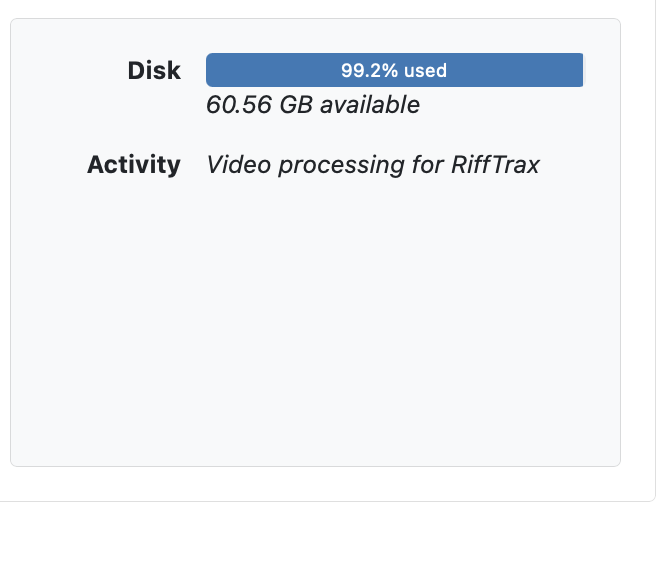
To show you my point, I've included two screenshots
First we have the popup menu, showing that I would hit "Redetect Commercials" for this movie, as usual.
Second we have a panel from the Server Status page, show that the "Redetect Commercials" did nothing, the only activity remains the enqueued Video Processing. (Since my initial post, I have updated twice. The updates seem to no longer be killing the enqueued Video Processing like before, but they are still not actually performing the auxiliary background tasks, like Redetect Commercials, that I request.)

Please go to Support -> Troubleshooting -> Submit Diagnostic Logs from the web interface of the DVR and let us know when it's been submitted so we can have a better idea of what was going on.