BETA: Enhanced Commercial Detection

I'm on 2026.10.24.0621. Does that use enhanced detection by default? I didn't see any indication in commercial edit that there was an option for enhanced vs standard.

If not, I see that I can check for a pre-release version the same way.

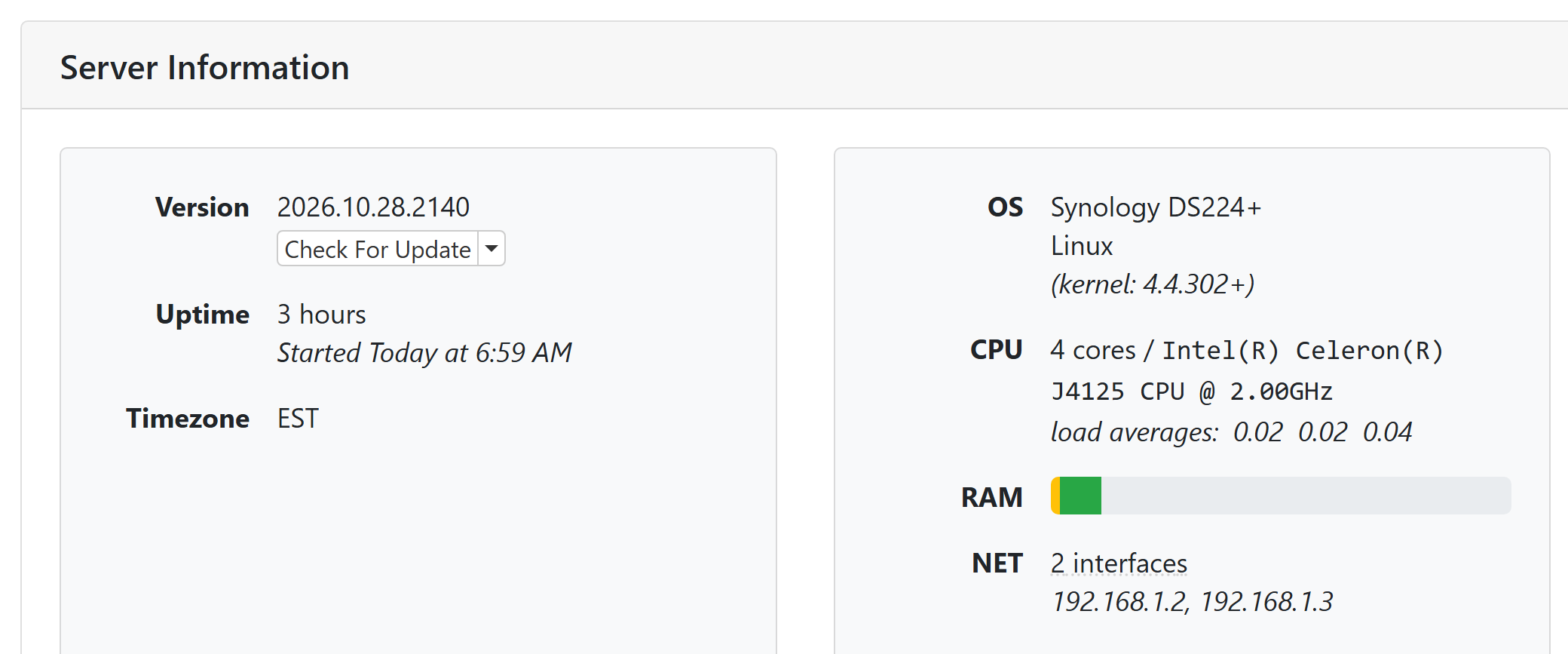
Edit: if it matters, the server's running on a Synology DS224+

It depends on which server interface you are using, v1 enhanced is found under status live TV, v2 it's under settings recording.

I don't know what server interface I'm using, or how to tell.

Edit: The Synology package says 1.1.0.

If it pretty much all text it's v1, if it's a lot of graphics and gauges v2.

This thread is closed and moved to a different one but it should help a bit.
Also an easier way is to look at your sever URL after the port number 8089/v2/status this indicates v2 any thing that does not show v2 is the old interface shows this 8089/admin/settings/status.

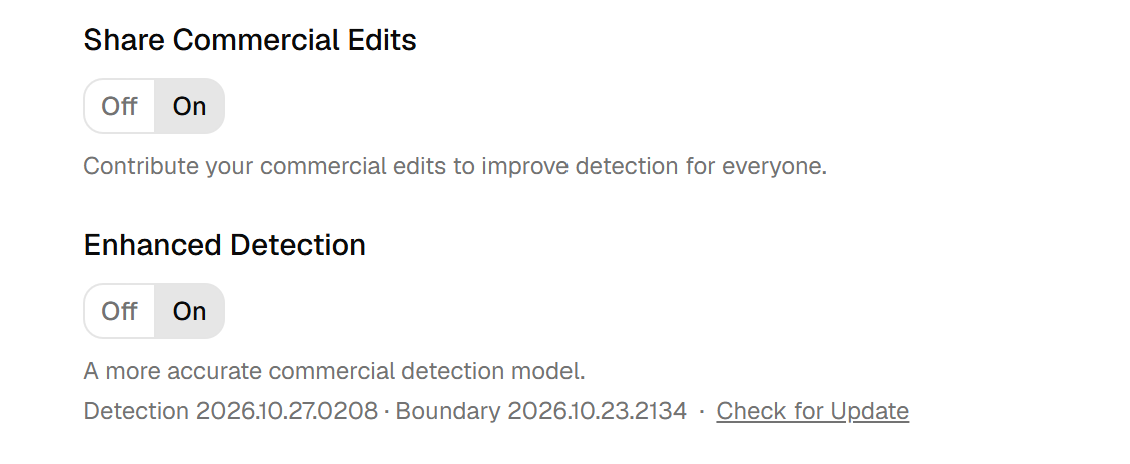
Enhanced Detection can only be enabled in pre-release builds at this time.

1 Like

Here:

1 Like

I upgraded to pre-release but don't see enhanced, if it's an option. Just "edit commercials". Or has it been integrated into the UI as regular editing, in the pre-release?

If you are on a pre-release, I recommend that you switch to the V2 UI. It's better than the original UI in almost every way.

Then go to Settings -> Recording and you will find the option you are looking for.

Edit: In the V2 UI, you get to Settings by clicking on your username at the bottom of the navigation bar.

It's enabled, now. I'll play around with it. Much of the benefit to me is to understand what to expect when viewing recordings on a client, if I do nothing. My previous experience is with the TiVo Bolt this replaces. The processes will be different, at least somewhat.

I just did a commercial edit on SNL from last night. There was one block marked as a commercial that had the show rating and content warning in the upper-left corner. I think if those items are present, you can be fairly sure it is not a commercial block.

The new Enhanced Segmenting has been enabled for Enhanced Commercial Detection. It should result in less unnecessary small blocks and should improve situations in shows where splits were not made that should have been.

I like the new split button. It seems to work well when the segment you want to split off is at the end. But, if the split should be at the beginning of a long segment, it seems impractical to separate it from the main body of the segment that follows it.

Perhaps I'm not grasping how it should work, or maybe something in the logic makes that an unlikely scenario?

If my perception is correct, how about two split buttons? "Split beginning" and "Split end", or something like that?

1 Like

The split button asks the model “if there was a place to split here, where would be the most likely spot?” so the location of where in a big block the split happens isn’t predetermined.

Perhaps someone missed my question about this, but what has happened to the files that used to be in the comskip directory, in particular the .ffsplit file? I cannot find these (or equivalents) anywhere. Eric, 10 days ago, suggests I use the .edl file instead but these have also disappeared!

Exploring the v2 interface, I also find nothing helpful.

(As a general point, might I also suggest that the new server is far too timid about using threads and enqueueing work. I have lots of cores, but the new ChannelsDVR is terrified to ever use more than two. It's incredibly frustrating. Just throw a thousand background QoS tasks, or at least 20 at Grand Central Dispatch and let it figure the scheduling!)

Yes, the .edl files you're looking for (if you have enabled the option) are located next to the recording, not in the comskip directory.

What do you have your Thread Count set to for Commercial Detection? I've had it max out the CPU on my Mac Studio when I turn it all the way up. What is is the speed of the storage you are connected to? Is it local over a network store?

Hi Eric,

Thanks for your reply.

OK, first issue, namely .edl files. There seems to be some extreme miscommunication here!

I'm using Channels DVR server 2026.10.28.2140 on macOS 27.2 on Apple Silicon. I don't know if things are perhaps different for Windows or Linux, but on my system (lets just assume a movie)

  • the recordings live in
    ChannelsDVR[an externalSSD]/DVR/Movies/movieName.mpg
    This folder, Movies, has never had anything in it except *.mpg files, and that hasn't changed recently

  • in the past there was a directory called
    ChannelsDVR[an externalSSD]/DVR/Logs/comskip that had multiple directories in it, each directory a number corresponding to the recording number of the file (recordings start at 1 and just keep incrementing).
    Such a directory, let's assume it's 1234, used to have a few files in it useful for commercial editing, including a soft link to the target .mpg, a video.edl file, a video.ffsplit file, and a bunch of preview stills as small .jpgs
    The latest version of such a directory, let's assume it's 12345, now has ONLY the preview-###.jpg files, no .edl, no soft link, no .ffsplit.

A system wide search for .edl files shows them only in these Logs/comskip/ directories, and only in the older directories.

Secondly thread/multicore uiltization.
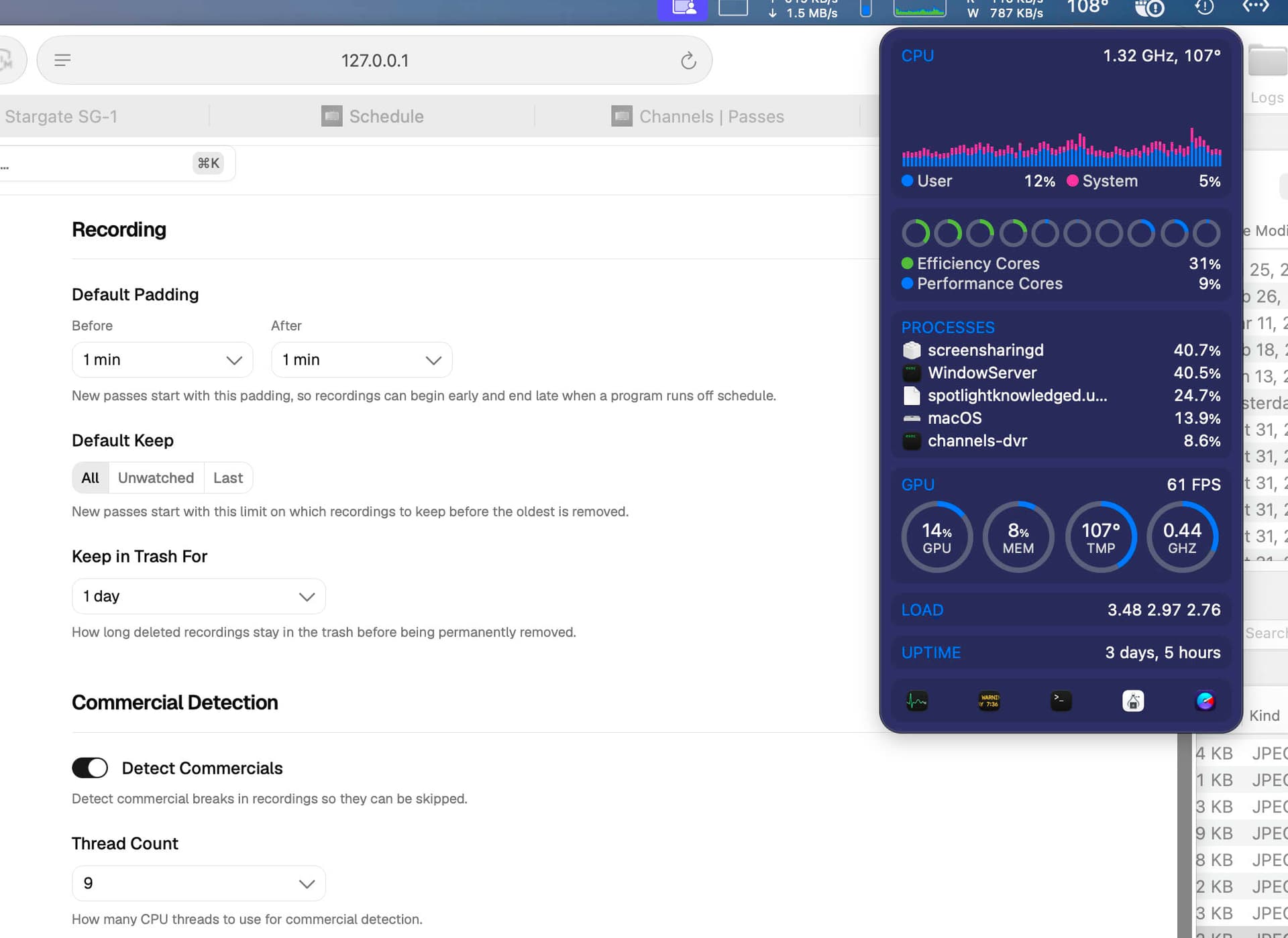
Look at the screen shots below.
I have an M2 Pro with 6+4 cores. I have the system set up to use 9 threads (the max it will allow me).
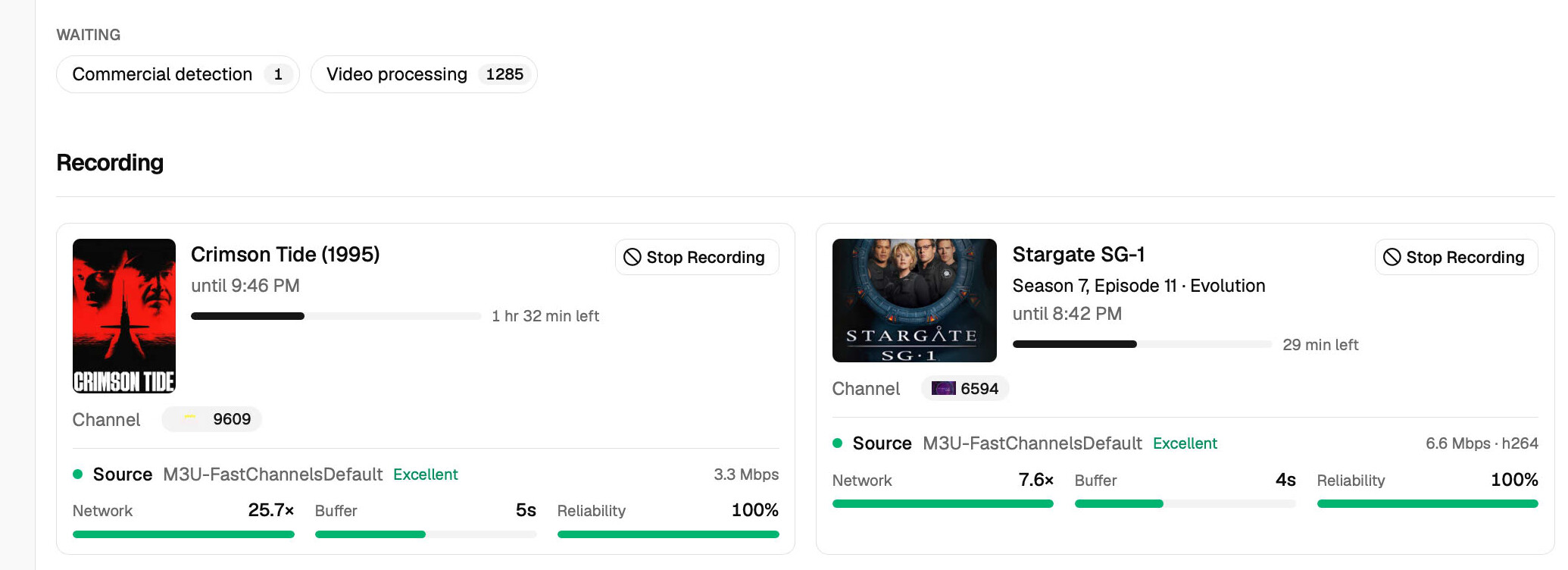
I have (second screen shot) one manual commercial detection queued up (I'm trying to see if forcing a manual commercial detection will generate a .edl somewhere and an entire library's worth of old content waiting for new-style processing and characterization.
There's no shortage of work to be done. And yet channelsDVR is running at a pathetic ~10..20% or so, just recording the two active recordings, but making no attempt whatsoever to work through the queued up recordings. And this never seems to change! I can maybe force it to start working through the work queue for a few minutes or so by manually hitting the "Reprocess" buttob below Media Fingerprints, but that results in only something between 0 seconds and maybe 180 seconds of hard work before we revert to this situation of lots of queued up work and nothing being done!


Both these problems are very recent, I don't know exactly but maybe three or four weeks ago?

Oh, I forgot to reply about storage.
The relevant storage is either mac mini /tmp (crazy fast) or ChannelsDVR drive which is a reasonable SSD connected by USB-C. It runs to about 200MB/s or so read or write. Not a crazy speed demon, but perfectly adequate for this task.

And, as should be implicitly obvious, I was doing all this stuff in channelDVR a month ago just fine, same computer, same drive. Commercials were in fact being scanned at 900% CPU, even as other things were going on, files were being recorded, etc etc. All that has changed in the channelsDVR SW.

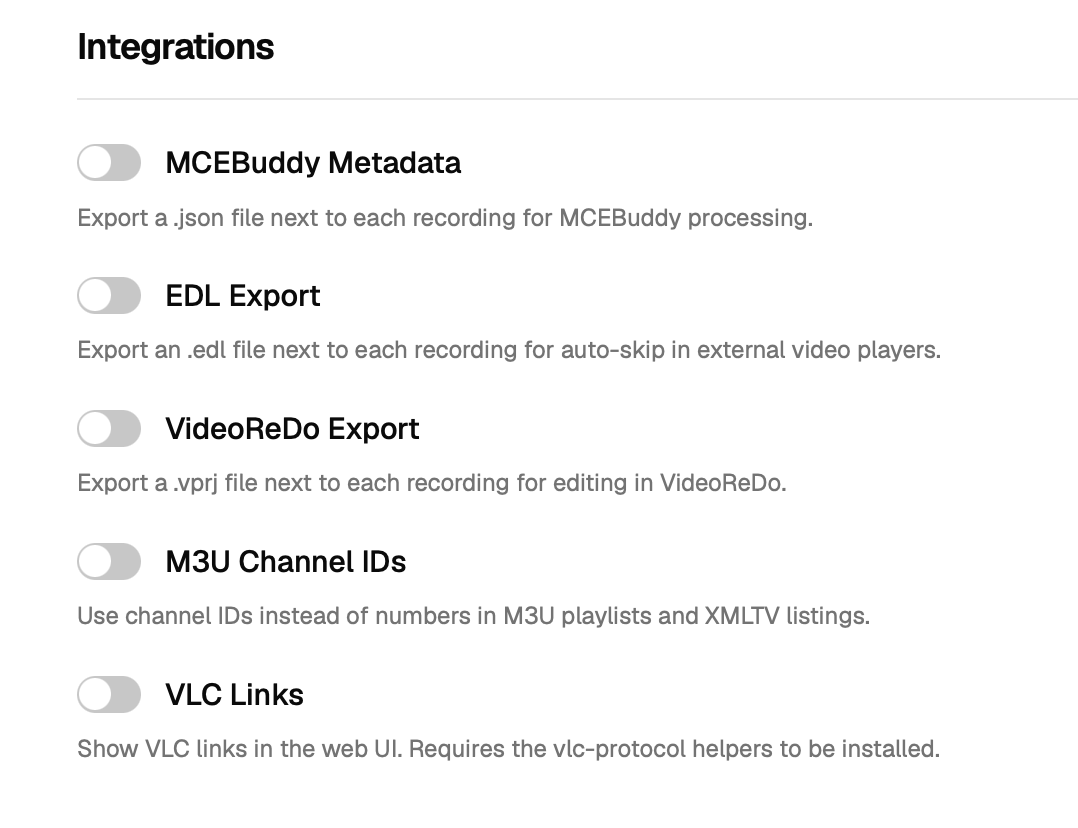
Go to Settings -> Advanced and enable EDL Export.

For new recordings, commercial detection will happen as soon as the recording has finished. To make sure the system does not get overloaded, we do not do the Video Processing while there is activity on the system (recordings happening, playback happening). Once those have stopped, it will run and you will see them listed in the Activity View.

2 Likes

So does the Enhanced part of commercial detection not happen until Video Processing? Meaning if the server is recording often (say a marathon), "enhanced" doesn't happen until it's done? Maybe that's why I don't often see the split function.