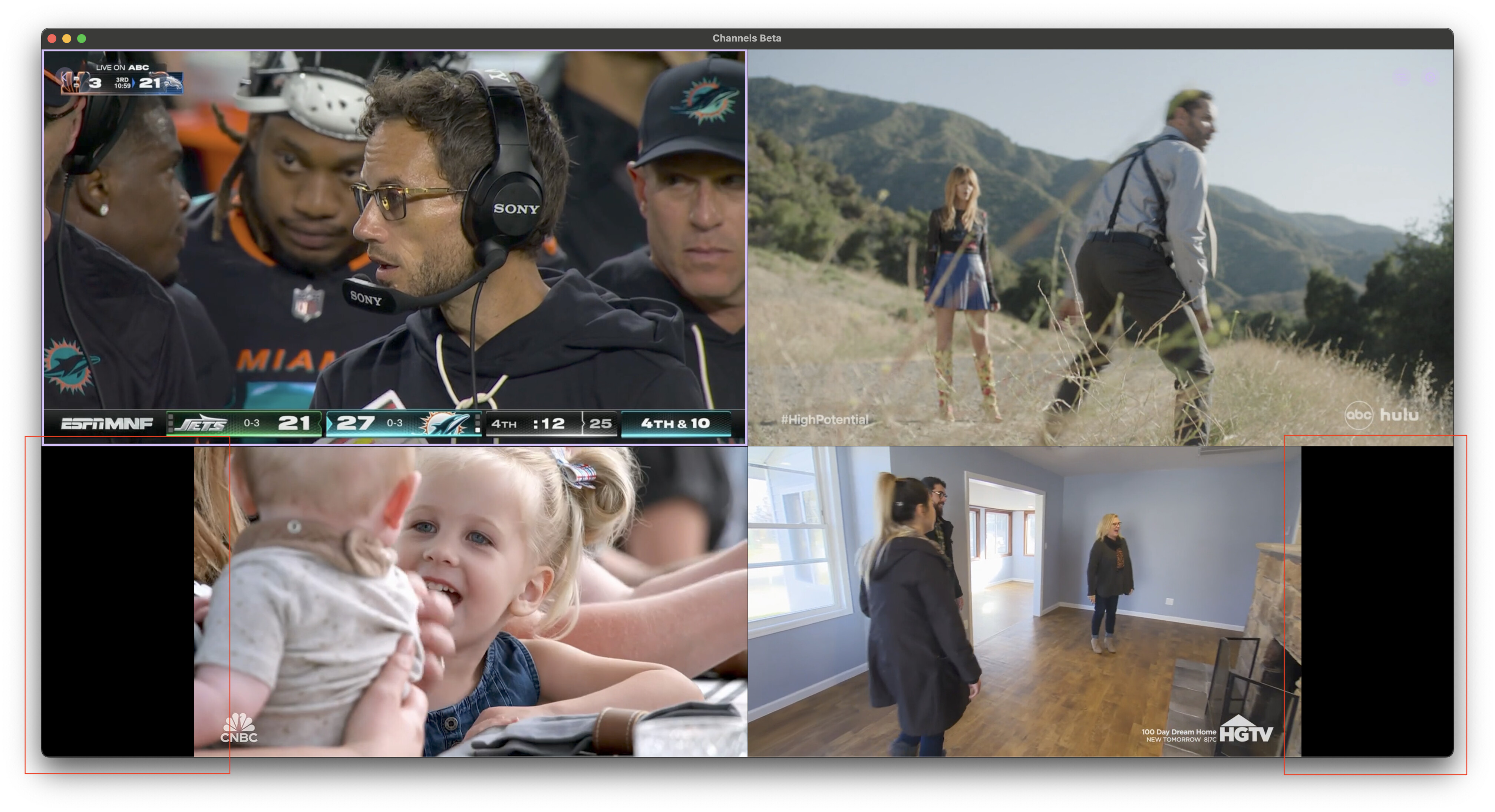
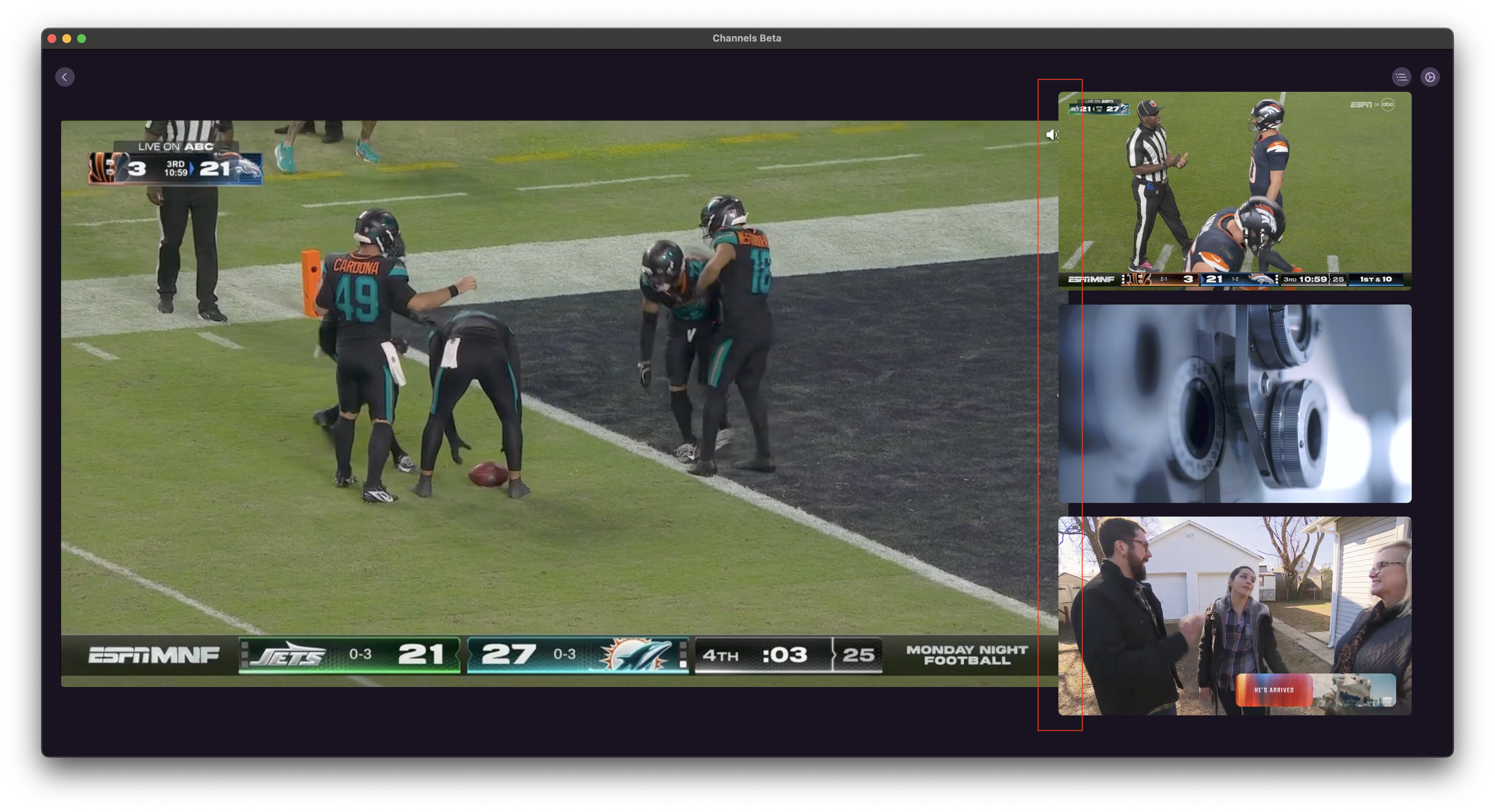
oooooook. Let's try one more time. I think I have it now:
Lookin good!
1 Like
Still loving Multiview and testing it aggressively.
With two channels playing, the new popular choice over here, these are the two layouts. Both are side-by-side, but neither uses all of the available display:

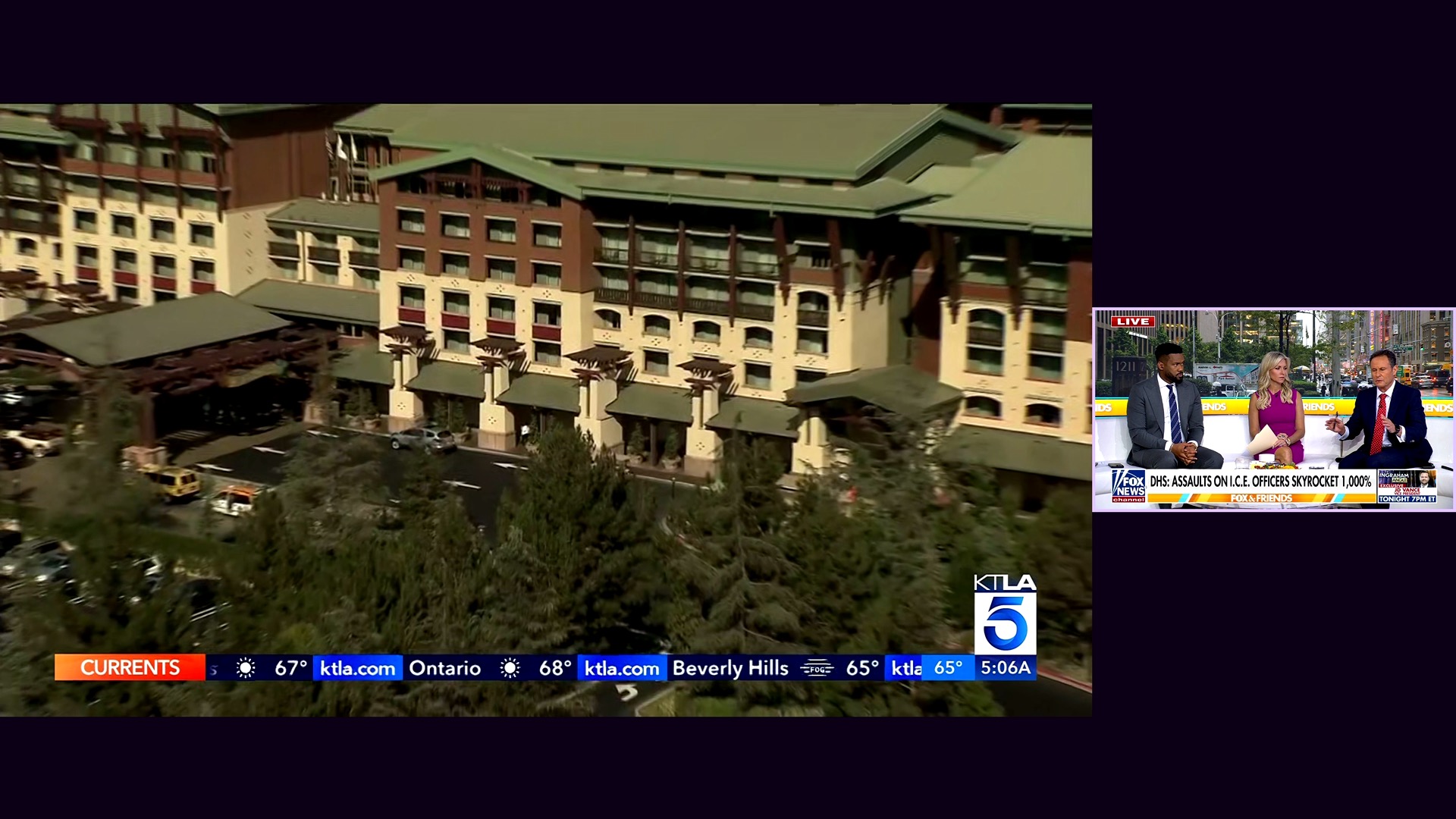
Could we also get the option for something like this?
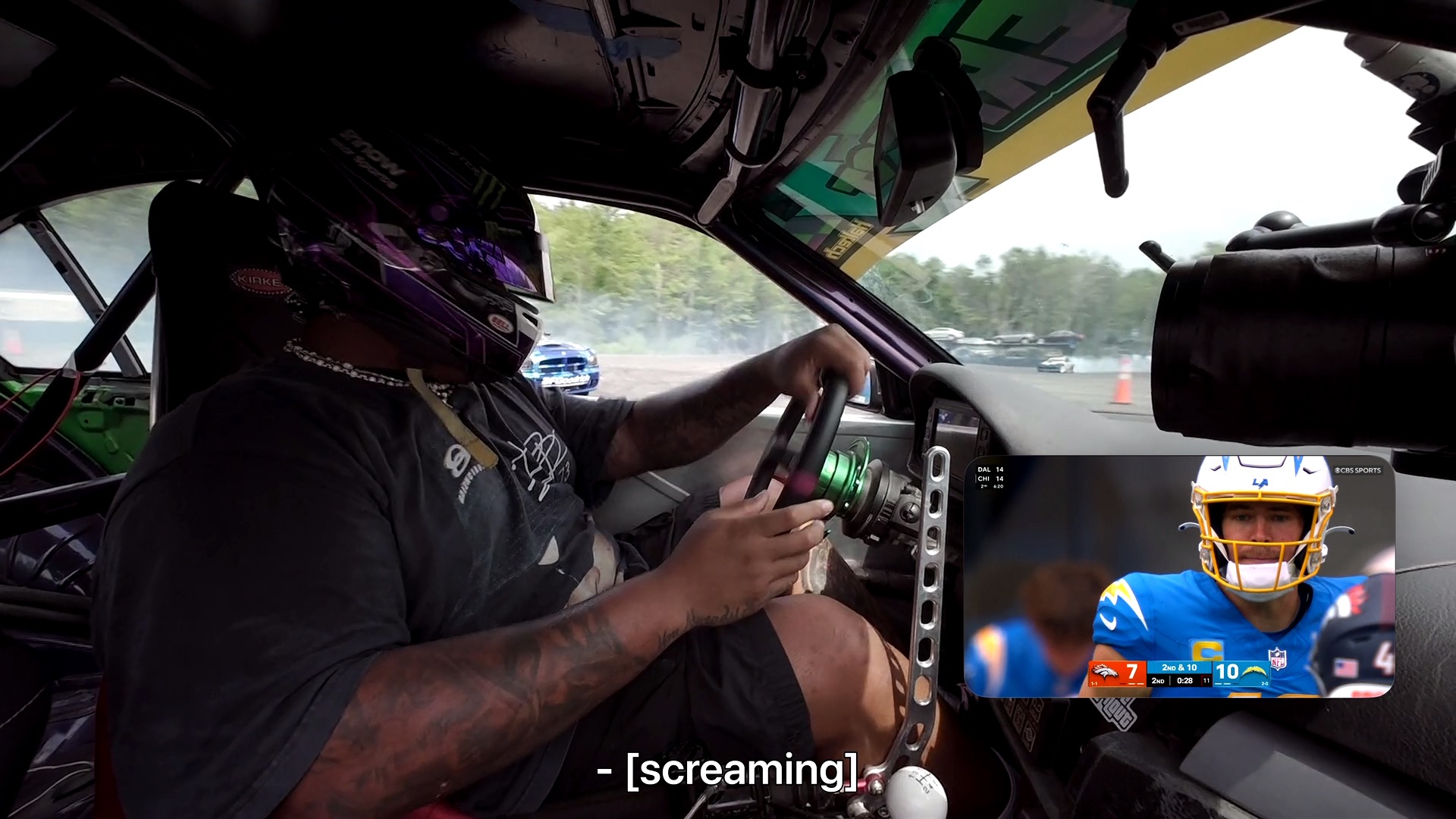
Yes, it looks just like PIP, but it also works entirely better than PIP, in this specific context at least, so it would be great to see this live multiview layout available, for the "best of both worlds."
3 Likes
Cool idea, we’ll look at it in the future. But not for the initial delivery of the feature.
4 Likes
I just wanted to tell you guys thank you for Channels DVR and continually providing updates and new features.
I know everyone has their own reasons for using it, but for me, it's to keep the wife happy. She loves being able to record shows that she will never watch and having everything on the same guide. The grand babies love having their shows and movies on an app that their grandma can navigate without having to call papa everyday. 
I love being able to customize it to do exactly what I want it to do without having to reinvent the wheel every time. Thanks.
6 Likes
When one of the streams is interrupted for whatever reason, why does multiview throw up a triangle '!' error instead of doing an auto reload? Channels auto reloads recordings, is this a live TV thing? Because I pretty much never watch live except for multiview.
Seems kind of silly to toggle over to the interrupted channel and manually do a reload channel command when channels could just do it itself. You could just throw up the rotating three dots indefinitely if the channel doesn't come back.
Multiview has worked perfectly for me, and is an awesome upgrade to the live tv experience!
@maddox is there any possibility in the future to launch multiview from normal playback.
Eg. Swipe down - long press channel in quick guide - add to multiview ?
Thanks devs!
1 Like
Auto multi-view option! Pick between PIP or Multi-view.
1 Like
Has anybody noticed a situation where certain channels will play fine if they are the first channel selected in Multiview, but you get the triangle if it isn’t first? I’ll have to diagnose more to see if there is a pattern. (I didn’t review all 200+ posts before this, so not sure if somebody has already reported this).
1 Like
It should also reload quicker instead of waiting for the 32sec timeout.
1 Like
Some refinements have come to Multiview. These include:
- NEW: Multiview now has a setting to limit how many channels can viewed at once
- IMPROVED: Multiview players use more screen real estate in Roomy Spacing mode
- IMPROVED: Multiview settings are now directly available in Multiview to make changes on the fly
2 Likes
I was hoping for a higher limit, like 6 at least:
 +----+----+----+
 |    |    |    |
 +----+----+----+
 |         |    |
 +         +----+
 |         |    |
 +----+----+----+
There's no plans to increase past 4. So there's no need to mention it over and over.
1 Like
Any chance getting a black background so it matches any letterboxed channels? Those of us with OLEDs black background would certainly benefit. Thanks a ton.
I tried the multiview yesterday and it was glorious!
I am seeing an issue today where when I start the first stream works but when I choose a 2nd stream the first one freezes?
Both streams are local OTA channels sourced from a HDHR Flex Duo. Also now I wish I would’ve chosen the 4 tuner one!
I did send in diagnostics thru the beta app but let me know if I need to send anything else.
Awesome job by the way!
And you sure nothing was recording in the background using the second tuner?
1 Like
As of the latest TestFlight beta, the background is always black when Roomy Spacing is off.
2 Likes
Good call! I was not recording anything on the other tuner but the HDHR app was open and running so that may have tied up the 2nd tuner. It’s working like a dream now!
iPad
Multiview on. I can get Multiview to crash (not the whole app) if double click settings then quickly hit it again.
Big asterisk- I am using a touchpad keyboard with iPad so maybe I’m clicking faster than the app was expecting.
Edit- tested it a little more. If I have setting up (from Multiview) and click using the touchpad anywhere out of the expected Multiview Settings popup twice, it kills Multiview. Doesn’t seem to happen with touch