
Thank you. I was curious and my brain won't stop thinking about something until I either figure it out or lose enough sleep I finally move on.
I think I got it. I just need to finish testing and hopefully be done. On a side note, don't you hate it when you mess something up so bad that you have to just discard it all and start over? I am so glad I use a test server for this stuff.
1 Like
Update pushed. You can now view and play your Channels Collections from within the Channels App Remote Plus
2 Likes
Very, very nice!
2 Likes
I just push an update that combined the favorites in with the collections list and then pushed a fix for the client selection not retaining when refreshed.
1 Like
In addition to adding Project One-Click support, I've also posted a recommended Docker Compose for this project here:
Here's what it looks like:
version: '3.9'
services:
  dvr-remote:
    # 2025.07.10
    # GitHub home for this project: https://github.com/nuken/channels-app-remote-plus.
    # Docker container home for this project with setup instructions: https://hub.docker.com/r/rcvaughn2/channels-remote-plus.
    image: rcvaughn2/channels-remote-plus:${TAG:-latest} # Add the tag like latest or test to the environment variables below.
    container_name: channels-remote
    ports:
      - ${HOST_PORT:-5000}:5000 # The container port number (to the right of the colon) needs to be left as is. Set the environment variable to the same, or change it if there's a conflict.
    environment:
      - CHANNELS_DVR_SERVERS=${CHANNELS_DVR_SERVERS}  # A comma separated list of Channels DVRs by ip:port or hostname:port.
    restart: unless-stopped
And, a set of sample env vars including comments duplicated from the compose:
TAG=latest # Add the tag like latest or test to the environment variables below.
HOST_PORT=5020 # The container port number (to the right of the colon) needs to be left as is. Set the environment variable to the same, or change it if there's a conflict.
CHANNELS_DVR_SERVERS=media-server8:8089,utheater-pc:8089 # A comma separated list of Channels DVRs by ip:port or hostname:port
1 Like
Very enthused about using this on a tablet as part of our regular viewing setup on our big  !
!
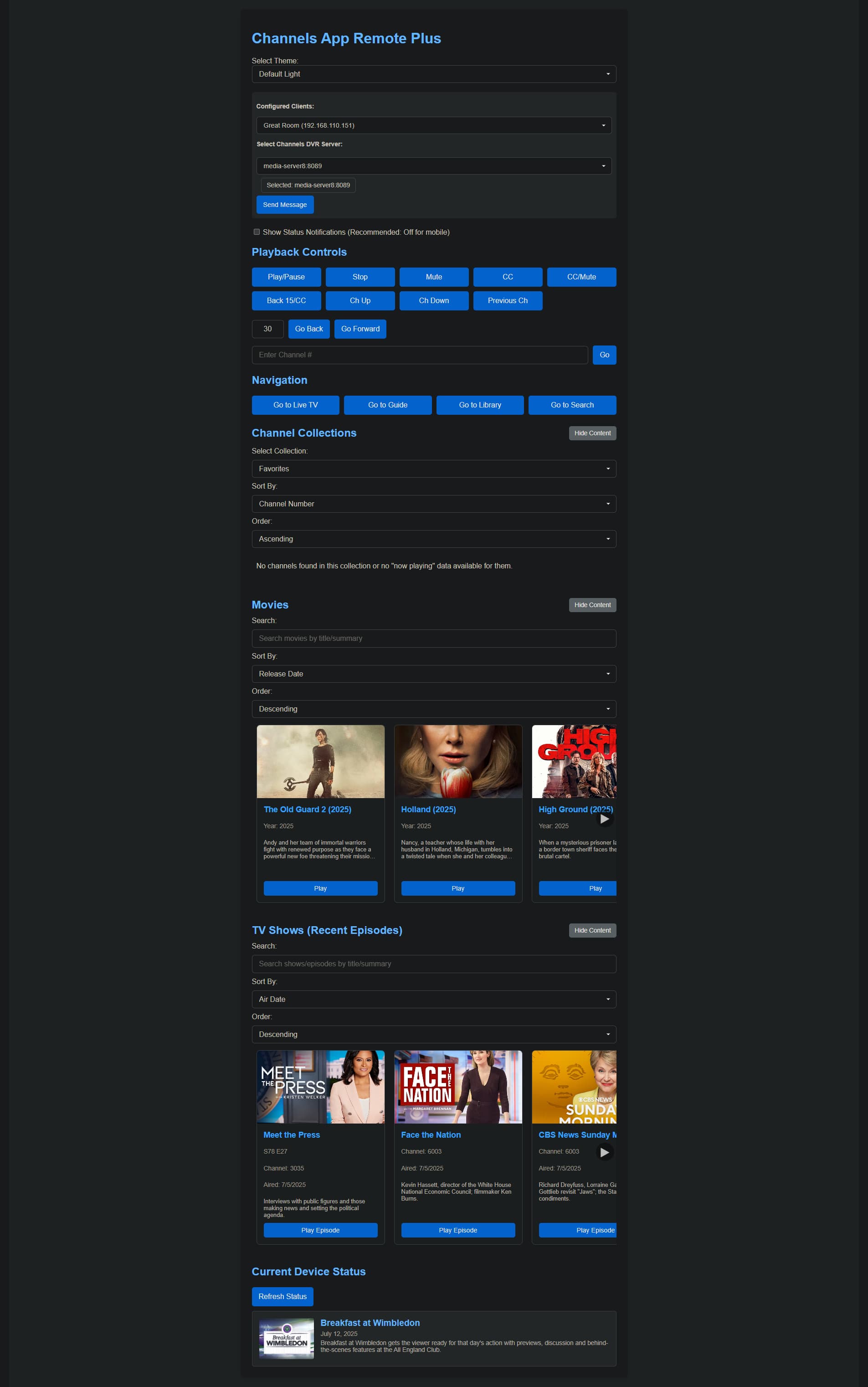
As I transition between experimenting with this app on my phone to production use on a tablet, I'm seeing a notable difference with landscape use. On my phone (Google Pixel 8 Pro), I'm getting full screen in both portrait and landscape mode. On tablets (I've tried 3), there's significant blank space on both sides in landscape mode.
Any chance full screen could be utilized on tablets too? Particularly, if it could be used to show more "cards" for channels, movies and tv shows. Right now, I'm seeing about 2-1/2 cards at a time, and it looks to me like 4 at a time would fit on my tablet.
The primary tablet I'd like to use is a Samsung Galaxy Tab Active (1920x1200), but I've also tried a couple of iPads with similar results. The blank space is most significant on my desktop computer (1920x1080). Though the desktop would not be the typical way I would use this app -- I attach this mostly for illustration:
I'm charging one of my tablets up and I'll look into this issue and have it fixed in a little while. Today is a yard work day
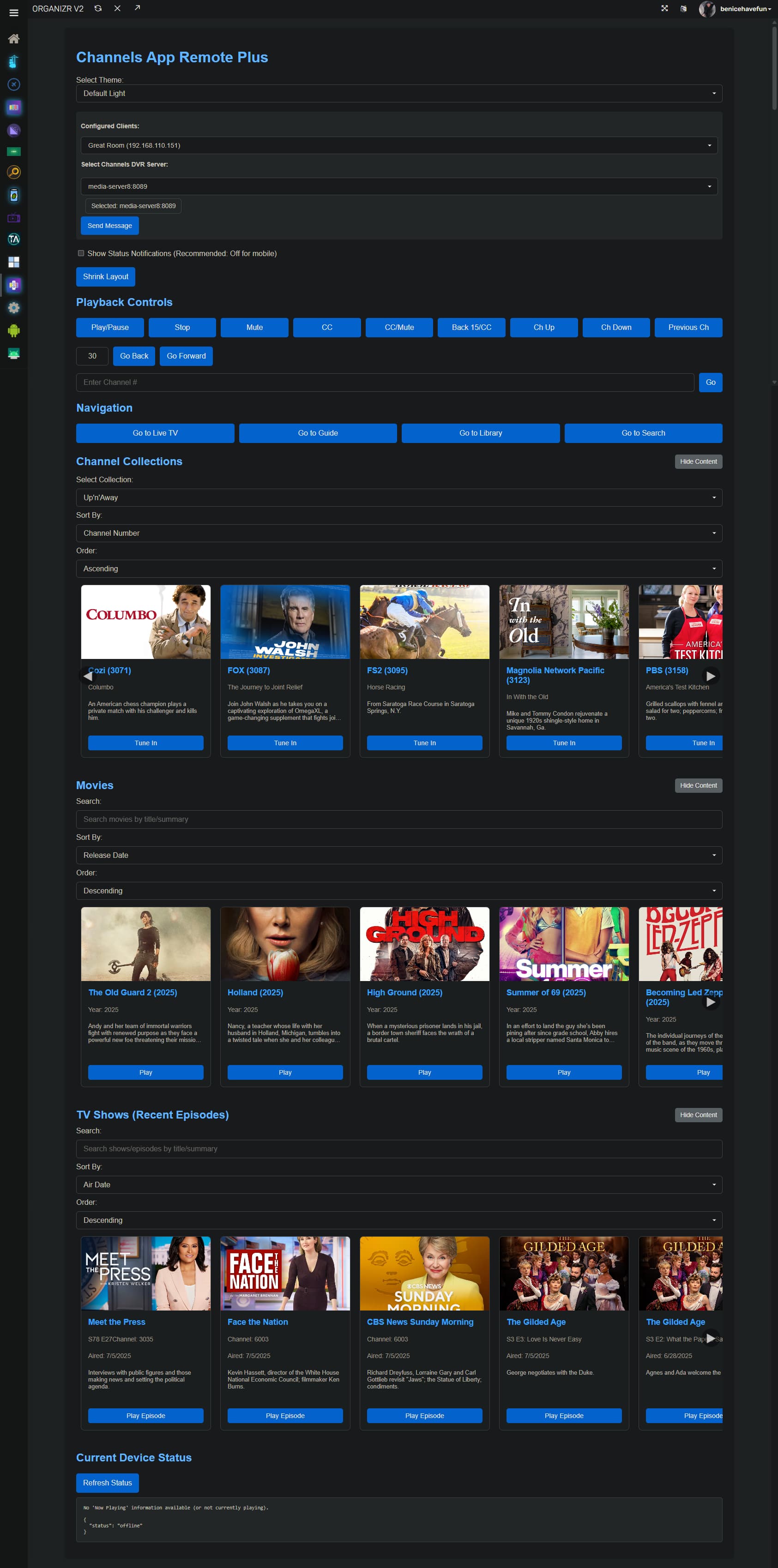
I just pushed an update that provides an Expand Layout button that overrides the existing max-width in the stylesheet and will (should) remain persistent. Let me know if that works.
Perfect-o! Now seeing 4 cards wide on my tablet, and on the desktop. I'll let you know whether persistence works or not soon. Keep up the awesome work!
Setting persistence seems good so far, and the expanded layout is awesome!:
A bit of a bug to report, combined with a potential behavior change:
In desktop mode using Chrome, the buttons to advance the cards seem to barely work. If I move the mouse around in the arrow area, I can get the cards to advance by one about every ten clicks. This behavior was happening before your latest push, but seems to have gotten more pronounced.
The possible change in behavior is related to the buttons as well. Would it be possible for the cards to advance by a "page" with a button press? Advancing one at a time makes sense in portrait mode on a phone, but is pretty inefficient in landscape mode. Obviously, swiping is a good alternative on a tablet, but on a non-touchscreen device advancing the cards is just about impossible atm.
Right now I have scrollAmount set at 150px. I'm going to try and make the scrollAmount dynamic to scroll the equivalent of the visible width. I'll test on my screens, if you can do the same we can make sure it works across different screen sizes. Thanks.
Ok. Fix pushed. It should be better now. Thanks.
2 Likes
Yes better. I'm realizing now, at least on the desktop, a long click is reliable -- a short click is not. Now that I know this, it's working well. I just have to remember to hold the click a beat longer than normal.
The amount of advance on both the tablet and desktop appears to be just right, with the old right card becoming the new left card when advancing forward. A page at a time with the one card confirming one didn't go multiple pages.
So, I see that Channels App Remote and Channels App Remote Plus are both included in Olivetin Project One-click. I have installed both, with each having a separate port#.
They appear to be different from each other, in that the "Plus" version has more extensive functionality.
Is there any reason someone might prefer to install the simpler version?
Let me make a quick change and see if I can fix that.
The first one only used the client API . When I added support for the server API, I decided to make it as a separate project. After working on and using the Plus, I realized the original does not offer any benefit to continue working on and I have basically retired it in favor of the Plus version. I have left it up on GitHub just in case someone wants to use any of the code in their projects.
The fix is in.
Thanks again for your work on this, it's really great. My only request at this point is a small one, but it would make a big difference when using CARP to channel surf, at least for my aging brain. Can the "Ch Up" button be anchored above the "Ch Down" button? I use this functionality with my eyes on the TV whilst channel surfing, and that positioning would be more intuitive.
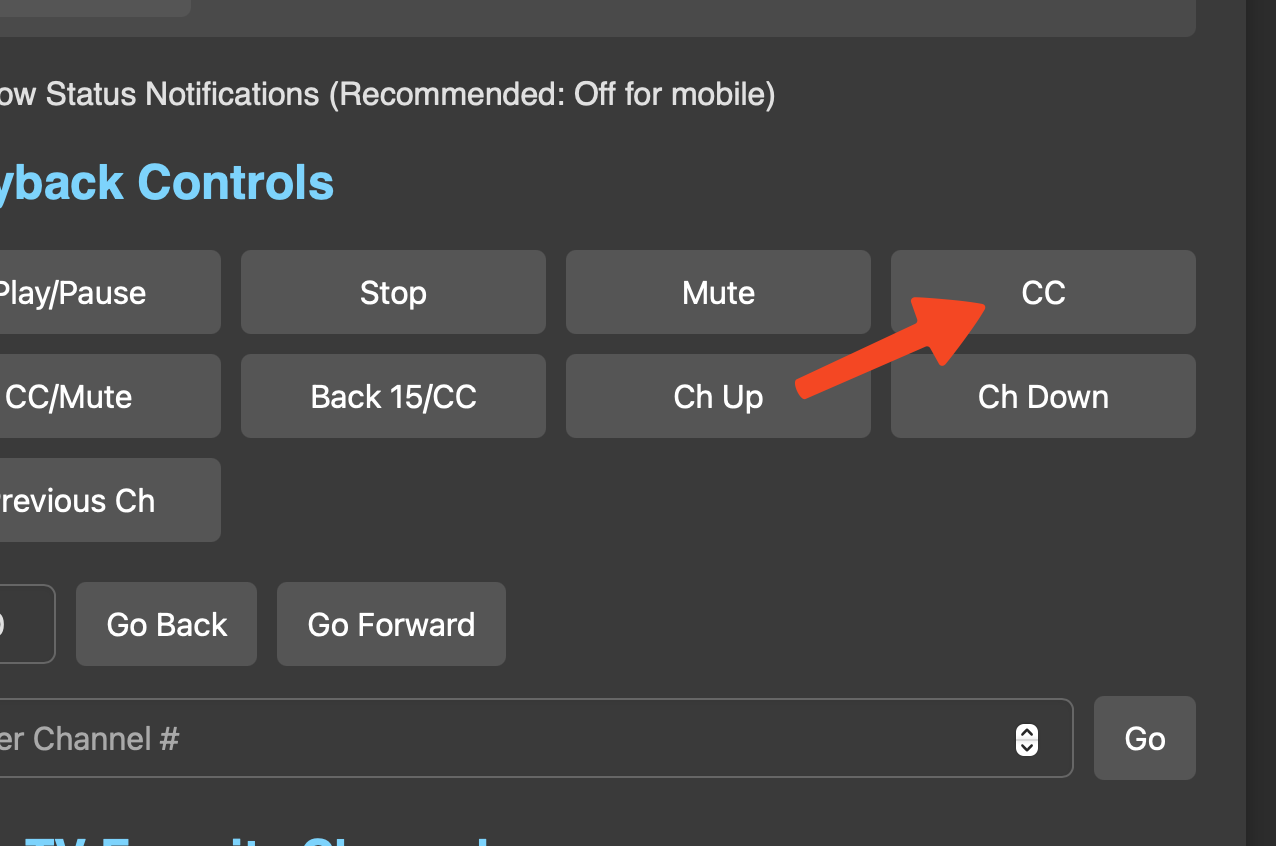
That will take some thinking. The buttons are in different locations on the screen depending on the screen size. If you use the same device, I can move the buttons to work on your screen until I figure a more permanent solution out.
Let me try something. I think I may have a simple solution.