
Wow, you're lucky I tried the Exvist encoder a year and a half ago and it was a total POS, could never get it to work well.
same here, but I was using it with a streaming box in ah4c. hopefully they fixed them with firmware, cuz i missed the return window on mine and it's collecting dust.
Hi @Flagman724, I don't think incognito would make sense here since you would have to manually log in each time when it starts. Technically, you can simulate this behavior by starting an incognito browser on the screen, then tuning to the Encoder-specific channel in your guide and it will show you what's on your screen.
@Flagman724 I'm sorry to hear the sound was tricky to get working. It is a pain and there doesn't appear to be an automated way to associate the audio with the correct encoder. I did update the audio device detection code in the latest release and included some notes on installing the AudioDeviceCmdlets powershell module ("Install-Module -Name AudioDeviceCmdlets -Force") which results in the best audio device accuracy in the Settings configuration.
@dravenst Thank you for the assist but at this time I have decided not to continue with this project and returned my encoder. Maybe I'll revisit another time with a different encoder. Good job with what has been done up until now.
PR#1 submitted with DirecTV Stream support.
This is going to be an excellent alternative to PrismCast, which only supports a single stream for this provider. In addition, given ch4c's hybrid use of Chrome + HDMI Encoder, this is a far better solution for remote users, as the encoded stream can be tailored more readily to the connection available. The ability to use a low power PC is also a big plus.
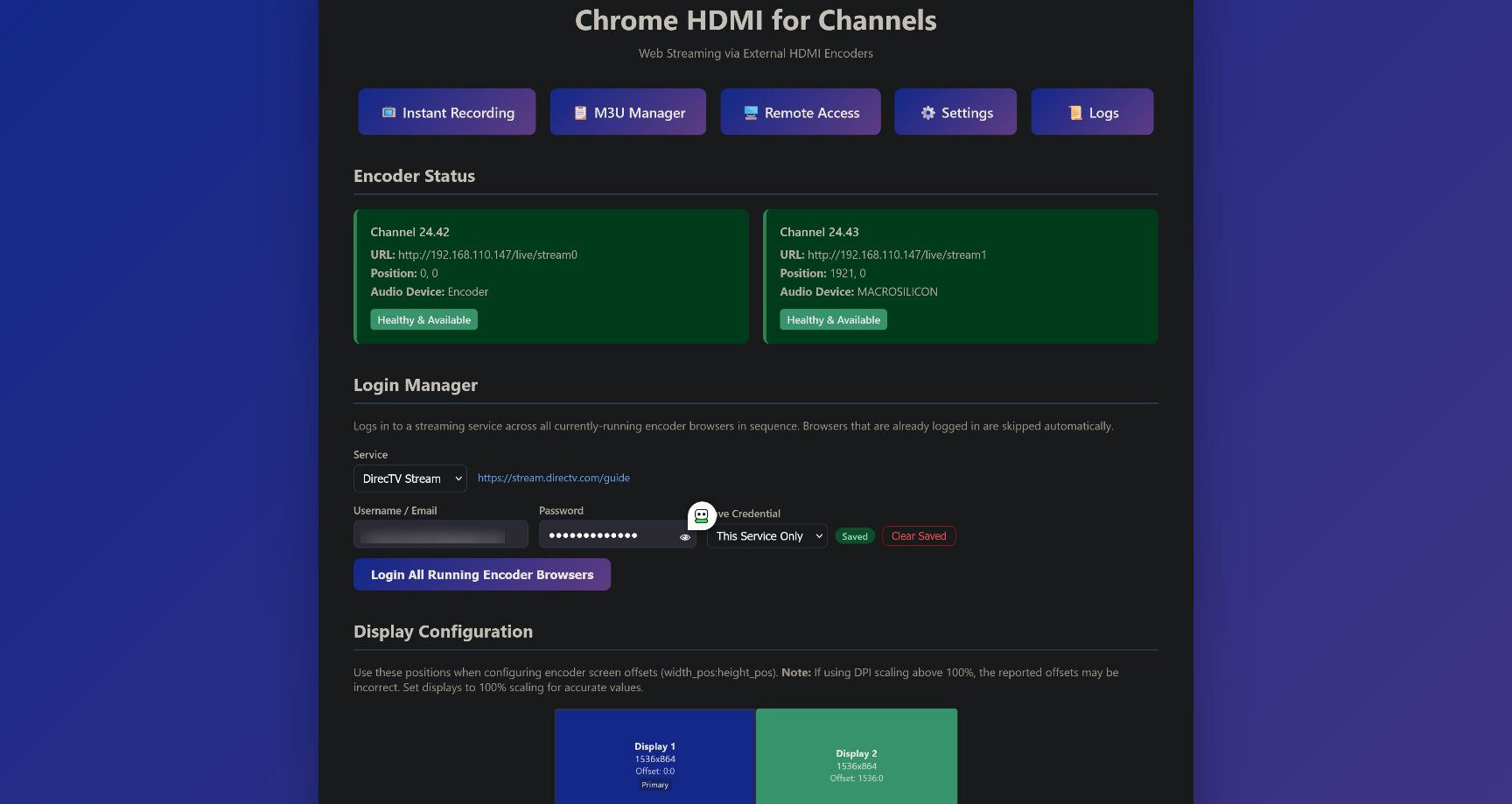
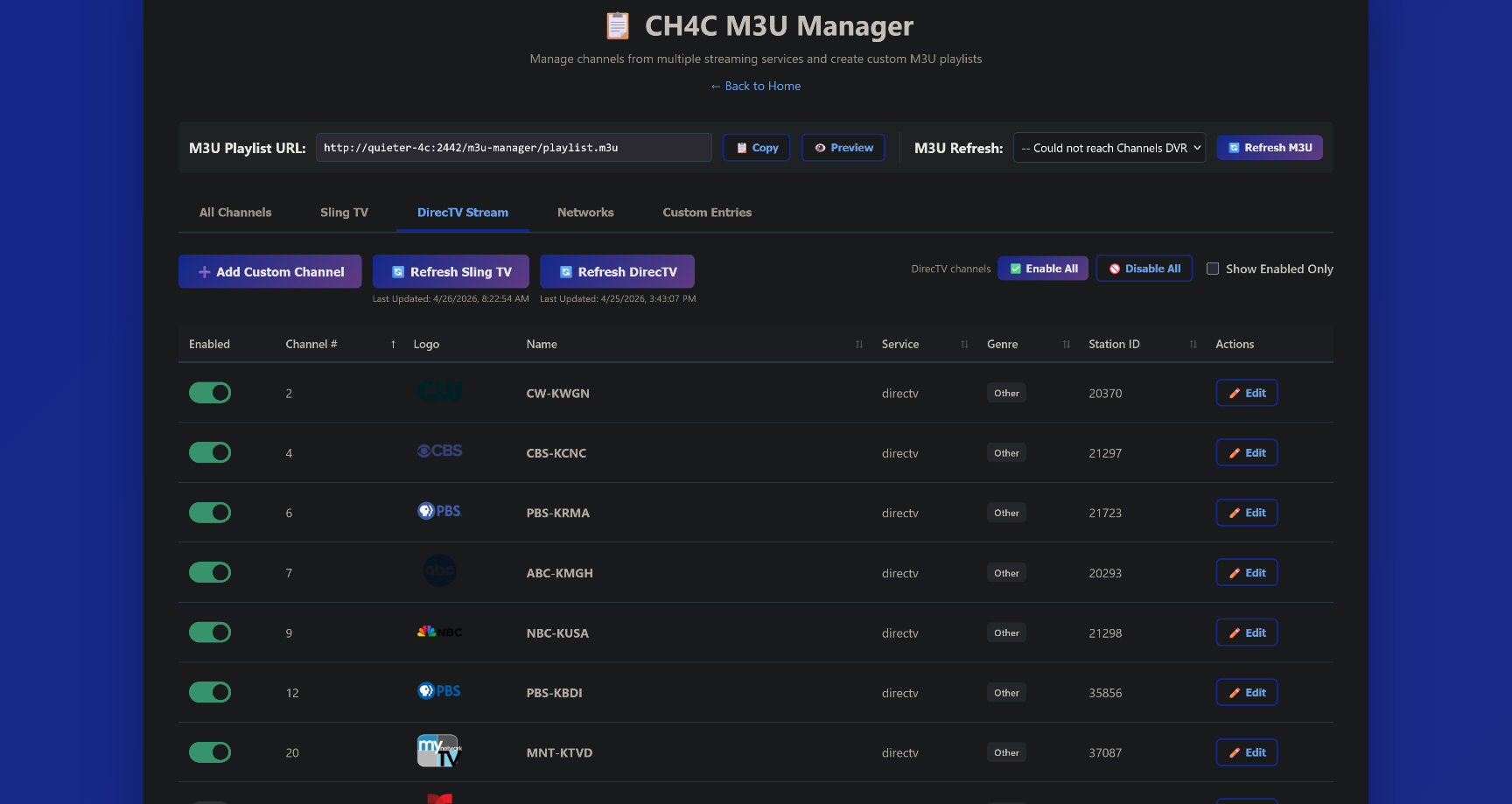
DirecTV Stream Support + M3U Playlist Enhancements
DirecTV Stream — New Service
Adds full DirecTV Stream support as a new streaming service source.
-
Channel discovery (
services/directv-service.js): Navigates to the DirecTV Stream guide page and extracts the full channel lineup directly from the React/Redux store viapage.evaluate(). Captures channel name, call sign, channel number, station ID (for Channels DVR EPG matching viatvc-guide-stationid), and logo. Local network affiliates (ABC, CBS, CW, Fox, NBC, PBS) are cross-referenced so the bare network name maps to the correct affiliate entry. -
Login (
login-manager.js): Implements a robust two-step authentication flow (email → Continue → password → Sign In). Login-state detection uses a polling approach that watches for both URL redirects away fromstream.directv.comand the appearance of a login form in the DOM, avoiding false "already logged in" results caused by the SPA's delayed auth redirect. -
Post-login interstitials: After login (and on every "already logged in" check), two interstitial screens are automatically handled:
-
Profile selector (
/user-profiles): Detected by URL, waits for profile tiles to render, then clicks the first profile. - Sports scores overlay: Polls for a "Hide Scores" button and clicks it. Only runs when a profile was actually selected in the current session, making the "already logged in" fast path a near-instant no-op when no interstitials are pending.
-
Profile selector (
M3U Playlist Enhancements
-
?services=filter:/m3u-manager/playlist.m3u?services=directv,slingreturns only channels belonging to the specified comma-separated service(s). -
?sort=parameter:/m3u-manager/playlist.m3u?sort=number(default, existing behavior) or?sort=name(alphabetical). Both params are independent and combinable:?services=directv&sort=name. -
Bulk enable/disable: Enable All / Disable All buttons added to the M3U Manager UI for DirecTV and Sling, positioned next to the "Show Enabled Only" toggle. Backed by a new
PATCH /m3u-manager/channels/:service/bulk-enableendpoint. - Per-service last-refresh timestamps: Each service tracks and displays when its channel list was last refreshed, consistent with the existing Sling behaviour.
Bug Fixes
-
Channels DVR URL construction:
CHANNELS_URLvalues with trailing slashes or embedded port numbers no longer produce malformed API URLs. AbuildCdvrUrl()helper normalises the base URL before appending the port and path.
2 Likes
DirecTV Stream support continues to work well (combined with the couple of other small PRs I submitted):
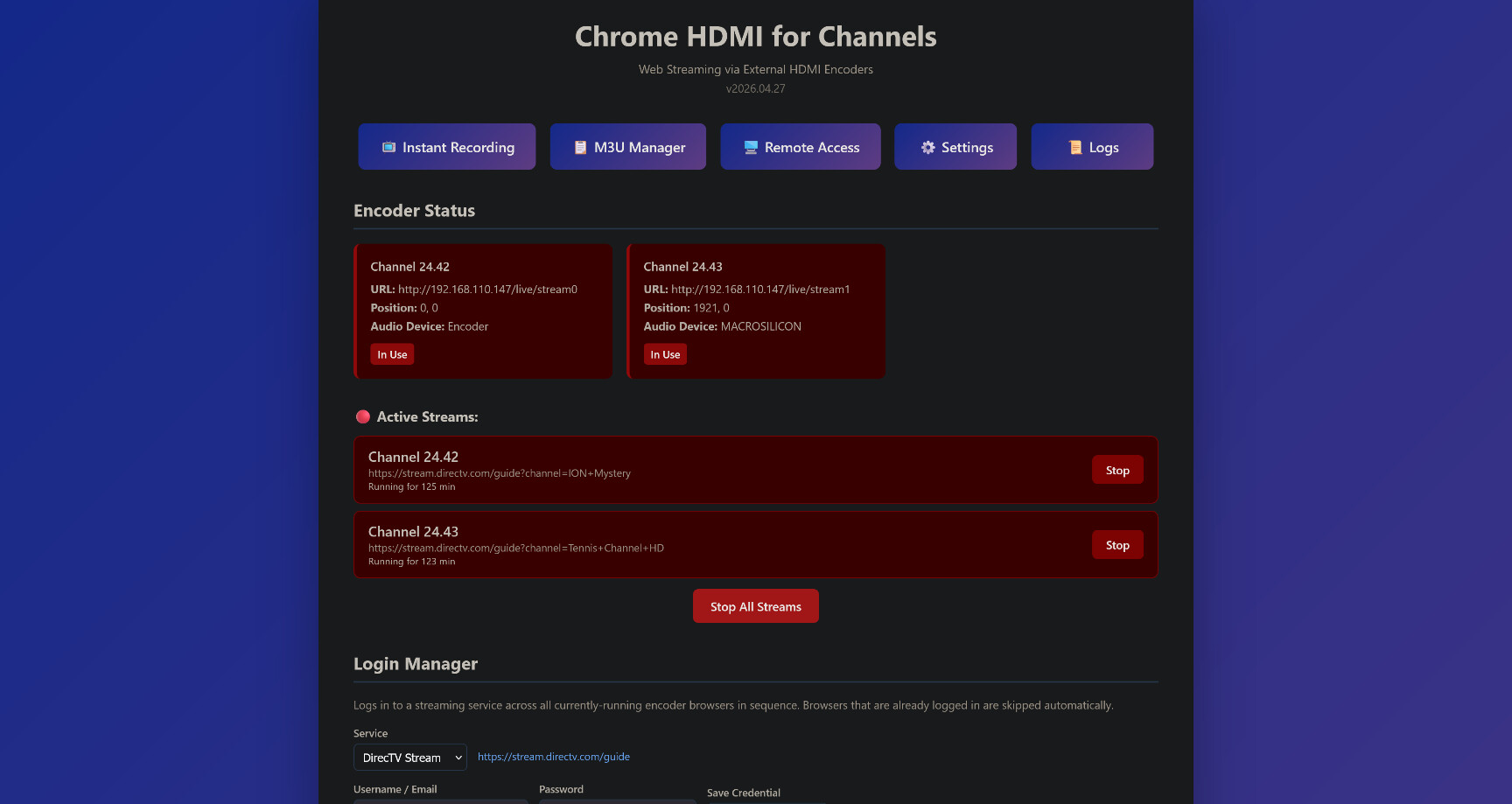
I do have narrow vertical scroll bars on both virtual tuners though, and am wondering if there's a way to get rid of those?
I'm launching ch4c with these parameters:
@echo off
ch4c.exe -s "http://media-server8" -e "http://192.168.110.147/live/stream0:24.42:0:0:Encoder" -e "http://192.168.110.147/live/stream1:24.43:1921:0:MACROSILICON"
pause
@bnhf Can you clarify where you're seeing the 'vertical scroll bars'? If you're referencing the browser scroll bars that show briefly when first loading the stream, I found some streaming sites seem to behave differently when scroll bars are hidden - probably due to bot detection? However, the scroll bars should only appear for a couple seconds and disappear once the stream goes to full screen.
@mackid1993 I'm feeling very good about the DirecTV Stream support we've added to this project. It's candidly a much better fit than PrismCast for DTV, as this project uses one instance of Chrome per virtual tuner, so multiple tuners are supported.
In addition, using an encoder to output a consistent output stream is also a plus -- and has been a significant boon for me to use remotely. I've been configuring H.265 output in the 6-8 Mbps range, which is great for remote use without transcoding.
Given that you're reasonably long on encoders, and all-in on DTV, would you be willing to give this a try? For whatever reason, this project has not gotten the attention it deserves, but it's an excellent combination of all the good aspects of cc4c combined with the power of a dedicated encoder.
1 Like
So I have two Unraid servers, one with a Windows VM with an RTX 4060 passed-through, which I could potentially use. I also have an M1 Mac Mini that's basically sitting and doing nothing right now. The rest of my devices are basically laptops. Do you know of any of my hardware being a good fit for this?
I'd prefer to use the M1 Mac Mini because I could dedicate it to this. I'm just not sure if I would need DisplayLink adapters or something like that.
Edit:
Actually, I have an old NVIDIA P400. That could easily get passed to a VM, and I could test on Windows. This might be a weekend project. It looks like the goal is you get a cheap mini PC, I guess?
I guess my problem is I have everything in my stack virtualized.
This project is supposed to work on MacOS, but it's untested by me. You'd need at least one HDMI port, and two would be better.
A Windows VM should be fine, but you'd definitely need to pass at least one HDMI port through to your virtualization (again, two would be better). The VM itself would need relatively modest resources, enough to run an instance of Chrome per HDMI port.
It's pretty easy to set up, so probably doesn't need a weekend, unless you need extra time for the hardware side.
One of the cool, I think underappreciated aspects of this project, is to be able to run a very complete Channels DVR solution -- including ch4c, on a system with modest resources.
However, in my use, this has been a great alternative to PrismCast for those looking for a more predictable and consistent output stream like we get from ah4c or ADBTuner. Set it up and I think you'll see what I'm talking about. 
1 Like
I'll think of maybe plugging in that P400 over the weekend when I have some time. I think that has four outputs. I will have to order some MiniDP to HDMI adapters because I believe it only has Mini DisplayPort on it. I do have two no name encoders kind of lying around that I can test this with when I get a chance. Thank you for thinking of me, though. I really do appreciate the ping. 
now tell your spouse you're gonna need 5 more encoders ... tell her it's for the community 
Throw in a dash of "butterfly effect", and the betterment of mankind isn't out of reach...
@mackid1993 I'm currently running on a windows system with 4 outputs (2 hdmi, 2 usb4). I have two Link Pi ENC1-V3 encoders connected (each supports two outputs), and it has been working well. I did test briefly the mac support when I added it, so it should work ok, but let me know if you end up trying it and see any issues.
The problem is I really don't have the hardware for this. I have to have the time to spin up a VM and open up my server and put a second GPU in and also get some Mini DisplayPort to HDMI adapters. So it is going to be a bit before I can test this. I have the GPU. It's just a matter of having the time and also getting those adapters on hand.
Actually, are you using DisplayLink adapters instead of a GPU? Does that work?
I'm wondering if I can pass DisplayLink adapters via USB over to a VM.
My thinking is that you'd need to pass a graphics card with at least two physical connections for "displays". The GPU on the card would give you hardware acceleration for Chrome, plus the physical connectors would allow you to make connections to the encoder(s).
I have absolutely the perfect card for this. The problem is I have to just get a chance to pick up some Mini DisplayPort to HDMI adapters, as that's all it has.
Once I buy those, I can definitely set this up with a few encoders. Hopefully not annoy my wife too much. 