Confused and Lost. Need help understanding how various community projects work, and are used with Channels DVR

I was able to pull known deeplinks in my cdvr guide to test before being able to record . I am waiting for my linkpi to arrive. Does anyone know how well 4k capture is? Can you run deep links and return to guide easily or do you have to basically alt tab back in?

Alt tab? I think you are missing how this all works..... I would do more research before spending any money.

android box feeds video + audio to encoder over hdmi -> encoder sends out mpegts stream over network -> android box and encoder IPs are entered into ah4c env variables. adb access is granted.

m3u contains deeplinks, scripts contain tuning logic.

m3u is entered as a custom source in channels -> open a channel, adb command sent to box stream opened from encoder. done. that is the general workflow. no alt tab, 4k capture is pointless for broadcast tv (idk why that was even brought up for at best maybe 1080p but mostly 720p content).

1 Like

Using deep links from channelsdvr makes it pop up on the same device linkpi not here yet so if you hit back you are still in DirecTV app .I alt tab on keyboard back to channels dvr.

Espn4k is one of the few 4k streams it's 1080p upscaled

Those are stream links. Nothing to do with ah4c.

1 Like

Does this app log back in if you get kicked out?

Does it have all the sports eplustv has? Some sources seem missing it has.

Some of the providers offer free games but there doesnt seem to be a way to only select free games?

The links seem to fail

Can I pay someone to help me set it up?

hey Doug -

It won't directly play inside CDVR natively. It's designed to open the stream apps and play the event. For example, it'd open WatchESPN and play the event live.

Some users find this tool useful for ADBTuner. I personally use it just so I have one unified guide inside CDVR.

Yes, did you set the Custom Channel to STRMLINKS?

In Channels DVR: Settings → Sources → Add Source → Custom Channels
Create a source (e.g. fruitdeeplinks-direct):
M3U URL: http://your-server-ip:6655/m3u/direct
XMLTV URL: http://your-server-ip:6655/xmltv/direct
Set Stream Format to STRMLINK
Refresh guide data

I'll have to mess with it. I prefer it to be able to record with prismcast/cc4c . Does your espn project still work? I like to record the football games for my team

espn4cc4c? i think so! i dont use it anymore personally - i use FruitDeepLinks

That supports ESPN+ correct?

Fruitdeeplinks won't allow dvr option.

When you use fruitdeeplinks can you hit back to return to channels or are you in the ecosystem of the streamer it links to

Neither FDL or ESPN4CC4C are native ESPN streaming because of DRM. All they do is provide external STRMLINKS inside the CDVR Guide. When you include it, it will show up in your Guide and when you click it, it'll open the external app (like ESPN, Fox Sports, Peacock, etc). Some users have integrated it with Prismcast and/or ADB tuner (with HDMI encoders) to allow it to play inside CDVR. It's hacky, but this is the Playground!

1 Like

So it does allow dvr or not? When you say in channels dvr it has to load the other app right what's the load time? I assume at least 5 seconds? From what I understand it opens the app. If you hit back button does it go back to channels or do you have to hit home and find your way back

It allows recording in channels dvr IF you connect it to ADBTuner and an encoder with firesticks/onn devices OR if you run it through prismcast. It does not allow recording if you use the stream links natively. when using the stream links natively it opens the corresponding app on your device and does not stay within channels dvr. Depending on the device the back button will either work or not.

Prismcast uses chrome capture. I don't really use that either, but if it works it does record. And yes, the espn feeds are from the fruitdeeplinks source, so they do not stay as a "linear channel" but as singular programs with their own playlist per program.

1 Like

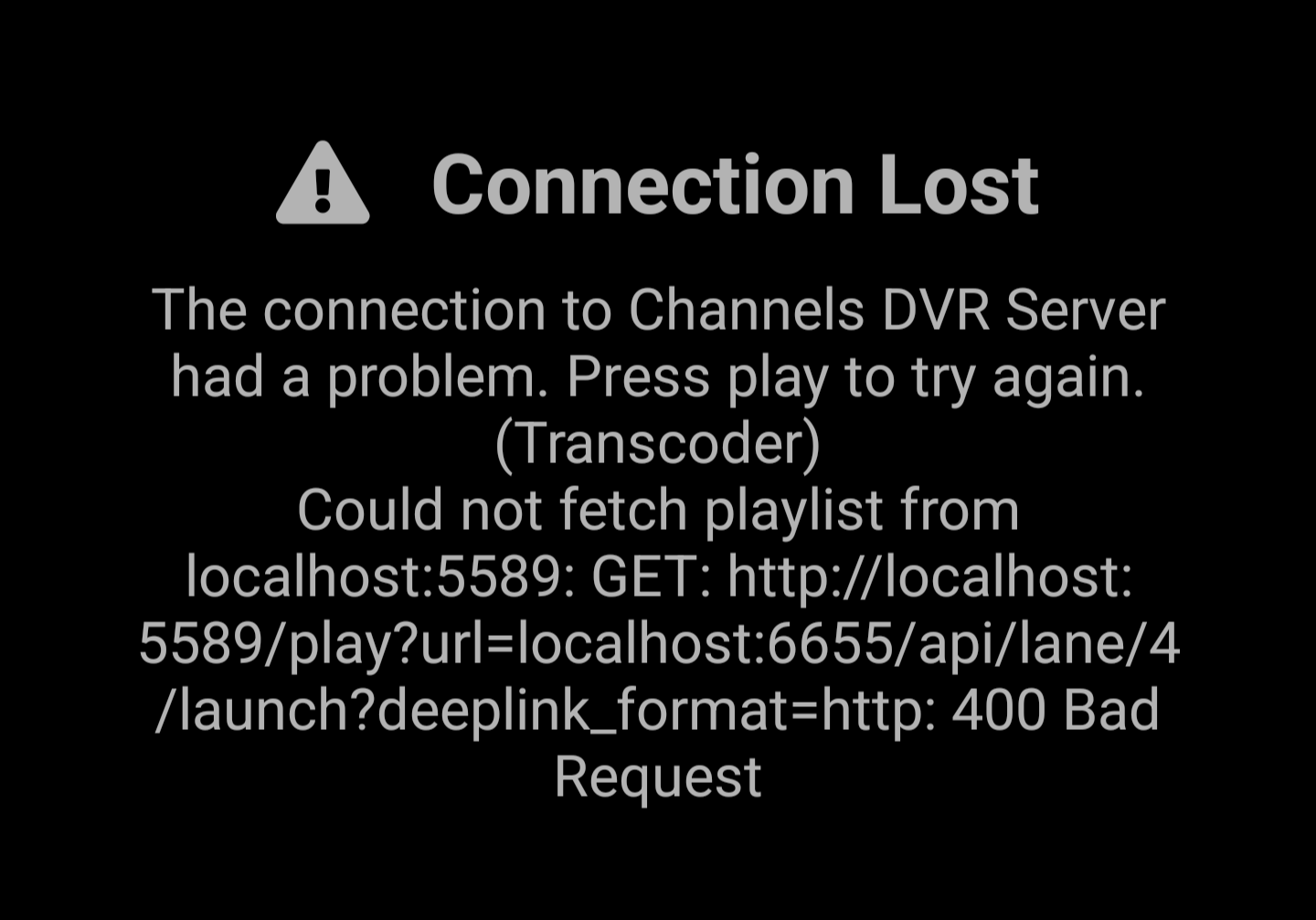
I also got in installed in prismcast, I got the links to work, but it only plays for about 20 seconds and then stops.
The links you got installed in prismcast are like fruitlinks 1 through 50, and they are pretty much dead links, unless there's actually something playing. You need to also install a new source in channelsdvr custom channels using the provided xml for the guide.

I'm just lost how fruitdeeplinks works I need some video guides the nerd gatekeeping he is sad

Ok, I'm going to put my little guide of how I got it to work in prismcast running on a windows docker system.
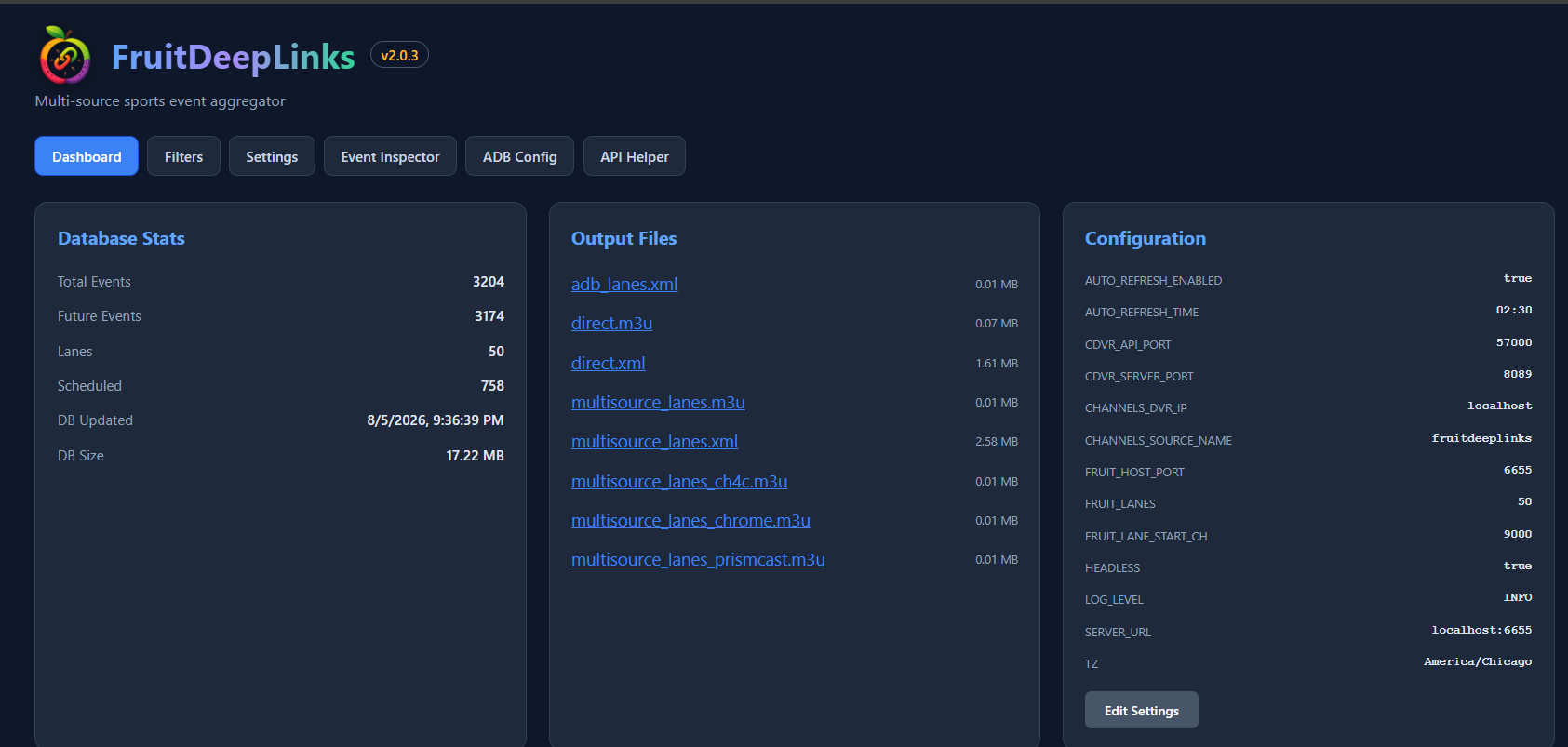
After you go through the FruitDeepLinks settings and input all of your streaming services, under your dashboard it would have provided you with a bunch of links.
In Prismcast you import the (multisource_lanes_prismcast.m3u). This will create 50 channels in Prismcast. This is how it looks like:


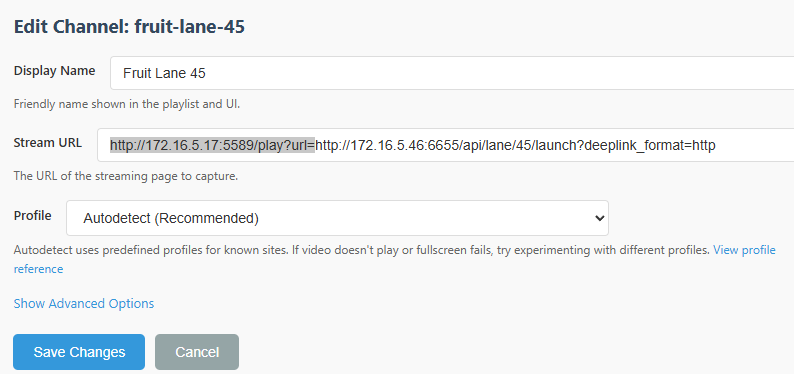
In my case after trial and error I had to remove the highlighted part for each of the channels for it to work properly.
Then, in ChannelsDVR you go settings, sources and add a new source.
In the source section you use TEXT and that same m3u you used to import to PrismCast you paste as text in the text box.
Mine was something like this.
#EXTM3U

#EXTINF:-1 channel-id="fruit-lane-1" tvg-name="Fruit Lane 1" tvc-guide-stationid="lane.1",Fruit Lane 1
http://172.16.5.17:5589/hls/fruit-lane-1/stream.m3u8

Then for the Guide, you put in the XML from the FruitDeepLinks
multisource_lanes.xml

Channels will pull the guide data and open up the appropriate channels only when they are available.
That's how I got it to work for me. Hope my crappy explanation makes sense to someone :smiley:

The original post of this thread basically explains how this works. The deeplinks themselves are just whatever is hit to open the specific event that the Apple Sports tab sends you to. That's it. The links aren't the complicated part - it's the managing of multiple apps/sports/etc that is.

Nobody is "gatekeeping" - you might get better traction if you don't post 1-line searchable questions on every thread around encoding.

So you can record with this without a linkpi?