
Thanks, last diagnostics show some audio issues due to a rare type of encoding being used. Please submit diagnostics again if you encounter any more issues.
It seems to get worse as time goes on. It’s now become unwatchable, so I have submitted more diagnostics. It also seems to do it on all channels, so not channel specific.
Thanks. Can you tell me which Freeview transmitter you’re using?
I’ve found watching much better today without the anr’s but did have a couple of out of sync audio issues. I’m on the Emley moor freeview transmitter
@Andrewpmoore can you hit the submit diagnostics button the next time it happens, on the bottom of the Player Settings tab.
I’m not seeing it, is it only in the beta as i seem to be on 1.0.1 today?
Yea only in the beta. Maybe you need to opt in again? Not quite sure how it works yet.
I’m using Winter Hill - or at least that’s where my antenna points.
I shouldn’t need to opt in again, if the production version equals or is greater than the build number of the beta then I’ll get that, otherwise I should get the beta. I’ve been an android developer for over 8 years so if you’ve any android dev questions just shout and I’ll try help.
After leaving the app running overnight it was still running, but as soon as I pressed the remote it crashed. I sent through a standard android crash report for it.
Thanks. I did bump the versionCode so I’m surprised it didn’t update to the new beta.
Either way I’ve pushed out a new prod build which fixes some crash reports I saw, and also enables the diagnostic option for everyone.
At the moment I’m not sure if mine has updated, but it crashes on run now (even after clearing data). I’ve just sent a crash report for it
Edit, 1.0.2 just downloaded so it’s working again. I’ll send a report if there’s the sync issue again
1 Like
Just tried 1.0.2 - programme broke up after about 10 seconds. Have submitted diagnostic report.
Watched for about an hour. The was a glitch right at the beginning but it has been ok since… so a definite improvement!
When the glitch happens… if you wait a bit and then rewind to watch that part again, does it glitch again st the same point?
Yes it does.
1 Like
Thanks. And the HDHR view app shows no similar issues at all.
Can you visit my.hdhomerun.com and check the tuner status to see what the signal strength/quality rates are like?
Mine ran overnight fine for the first time. The only issue being the guide that was missing some channels in the morning 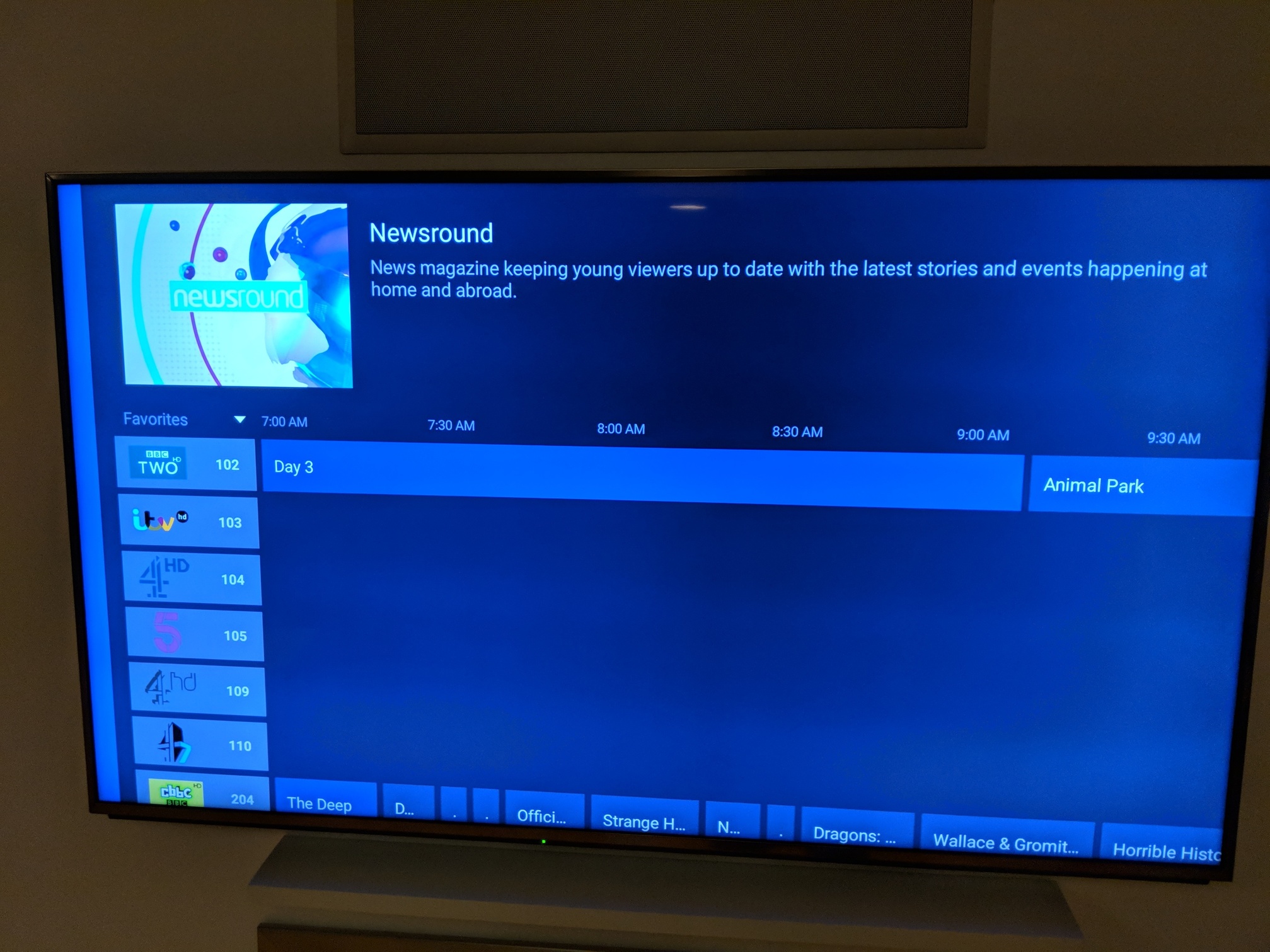
I then checked HDHomerun and the data showed there correctly (as attached).

Went back into channels and it still didn't show. Which meant I couldn't select those channels from the guide at all.
I sent a guide diagnosis report through.
While this might not be the correct place for this, I think having the current time on screen somewhere in the guide would be handy.
1 Like
Ok, two different channels…
Both are around 60% signal strength, 24% signal quality.
One thing I did find odd… I noticed some adverts on ITV Granada but they were related to health services in Wales…
I need to check my channels - presumably it’s related to the DVR backend.
And yes, everything plays perfectly using HDHomerun app.
Well… duh…
Channels all seem to be Welsh version… No idea why!
Currently doing a channel scan and it is replacing the Welsh ones with the correct ones. No idea how I ended up with Welsh channels…