
hey - i'm obviously limited to what the API sends. could you give me an example of what you like/dislike about the ESPN4CC4C description and i can see if i can improve on it!
2 Likes
Here’s a comparison of guide info from iOS app (Fruitdeeplinks vs ESPN4CC4C).
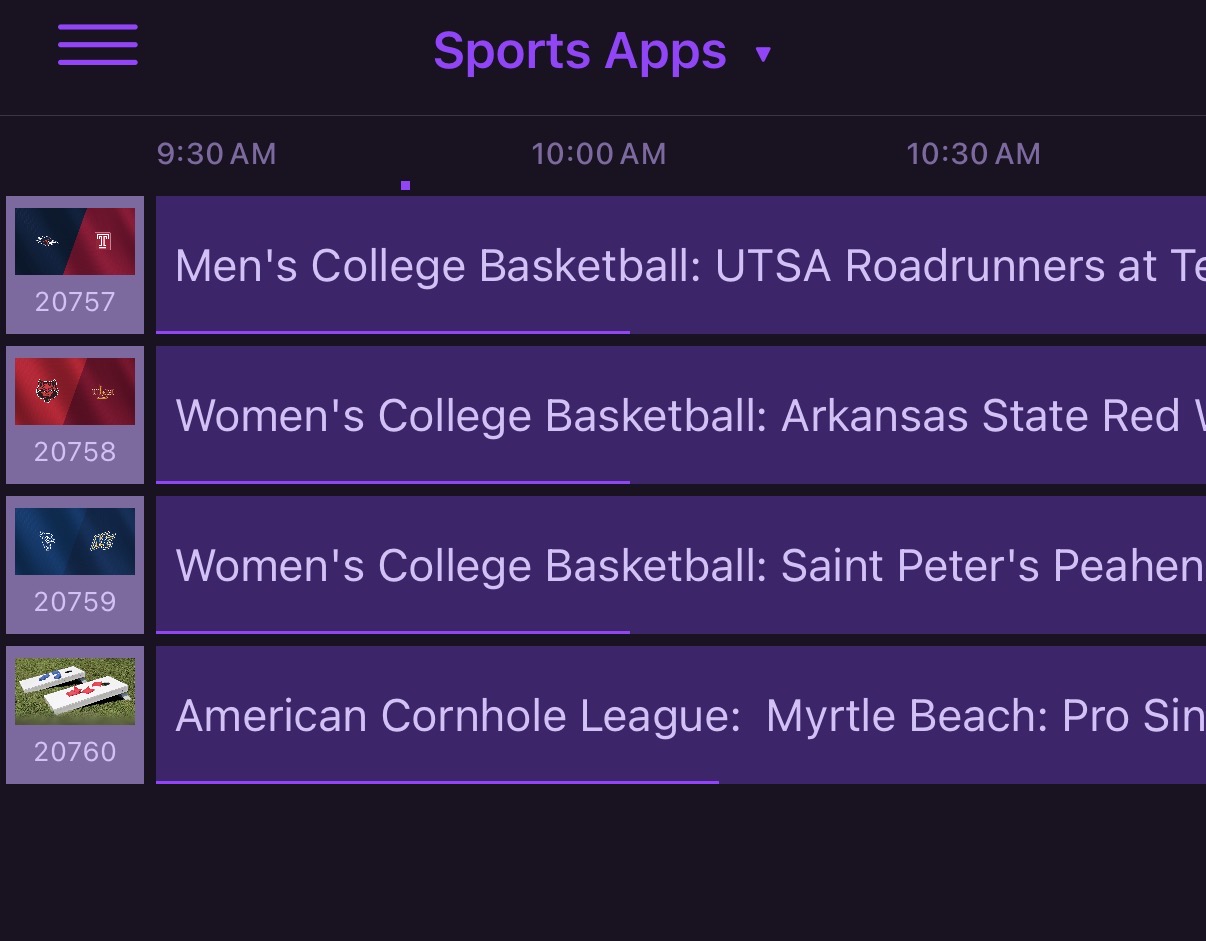
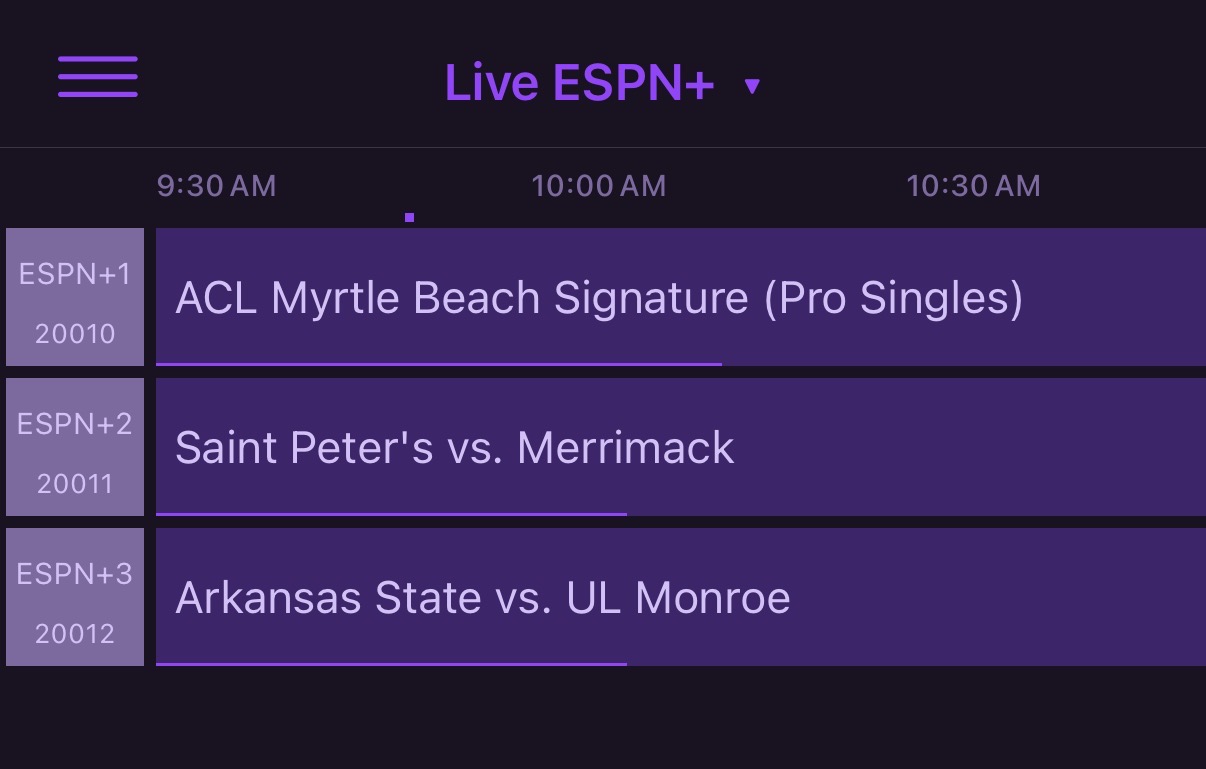
The guide icons with team logos are more of a “nice to have”. The sport descriptors (e.g., Womens College Basketball) are helpful in choosing which game(s) to watch on mobile.
hey im working on this now.. for the icons though-> are you using it as "lanes" like multiple events per channel? it would be impossible to change the icon everytime. but, I could if you were using the one event per channel.
Not me. The work here was awesome, as i now have a working ESPN+ set in my guide data for multiview.
I'll move over at some point, but no rush.
3 Likes
Agree that this container is working well. I also noticed the latest version is providing more info in the on-screen guide. Thanks!!
@KineticMan I think there may be a way to add linear channels here. This guy might have it.
I'm trying to get this url First Take Presented DraftKings Sportsbook (2/4/26) - Live Stream - Watch ESPN to work with adbtuner. I don't know the deeplink to get to it. It'll work with cc4c and prismcast of course but I'm looking for deeplink for it work on adbtuner (maybe @bnhf can assist)
If I recall, the linear URLs from Apple do look like that style you sent, but they don't work on ADB tuner. That's why I had to scrape the ESPN Watch API to grab their UID's and make up our own schema.
as example, I just went to Event Inspector and grabbed a ESPN Linear event
      "punchoutUrls": {
        "play": "sportscenter://x-callback-url/showWatchStream?playChannel=espn2&x-source=AppleUMC"
1 Like
Yeah...I just that and that was no good as you said. Looks like the only way to make it work is via ah4c and messing around with tesserect...
pushed a little update.. added PrismCast m3u export support and some minor touchup to admin page.
for PrismCast, you'll need two new env variables.
PCAST_SERVER=192.168.86.72
PCAST_PORT=5589
is ADBtuner the only way to get ESPN into channels dvr now with TVE support ending for ESPN?
1 Like
No, you can also use a new project called PrismCast:
2 Likes
Got it setup on my Synology, which has a weak cpu, constantly freezing. Damn. guess I will use the espn app for now.
if I did go the encoder route, any recommendations to just get espn/espn2/acc/sec? would like to keep it under $200 if possible, or would that be junk?
1 Like
Lots of warnings in the thread about not using PrismCast on a low end system. ADBTuner is the way to go for your situation then.
1 Like
You could do a single port LinkPi encoder and a FireStick 4K Max Gen2 or ONN Plus for under $200. The LinkPi is excellent, and either streaming stick would do the job.
1 Like
You could use CC4C if the Synology system has a GPU
There'd be no difference. The Linux version of Chrome, as used in a container for this purpose, does not utilize the GPU.
1 Like
Decided to go the PrismCast route first. Link Pi will take 6 weeks to get here. I have been wanting to upgrade my media server for a while and get off the DS224+, so this seems like the appropriate time. A new Intel Core i7 Ubuntu computer should be here in a few days to run all my dockers and media content.
So I've tried that on a Fire Stick 4k Max and it will launch the app but won't play the channel, just goes to home screen. Here's the command I'm using:
am start -S -a android.intent.action.VIEW -d sportscenter://x-callback-url/showWatchStream?playChannel=espn com.espn.gtv/com.espn.startup.presentation.StartupActivity
Did anyone get ESPN working with linear channels in ADBTuner?
EDIT: Also tried it on my onn 4k Android TV box, same behavior. Package name is com.espn.score_center there.
Tried multiple channel Ids for playChannel like espn1, espn2, espnu etc. None work, the syntax seems to be wrong in the URL.
I think a bunch of guys in the ESPN4CC4C thread has and probably FruitDeepLinks thread have