
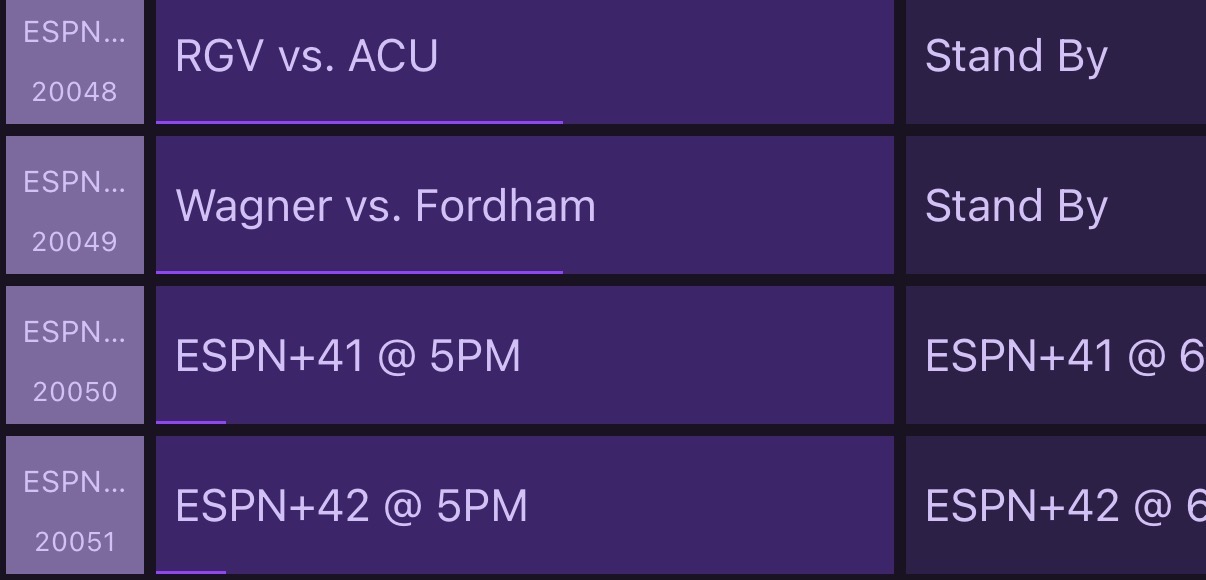
Yeah, think we'll need a way to change this. Haven't had time to dig in. But right now there must be more than 40 events happening because my Cincinnati/Dayton Men's College Basketball game isn't in the guide.
Did a quick test adding 2 channels (LANES=42) in container and editing ADB m3u. Source updates and guide shows extra channels but doesn’t populate with event info.
may have a bug there, but i got a new version coming out real soon. will check that out.
new version has better XML metadata, images, filtering, and more.
3 Likes
I just spun it up today in my new place and everything is working well. Gonna like the new version that'll come out with a richer guide too!!
Thanks to @bnhf helping me/pushing me, I now have a new version out that is much much much easier to install with Docker. He is working on implementing Project One Click, but if you want to give it a shot, check out the GitHub page for easier instructions.
Some highlights:
- Flexible filtering (by league/sport/network)
There’s now a filters.ini file that lets you control what actually shows up in the guide:
- Include or exclude leagues, sports, and networks
- Great if you only care about, say, NHL + NCAAM, or want to hide replays/shoulder programming
There’s also a built-in filters API + HTML page so you can see what’s in the DB and tune your filters:
-
HTML: http://:8094/filters
- Shows counts for leagues/sports/networks/event types
- Includes hints for valid names to use in filters.ini
-
JSON: http://:8094/filters/json
- Enhanced XMLTV with images
The XMLTV generator now pulls in richer metadata where available, including image URLs for events.
In Channels, that means:
- Nicer artwork/posters in the guide
- More visual browsing when you’re flipping through the ESPN+ lanes
I blew out my previous install to give this docker compose a try and it worked beautifully! Now I'll have to play around with the filters!
Awesome. Pro tip - the filters page helps find current things in the database so u can use for customizing your filters
New container along w/ ADB tuner (ESPN+ Deep Links - Show Tuning Process), no Chrome Capture and a Firestick Max. Behavior has changed when selecting a channel from guide:
ESPN app opens,
Watch main screen comes up and holds there for maybe 8-10 seconds,
selection window moves down ?2-3 rows and over 1 column. This opens a pop-up menu for the event and stops there.
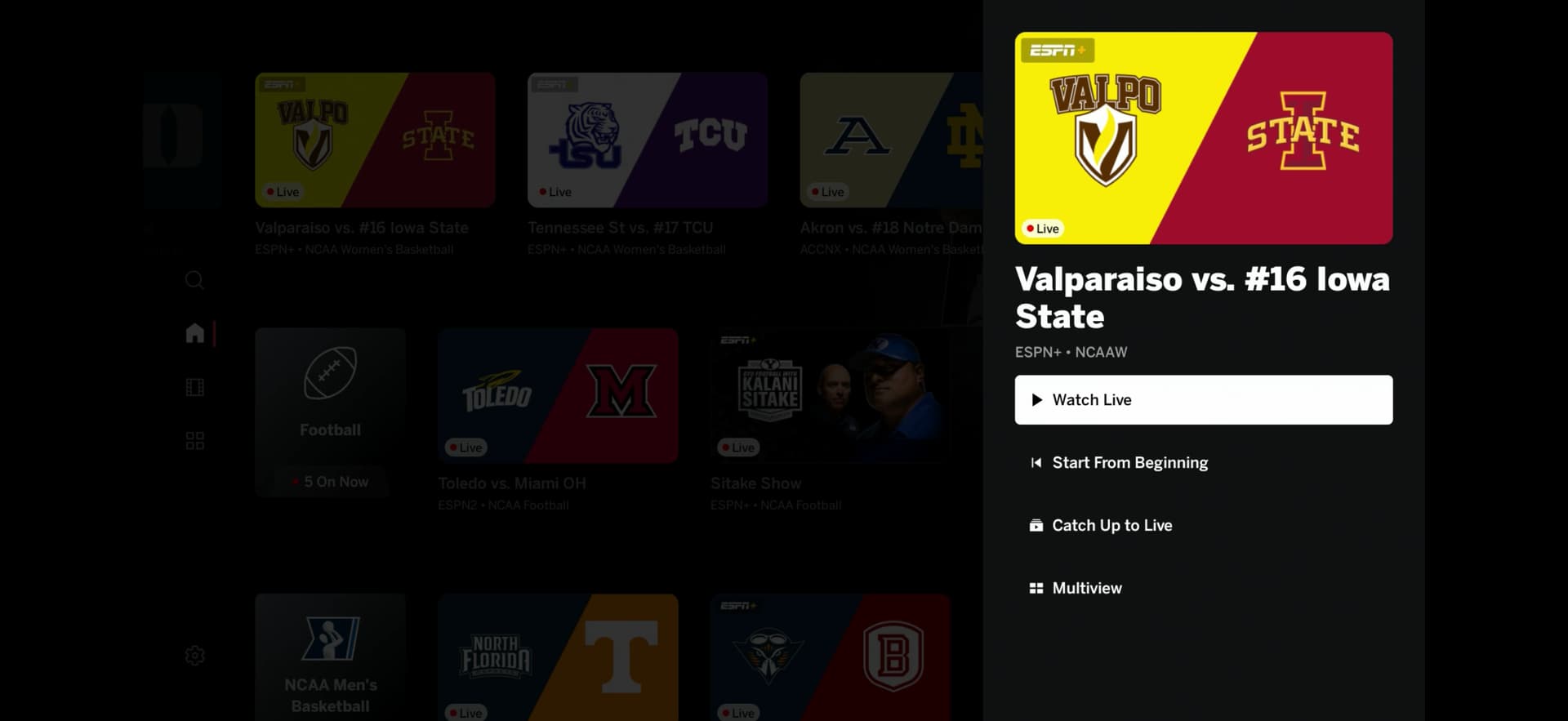
Same sequence occurs irrespective of channel selected and pop-up is not for event in the Channels guide.
1 Like
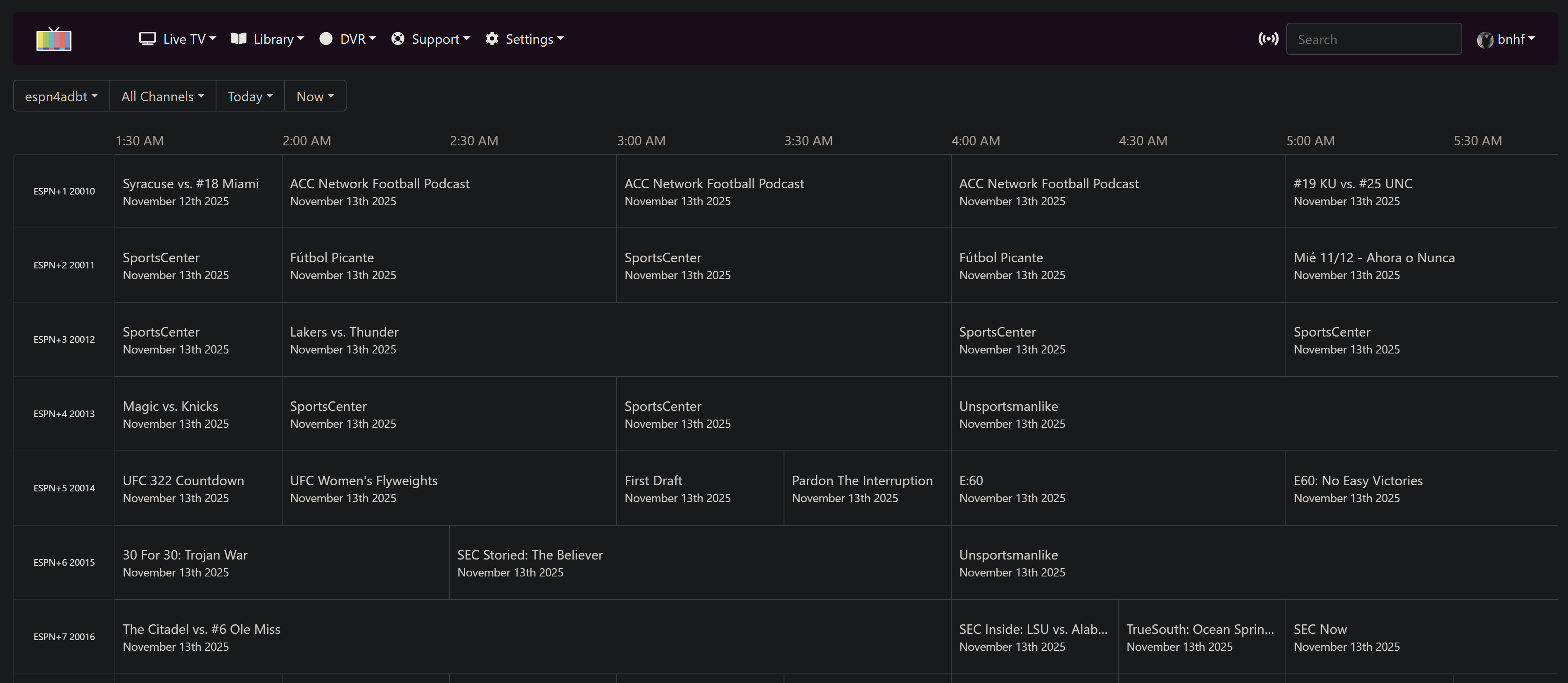
Could you clarify what should be working, what I shouldn't expect to work in a scenario like this:
Here's my current guide data showing 7 channels with events:
Those are the same 7 that show in the online ESPN schedule for the current hour:
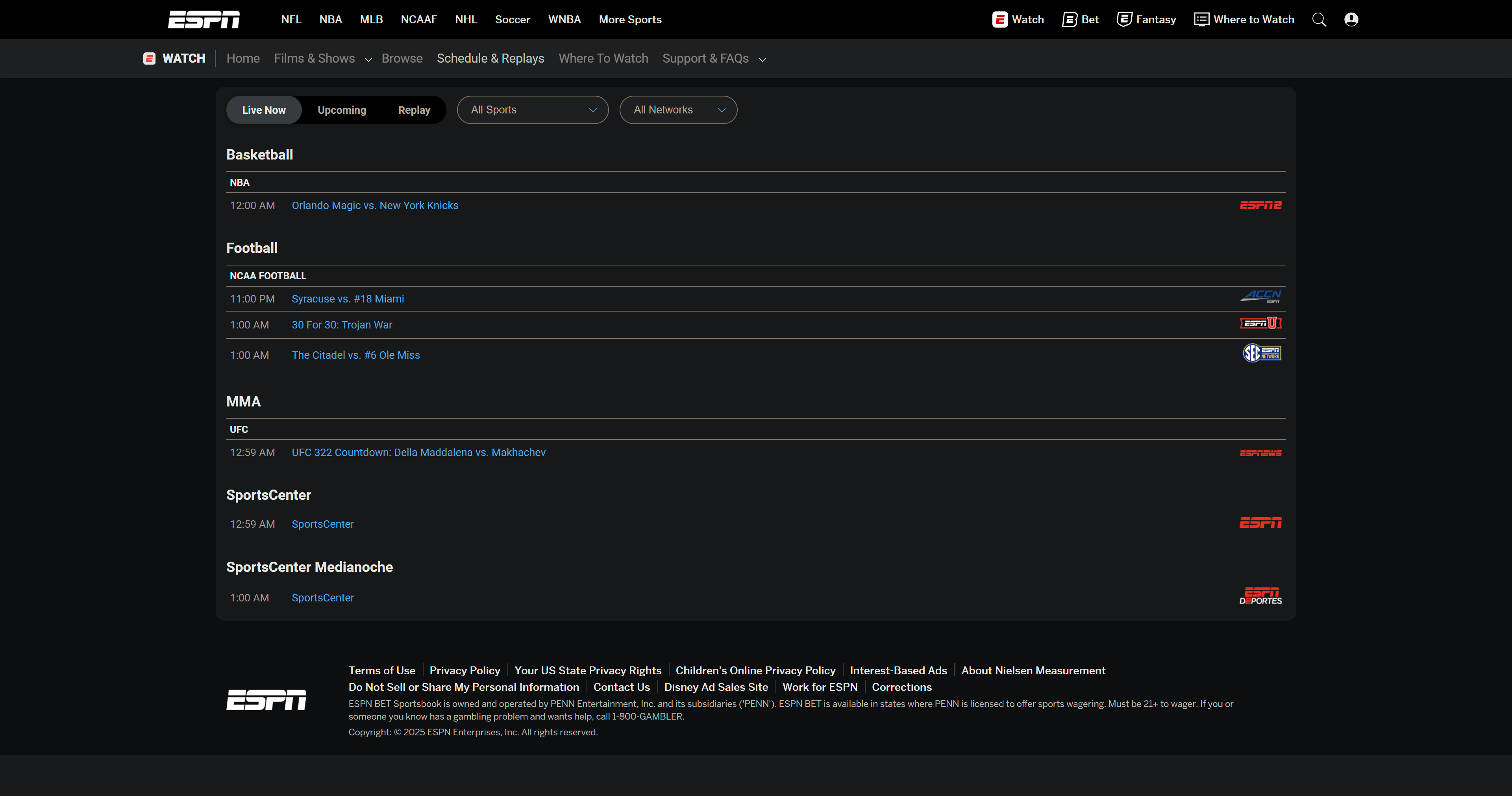
However when I curl for deep links, they all show event IDs but no deeplinks. Is that because they're not ESPN+ live events?:
root@htpc6:~# curl http://htpc6:8094/whatson/1
{"ok":true,"lane":1,"event_uid":"b452610f-6c7f-43be-a914-035cd03d5066:724cdbb5ef7bce7447de3804ec4852a3","at":"2025-11-13T08:33:15+00:00","deeplink_url":null}
root@htpc6:~# curl http://htpc6:8094/whatson/2
{"ok":true,"lane":2,"event_uid":"a1b122b2-7b62-4a1f-9dab-9e00fb603b63:f4c53e5d4bc16cb635695019496e062e","at":"2025-11-13T08:33:31+00:00","deeplink_url":null}
root@htpc6:~# curl http://htpc6:8094/whatson/3
{"ok":true,"lane":3,"event_uid":"b76b56ab-10ae-4f27-ad0b-2f0db8ec0ca3:2f8baf1128f8f20cdfd57cad248b7108","at":"2025-11-13T08:33:39+00:00","deeplink_url":null}
root@htpc6:~# curl http://htpc6:8094/whatson/4
{"ok":true,"lane":4,"event_uid":"9387d56a-0ba0-4cce-8f9c-fb05ffcfdf3a:015c67ba7d2426b9596f232a83ad244f","at":"2025-11-13T08:33:52+00:00","deeplink_url":null}
root@htpc6:~# curl http://htpc6:8094/whatson/5
{"ok":true,"lane":5,"event_uid":"e8c8a41a-6ff6-4813-a2d1-2aba8dff14fc:64d25971aad61626f3bd86ef27d8e564","at":"2025-11-13T08:33:58+00:00","deeplink_url":null}
root@htpc6:~# curl http://htpc6:8094/whatson/6
{"ok":true,"lane":6,"event_uid":"3a632da1-07c5-4053-b98e-da1fe46ef115:50c58893666c1ca120bef55813ee674e","at":"2025-11-13T08:34:04+00:00","deeplink_url":null}
root@htpc6:~# curl http://htpc6:8094/whatson/7
{"ok":true,"lane":7,"event_uid":"4700ee47-7fb4-45a7-9818-249030e59221:e414aa8331f1d856bebdddf2ca6713dc","at":"2025-11-13T08:34:10+00:00","deeplink_url":null}
I can watch them using the ESPN app on another streaming stick, so they're all in my subscription.
Interesting - maybe I introduced a bug with filtering on those non-ESPN3 events. To help me track this down, did you have anything filtered out by chance?
No filters -- at least none that I've added.
so i may have been dumb and changed the API request by accident.. can you confirm what exact command your program needs?
# Add the include=deeplink parameter
curl "http://192.168.86.72:8094/whatson/1?include=deeplink"

# Or use one of these alternatives
curl "http://192.168.86.72:8094/whatson/1?deeplink=1"
curl "http://192.168.86.72:8094/whatson/1?dynamic=1"
So you and @turtletank worked this out, but I believe it would be:
curl http://192.168.86.72:8094/deeplink/1
And, that's working for me:
root@htpc6:~# curl http://htpc6:8094/deeplink/3
sportscenter://x-callback-url/showWatchStream?playID=8d855d21-2dfe-426c-b699-fe38613652cc
However, that will not tune via ADBTuner.
Now I'm wondering if that's correct, as this is from the ADBTuner log:
2025-11-13 12:13:20.887 - stream - [Tune (Nx2tGwiPT98iRjNduXJCyW)] Resolving dynamic URL (http://host.docker.internal:8094/whatson/1) for channel.
2025-11-13 12:13:20.900 - stream - [Tune (Nx2tGwiPT98iRjNduXJCyW)] Retrieved dynamic URL data: {'ok': True, 'lane': 1, 'event_uid': '6bc21b96-328e-4a44-b9b1-cb4038851d1b:6a1f4a7a74f32a51738e7a492923755e', 'at': '2025-11-13T12:13:20+00:00', 'deeplink_url': None}
Based on that, I'd that it looks like ADBTuner is using (@turtletank is this correct?):
http://host.docker.internal:8094/whatson/1
And in this case espn4cc4c is returning a deeplink_url value in the JSON response of None.
Sorry for that guys. Do you think it would be better if I hot patched mine to return the old expected Call that he was using or better to patch his?
ADBTuner removes the "dynamic_url_json_key" parameter from the URL and passes the rest through.
So if the URL is configured in ADBTuner as:
http://x.x.x.x:8094/whatson/2?deeplink=1&dynamic_url_json_key=deeplink_url
ESPN4CC4C will see:
http://x.x.x.x:8094/whatson/2?deeplink=1
Last I checked, ESPN4CC4C requires that deeplink=1 parameter. Otherwise the return value for deeplink_url is None.
@bnhf @turtletank ... again, my fault guys... here's updated API documentation. if it's easier to change something to what your programs expect, let me know. sorry!!
@KineticMan The above structure looks to be correct, so the deeplink is being retrieved and passed -- but virtual tuning still isn't working:
2025-11-13 13:33:12.374 - stream - [Tune (VwPDNE7gvktNoYSNfFNmme)] Resolving dynamic URL (http://host.docker.internal:8094/whatson/1?deeplink=1) for channel.
2025-11-13 13:33:12.387 - stream - [Tune (VwPDNE7gvktNoYSNfFNmme)] Retrieved dynamic URL data: {'ok': True, 'lane': 1, 'event_uid': '6bc21b96-328e-4a44-b9b1-cb4038851d1b:6a1f4a7a74f32a51738e7a492923755e', 'at': '2025-11-13T13:33:12+00:00', 'deeplink_url': 'sportscenter://x-callback-url/showWatchStream?playID=6bc21b96-328e-4a44-b9b1-cb4038851d1b'}
2025-11-13 13:33:12.387 - stream - [Tune (VwPDNE7gvktNoYSNfFNmme)] Using sportscenter://x-callback-url/showWatchStream?playID=6bc21b96-328e-4a44-b9b1-cb4038851d1b to load channel.
2025-11-13 13:33:12.387 - lib.adb - [Tune (VwPDNE7gvktNoYSNfFNmme)] ADB: firestick-rack4 - input keyevent KEYCODE_MEDIA_STOP
2025-11-13 13:33:12.825 - stream - [Tune VwPDNE7gvktNoYSNfFNmme] Redirecting to stream after 1.0 seconds (fixed delay of 1 seconds exceeded). Tuning is still in progress.
2025-11-13 13:33:12.825 - uvicorn.access - 100.98.232.107:0 - "GET /stream/183?web-preview HTTP/1.1" 307
2025/11/13 13:33:12 [PROXY] 100.98.232.107 -> GET "/proxy/2?requestKey=VwPDNE7gvktNoYSNfFNmme" -> "http://encoder_48007/12.ts"
2025-11-13 13:33:13.147 - lib.adb - [Tune (VwPDNE7gvktNoYSNfFNmme)] ADB: firestick-rack4 - am start -n com.espn.gtv/com.espn.startup.presentation.StartupActivity -d sportscenter://x-callback-url/showWatchStream?playID=6bc21b96-328e-4a44-b9b1-cb4038851d1b
I'm not sure where I dropped the deeplink=1 out, but I can fix that easily enough. I'm wondering though if these deeplinks work on non-ESPN+ events on Android? The IDs seem to work fine in cc4c, but that same ID used in the Android deeplink structure are failing for me.
The first ESPN+ event of the day is on soon, so I'll be able to confirm then...
@TJN @Jean0987654321 A little mixup on the API format, but I believe we have that straightened out now. You'll need to edit, or delete and re-import, the ADBTuner Virtual Channels we're calling lanes. Deleting and re-importing is probably the easiest overall. See Post #1 for the structure in the JSON channels.
I'll ultimately be automating adding and deleting certain groups of channels into ADBTuner (now that there's an API), but it's not done yet. This will be available via OliveTin's Project One-Click.
1 Like