ESPN+ with Custom Channels via ADBTuner

The idea with this setup is to be able reach espn4cc4c via the Docker Gateway (host.docker.internal) from ADBTuner, as described here:

For this to work, both containers need to be running on the same Docker host -- and the described extra_hosts: entry needs to be added to ADBTuner.

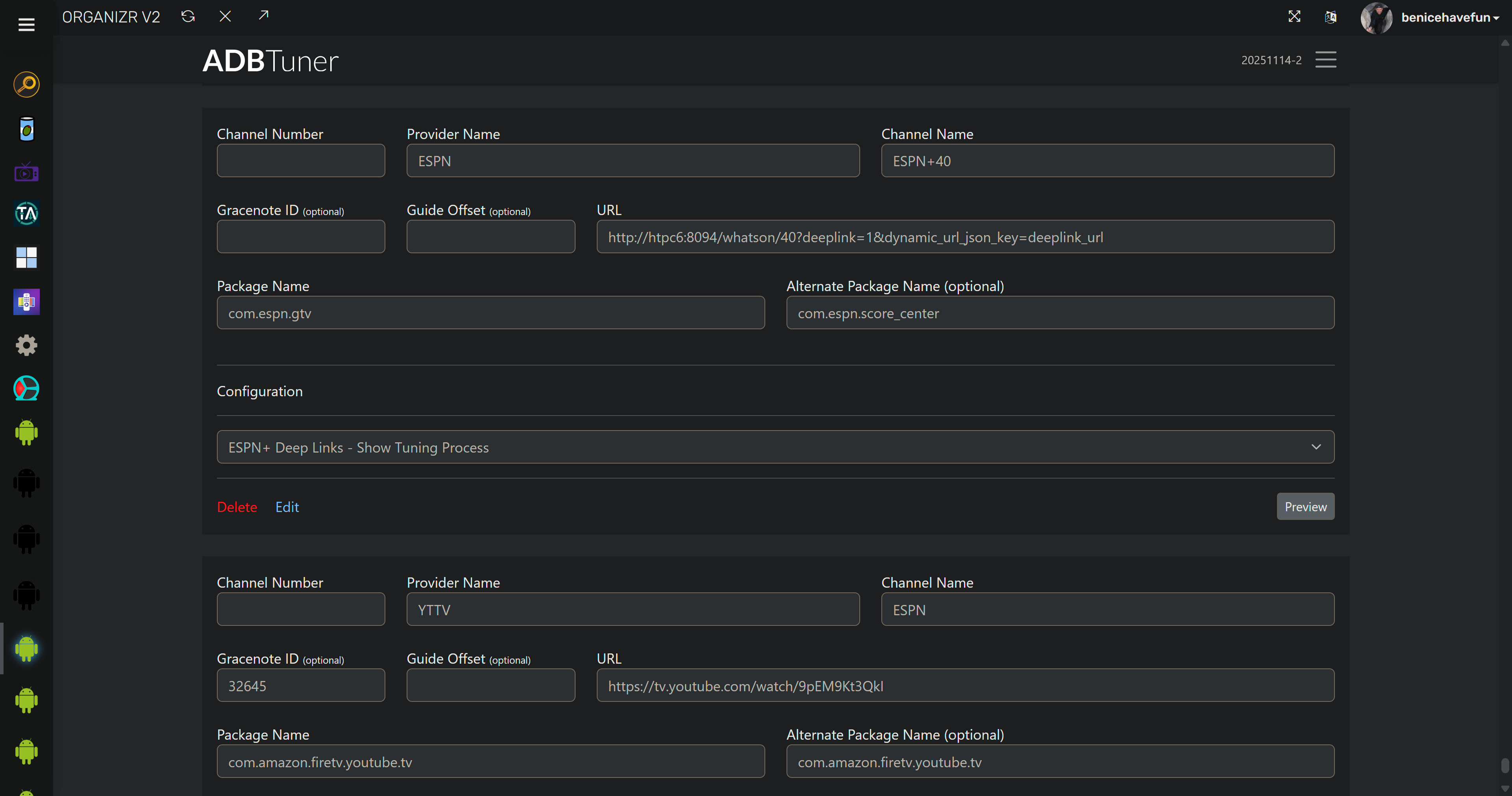
Alternatively, you can hard code (which I know you like to do :slight_smile:) the URL to reach espn4cc4c into each of your virtual channels in ADBTuner:

Yeah definitely not a fan of Portainer variables. I would rather put them in the stack :-). both adbtuner and espn4cc4c are on the same host but they are on macvlan. I cant use localhost because the containers are not reachable on that. I could deploy with docker networking but them my Channels docker server would not be able to communicate with it without using an ugly shim. So as long as manually edit the virtual channels I should be good to go then?

We're not talking about localhost, we're talking about the internal Docker gateway. Are you sure that doesn't work in your setup? Did you add the extra_hosts: section to ADBTuner?

Yes, though I'd recommend confirming if the host.docker.internal approach will work first...

This looks like a typical Docker IP to me, which suggests a Docker gateway...

Nah host.docker.internal if added would resolve to 172.16.0.36, those containers arent reachable on that internal docker gateway. They are using macvlan and are 192.168.12.x. So even if I added that DNS entry it wouldn't work. My containers on macvlan are indistinguishable from physical hosts, no port mapping required either.

I just edited the json import and now it works, my issue now is the guide. I already have some virtual channels in the 20000 space so looks like I will need to spin up an Nginx + Lua rewriter container to do some rewriting of the channels otherwise I wont be able to use the guide data. Unless i am missing something obvious

My internal LAN is 172.16.0.0/21 so it looks like docker networking but it isnt

In your CDVR Custom Channels Source settings, I would think you could just override the starting channel number, and then match the virtual channels to their guide data with Manage Lineup.

Trying to install and getting this error when installing via portainer stack method:

Failed to deploy a stack: compose up operation failed: Error response from daemon: Bind mount failed: '/data/compose/43/data' does not exist

Here's the YAML I inserted:

services:
  espn4cc4c:
    image: ghcr.io/kineticman/espn4cc4c:${TAG:-latest}
    container_name: espn4cc4c
    init: true
    stop_grace_period: 20s

    ports:
      - ${PORT:-8094}:${PORT:-8094}

    environment:
      - TZ=${TZ:-America/New_York}
      - VC_RESOLVER_BASE_URL=${VC_RESOLVER_BASE_URL:-http://192.0.2.10:8094}
      - CC_HOST=${CC_HOST:-192.0.2.10}
      - CC_PORT=${CC_PORT:-5589}
      # Optional: Channels-4-Chrome (CH4C) bridge for http:// playlists
      - CH4C_HOST=${CH4C_HOST:-127.0.0.1}
      - CH4C_PORT=${CH4C_PORT:-2442}
      - PORT=${PORT:-8094}
      - APP_MODULE=${APP_MODULE:-bin.vc_resolver:app}
      - VALID_HOURS=${VALID_HOURS:-72}
      - LANES=${LANES:-40}
      - ALIGN=${ALIGN:-30}
      - MIN_GAP_MINS=${MIN_GAP_MINS:-30}
      - M3U_GROUP_TITLE=${M3U_GROUP_TITLE:-ESPN+ VC}
      - VC_M3U_PATH=${VC_M3U_PATH:-/app/out/playlist.m3u}
      - WATCH_API_KEY=${WATCH_API_KEY:-0dbf88e8-cc6d-41da-aa83-18b5c630bc5c}
      # Optional: Event filtering (see Filtering section below)
      # - FILTER_EXCLUDE_NETWORKS=ACCN,ESPN,ESPN2,ESPNDeportes,ESPNU
      # - FILTER_REQUIRE_ESPN_PLUS=true
      # - FILTER_EXCLUDE_PPV=true
      # - FILTER_EXCLUDE_REAIR=true

    volumes:
      - ${HOST_DIR:-.}/data:/app/data
      - ${HOST_DIR:-.}/out:/app/out
      - ${HOST_DIR:-.}/logs:/app/logs

    # Optional: helps suffix matching only; actual name resolution must work in your LAN/Tailscale DNS.
    dns_search:
      - ${DOMAIN:-localdomain}
      - ${TAILNET:-tailxxxxx.ts.net}

    healthcheck:
      test: ["CMD-SHELL", "curl -fsS http://localhost:${PORT:-8094}/health >/dev/null"]
      interval: 30s
      timeout: 10s
      retries: 3
      start_period: 60s

    logging:
      driver: "json-file"
      options:
        max-size: "10m"
        max-file: "5"

    restart: unless-stopped

This is on a Synology NAS (x64). Any insight into what may be causing this?

Thanks.

On Synology, I would think you'd either need to use Docker Volumes for each bind mount, or create the needed directories in advance under /volume1/docker.

You'd need:

/volume1/docker/espn4cc4c/data
/volume1/docker/espn4cc4c/out
/volume1/docker/espn4cc4c/logs

And then set:

HOST_DIR=/volume1/docker/espn4cc4c

Thanks, added the folders and changed the Host_Dir to the following:

    volumes:
      - ${HOST_DIR:-.}/volume1/espn4cc4c/data:/app/data
      - ${HOST_DIR:-.}/volume1/espn4cc4c/out:/app/out
      - ${HOST_DIR:-.}/volume1/espn4cc4c/logs:/app/logs

But got this error:

Failed to deploy a stack: compose up operation failed: Error response from daemon: Bind mount failed: '/data/compose/44/volume1/espn4cc4c/data' does not exist

Should I have done that through an environmental variable section (didn't see that in the directions on the Github page).

EDIT - Tried using the environmental variable section and that worked, thanks.

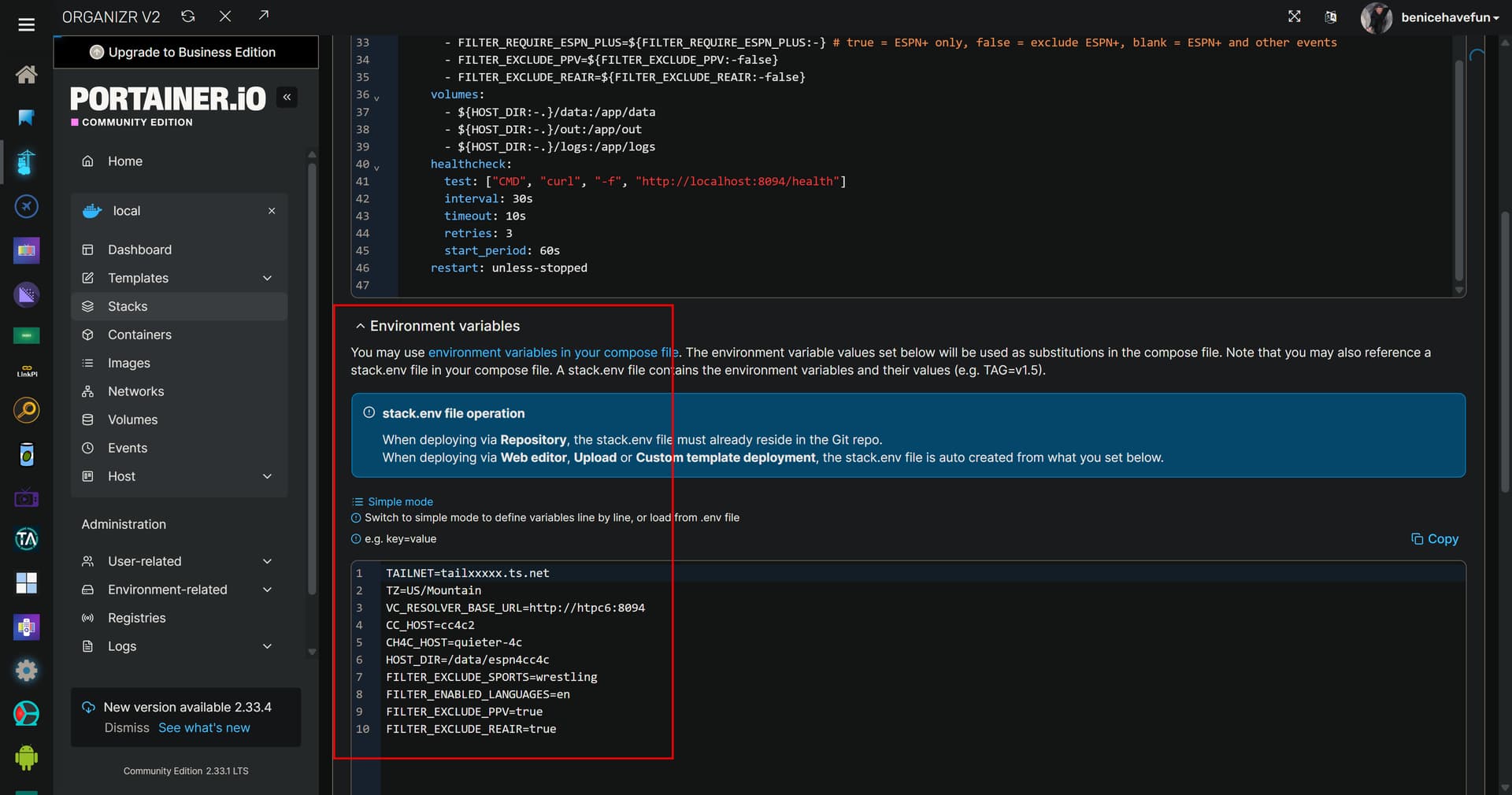
Put the above section back the way it was. You'll want to set your env vars in the section of the Portainer-Stacks Editor designed for this purpose:

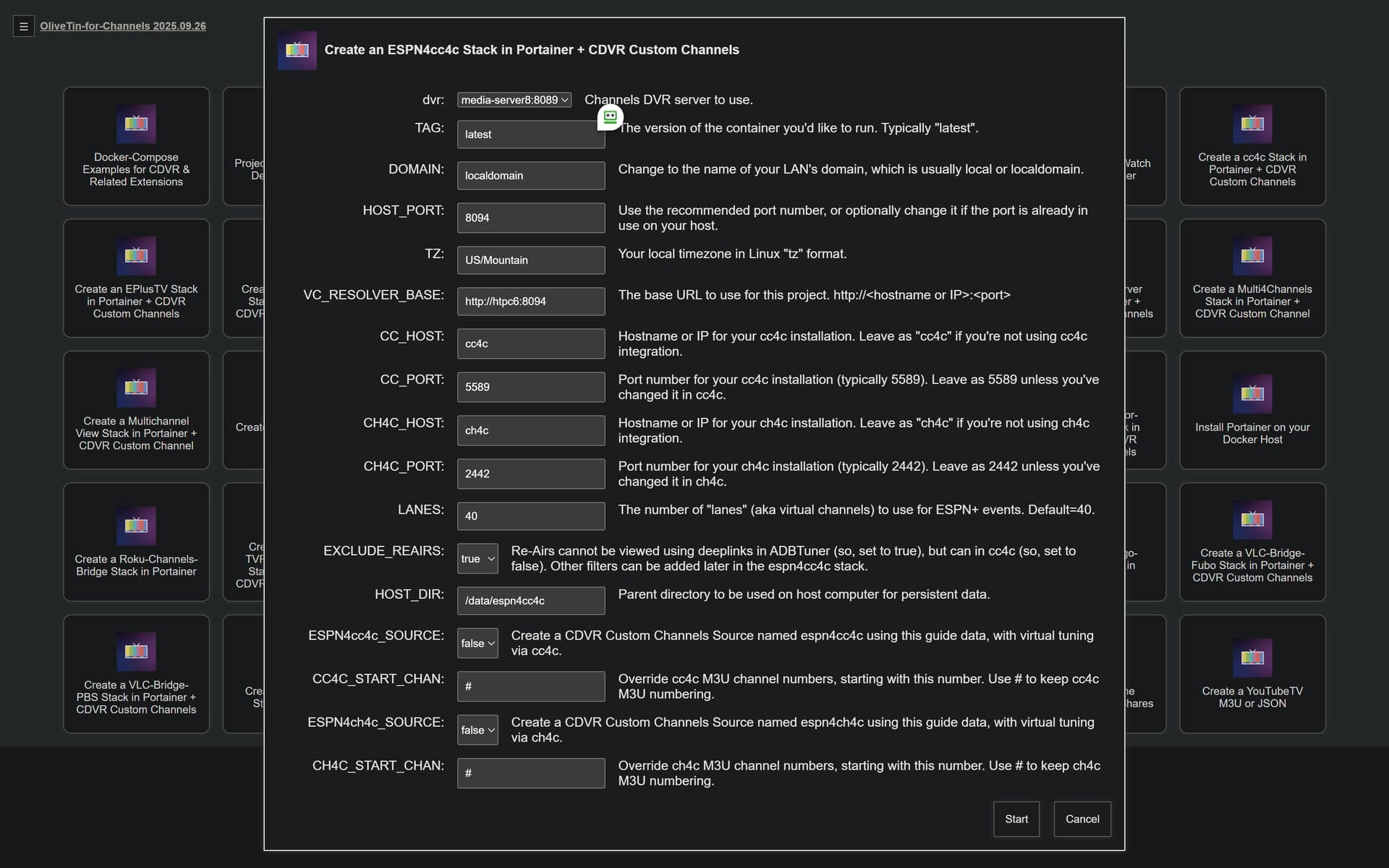
New bnhf/olivetin:latest (aka bnhf/olivetin:2025.11.23) pushed today with support for both spinning-up an ESPN4cc4c stack, and also adding however many ADBTuner ESPN virtual channels (aka lanes) desired. Both cc4c and ch4c are supported, and can be run side-by-side.

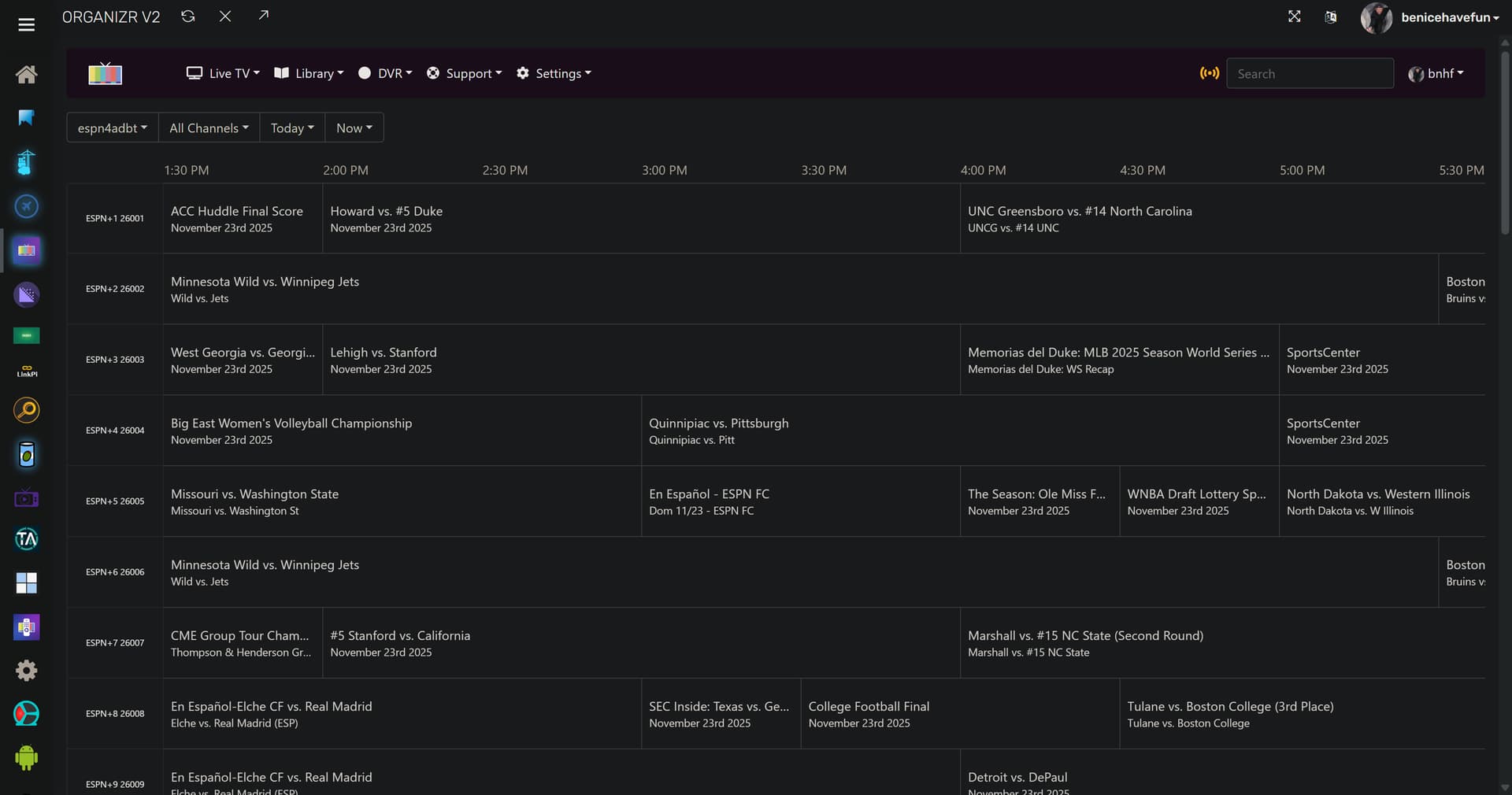
The Action that creates x number of ESPN+ lanes in ADBTuner (which needs to match the number of lanes configured in the ESPN4cc4c stack), will also create an espn4adbt CDVR Custom Channels Source.

Plus, the Action will delete any pre-existing virtual channels with a provider name of ESPN, if desired. And finally, it'll add the required ADBTuner Custom Configuration if one doesn't exist with its UUID.

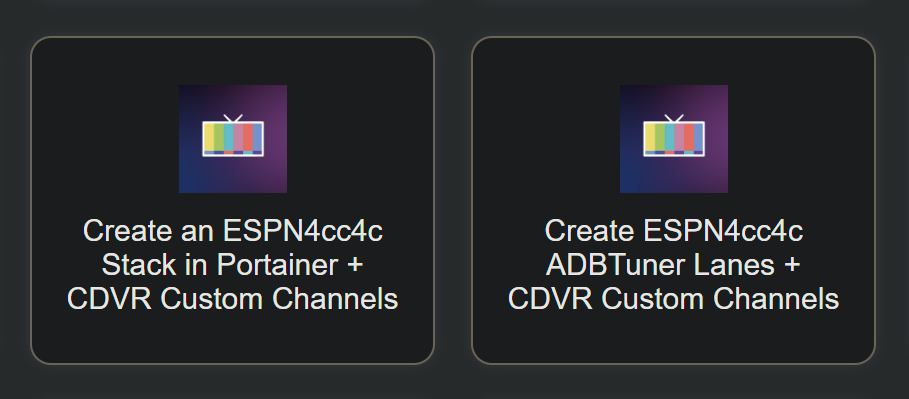
The ESPN4cc4c One-Click (this needs to be run first, even if you're only going to use it with ADBTuner):

The ESPN4adbt One-Click (be sure you're using ADBTuner 20251114-2 or newer):

1 Like

I believe I have all guide-matching related issues sorted out in the latest Project One-Click for this hybrid project. Using the new ADBTuner API, the Action will automatically create as many virtual channels in ADBTuner as desired. It'll also delete any existing channels with a provider name of ESPN -- to clear the decks.

I have all three variations (using cc4c, ch4c or ADBTuner) running simultaneously, each using a custom channel number range:

More details on the new ESPN4cc4c ADBTuner Project One-Click Action:

Think the "mac hack" for DOCKER_GATEWAY might be missing/broken from the 1-click:

root@37c27cfbad99:/app# curl http://host.docker.internal/whatson/1
curl: (7) Failed to connect to host.docker.internal port 80 after 4 ms: Could not connect to server
root@37c27cfbad99:/app# curl http://host.docker.internal:8094/whatson/1
{"ok":true,"lane":1,"event_uid":"fea9692a-dacb-468f-92ec-5f051a27244f:3b6f1bb815fc2b44153dfcd0285e2c05","at":"2025-11-24T11:51:50+00:00","deeplink_url":null}root@37c27cfbad99:/app#

I added it manually as an env var, but still no dice.

The One-Click Action is now building the channels for ADBTuner using your actual host:port or ip:port for ESPN4cc4c embedded in the custom channel's URL. I.E., host.docker.internal is no longer being used, since we don't need it to be one-size-fits-all -- and any number of channels is possible:

Did you run both Project One-Click Actions?

The second one fails because dvr:8094 isn't working, similar to earlier tries before that fix.

{"detail":"Not Found"}

Are you expecting dvr to be resolved by your local DNS server, or are you using Tailscale's MagicDNS?

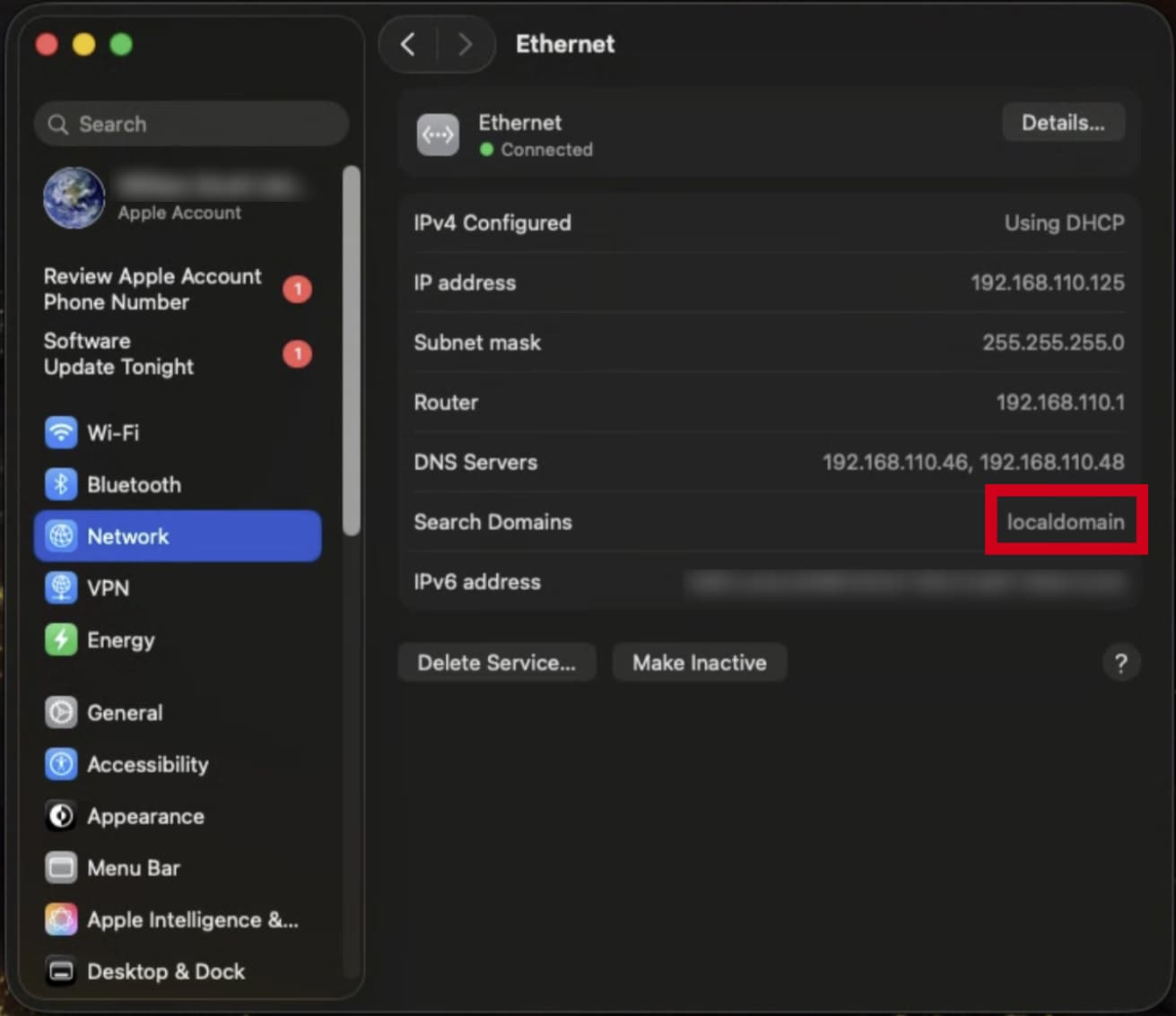
Pretty much either way, the search domains you specified in OliveTin need to be correct:

You can always use your Mac's IP if needed.

Note that localdomain is the correct search domain on my LAN, but yours could be local, lan or whatever your DNS server expects.

@KineticMan

Could you add another copy block to /setupfilters that would be suitable for use in Portainer's Environment variables section of the Stacks-Editor?

Currently you're offering this:

environment:
  - FILTER_EXCLUDE_NETWORKS=ESPN Deportes
  - FILTER_EXCLUDE_LEAGUES=NBA G League
  - FILTER_EXCLUDE_SPORTS=Wrestling
  - FILTER_EXCLUDE_EVENT_TYPES=OVER
  - FILTER_EXCLUDE_LANGUAGES=es
  - FILTER_EXCLUDE_REAIR=true
  - FILTER_CASE_INSENSITIVE=true
  - FILTER_PARTIAL_LEAGUE_MATCH=true
  - FILTER_REQUIRE_ESPN_PLUS=false

but I'm hoping you can set this up as an alternative:

FILTER_EXCLUDE_NETWORKS=ESPN Deportes
FILTER_EXCLUDE_LEAGUES=NBA G League
FILTER_EXCLUDE_SPORTS=Wrestling
FILTER_EXCLUDE_EVENT_TYPES=OVER
FILTER_EXCLUDE_LANGUAGES=es
FILTER_EXCLUDE_REAIR=true
FILTER_CASE_INSENSITIVE=true
FILTER_PARTIAL_LEAGUE_MATCH=true
FILTER_REQUIRE_ESPN_PLUS=false

That way, when the environment: section of the compose looks like this:

    environment:
      - TZ=${TZ:-America/New_York}
      - VC_RESOLVER_BASE_URL=${VC_RESOLVER_BASE_URL:-http://192.168.86.72:8094}
      - CC_HOST=${CC_HOST:-192.168.86.72}
      - CC_PORT=${CC_PORT:-5589}
      - CH4C_HOST=${CH4C_HOST:-127.0.0.1}
      - CH4C_PORT=${CH4C_PORT:-2442}
      - PORT=${PORT:-8094}
      - APP_MODULE=${APP_MODULE:-bin.vc_resolver:app}
      - VALID_HOURS=${VALID_HOURS:-72}
      - LANES=${LANES:-40}
      - ALIGN=${ALIGN:-30}
      - MIN_GAP_MINS=${MIN_GAP_MINS:-30}
      - M3U_GROUP_TITLE=${M3U_GROUP_TITLE:-ESPN+ VC}
      - VC_M3U_PATH=${VC_M3U_PATH:-/app/out/playlist.m3u}
      - WATCH_API_KEY=${WATCH_API_KEY:-0dbf88e8-cc6d-41da-aa83-18b5c630bc5c}
      - FILTER_ENABLED_NETWORKS=${FILTER_ENABLED_NETWORKS:-*}
      - FILTER_EXCLUDE_NETWORKS=${FILTER_EXCLUDE_NETWORKS:-}
      - FILTER_ENABLED_SPORTS=${FILTER_ENABLED_SPORTS:-*}
      - FILTER_EXCLUDE_SPORTS=${FILTER_EXCLUDE_SPORTS:-}
      - FILTER_ENABLED_LEAGUES=${FILTER_ENABLED_LEAGUES:-*}
      - FILTER_EXCLUDE_LEAGUES=${FILTER_EXCLUDE_LEAGUES:-}
      - FILTER_ENABLED_EVENT_TYPES=${FILTER_ENABLED_EVENT_TYPES:-*}
      - FILTER_EXCLUDE_EVENT_TYPES=${FILTER_EXCLUDE_EVENT_TYPES:-}
      - FILTER_ENABLED_LANGUAGES=${FILTER_ENABLED_LANGUAGES:-*}
      - FILTER_EXCLUDE_LANGUAGES=${FILTER_EXCLUDE_LANGUAGES:-}
      - FILTER_REQUIRE_ESPN_PLUS=${FILTER_REQUIRE_ESPN_PLUS:-}
      - FILTER_EXCLUDE_PPV=${FILTER_EXCLUDE_PPV:-false}
      - FILTER_EXCLUDE_REAIR=${FILTER_EXCLUDE_REAIR:-false}
      - FILTER_EXCLUDE_NO_SPORT=${FILTER_EXCLUDE_NO_SPORT:-false}
      - FILTER_CASE_INSENSITIVE=${FILTER_CASE_INSENSITIVE:-true}
      - FILTER_PARTIAL_LEAGUE_MATCH=${FILTER_PARTIAL_LEAGUE_MATCH:-true}

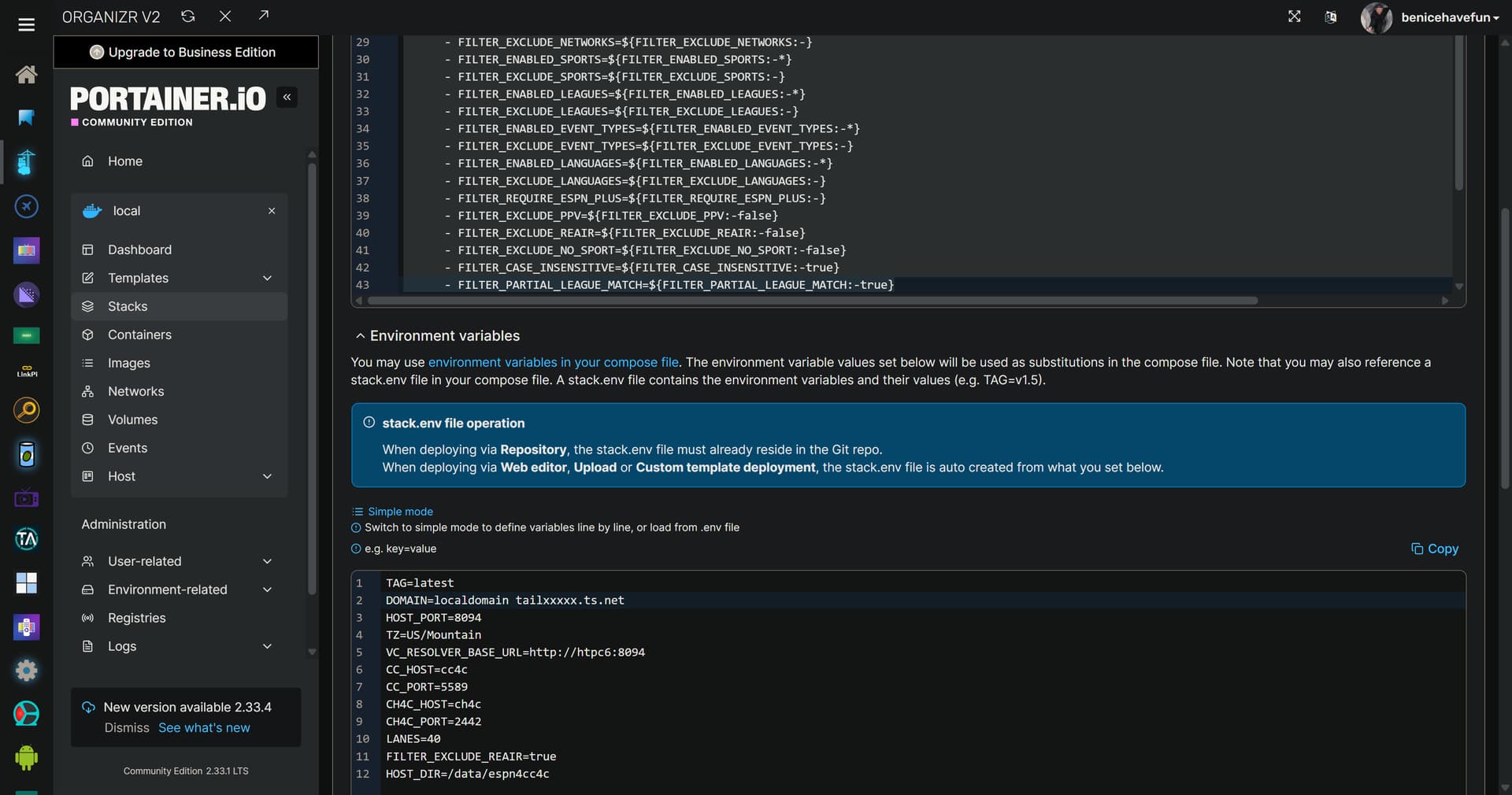
Those values, in that form, can just be pasted in as overrides here:

This way, one knows at a glance which values are not the defaults, and are specific to an individual installation.

@hancox

What do you see here for your Search Domains value?:

local , which is what i also have in my env vars.